Drones Controller Bebop
$4.99
1.3.2for iPhone, iPad
Age Rating
Drones Controller Bebop スクリーンショット
About Drones Controller Bebop
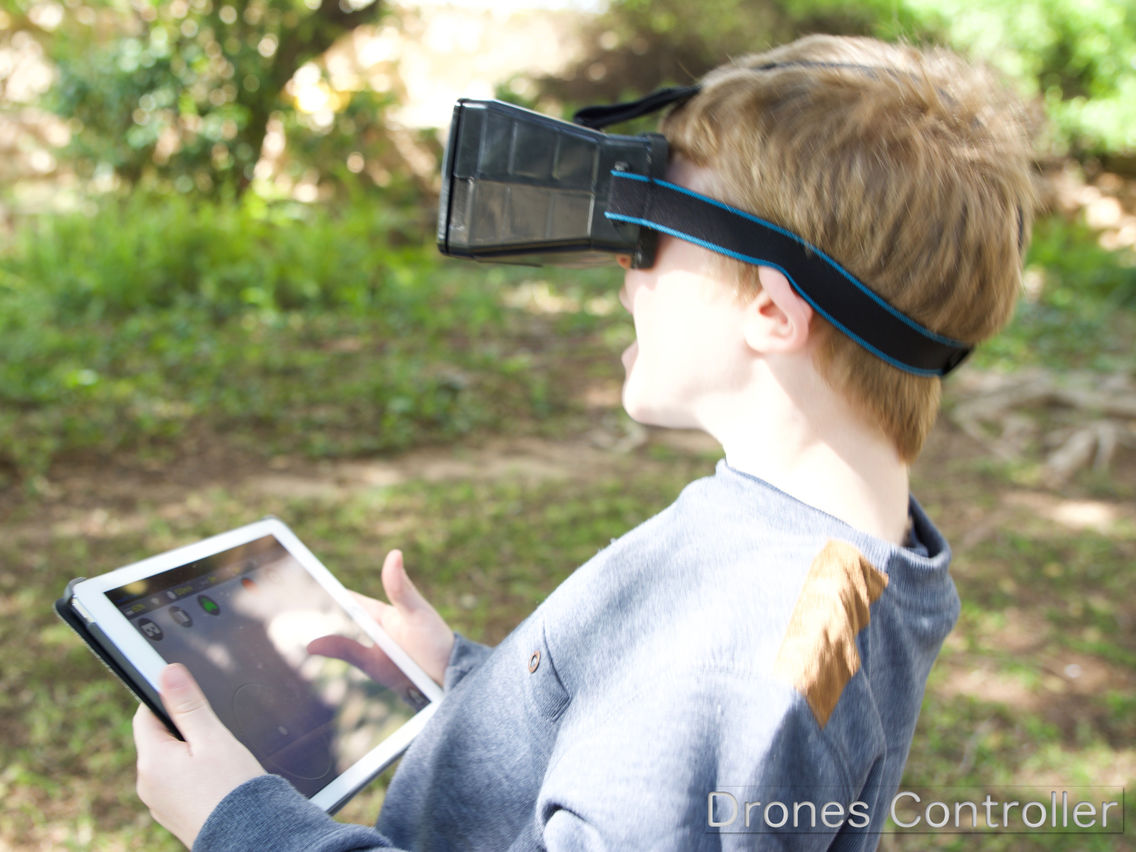
Fly your Bebop drone (1 & 2) with Drones-Controller. Experience real-time enhanced video streaming, Head Up Display (HUD), FPV VR with Head tracking, and much more. Control your drone with onscreen Gamepad, MFI Gamepad , SkyController, or … use TWO smartphones: one as VR display and the 2nd as a gamepad (!!). Control the drone’s camera using a 3rd stick (onscreen gamepad) ,head tracking (FPV) and more.
PowerUp FPV drone is also supported, however some features are not supported by the PowerUp FPV drone.
For more details please visit:
https://www.dronescontroller.com/
--- Main Features
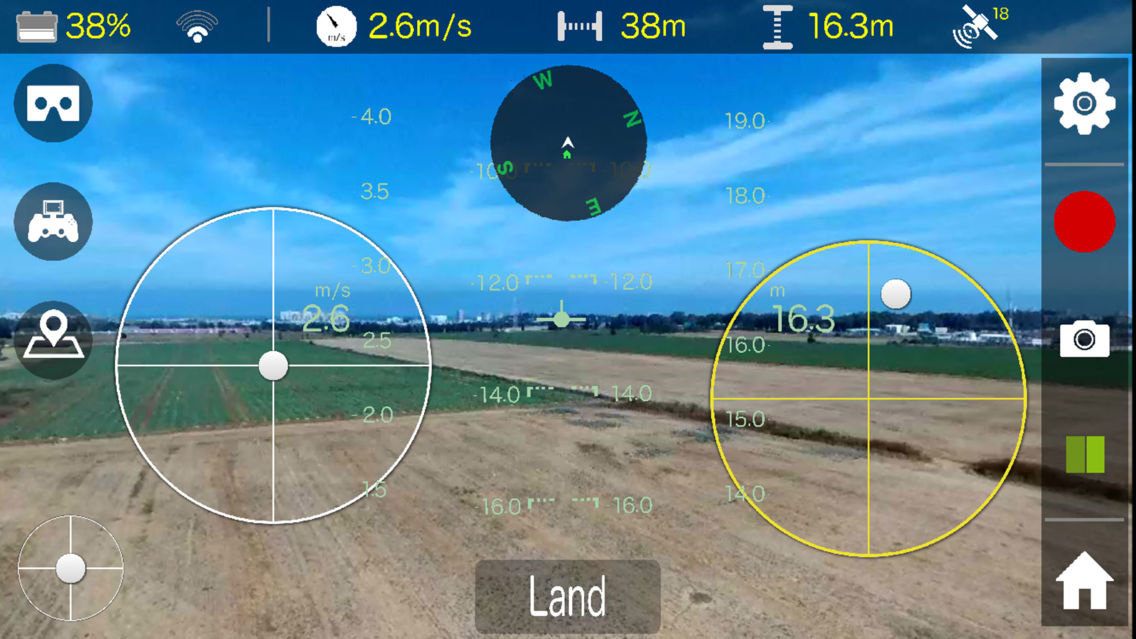
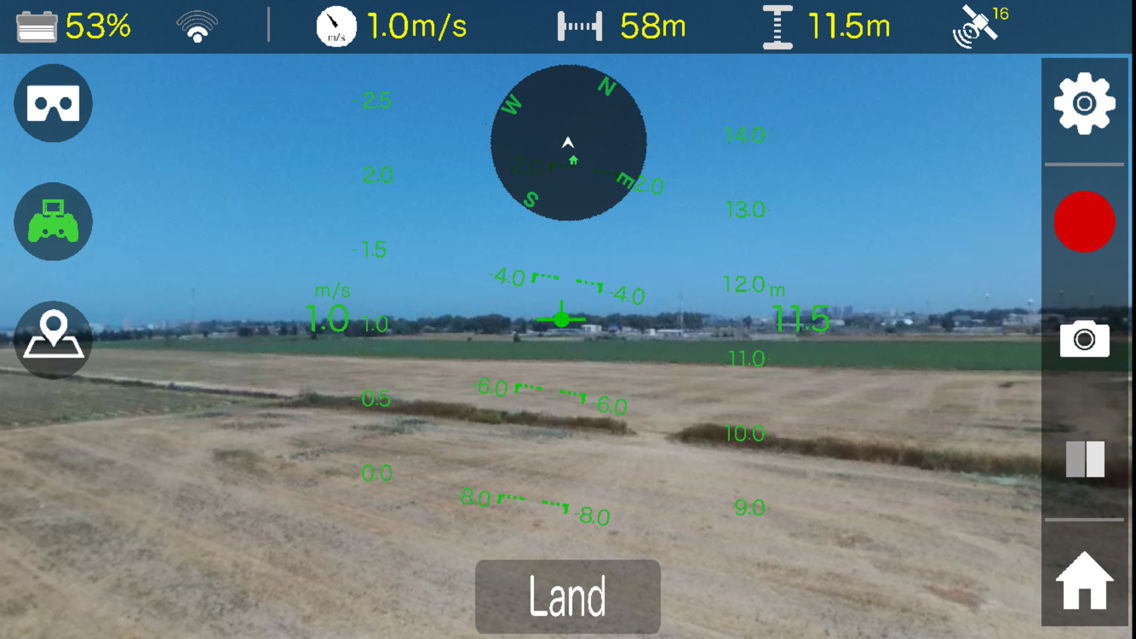
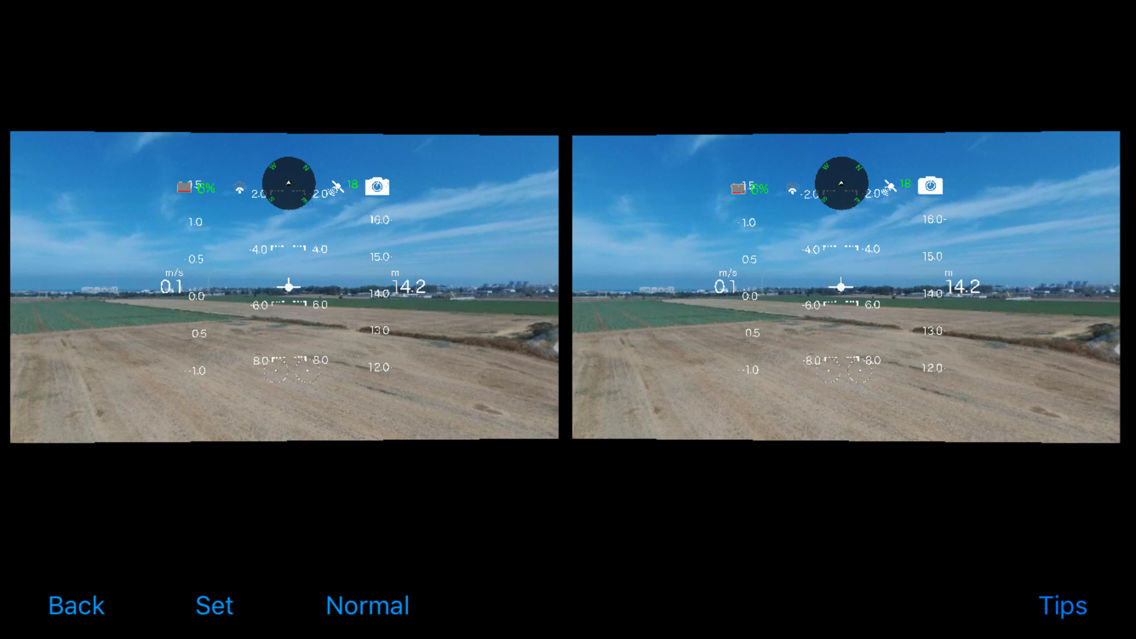
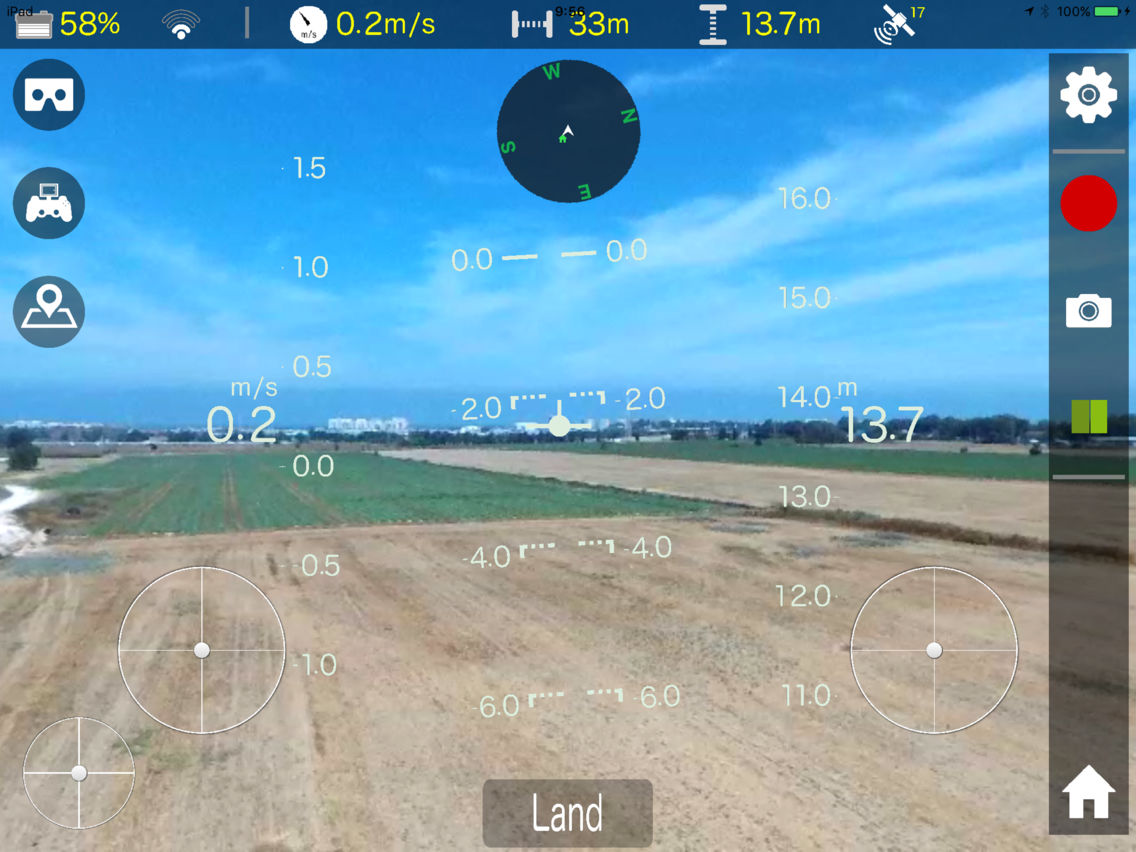
* Head Up Display (HUD) for speed, altitude, roll & pitch
* Camera control stick ! (onscreen gamepad)
* Navigational compass that displays the home point location relative to your drone.
* Magic sticks: the onscreen sticks follow your fingers!
* MFI gamepad support (optional)
* SkyController support (optional)
* a 2nd smartphone running the FREE DRONES-CONTROLLER REMOTE APP as a gamepad (so your primary smartphone can be used for FPV in case you don't have a MFI gamepad or skycontroller !. optional.)
* FPV VR Cam mode: , 3-axis Head tracking that controls the camera.
* FPV VR Virtual Cam mode: , 3-axis head tracking with camera movement simulation.
* FPV VR Normal mode: No head tracking.
* 3D VR: Two different angles of the scene. NOTE: the video is projected as 2D surface rendered from two different angles for more realistic view. The flight information is projected ‘closer’ to the viewer (3D).
* FPV VR: Adjustable frame (lens) distance and field of view!
* Map display.
* Media Control: Manage your drone’s media files: Download files from your drone directly to your photo gallery. delete files.
-- Other features:
* Return Home
* Video recording
* Image capture
* Battery power indicator.
* WIFI signal strength indicator
* Speed indicator
* Altitude indicator
* Distance indicator
* GPS satellites count indicator
Yaw,Pitch & Roll sensitivity settings
** WE ARE HERE FOR YOU ! **
Please contact us if you encounter any problem or if you have any question regarding this app.
Email us to: ContactUs@CodeWithContent.com
VISIT OUR WEB SITE:
www.dronescontroller.com
Credits:
Some Icons made by Freepik from www.flaticon.com
** DISCLAIMER **
This app was tested on Bebop 2 and PowerUp FPV. Testing in, especially in FPV mode, was so much fun that we couldn't stop testing it ;)
nevertheless, since no app is perfect:
By using this app you approve that the app's owner & publisher are not responsible in any way for any damage caused by using this app (if any).
Have awesome, safe, flights!

PowerUp FPV drone is also supported, however some features are not supported by the PowerUp FPV drone.
For more details please visit:
https://www.dronescontroller.com/
--- Main Features
* Head Up Display (HUD) for speed, altitude, roll & pitch
* Camera control stick ! (onscreen gamepad)
* Navigational compass that displays the home point location relative to your drone.
* Magic sticks: the onscreen sticks follow your fingers!
* MFI gamepad support (optional)
* SkyController support (optional)
* a 2nd smartphone running the FREE DRONES-CONTROLLER REMOTE APP as a gamepad (so your primary smartphone can be used for FPV in case you don't have a MFI gamepad or skycontroller !. optional.)
* FPV VR Cam mode: , 3-axis Head tracking that controls the camera.
* FPV VR Virtual Cam mode: , 3-axis head tracking with camera movement simulation.
* FPV VR Normal mode: No head tracking.
* 3D VR: Two different angles of the scene. NOTE: the video is projected as 2D surface rendered from two different angles for more realistic view. The flight information is projected ‘closer’ to the viewer (3D).
* FPV VR: Adjustable frame (lens) distance and field of view!
* Map display.
* Media Control: Manage your drone’s media files: Download files from your drone directly to your photo gallery. delete files.
-- Other features:
* Return Home
* Video recording
* Image capture
* Battery power indicator.
* WIFI signal strength indicator
* Speed indicator
* Altitude indicator
* Distance indicator
* GPS satellites count indicator
Yaw,Pitch & Roll sensitivity settings
** WE ARE HERE FOR YOU ! **
Please contact us if you encounter any problem or if you have any question regarding this app.
Email us to: ContactUs@CodeWithContent.com
VISIT OUR WEB SITE:
www.dronescontroller.com
Credits:
Some Icons made by Freepik from www.flaticon.com
** DISCLAIMER **
This app was tested on Bebop 2 and PowerUp FPV. Testing in, especially in FPV mode, was so much fun that we couldn't stop testing it ;)
nevertheless, since no app is perfect:
By using this app you approve that the app's owner & publisher are not responsible in any way for any damage caused by using this app (if any).
Have awesome, safe, flights!
Show More
最新バージョン 1.3.2 の更新情報
Last updated on 2017年07月07日
旧バージョン
New WIFI Band & Channel indicators (on the status popup).
WIFI band selection switch is now synced with drone's actual WIFI Band (bug fix).
Show More
Version History
1.3.2
2017年07月07日
New WIFI Band & Channel indicators (on the status popup).
WIFI band selection switch is now synced with drone's actual WIFI Band (bug fix).
1.3.1
2017年06月20日
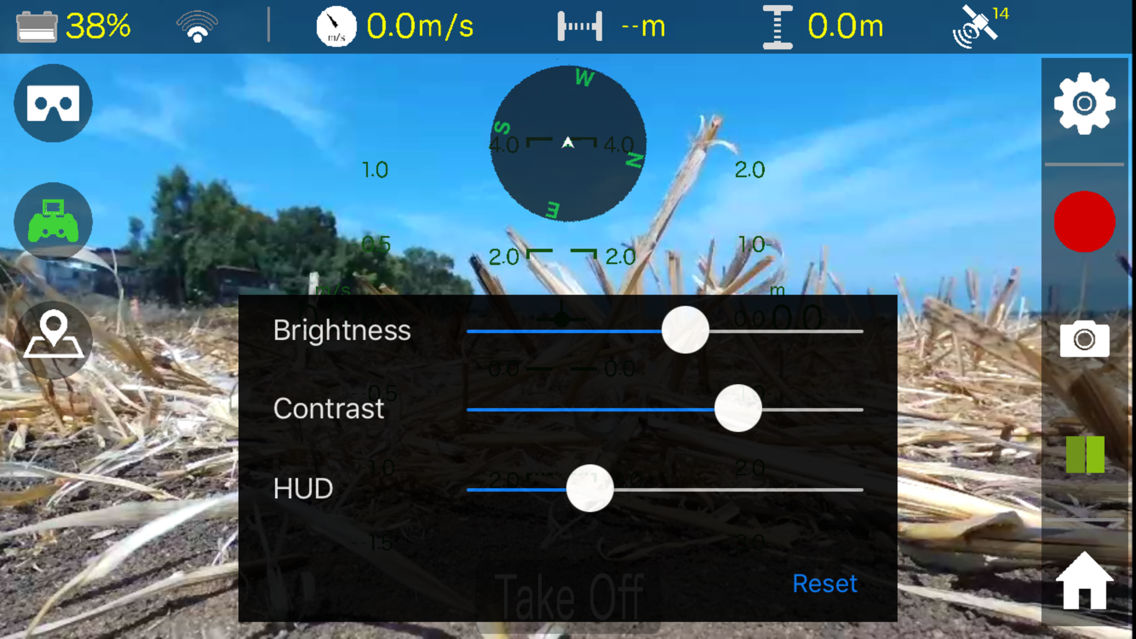
New HUD on/off switch in the image enhancement settings.
1.3
2017年05月29日
Adjustable Head Up Display (HUD) color.
Sky controller initial rotation speed bug fix.
1.2
2017年05月17日
* New Head Up Display (HUD)
* 3rd stick for Camera control (pan, tilt)
* On screen Compass + Home point relative to drone display.
* Map, with current location, drone location & home location markers.
* Media manager. download media files from drone or delete files from drone's storage.
* 3rd stick for Camera control (pan, tilt)
* On screen Compass + Home point relative to drone display.
* Map, with current location, drone location & home location markers.
* Media manager. download media files from drone or delete files from drone's storage.
1.0
2017年04月01日
Drones Controller Bebop FAQ
ここをクリック!地理的に制限されているアプリのダウンロード方法をご参考ください。
次のリストをチェックして、Drones Controller Bebopの最低システム要件をご確認ください。
iPhone
iPad
Drones Controller Bebopは次の言語がサポートされています。 English