OmniLock
無料
2.34.0for iPhone, iPad
Age Rating
OmniLock スクリーンショット
About OmniLock
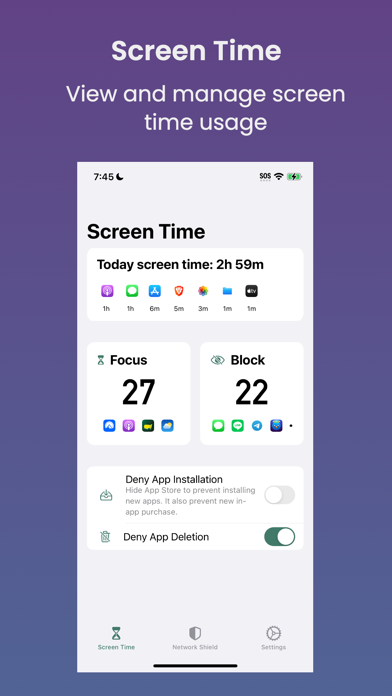
OmniLock is a software suite designed to aid in the management of screen time and content filters for Safari.
## Screen Time Management
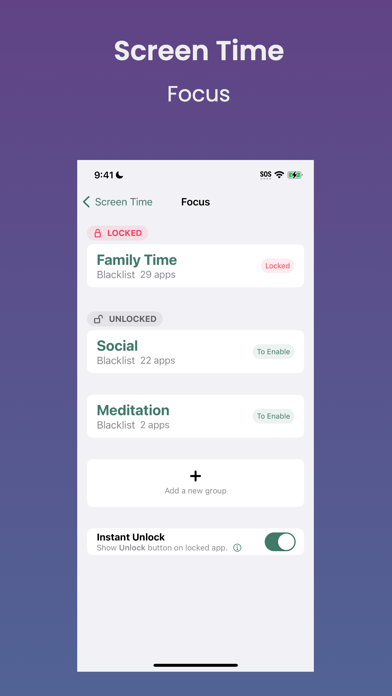
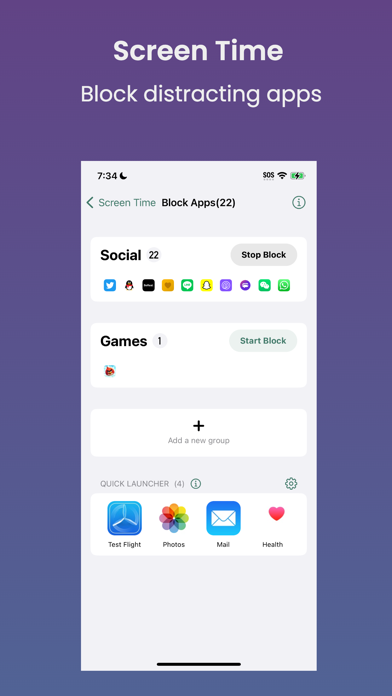
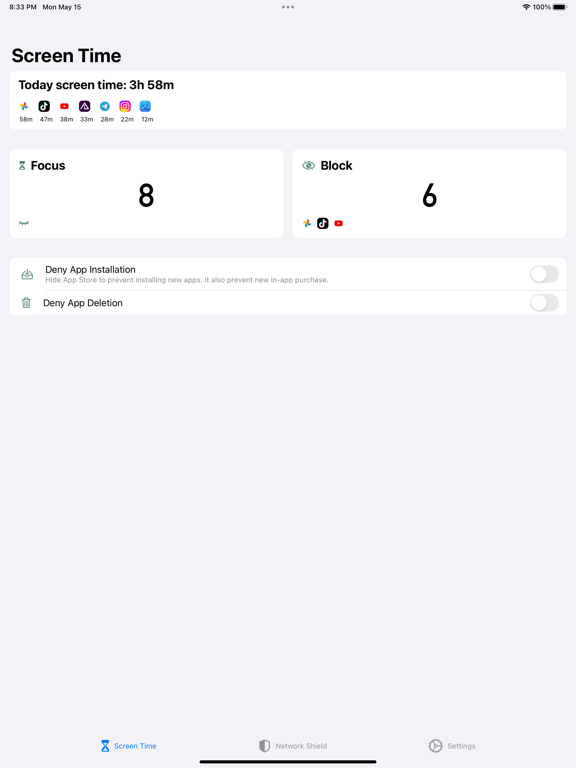
By blocking distracting apps, OmniLock can assist you or your child in managing screen time and maintaining focus. You can create different groups and schedule on/off times with various conditions using shortcuts.
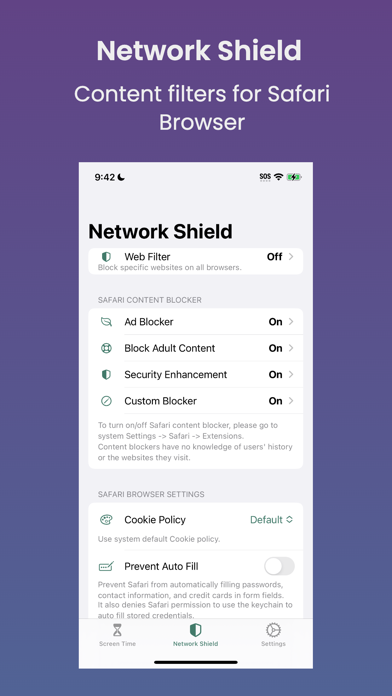
## Network Shield
### Web Filter
- Block specific domains on Safari, Chrome, Firefox, and other browsers.
### Safari Content Blockers
- Block adult content.
- Block websites with custom keywords.
- Enhance security by blocking phishing, malware, spyware, and cryptocurrency mining websites.
- Block ads and trackers to protect your privacy.
- Subscribe to any blocklist using custom blocker.
## Passcode Lock
You can use a passcode or Face ID to lock your OmniLock and prevent from changing your settings.
## Shortcut Integration
Custom shortcut actions enable you to create your own Shortcuts or Automation for managing screen time usage.
## Privacy
We prioritize data security and privacy. Here are some highlights of our privacy practices:
- We design our app can be used anonymously, we do not ask any email, phone or personal information to use our app.
- We do not (and will never) sell or share any of the data submitted directly or indirectly by our users with any person or entity.
- We may anonymously gather data on app usage and crashes solely for the purpose of enhancing app quality.
## Technical Support
If you encounter any issues while using the app, have feedback to share, or wish to request a feature, please contact us via email support within the app. We will respond to your inquiry promptly.

## Screen Time Management
By blocking distracting apps, OmniLock can assist you or your child in managing screen time and maintaining focus. You can create different groups and schedule on/off times with various conditions using shortcuts.
## Network Shield
### Web Filter
- Block specific domains on Safari, Chrome, Firefox, and other browsers.
### Safari Content Blockers
- Block adult content.
- Block websites with custom keywords.
- Enhance security by blocking phishing, malware, spyware, and cryptocurrency mining websites.
- Block ads and trackers to protect your privacy.
- Subscribe to any blocklist using custom blocker.
## Passcode Lock
You can use a passcode or Face ID to lock your OmniLock and prevent from changing your settings.
## Shortcut Integration
Custom shortcut actions enable you to create your own Shortcuts or Automation for managing screen time usage.
## Privacy
We prioritize data security and privacy. Here are some highlights of our privacy practices:
- We design our app can be used anonymously, we do not ask any email, phone or personal information to use our app.
- We do not (and will never) sell or share any of the data submitted directly or indirectly by our users with any person or entity.
- We may anonymously gather data on app usage and crashes solely for the purpose of enhancing app quality.
## Technical Support
If you encounter any issues while using the app, have feedback to share, or wish to request a feature, please contact us via email support within the app. We will respond to your inquiry promptly.
Show More
最新バージョン 2.34.0 の更新情報
Last updated on 2026年04月30日
旧バージョン
- Bug fixes and improvements.
Show More
Version History
2.34.0
2026年04月30日
- Bug fixes and improvements.
OmniLock FAQ
OmniLockは、以下の国または地域では利用できません。
Tajikistan
次のリストをチェックして、OmniLockの最低システム要件をご確認ください。
iPhone
iPad
ここをクリック!地理的に制限されているアプリのダウンロード方法をご参考ください。