SwiftReply
Canned Response Works Anywhere
無料
5for iPhone, iPad and more
Age Rating
SwiftReply スクリーンショット
About SwiftReply
___ Why SwiftReply ___
- Customers emails and questions can get repetitive and writing the same replies is time-consuming and tedious.
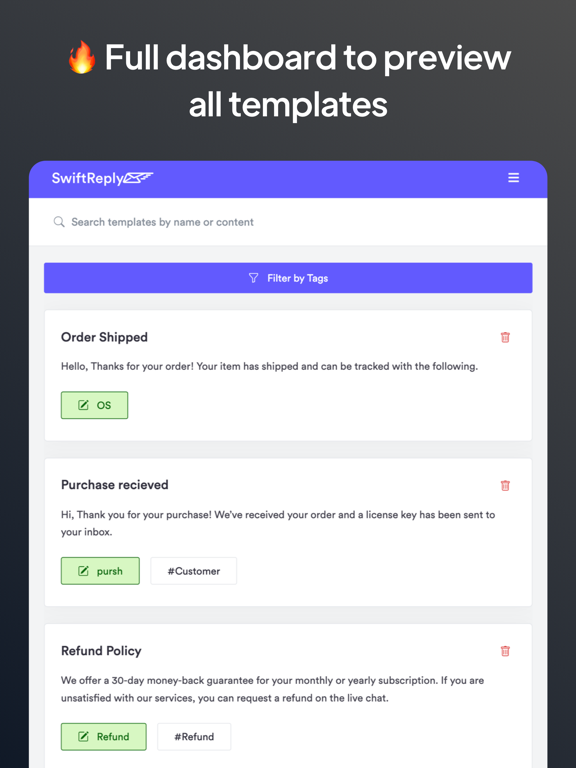
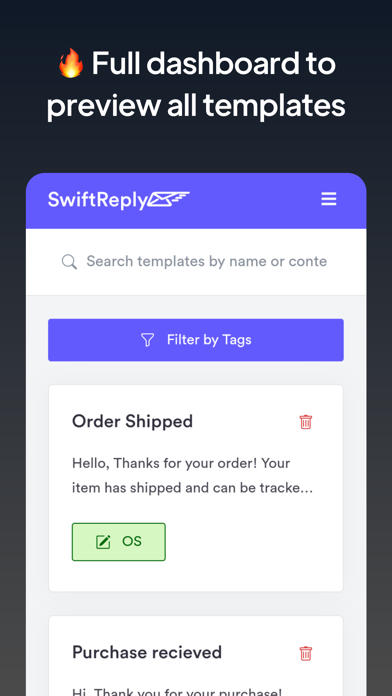
- Sell smarter and improve customer interactions with easy access to content you need for your customers, all in one place.
In short: SwiftReply is an all-in-one solution to Design, organize & quickly insert canned responses with one click.
___ How SwiftReply Works ___
1- Login with email and password.
2- Create templates.
Go to Settings
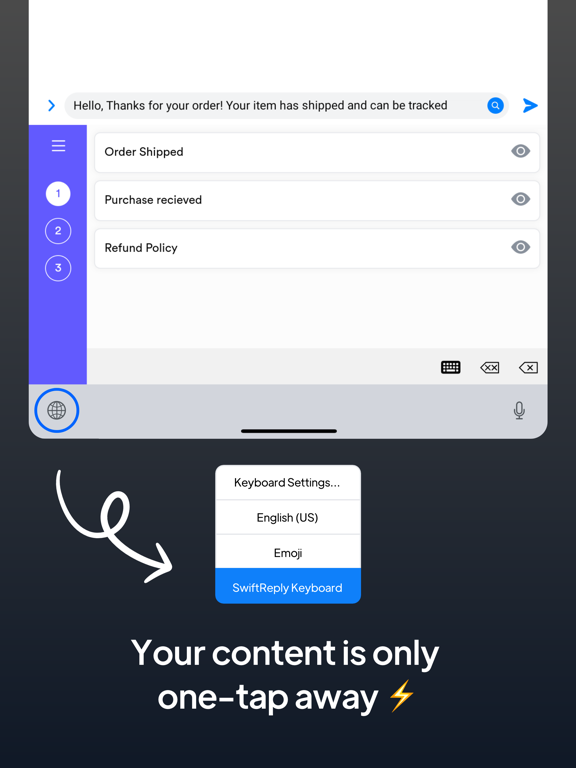
3- Enable SwiftReply keyboard.
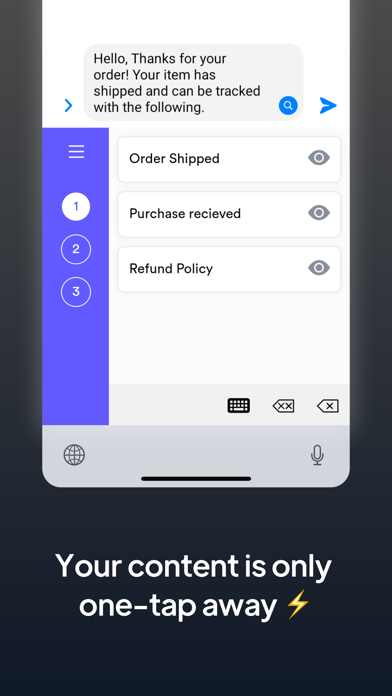
4- Now open any app for example Massenger. Click any text input and switch from the Default keyboard to SwiftReply Keyboard.
Insert now the template you have created.
___ SwiftReply Features ___
- Access & Send Templates Through Your Keyboard:
With one tap you can switch to the SwiftReply keyboard, access all your templates, and use it with your customers in apps such as Facebook, Instagram, Gmail, TikTok, WhatsApp, Telegram, Messenger… literally it works everywhere you do.
All your content in one place - super fast, super easy, super productive! Download and start boosting sales TODAY!
- Fully Customizable templates:
Easily customize canned responses by a powerful rich text editor with advanced formatting, colors, links, and many other features.
- Organize templates in different workspaces (Folders):
Keep your templates organized by theme or topic by creating workplaces to help keep your content methodized depending on your needs.
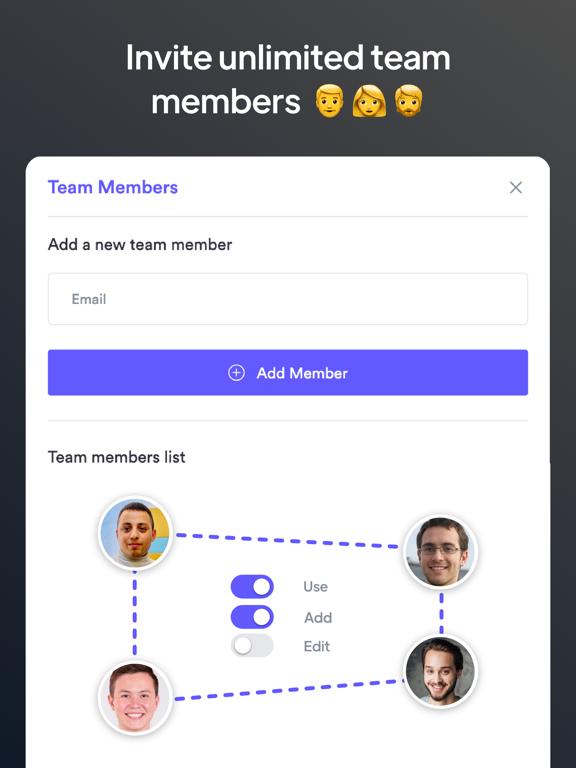
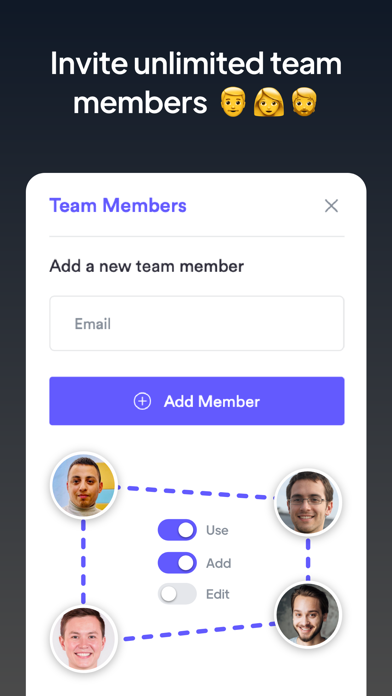
- Share templates with unlimited team members:
Having team members write the same replies is time-consuming and tedious. SwiftReply has template sharing so everyone is on the same page.
As a team leader, you can grant your team different permissions depending on their role: Edit / delete / add templates
- Add custom variables:
Variables are the best way to create unique canned responses for each customer, without spending hours customizing every single detail. E.g: I love color {{ red , blue, green, …}}
___ How Leaders, Influencers, & Sellers Use SwiftReply ___
** Team Training **
Instead of training documents and onboarding processes being on multiple platforms, onboard new team members quickly and easily by putting all your know-how and all the content they need to sell like a pro in one place.
** Direct Sales **
Are you selling products from your phone? With SwiftReply you’ll be able to sell smarter and improve customer interactions with easy access to content you need for your customers, all in one place. Add product catalogs, video tutorials, sales pitches, and anything else you may need to send to your customers, to your board, and access it all in one click!
SwiftReply is best for:
- Direct sellers
- Affiliators
- Influencers
- Realtors
- Brand ambassadors
- Freelancers
- Car dealers
- Professionals that work from their phone
** Customer Support **
Answer questions confidently, cut down response time with quick access to product details, and handle every customer scenario with grace by using SwiiftReply to advance your customer support.

- Customers emails and questions can get repetitive and writing the same replies is time-consuming and tedious.
- Sell smarter and improve customer interactions with easy access to content you need for your customers, all in one place.
In short: SwiftReply is an all-in-one solution to Design, organize & quickly insert canned responses with one click.
___ How SwiftReply Works ___
1- Login with email and password.
2- Create templates.
Go to Settings
3- Enable SwiftReply keyboard.
4- Now open any app for example Massenger. Click any text input and switch from the Default keyboard to SwiftReply Keyboard.
Insert now the template you have created.
___ SwiftReply Features ___
- Access & Send Templates Through Your Keyboard:
With one tap you can switch to the SwiftReply keyboard, access all your templates, and use it with your customers in apps such as Facebook, Instagram, Gmail, TikTok, WhatsApp, Telegram, Messenger… literally it works everywhere you do.
All your content in one place - super fast, super easy, super productive! Download and start boosting sales TODAY!
- Fully Customizable templates:
Easily customize canned responses by a powerful rich text editor with advanced formatting, colors, links, and many other features.
- Organize templates in different workspaces (Folders):
Keep your templates organized by theme or topic by creating workplaces to help keep your content methodized depending on your needs.
- Share templates with unlimited team members:
Having team members write the same replies is time-consuming and tedious. SwiftReply has template sharing so everyone is on the same page.
As a team leader, you can grant your team different permissions depending on their role: Edit / delete / add templates
- Add custom variables:
Variables are the best way to create unique canned responses for each customer, without spending hours customizing every single detail. E.g: I love color {{ red , blue, green, …}}
___ How Leaders, Influencers, & Sellers Use SwiftReply ___
** Team Training **
Instead of training documents and onboarding processes being on multiple platforms, onboard new team members quickly and easily by putting all your know-how and all the content they need to sell like a pro in one place.
** Direct Sales **
Are you selling products from your phone? With SwiftReply you’ll be able to sell smarter and improve customer interactions with easy access to content you need for your customers, all in one place. Add product catalogs, video tutorials, sales pitches, and anything else you may need to send to your customers, to your board, and access it all in one click!
SwiftReply is best for:
- Direct sellers
- Affiliators
- Influencers
- Realtors
- Brand ambassadors
- Freelancers
- Car dealers
- Professionals that work from their phone
** Customer Support **
Answer questions confidently, cut down response time with quick access to product details, and handle every customer scenario with grace by using SwiiftReply to advance your customer support.
Show More
最新バージョン 5 の更新情報
Last updated on 2022年11月11日
旧バージョン
SwiftReply compatible with iOS16.
Show More
Version History
5
2022年11月11日
SwiftReply compatible with iOS16.
4
2022年10月27日
- SwiftReply supports iOS 16.
3
2022年10月19日
- Fixed a few bugs
- Improved Image/Video uploading system.
- Added "Input Variable"
- Added ready templates
- Improved Image/Video uploading system.
- Added "Input Variable"
- Added ready templates
2
2022年06月23日
Bug fixed - SwiftReply keyboard was not loading properly.
1
2022年06月20日
SwiftReply FAQ
ここをクリック!地理的に制限されているアプリのダウンロード方法をご参考ください。
次のリストをチェックして、SwiftReplyの最低システム要件をご確認ください。
iPhone
iOS 14.0以降が必要です。
iPad
iPadOS 14.0以降が必要です。
iPod touch
iOS 14.0以降が必要です。
SwiftReplyは次の言語がサポートされています。 英語