Age Rating
Task Timer Tracker スクリーンショット
About Task Timer Tracker
What kind of application is this?
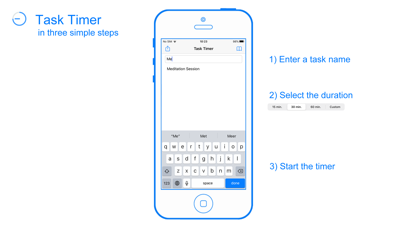
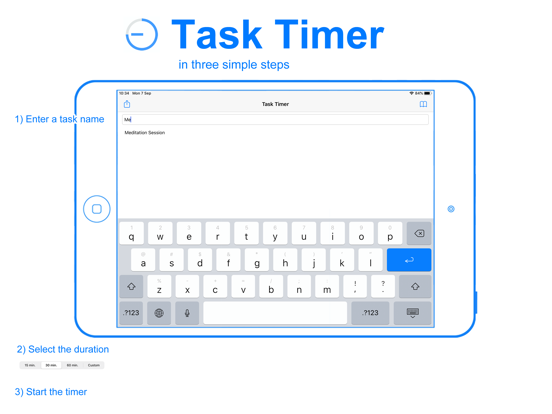
This is a timer application. All you have to do is: create a task name, set a timer, and press Countdown Timer.
After the timer ends you will be prompted to answer if you accomplished the task or not? How it went (well or not) and what you could do differently the next time.
With Duration Mode, the total time you spend on the task will be displayed.
What is the purpose and goal of this application?
The ultimate goal of Task Timer is to help you improve focus and results in the tasks that you have set for yourself.
With repeated usage, the answer that you gave at the end timer session, you will be reminded of how the previous timer session went.
If for example, you wrote that you got distracted by something, you know what you should look out for this time.
Is there anything else?
Task Timer will also log all your end session answers to each task. With the History option, you will get an overview of the task you have set for yourself and how you can make an improvement to it.
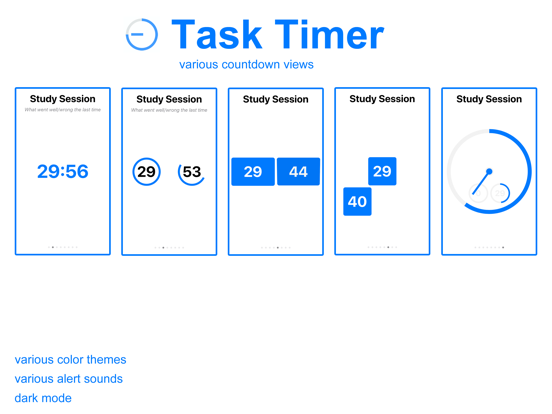
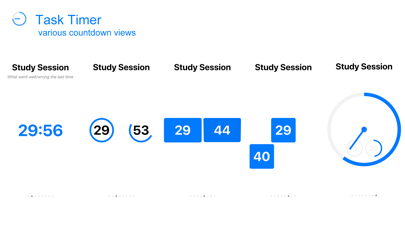
You can choose from various countdown timer displays.
As a parent, when you put your child on a time-out, he or she has something to look at.
As a user, it's always nice to have something to look at when you get distracted and Task Timer will put you back on the right track.

This is a timer application. All you have to do is: create a task name, set a timer, and press Countdown Timer.
After the timer ends you will be prompted to answer if you accomplished the task or not? How it went (well or not) and what you could do differently the next time.
With Duration Mode, the total time you spend on the task will be displayed.
What is the purpose and goal of this application?
The ultimate goal of Task Timer is to help you improve focus and results in the tasks that you have set for yourself.
With repeated usage, the answer that you gave at the end timer session, you will be reminded of how the previous timer session went.
If for example, you wrote that you got distracted by something, you know what you should look out for this time.
Is there anything else?
Task Timer will also log all your end session answers to each task. With the History option, you will get an overview of the task you have set for yourself and how you can make an improvement to it.
You can choose from various countdown timer displays.
As a parent, when you put your child on a time-out, he or she has something to look at.
As a user, it's always nice to have something to look at when you get distracted and Task Timer will put you back on the right track.
Show More
最新バージョン 1.1 の更新情報
Last updated on 2021年01月25日
旧バージョン
+ new duration mode, display the total time you spend on a task
+ new clock mode, display the current time
+ bug fix
+ new clock mode, display the current time
+ bug fix
Show More
Version History
1.1
2021年01月25日
+ new duration mode, display the total time you spend on a task
+ new clock mode, display the current time
+ bug fix
+ new clock mode, display the current time
+ bug fix
1.0
2020年09月08日
Task Timer Tracker 価格
今日:
¥100
最低価格:
¥100
最高価格:
¥160
Task Timer Tracker FAQ
ここをクリック!地理的に制限されているアプリのダウンロード方法をご参考ください。
次のリストをチェックして、Task Timer Trackerの最低システム要件をご確認ください。
iPhone
iOS 13.0以降が必要です。
iPad
iPadOS 13.0以降が必要です。
iPod touch
iOS 13.0以降が必要です。
Task Timer Trackerは次の言語がサポートされています。 英語