Age Rating
Textastic スクリーンショット
About Textastic
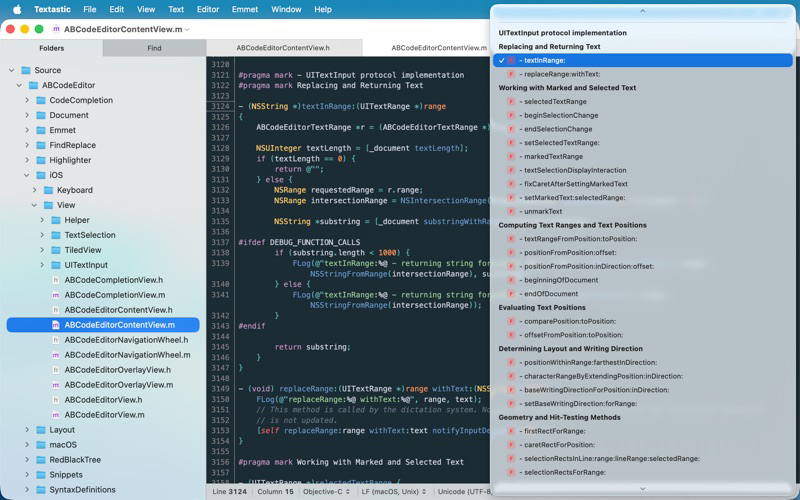
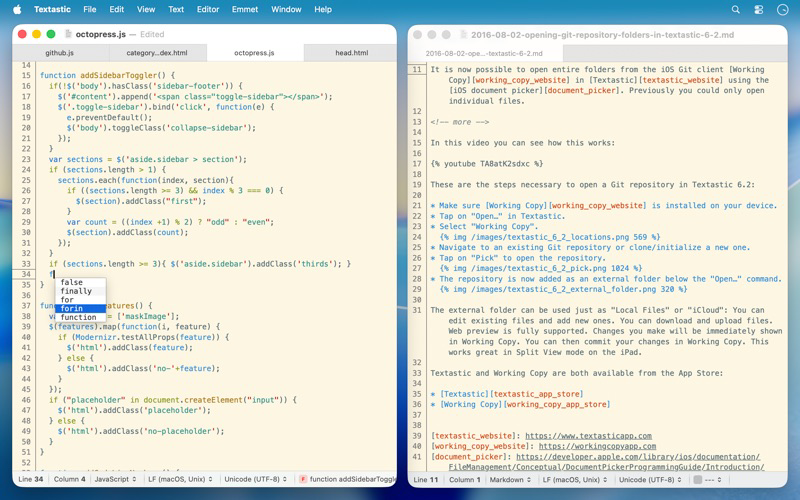
Textastic is a powerful and fast text, code, and markup editor.
• Syntax highlighting of more than 80 programming and markup languages
• Supported file types include HTML, JavaScript, CSS, XML, Markdown, Objective-C, Swift, C++, PHP, Perl, Python, SQL, shell scripts and many more
• Compatible with TextMate 1 and Sublime Text 3 syntax definitions and themes
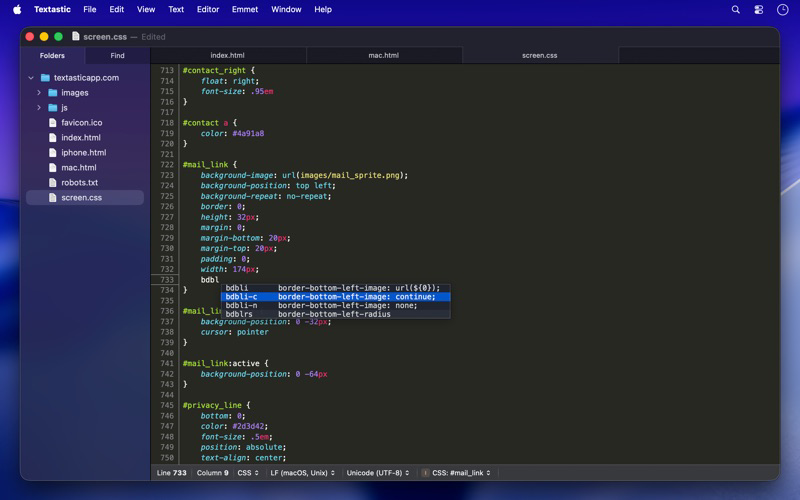
• Code completion for HTML, CSS, JavaScript, PHP, C, and Objective-C
• Open files in tabs
• Open folders in a sidebar
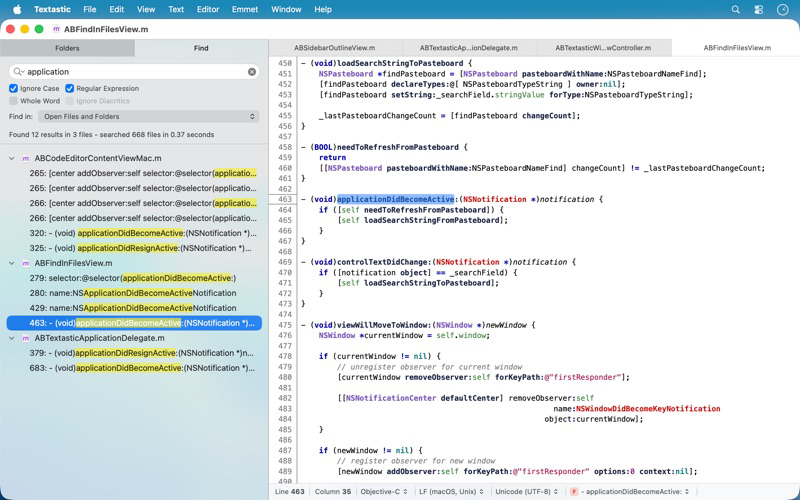
• Find in files
• Print files
• Symbol list to quickly navigate in a file
• Emmet support built-in
• Auto Save and Versions
• iCloud document sync
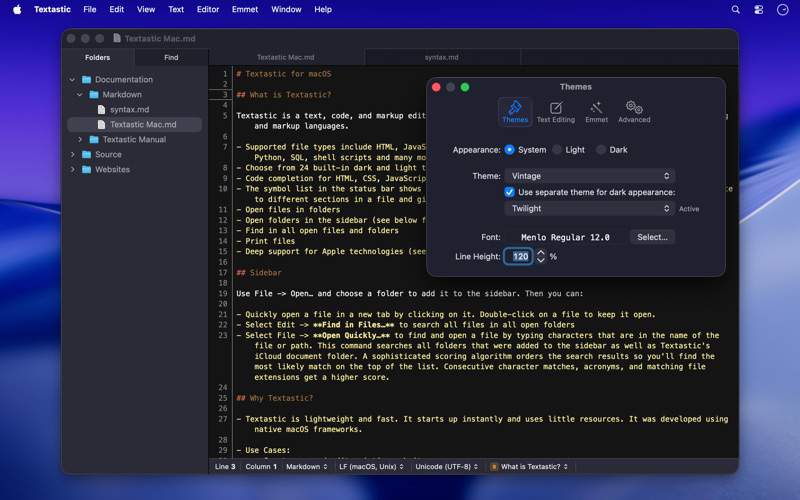
• Full support for Dark Mode
Please note: You can use Textastic for iPad and iPhone to sync files between the Mac, iOS, and iPadOS versions of Textastic using iCloud Drive.

• Syntax highlighting of more than 80 programming and markup languages
• Supported file types include HTML, JavaScript, CSS, XML, Markdown, Objective-C, Swift, C++, PHP, Perl, Python, SQL, shell scripts and many more
• Compatible with TextMate 1 and Sublime Text 3 syntax definitions and themes
• Code completion for HTML, CSS, JavaScript, PHP, C, and Objective-C
• Open files in tabs
• Open folders in a sidebar
• Find in files
• Print files
• Symbol list to quickly navigate in a file
• Emmet support built-in
• Auto Save and Versions
• iCloud document sync
• Full support for Dark Mode
Please note: You can use Textastic for iPad and iPhone to sync files between the Mac, iOS, and iPadOS versions of Textastic using iCloud Drive.
Show More
最新バージョン 7.0 の更新情報
Last updated on 2026年01月31日
旧バージョン
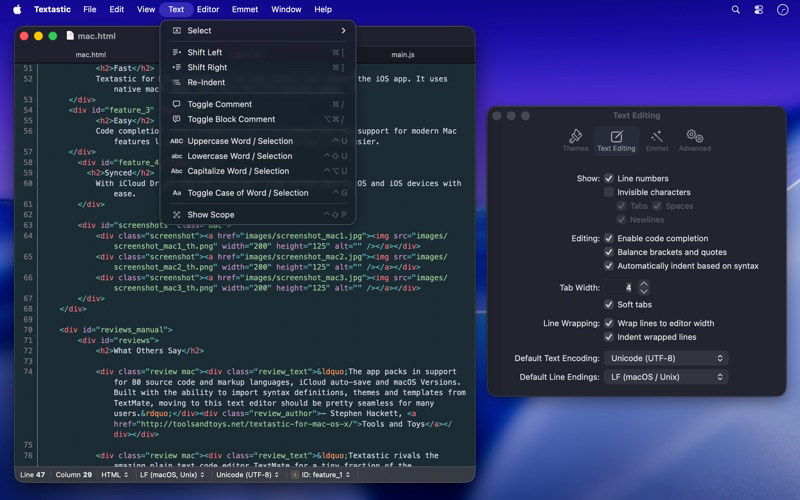
Textastic 7.0 adds full support for macOS Tahoe 26 and the Liquid Glass design, with a refreshed user interface and an updated app icon.
New:
- macOS Tahoe: fully updated for compatibility with the latest version of macOS.
- Added images to menu items on macOS 26.
Fixed:
- Updated the HTML5 template and removed outdated HTML 4.01 and XHTML templates. The HTML5 template now matches what Emmet inserts when typing "!" and pressing Tab.
- Fixed an issue where closing a window with an edited, untitled file did not prompt the user to save the file.
- Fixed an issue where printing sometimes produced an unwanted additional page due to a rounding error.
- Improved file and folder name sort order in the sidebar to match Finder's behaviour and improve support for numbers in file and folder names.
- Fixed an issue with the cursor and text selection in Dark Mode on macOS 26.
- Resolved a bug where internal syntax definitions that were meant to be hidden could be selected if the syntax definition was not yet fully loaded (e.g., "Make Output", "Cargo Build Results", "PHP Source", "Swift Standard Library", etc.).
- Improved automatic closing of quotes: quotes are no longer closed after a backslash (e.g., when entering umlauts in LaTeX), and are now properly closed before semicolons and commas in CSS files.
- HTML script tag code completion no longer inserts the type and src attributes by default. The src attribute can be added manually or using the "script:src" Emmet abbreviation.
- Disabled auto-pairing of single quotes in LaTeX and TeX math environments.
- Other minor improvements.
New:
- macOS Tahoe: fully updated for compatibility with the latest version of macOS.
- Added images to menu items on macOS 26.
Fixed:
- Updated the HTML5 template and removed outdated HTML 4.01 and XHTML templates. The HTML5 template now matches what Emmet inserts when typing "!" and pressing Tab.
- Fixed an issue where closing a window with an edited, untitled file did not prompt the user to save the file.
- Fixed an issue where printing sometimes produced an unwanted additional page due to a rounding error.
- Improved file and folder name sort order in the sidebar to match Finder's behaviour and improve support for numbers in file and folder names.
- Fixed an issue with the cursor and text selection in Dark Mode on macOS 26.
- Resolved a bug where internal syntax definitions that were meant to be hidden could be selected if the syntax definition was not yet fully loaded (e.g., "Make Output", "Cargo Build Results", "PHP Source", "Swift Standard Library", etc.).
- Improved automatic closing of quotes: quotes are no longer closed after a backslash (e.g., when entering umlauts in LaTeX), and are now properly closed before semicolons and commas in CSS files.
- HTML script tag code completion no longer inserts the type and src attributes by default. The src attribute can be added manually or using the "script:src" Emmet abbreviation.
- Disabled auto-pairing of single quotes in LaTeX and TeX math environments.
- Other minor improvements.
Show More
Version History
7.0
2026年01月31日
Textastic 7.0 adds full support for macOS Tahoe 26 and the Liquid Glass design, with a refreshed user interface and an updated app icon.
New:
- macOS Tahoe: fully updated for compatibility with the latest version of macOS.
- Added images to menu items on macOS 26.
Fixed:
- Updated the HTML5 template and removed outdated HTML 4.01 and XHTML templates. The HTML5 template now matches what Emmet inserts when typing "!" and pressing Tab.
- Fixed an issue where closing a window with an edited, untitled file did not prompt the user to save the file.
- Fixed an issue where printing sometimes produced an unwanted additional page due to a rounding error.
- Improved file and folder name sort order in the sidebar to match Finder's behaviour and improve support for numbers in file and folder names.
- Fixed an issue with the cursor and text selection in Dark Mode on macOS 26.
- Resolved a bug where internal syntax definitions that were meant to be hidden could be selected if the syntax definition was not yet fully loaded (e.g., "Make Output", "Cargo Build Results", "PHP Source", "Swift Standard Library", etc.).
- Improved automatic closing of quotes: quotes are no longer closed after a backslash (e.g., when entering umlauts in LaTeX), and are now properly closed before semicolons and commas in CSS files.
- HTML script tag code completion no longer inserts the type and src attributes by default. The src attribute can be added manually or using the "script:src" Emmet abbreviation.
- Disabled auto-pairing of single quotes in LaTeX and TeX math environments.
- Other minor improvements.
New:
- macOS Tahoe: fully updated for compatibility with the latest version of macOS.
- Added images to menu items on macOS 26.
Fixed:
- Updated the HTML5 template and removed outdated HTML 4.01 and XHTML templates. The HTML5 template now matches what Emmet inserts when typing "!" and pressing Tab.
- Fixed an issue where closing a window with an edited, untitled file did not prompt the user to save the file.
- Fixed an issue where printing sometimes produced an unwanted additional page due to a rounding error.
- Improved file and folder name sort order in the sidebar to match Finder's behaviour and improve support for numbers in file and folder names.
- Fixed an issue with the cursor and text selection in Dark Mode on macOS 26.
- Resolved a bug where internal syntax definitions that were meant to be hidden could be selected if the syntax definition was not yet fully loaded (e.g., "Make Output", "Cargo Build Results", "PHP Source", "Swift Standard Library", etc.).
- Improved automatic closing of quotes: quotes are no longer closed after a backslash (e.g., when entering umlauts in LaTeX), and are now properly closed before semicolons and commas in CSS files.
- HTML script tag code completion no longer inserts the type and src attributes by default. The src attribute can be added manually or using the "script:src" Emmet abbreviation.
- Disabled auto-pairing of single quotes in LaTeX and TeX math environments.
- Other minor improvements.
Textastic 価格
今日:
¥1,500
最低価格:
¥1,200
最高価格:
¥1,500
Textastic FAQ
ここをクリック!地理的に制限されているアプリのダウンロード方法をご参考ください。
次のリストをチェックして、Textasticの最低システム要件をご確認ください。
iPhone