Age Rating
4+
Apps in this category do not contain restricted content.
9+
Apps in this category may contain mild or occasional cartoon, fantasy or real-life violence, as well as occasional or mild adult, sexually suggestive or horrifying content and may not be suitable for children under 9 years of age.
12+
Apps in this category may contain occasional mild indecent language, frequent or intense cartoon or real-life violence, minor or occasional adult or sexually suggestive material, and simulated gambling, and may be for children under 12 years of age.
17+
You must be at least 17 years old to access this App.
Apps in this category may contain frequent and intense offensive language; Frequent and intense cartoon, fantasy or realistic violence: frequent and intense adult, scary and sexually suggestive subjects: as well as sexual content, nudity, tobacco, alcohol and drugs, may not be suitable for children under 17 years of age.
Textastic 스크린 샷
Textastic 포스터Textastic 포스터Textastic 포스터Textastic 포스터Textastic 포스터Textastic 포스터

About Textastic

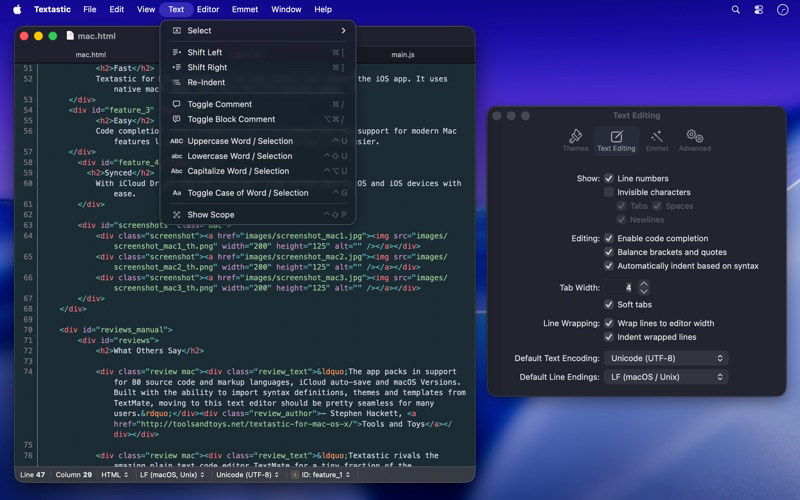
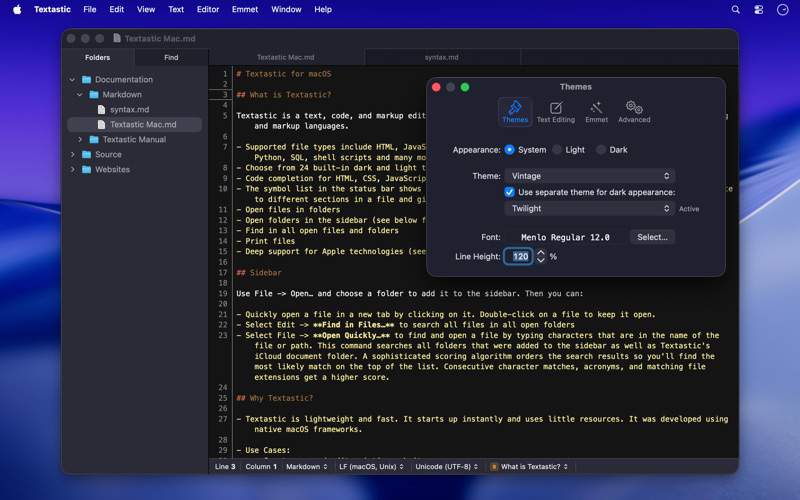
Textastic is a powerful and fast text, code, and markup editor.

• Syntax highlighting of more than 80 programming and markup languages
• Supported file types include HTML, JavaScript, CSS, XML, Markdown, Objective-C, Swift, C++, PHP, Perl, Python, SQL, shell scripts and many more
• Compatible with TextMate 1 and Sublime Text 3 syntax definitions and themes
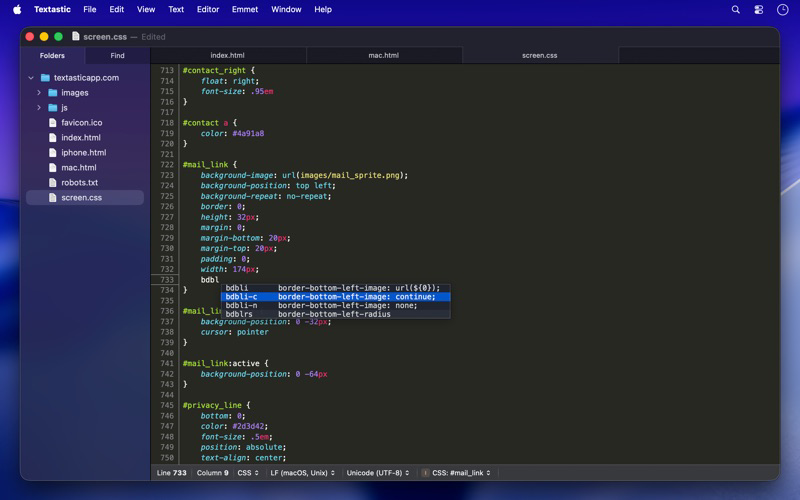
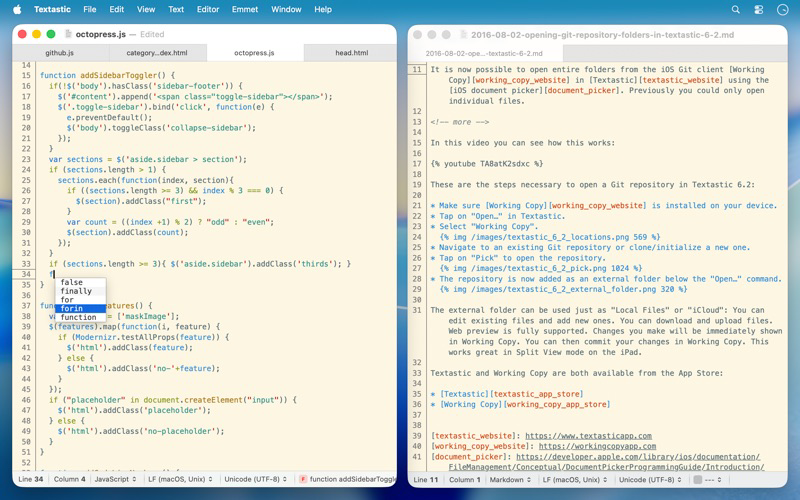
• Code completion for HTML, CSS, JavaScript, PHP, C, and Objective-C
• Open files in tabs
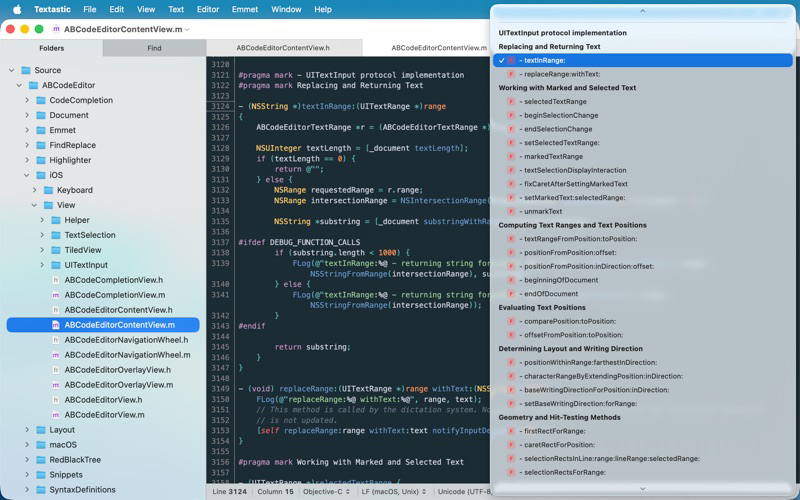
• Open folders in a sidebar
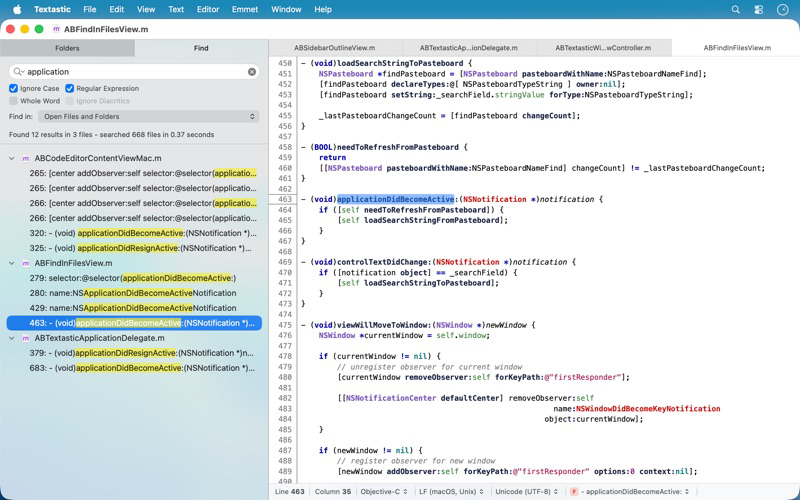
• Find in files
• Print files
• Symbol list to quickly navigate in a file
• Emmet support built-in
• Auto Save and Versions
• iCloud document sync
• Full support for Dark Mode

Please note: You can use Textastic for iPad and iPhone to sync files between the Mac, iOS, and iPadOS versions of Textastic using iCloud Drive.

Show More

최신 버전 7.0의 새로운 기능

Last updated on Jan 31, 2026
오래된 버전
Textastic 7.0 adds full support for macOS Tahoe 26 and the Liquid Glass design, with a refreshed user interface and an updated app icon.

New:
- macOS Tahoe: fully updated for compatibility with the latest version of macOS.
- Added images to menu items on macOS 26.

Fixed:
- Updated the HTML5 template and removed outdated HTML 4.01 and XHTML templates. The HTML5 template now matches what Emmet inserts when typing "!" and pressing Tab.
- Fixed an issue where closing a window with an edited, untitled file did not prompt the user to save the file.
- Fixed an issue where printing sometimes produced an unwanted additional page due to a rounding error.
- Improved file and folder name sort order in the sidebar to match Finder's behaviour and improve support for numbers in file and folder names.
- Fixed an issue with the cursor and text selection in Dark Mode on macOS 26.
- Resolved a bug where internal syntax definitions that were meant to be hidden could be selected if the syntax definition was not yet fully loaded (e.g., "Make Output", "Cargo Build Results", "PHP Source", "Swift Standard Library", etc.).
- Improved automatic closing of quotes: quotes are no longer closed after a backslash (e.g., when entering umlauts in LaTeX), and are now properly closed before semicolons and commas in CSS files.
- HTML script tag code completion no longer inserts the type and src attributes by default. The src attribute can be added manually or using the "script:src" Emmet abbreviation.
- Disabled auto-pairing of single quotes in LaTeX and TeX math environments.
- Other minor improvements.
Show More
Version History
7.0
Jan 31, 2026
Textastic 7.0 adds full support for macOS Tahoe 26 and the Liquid Glass design, with a refreshed user interface and an updated app icon.

New:
- macOS Tahoe: fully updated for compatibility with the latest version of macOS.
- Added images to menu items on macOS 26.

Fixed:
- Updated the HTML5 template and removed outdated HTML 4.01 and XHTML templates. The HTML5 template now matches what Emmet inserts when typing "!" and pressing Tab.
- Fixed an issue where closing a window with an edited, untitled file did not prompt the user to save the file.
- Fixed an issue where printing sometimes produced an unwanted additional page due to a rounding error.
- Improved file and folder name sort order in the sidebar to match Finder's behaviour and improve support for numbers in file and folder names.
- Fixed an issue with the cursor and text selection in Dark Mode on macOS 26.
- Resolved a bug where internal syntax definitions that were meant to be hidden could be selected if the syntax definition was not yet fully loaded (e.g., "Make Output", "Cargo Build Results", "PHP Source", "Swift Standard Library", etc.).
- Improved automatic closing of quotes: quotes are no longer closed after a backslash (e.g., when entering umlauts in LaTeX), and are now properly closed before semicolons and commas in CSS files.
- HTML script tag code completion no longer inserts the type and src attributes by default. The src attribute can be added manually or using the "script:src" Emmet abbreviation.
- Disabled auto-pairing of single quotes in LaTeX and TeX math environments.
- Other minor improvements.

Textastic 가격

오늘:
₩17,000
최저 가격:
₩12,000
최고 가격:
₩17,000

Textastic FAQ

제한된 국가 또는 지역에서 Textastic를 다운로드하는 방법을 알아보려면 여기를 클릭하십시오.
Textastic의 최소 요구 사항을 보려면 다음 목록을 확인하십시오.
iPhone

Textastic 대안

당신은 또한 좋아할 수도 있습니다

Alexander Blach에서 더 많은 것을 얻기