Age Rating
View Source – HTML, JavaScript and CSS スクリーンショット
About View Source – HTML, JavaScript and CSS
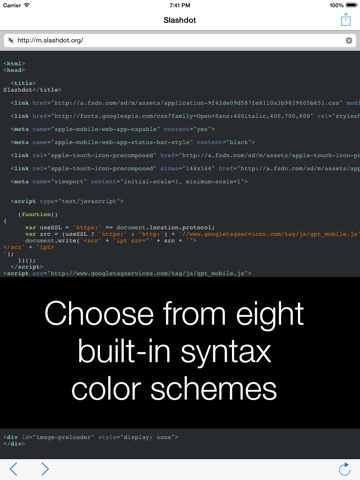
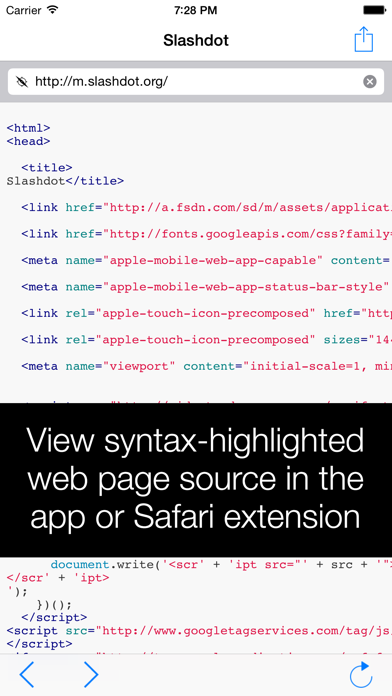
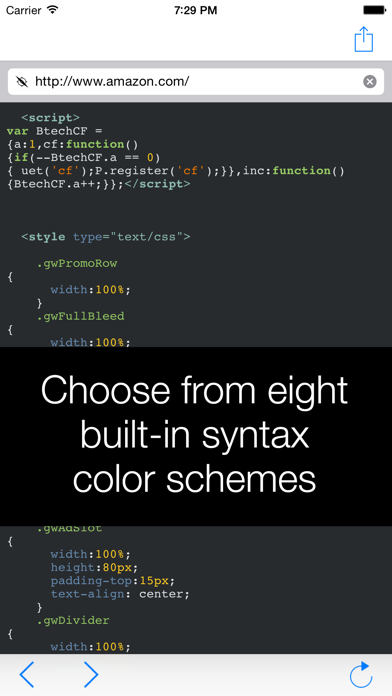
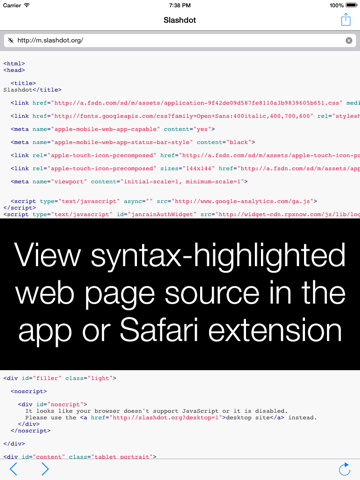
View Source is an app plus an iOS 8 Safari extension that makes it easy to do one key web developer task: view the HTML, JavaScript and CSS source of any web page, with beautiful and customisable syntax highlighting.
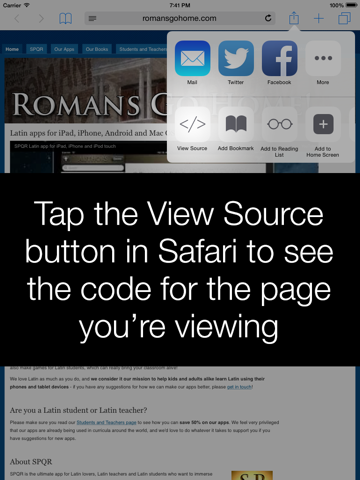
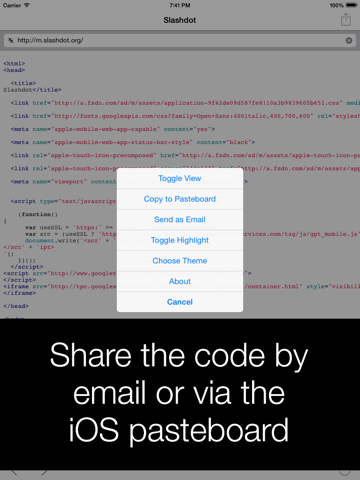
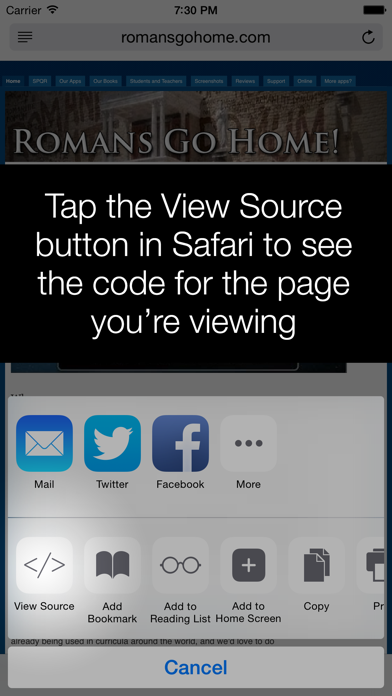
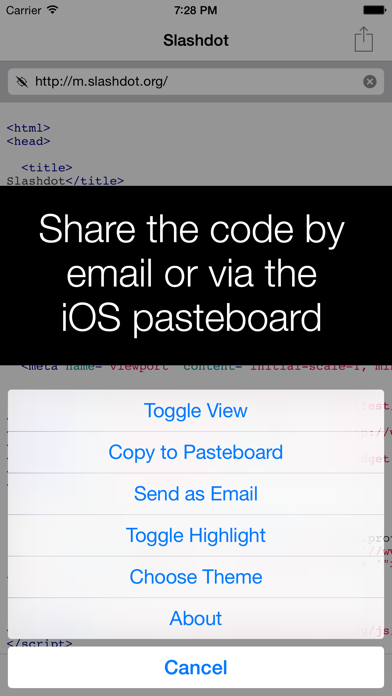
As an app, you can enter a URL and immediately see the source code behind it. As an extension, it's even easier: just browse the web in Safari as you normally would, and if you want to view the source for your current page just tap the Action icon and choose View Source. You can then either copy the text to your pasteboard for use in other apps, or send it as an email.
To enable the Safari extension on iOS 8, launch Safari, tap the action button on the toolbar, scroll right to the end, then tap More. Make sure View Source is enabled, then position it wherever you want it in the list of Safari actions, and tap Done.
This app is optimised for all iOS 8-compatible devices, including the new iPhone 6 and iPhone 6 Plus.

As an app, you can enter a URL and immediately see the source code behind it. As an extension, it's even easier: just browse the web in Safari as you normally would, and if you want to view the source for your current page just tap the Action icon and choose View Source. You can then either copy the text to your pasteboard for use in other apps, or send it as an email.
To enable the Safari extension on iOS 8, launch Safari, tap the action button on the toolbar, scroll right to the end, then tap More. Make sure View Source is enabled, then position it wherever you want it in the list of Safari actions, and tap Done.
This app is optimised for all iOS 8-compatible devices, including the new iPhone 6 and iPhone 6 Plus.
Show More
最新バージョン 2.0 の更新情報
Last updated on 2014年10月09日
旧バージョン
This app has been updated by Apple to display the Apple Watch app icon.
This is a huge upgrade, adding many new features for free. Again, thank you to everyone who has emailed or tweeted with suggestions – please keep them coming!
- NEW: The asset browser lets you see images, stylesheets, and copy them to your photo library or pasteboard.
- NEW: The DOM browser lets you navigate through a web page's hierarchy using a collapsible tree.
- NEW: See key information such as page size, character set and cookies.
- NEW: When you're running within the extension, you can now write custom JavaScript to be executed when you return to Safari.
- NEW: When you're using the app you can now navigate straight to previously used pages using the History screen.
- NEW: Use the URL scheme viewsource:// to launch the app from another app on your device.
- NEW: If you launch the app with a URL on your pasteboard, you'll now be prompted whether you want to view that URL's source code.
- IMPROVED: When conducting a search, you'll now see a special search toolbar that lets you navigate between results.
Again, thank you for your support! If you have requests for new features, get in touch on Twitter @twostraws.
This is a huge upgrade, adding many new features for free. Again, thank you to everyone who has emailed or tweeted with suggestions – please keep them coming!
- NEW: The asset browser lets you see images, stylesheets, and copy them to your photo library or pasteboard.
- NEW: The DOM browser lets you navigate through a web page's hierarchy using a collapsible tree.
- NEW: See key information such as page size, character set and cookies.
- NEW: When you're running within the extension, you can now write custom JavaScript to be executed when you return to Safari.
- NEW: When you're using the app you can now navigate straight to previously used pages using the History screen.
- NEW: Use the URL scheme viewsource:// to launch the app from another app on your device.
- NEW: If you launch the app with a URL on your pasteboard, you'll now be prompted whether you want to view that URL's source code.
- IMPROVED: When conducting a search, you'll now see a special search toolbar that lets you navigate between results.
Again, thank you for your support! If you have requests for new features, get in touch on Twitter @twostraws.
Show More
Version History
2.0
2014年10月09日
This app has been updated by Apple to display the Apple Watch app icon.
This is a huge upgrade, adding many new features for free. Again, thank you to everyone who has emailed or tweeted with suggestions – please keep them coming!
- NEW: The asset browser lets you see images, stylesheets, and copy them to your photo library or pasteboard.
- NEW: The DOM browser lets you navigate through a web page's hierarchy using a collapsible tree.
- NEW: See key information such as page size, character set and cookies.
- NEW: When you're running within the extension, you can now write custom JavaScript to be executed when you return to Safari.
- NEW: When you're using the app you can now navigate straight to previously used pages using the History screen.
- NEW: Use the URL scheme viewsource:// to launch the app from another app on your device.
- NEW: If you launch the app with a URL on your pasteboard, you'll now be prompted whether you want to view that URL's source code.
- IMPROVED: When conducting a search, you'll now see a special search toolbar that lets you navigate between results.
Again, thank you for your support! If you have requests for new features, get in touch on Twitter @twostraws.
This is a huge upgrade, adding many new features for free. Again, thank you to everyone who has emailed or tweeted with suggestions – please keep them coming!
- NEW: The asset browser lets you see images, stylesheets, and copy them to your photo library or pasteboard.
- NEW: The DOM browser lets you navigate through a web page's hierarchy using a collapsible tree.
- NEW: See key information such as page size, character set and cookies.
- NEW: When you're running within the extension, you can now write custom JavaScript to be executed when you return to Safari.
- NEW: When you're using the app you can now navigate straight to previously used pages using the History screen.
- NEW: Use the URL scheme viewsource:// to launch the app from another app on your device.
- NEW: If you launch the app with a URL on your pasteboard, you'll now be prompted whether you want to view that URL's source code.
- IMPROVED: When conducting a search, you'll now see a special search toolbar that lets you navigate between results.
Again, thank you for your support! If you have requests for new features, get in touch on Twitter @twostraws.
1.1
2014年10月01日
Thank you for all your emails, reviews, suggestions and tweets – this update fixes several early problems and adds new things too, so it's a huge improvement on v1.0. If you're looking for new features, please tweet me @twostraws.
PS: There's a huge update coming very soon, with many new features – watch this space!
- Line wrapping is now optional, defaulting to enabled; highlighting and line wrapping settings are now saved across sessions.
- You can now zoom in and out of your code. If you want to zoom out, please make sure Line Wrap is disabled.
- Horizontal scrolling performance is vastly improved.
- You can enter a string and View Source will highlight matches it finds in the source code.
- We added two solarized themes.
- View Source will now no longer appear in the Photos app.
- The app no longer tries to make phone numbers tappable.
PS: There's a huge update coming very soon, with many new features – watch this space!
- Line wrapping is now optional, defaulting to enabled; highlighting and line wrapping settings are now saved across sessions.
- You can now zoom in and out of your code. If you want to zoom out, please make sure Line Wrap is disabled.
- Horizontal scrolling performance is vastly improved.
- You can enter a string and View Source will highlight matches it finds in the source code.
- We added two solarized themes.
- View Source will now no longer appear in the Photos app.
- The app no longer tries to make phone numbers tappable.
1.0
2014年09月17日
View Source – HTML, JavaScript and CSS 価格
今日:
¥150
最低価格:
¥100
最高価格:
¥160
View Source – HTML, JavaScript and CSS FAQ
ここをクリック!地理的に制限されているアプリのダウンロード方法をご参考ください。
次のリストをチェックして、View Source – HTML, JavaScript and CSSの最低システム要件をご確認ください。
iPhone
iOS 8.0以降が必要です。
iPad
iPadOS 8.0以降が必要です。
iPod touch
iOS 8.0以降が必要です。
View Source – HTML, JavaScript and CSSは次の言語がサポートされています。 英語