Visual SLAM Tool

Visual SLAM Tool


Create a 3D map for AR


無料

5.1.1for iPhone, iPod touch
Maxst co.,ltd
Developer
42.1MB
Size
2023年12月18日
Update Date
Productivity
Category
4+
Age Rating
Age Rating
4+
Apps in this category do not contain restricted content.
9+
Apps in this category may contain mild or occasional cartoon, fantasy or real-life violence, as well as occasional or mild adult, sexually suggestive or horrifying content and may not be suitable for children under 9 years of age.
12+
Apps in this category may contain occasional mild indecent language, frequent or intense cartoon or real-life violence, minor or occasional adult or sexually suggestive material, and simulated gambling, and may be for children under 12 years of age.
17+
You must be at least 17 years old to access this App.
Apps in this category may contain frequent and intense offensive language; Frequent and intense cartoon, fantasy or realistic violence: frequent and intense adult, scary and sexually suggestive subjects: as well as sexual content, nudity, tobacco, alcohol and drugs, may not be suitable for children under 17 years of age.
Visual SLAM Tool スクリーンショット
Visual SLAM Tool ポスターVisual SLAM Tool ポスターVisual SLAM Tool ポスターVisual SLAM Tool ポスターVisual SLAM Tool ポスターVisual SLAM Tool ポスター

About Visual SLAM Tool

The MAXST Visual SLAM Tool is designed to help you with mapping object/space.
With Visual SLAM Tool and MAXST AR SDK you can blend 3D content with the real world and create immersive AR experience.

There are two main functions.

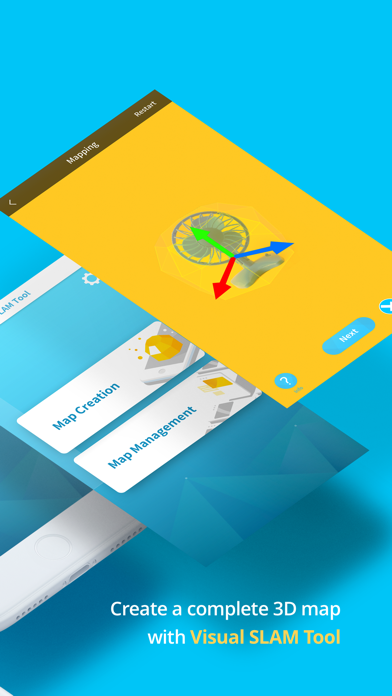
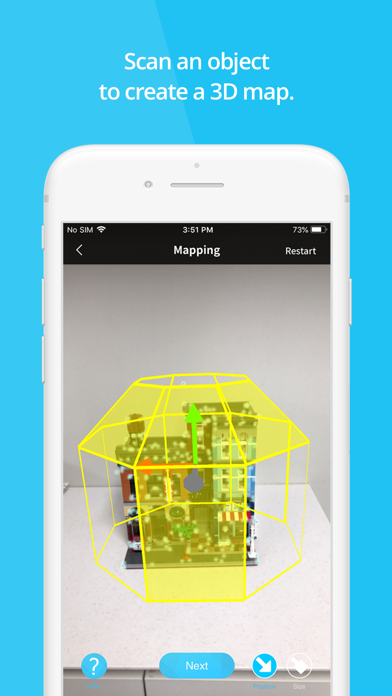
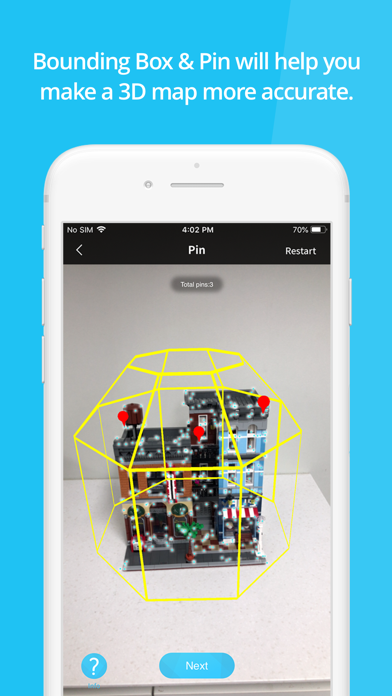
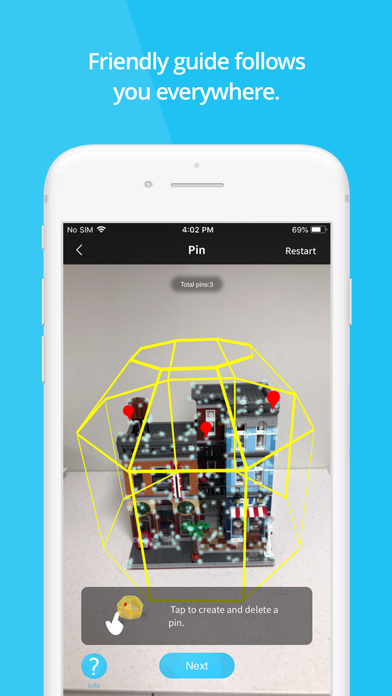
1. [Map Creation]: You can create map files by mapping medium scale (size 0.3m ~ 1.5m) object and space. MAXST provides Bounding Box and Pin UI that help you make more accurate 3D Map.

- Bounding Box specifies the mapping area. You can adjust Bounding Box size and position to fit your object.
- Pin indicates a specific location where you want to augment 3D content.

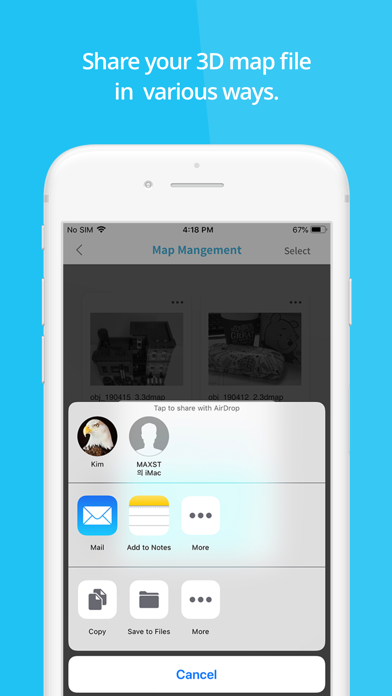
2. [Map Management]: You can manage the created 3D map files. In Map Management you can edit pins and share the map file in various ways.

You can load up map files at Unity 3D and render 3D objects wherever you like on them.

Please refer to MAXST Developer Site for more detailed instructions on how to use the key functions of MAXST AR SDK: https://developer.maxst.com/MD/doc/6_1_x/intro

Note!
- Visual SLAM Tool app can only be used with SDK version 6.1.x or later.

Show More

最新バージョン 5.1.1 の更新情報

Last updated on 2023年12月18日
旧バージョン
- bug fix
Show More
Version History
5.1.1
2023年12月18日
- bug fix
5.1.0
2023年09月18日
1. upgrade sdk version
- Change the 3dmap file format
- Improve object recognition performance
5.0.6
2022年07月26日
- bug fix.
- upgrade sdk version.
5.0.3
2020年06月03日
- fixed a bug that caused crash when creating a bounding box.
5.0.2
2020年05月22日
- 30 devices are added on camera calibrated device list.
- update MAXSTARSDK 5.0.2
4.1.4
2019年09月05日
- fixed bug that crash when creating a map.
4.1.2
2019年04月19日
- ui bug fix.
4.1.1
2019年04月18日
- Improve Mapping UX
- New Guide and icon design
- Bug Fix
1.0
2019年02月28日

Visual SLAM Tool FAQ

ここをクリック!地理的に制限されているアプリのダウンロード方法をご参考ください。
次のリストをチェックして、Visual SLAM Toolの最低システム要件をご確認ください。
iPhone
iOS 14.0以降が必要です。
iPod touch
iOS 14.0以降が必要です。
Visual SLAM Toolは次の言語がサポートされています。 英語

Visual SLAM Toolの類似アプリ

あなたも好きかも

Maxst co.,ltd からもっと手に入れる