Workfront Proof
無料
20.1.2for iPhone, iPad and more
Age Rating
Workfront Proof スクリーンショット
About Workfront Proof
Review and approve digital content directly from your mobile device with the Workfront Proof mobile app. Thousands of companies rely on Workfront Proof to produce amazing content and streamline their digital review and approval processes every day.
In today’s fast-paced environment, organizations need to deliver more content for more channels in less time, without sacrificing quality or brand integrity. Often, feedback and approvals need to be made on the go. Workfront Proof lets you add comments and make approval decisions regardless of your location.
DASHBOARD:
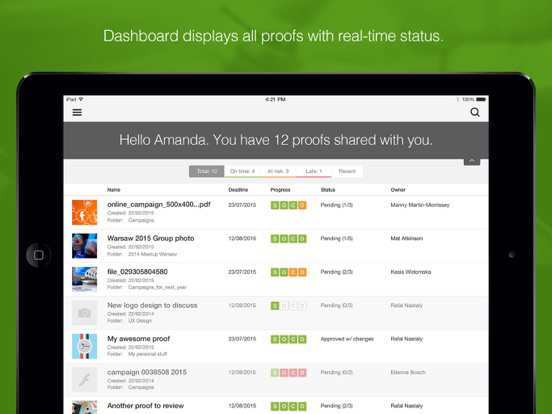
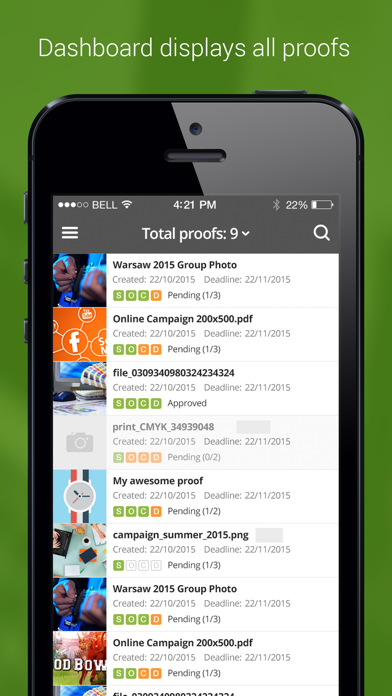
Save your brain power for your feedback and filter the most urgent and pressing proofs to the top. View the real-time status of your proofs so you can catch the 5:06 PM train home.
FEEDBACK & COMMENTING
Throw the paper trail of feedback in the recycle bin and capture all comments in one place.
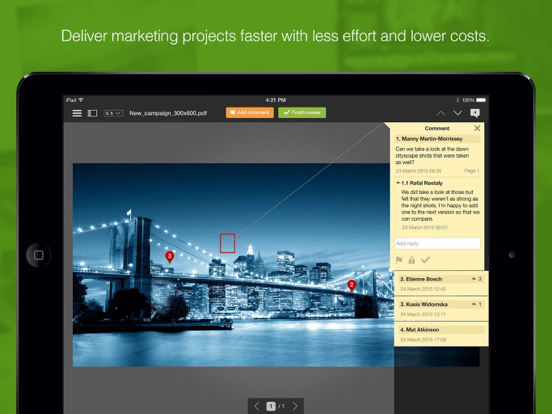
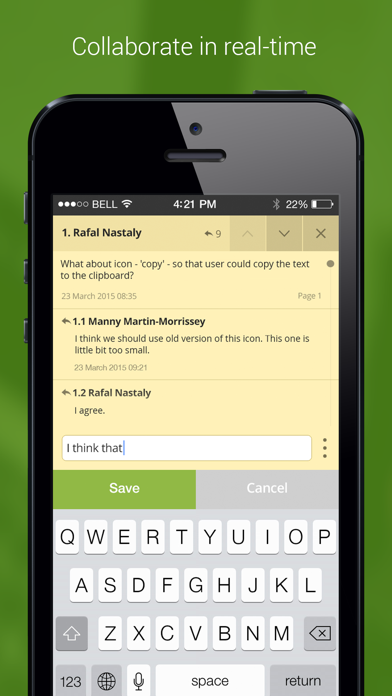
Comments come alive in the form of real-time discussion threads that allow you to provide specific and actionable instructions.
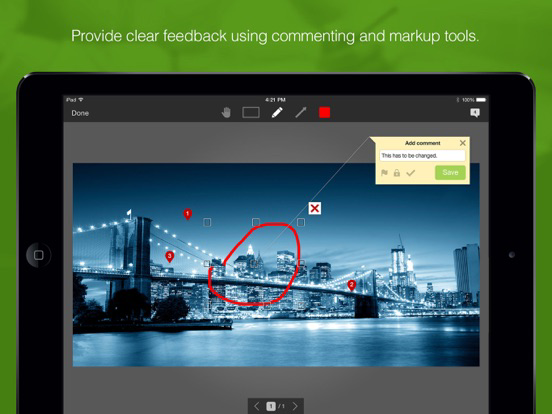
ANNOTATION TOOLS
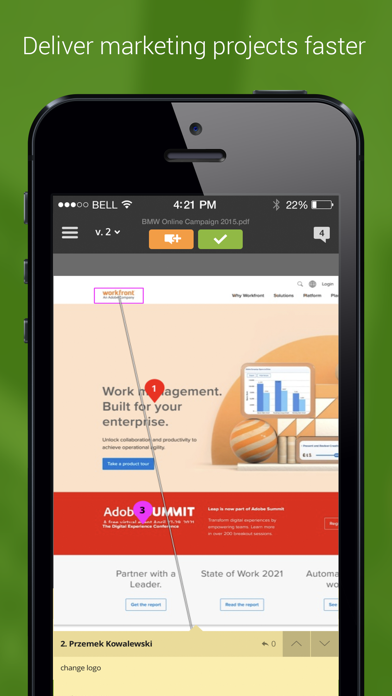
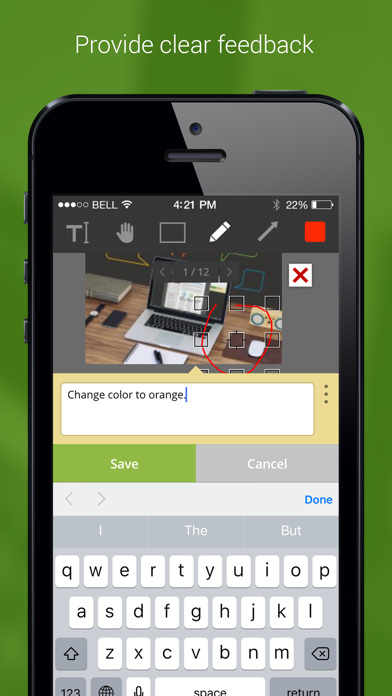
Bring your favorite red pen online with intuitive markup tools that provide clear and accurate feedback on digital content from over 150 file types including print, web, video, and audio files.
MENU & NAVIGATION
Navigate like a pro as you swipe, pinch, and tap to view all the details of your digital content- just like your favorite dating app.
DECISION-MAKING & APPROVALS
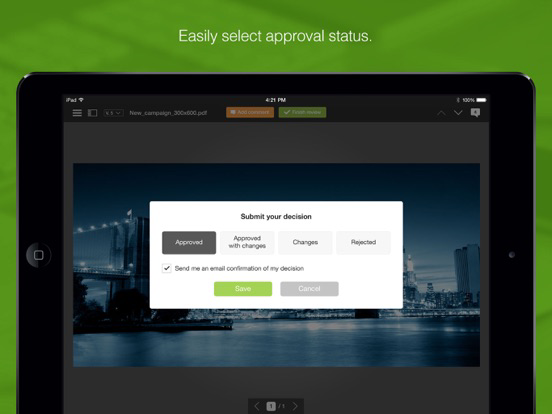
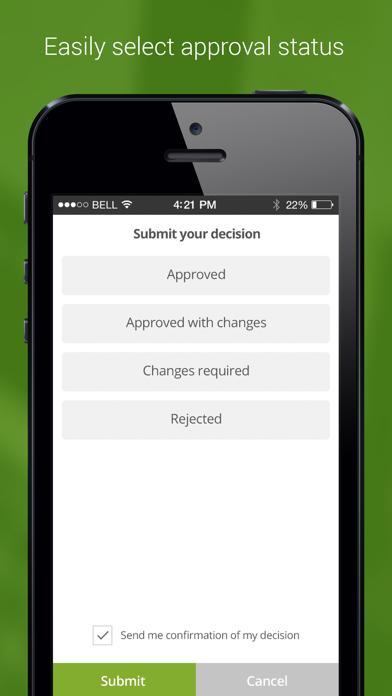
Don’t stress about your approvals when you’re away from your desk. Easily make time-critical decisions directly from your mobile device. Maintain security and comply to industry standards with electronic Signatures.
Workfront Proof is an online proofing tool used by the top brands and agencies worldwide. It streamlines the review and approval of digital content so products and content can be completed faster and with less effort. Workfront Proof eliminates the need to chase down feedback or consolidate comments from email and hardcopies. Instead teams have the tools to collaboratively review digital content, and project managers can automate the entire process. Workfront Proof can be used with over 150 file types including print, digital and audio/visual.

In today’s fast-paced environment, organizations need to deliver more content for more channels in less time, without sacrificing quality or brand integrity. Often, feedback and approvals need to be made on the go. Workfront Proof lets you add comments and make approval decisions regardless of your location.
DASHBOARD:
Save your brain power for your feedback and filter the most urgent and pressing proofs to the top. View the real-time status of your proofs so you can catch the 5:06 PM train home.
FEEDBACK & COMMENTING
Throw the paper trail of feedback in the recycle bin and capture all comments in one place.
Comments come alive in the form of real-time discussion threads that allow you to provide specific and actionable instructions.
ANNOTATION TOOLS
Bring your favorite red pen online with intuitive markup tools that provide clear and accurate feedback on digital content from over 150 file types including print, web, video, and audio files.
MENU & NAVIGATION
Navigate like a pro as you swipe, pinch, and tap to view all the details of your digital content- just like your favorite dating app.
DECISION-MAKING & APPROVALS
Don’t stress about your approvals when you’re away from your desk. Easily make time-critical decisions directly from your mobile device. Maintain security and comply to industry standards with electronic Signatures.
Workfront Proof is an online proofing tool used by the top brands and agencies worldwide. It streamlines the review and approval of digital content so products and content can be completed faster and with less effort. Workfront Proof eliminates the need to chase down feedback or consolidate comments from email and hardcopies. Instead teams have the tools to collaboratively review digital content, and project managers can automate the entire process. Workfront Proof can be used with over 150 file types including print, digital and audio/visual.
Show More
最新バージョン 20.1.2 の更新情報
Last updated on 2022年08月19日
旧バージョン
- support for private buckets
Show More
Version History
20.1.2
2022年08月19日
- support for private buckets
20.1.0
2021年04月29日
Rebranding.
New logo.
New logo.
20.0.8
2020年10月15日
- bug fixes
20.0.2
2020年08月06日
Add domain while logging with SSO.
Bug fixes.
Bug fixes.
20.0.0
2020年05月04日
Video Proofing improvements
19.1.3
2019年12月17日
bug fixes
19.1.2
2019年07月16日
SSO Login improvements
19.1.1
2019年06月21日
- bug fixes
19.1
2019年06月13日
- bug fixes
18.4
2019年01月07日
Application rebranding
Bug fixes and stability improvements.
18.2.0
2018年09月06日
- Application name
- General performance improvements.
- Fixed several bugs
- General performance improvements.
- Fixed several bugs
18.1.1
2018年04月19日
- General performance improvements.
- Fixed several bugs
17.14.2
2017年08月16日
- General improvements.
- Fixed bugs in text selection tool
- Fixed bugs in viewing attachments
- Fixed bugs in text selection tool
- Fixed bugs in viewing attachments
17.4.6
2017年03月14日
This update includes minor bug fixes and performance enhancements.
16.4.3
2016年12月27日
This update includes minor bug fixes, usability and performance enhancements.
16.4.2
2016年12月02日
This update includes minor bug fixes, usability and performance enhancements.
16.4.1
2016年11月18日
This update includes minor bug fixes, usability and performance enhancements.
16.4.0
2016年09月26日
This update includes minor bug fixes, usability and performance enhancements.
16.3.0
2016年06月09日
You can now use your ProofHQ mobile app to review and approve Audio Visual proofs on your iPhone! This update also includes minor bug fixes, usability and performance enhancements.
16.2.0
2016年04月28日
You can now use Text Annotation tools to review text documents on your iPhone. This update also includes minor bug fixes and performance enhancements.
16.1.0
2016年04月14日
You can now use ProofHQ on you iPhone device. This update also includes minor bug fixes.
15.3.1
2016年01月21日
You can now use Text Annotation tools to review text documents on the go. This update also includes minor bug fixes, usability and performance enhancements.
15.2.1
2015年12月01日
You can now use ProofHQ’s powerful Compare Mode to compare two proofs or versions side by side. This update also includes minor bug fixes, usability and performance enhancements.
15.1.1
2015年11月05日
You can now use your ProofHQ iPad App to review and approve Audio Visual proofs on the go! This update also includes minor bug fixes, usability and performance enhancements.
15.0.2
2015年09月10日
Workfront Proof FAQ
ここをクリック!地理的に制限されているアプリのダウンロード方法をご参考ください。
次のリストをチェックして、Workfront Proofの最低システム要件をご確認ください。
iPhone
iOS 9.0以降が必要です。
iPad
iPadOS 9.0以降が必要です。
iPod touch
iOS 9.0以降が必要です。
Workfront Proofは次の言語がサポートされています。 英語