Cloudstore
Preservation and Sharing
무료
1.0for iPhone, iPad and more
Age Rating
Cloudstore 스크린 샷
About Cloudstore
Preservation and sharing of Aboriginal heritage.
The Cloudstore App is free to access and use by anyone. Please contact Cloudstore administrator or email cloudstoreapp@outlook.com to obtain the account to log in and use the App. Anyone around the world who is interested to help preservation and sharing of Aboriginal heritage can contact Cloudstore administrator for approval to access.
Please be aware that all material uploaded to Cloudstore will be accessible to system administrator. Please do not upload any material of a sensitive or offensive nature. Material will not be shown to the public until it is reviewed and approved by Cloudstore administrator. You can also choose not to show your files to the public. If you have concern about any material on the App please contact Cloudstore administrator. To start using the App please enable your internet or wireless setting, and log in with the user name and password provided.
Features
Upload
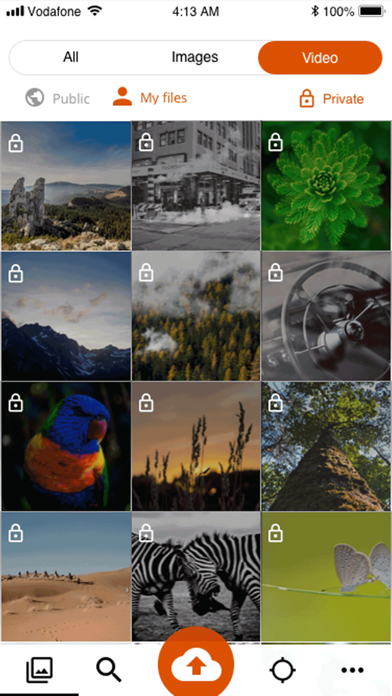
Select images, videos from your phone or mobile device to upload for sharing or archiving. Specify if you want to make them open to the public or only viewable by you. Enter information about the files when uploading.
Browse
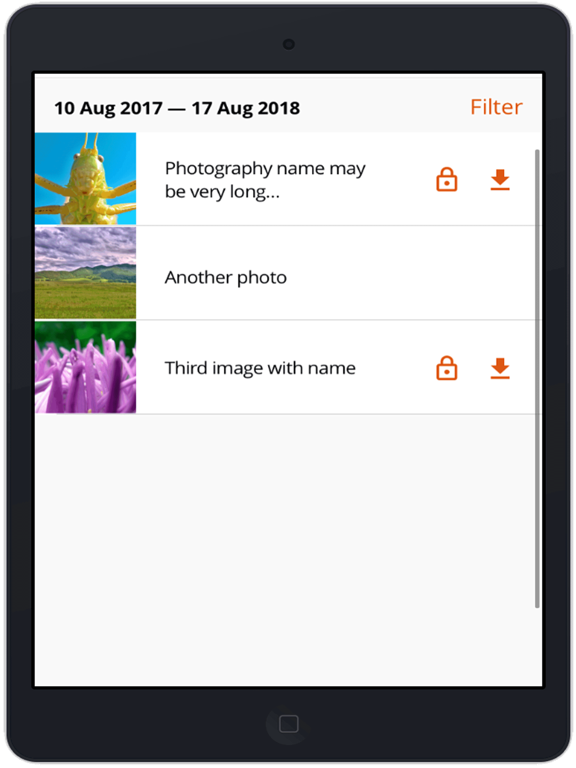
View files uploaded by you or others. Enter information about your own files. Download files to your phone or mobile device for viewing later.
Search
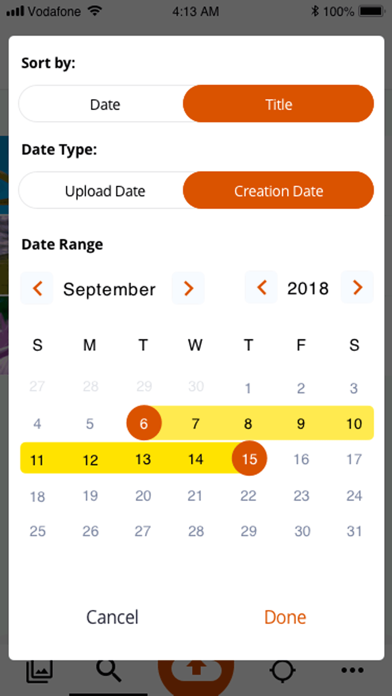
Search files by date, keywords or user.
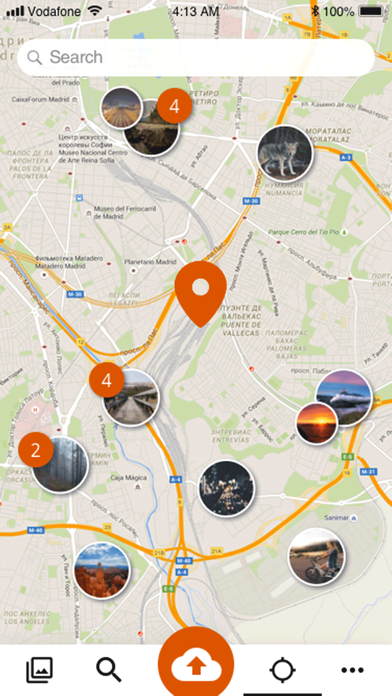
Map Search
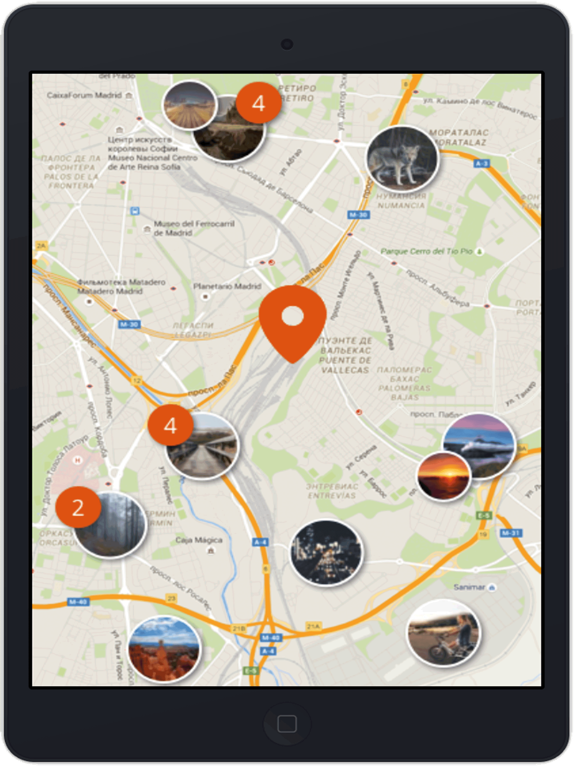
View files by navigating around the map or search by keywords.

The Cloudstore App is free to access and use by anyone. Please contact Cloudstore administrator or email cloudstoreapp@outlook.com to obtain the account to log in and use the App. Anyone around the world who is interested to help preservation and sharing of Aboriginal heritage can contact Cloudstore administrator for approval to access.
Please be aware that all material uploaded to Cloudstore will be accessible to system administrator. Please do not upload any material of a sensitive or offensive nature. Material will not be shown to the public until it is reviewed and approved by Cloudstore administrator. You can also choose not to show your files to the public. If you have concern about any material on the App please contact Cloudstore administrator. To start using the App please enable your internet or wireless setting, and log in with the user name and password provided.
Features
Upload
Select images, videos from your phone or mobile device to upload for sharing or archiving. Specify if you want to make them open to the public or only viewable by you. Enter information about the files when uploading.
Browse
View files uploaded by you or others. Enter information about your own files. Download files to your phone or mobile device for viewing later.
Search
Search files by date, keywords or user.
Map Search
View files by navigating around the map or search by keywords.
Show More
최신 버전 1.0의 새로운 기능
Last updated on Mar 27, 2022
Version History
1.0
Mar 27, 2022
Cloudstore FAQ
제한된 국가 또는 지역에서 Cloudstore를 다운로드하는 방법을 알아보려면 여기를 클릭하십시오.
Cloudstore의 최소 요구 사항을 보려면 다음 목록을 확인하십시오.
iPhone
iOS 11.0 이상 필요.
iPad
iPadOS 11.0 이상 필요.
iPod touch
iOS 11.0 이상 필요.
Cloudstore은 다음 언어를 지원합니다. 독일어, 스페인어, 영어, 중국어(간체), 터키어, 포르투갈어