eCharge+
Free
2.4.6for iPhone
Age Rating
eCharge+ Screenshots
About eCharge+
Find the closest available charging station for your electric vehicle with the eCharge+ app. Use a big,
continuously expanding network of public charging stations. Start quick and easy charging with your
preferred payment methods, such as PayPal, credit card, your personal electricity contract or a voucher.
The eCharge+ app is free and there is no registration required for public charging stations.
Download the eCharge+ app now!
FEATURES
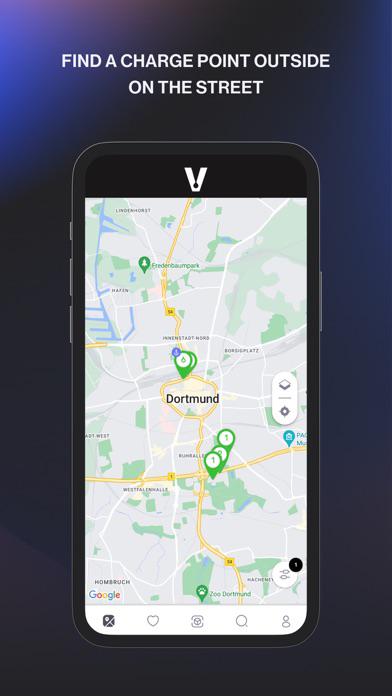
• Find charging stations in your area or close to a specific address.
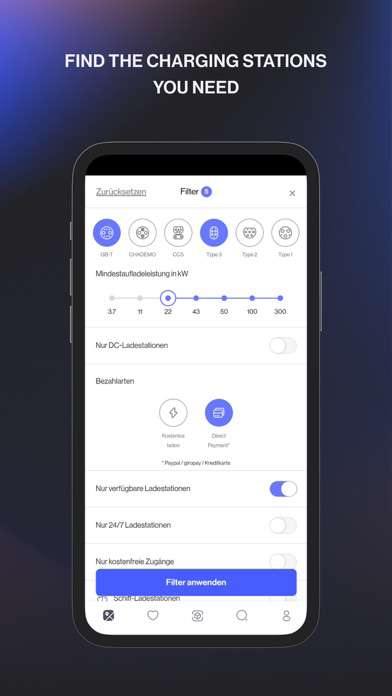
• Filter your overview map according to your relevant charging station.
• Check availability of charging points in real time.
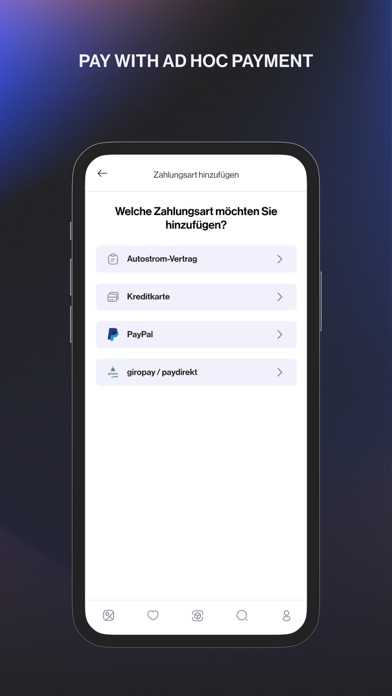
• Add your payment method once and start charging even faster in the future.
• Pay via PayPal, credit card, your electricity contract or a voucher directly via your eCharge+ app.
• Monitor your active charging session and track your charging progress.
• Save your regularly used charging stations as favorites.
• Check your past charging sessions and costs at any time
• Find out more about your contribution to the environment by using an electric vehicle.
• Report a problem with your charging station directly via the eCharge+ app or use the respective charging station hotline.
CHARGE ON THE GO
• Connect your electric vehicle with a suitable charging cable with the charging station.
• Select the required charging point in the app. Enter your charging point number into the search box.
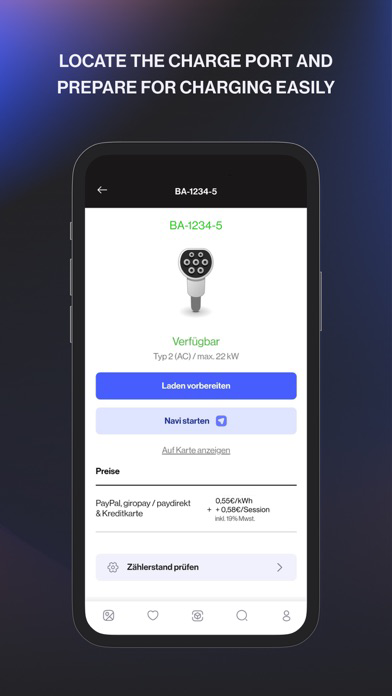
• Select “Prepare charging”, choose your desired payment method and charging options and start charging.
• As soon as the charging session has been approved, both cable ends will be locked. The cables can only be removed by you.
• You can stop your charging session at any time.

continuously expanding network of public charging stations. Start quick and easy charging with your
preferred payment methods, such as PayPal, credit card, your personal electricity contract or a voucher.
The eCharge+ app is free and there is no registration required for public charging stations.
Download the eCharge+ app now!
FEATURES
• Find charging stations in your area or close to a specific address.
• Filter your overview map according to your relevant charging station.
• Check availability of charging points in real time.
• Add your payment method once and start charging even faster in the future.
• Pay via PayPal, credit card, your electricity contract or a voucher directly via your eCharge+ app.
• Monitor your active charging session and track your charging progress.
• Save your regularly used charging stations as favorites.
• Check your past charging sessions and costs at any time
• Find out more about your contribution to the environment by using an electric vehicle.
• Report a problem with your charging station directly via the eCharge+ app or use the respective charging station hotline.
CHARGE ON THE GO
• Connect your electric vehicle with a suitable charging cable with the charging station.
• Select the required charging point in the app. Enter your charging point number into the search box.
• Select “Prepare charging”, choose your desired payment method and charging options and start charging.
• As soon as the charging session has been approved, both cable ends will be locked. The cables can only be removed by you.
• You can stop your charging session at any time.
Show More
What's New in the Latest Version 2.4.6
Last updated on May 28, 2026
Old Versions
Download payment receipts with ease: You can now download direct payment receipts as PDFs directly from the app via ‘Charging data’.
Improved map experience: Enhanced clustering for smoother zooming and more accurate selection on the map.
Show More
Version History
2.4.6
May 28, 2026
Download payment receipts with ease: You can now download direct payment receipts as PDFs directly from the app via ‘Charging data’.
Improved map experience: Enhanced clustering for smoother zooming and more accurate selection on the map.
eCharge+ FAQ
Click here to learn how to download eCharge+ in restricted country or region.
Check the following list to see the minimum requirements of eCharge+.
iPhone