
Happy NetDetector
speed text test master net
免費
1.3for iPhone, iPad and more
Age Rating
Happy NetDetector 螢幕截圖
About Happy NetDetector
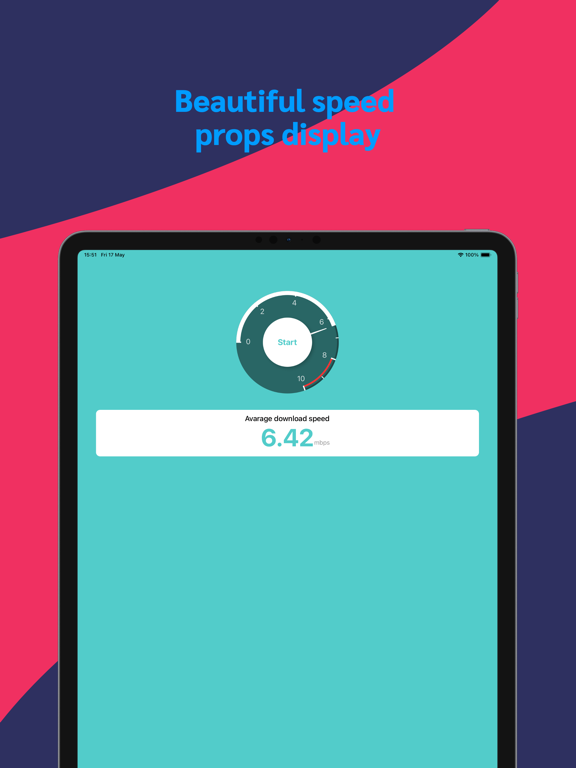
Want to know your internet speed? With Speed Detector, you can quickly and accurately test your network speed. Say goodbye to slow internet frustrations as you instantly check your download speed, upload speed, and latency to easily understand your network performance.
Key Features:
Quick Testing: Start testing your internet speed with just a tap, no waiting required, results are displayed instantly.
Detailed Data: Get insights into every aspect of your internet speed, including download speed, upload speed, and ping latency.
Geolocation: Automatically selects the best server based on your current location for accurate test results.
History Records: View your past test records, track changes in your network speed, and compare performance at different times.
Simple Interface: Intuitive user interface design makes testing internet speed easy and accessible, whether you're a tech expert or a novice.
How to Use:
Open the app and grant location permissions.
Tap the "Start Test" button.
Wait for the test to complete and view detailed internet speed reports.
Whether you're an everyday user or a networking enthusiast, Speed Detector is the perfect tool to understand and optimize your internet connection. Download now and take control of your internet speed effortlessly!

Key Features:
Quick Testing: Start testing your internet speed with just a tap, no waiting required, results are displayed instantly.
Detailed Data: Get insights into every aspect of your internet speed, including download speed, upload speed, and ping latency.
Geolocation: Automatically selects the best server based on your current location for accurate test results.
History Records: View your past test records, track changes in your network speed, and compare performance at different times.
Simple Interface: Intuitive user interface design makes testing internet speed easy and accessible, whether you're a tech expert or a novice.
How to Use:
Open the app and grant location permissions.
Tap the "Start Test" button.
Wait for the test to complete and view detailed internet speed reports.
Whether you're an everyday user or a networking enthusiast, Speed Detector is the perfect tool to understand and optimize your internet connection. Download now and take control of your internet speed effortlessly!
Key Features:
Quick Testing: Start testing your internet speed with just a tap, no waiting required, results are displayed instantly.
Detailed Data: Get insights into every aspect of your internet speed, including download speed, upload speed, and ping latency.
Geolocation: Automatically selects the best server based on your current location for accurate test results.
History Records: View your past test records, track changes in your network speed, and compare performance at different times.
Simple Interface: Intuitive user interface design makes testing internet speed easy and accessible, whether you're a tech expert or a novice.
How to Use:
Open the app and grant location permissions.
Tap the "Start Test" button.
Wait for the test to complete and view detailed internet speed reports.
Whether you're an everyday user or a networking enthusiast, Speed Detector is the perfect tool to understand and optimize your internet connection. Download now and take control of your internet speed effortlessly!
Key Features:
Quick Testing: Start testing your internet speed with just a tap, no waiting required, results are displayed instantly.
Detailed Data: Get insights into every aspect of your internet speed, including download speed, upload speed, and ping latency.
Geolocation: Automatically selects the best server based on your current location for accurate test results.
History Records: View your past test records, track changes in your network speed, and compare performance at different times.
Simple Interface: Intuitive user interface design makes testing internet speed easy and accessible, whether you're a tech expert or a novice.
How to Use:
Open the app and grant location permissions.
Tap the "Start Test" button.
Wait for the test to complete and view detailed internet speed reports.
Whether you're an everyday user or a networking enthusiast, Speed Detector is the perfect tool to understand and optimize your internet connection. Download now and take control of your internet speed effortlessly!
Show More
最新版本1.3更新日誌
Last updated on 2024年05月29日
歷史版本
1. Fixed serious crash bug
2. Fixed the bug of network unauthorized request interface failure
3. Added more proxy server nodes
2. Fixed the bug of network unauthorized request interface failure
3. Added more proxy server nodes
Show More
Version History
1.3
2024年05月29日
1. Fixed serious crash bug
2. Fixed the bug of network unauthorized request interface failure
3. Added more proxy server nodes
2. Fixed the bug of network unauthorized request interface failure
3. Added more proxy server nodes
1.2
2024年05月27日
1. Optimize the speed in weak network environment
2. Fix a few bugs and fix the network failure problem caused by the first startup
1.1
2024年05月20日
1. Add speed test record
2. Add test proxy server
1.0
2024年05月18日
Happy NetDetector FAQ
點擊此處瞭解如何在受限國家或地區下載Happy NetDetector。
以下為Happy NetDetector的最低配置要求。
iPhone
須使用 iOS 14.0 或以上版本。
iPad
須使用 iPadOS 14.0 或以上版本。
iPod touch
須使用 iOS 14.0 或以上版本。
Happy NetDetector支持德文, 日文, 法文, 簡體中文, 英文


