Happy NetDetector

Happy NetDetector


speed text test master net


Free

1.3for iPhone, iPad and more
7.3
3 Ratings
Nong Toan Van
Developer
27.6 MB
Size
May 29, 2024
Update Date
Utilities
Category
4+
Age Rating
Age Rating
4+
Apps in this category do not contain restricted content.
9+
Apps in this category may contain mild or occasional cartoon, fantasy or real-life violence, as well as occasional or mild adult, sexually suggestive or horrifying content and may not be suitable for children under 9 years of age.
12+
Apps in this category may contain occasional mild indecent language, frequent or intense cartoon or real-life violence, minor or occasional adult or sexually suggestive material, and simulated gambling, and may be for children under 12 years of age.
17+
You must be at least 17 years old to access this App.
Apps in this category may contain frequent and intense offensive language; Frequent and intense cartoon, fantasy or realistic violence: frequent and intense adult, scary and sexually suggestive subjects: as well as sexual content, nudity, tobacco, alcohol and drugs, may not be suitable for children under 17 years of age.
Happy NetDetector Screenshots
Happy NetDetector posterHappy NetDetector posterHappy NetDetector posterHappy NetDetector poster

About Happy NetDetector

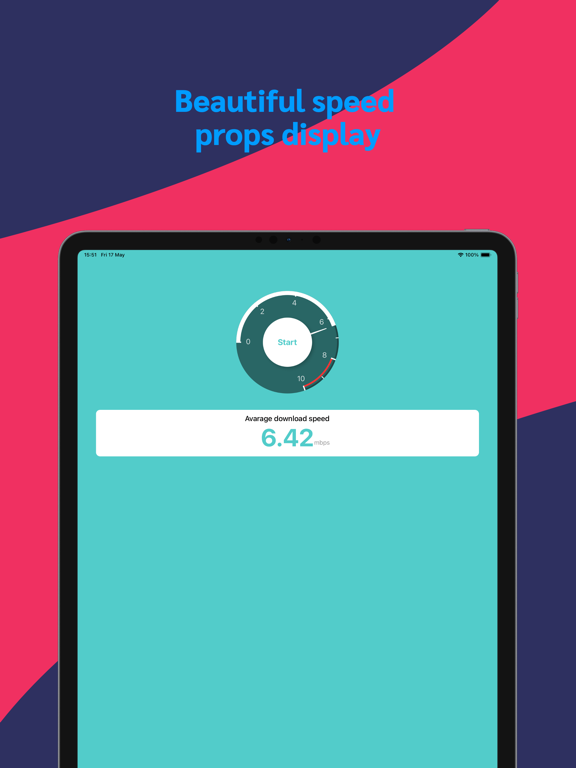
Want to know your internet speed? With Speed Detector, you can quickly and accurately test your network speed. Say goodbye to slow internet frustrations as you instantly check your download speed, upload speed, and latency to easily understand your network performance.

Key Features:

Quick Testing: Start testing your internet speed with just a tap, no waiting required, results are displayed instantly.

Detailed Data: Get insights into every aspect of your internet speed, including download speed, upload speed, and ping latency.

Geolocation: Automatically selects the best server based on your current location for accurate test results.

History Records: View your past test records, track changes in your network speed, and compare performance at different times.

Simple Interface: Intuitive user interface design makes testing internet speed easy and accessible, whether you're a tech expert or a novice.

How to Use:

Open the app and grant location permissions.
Tap the "Start Test" button.
Wait for the test to complete and view detailed internet speed reports.
Whether you're an everyday user or a networking enthusiast, Speed Detector is the perfect tool to understand and optimize your internet connection. Download now and take control of your internet speed effortlessly!

Key Features:

Quick Testing: Start testing your internet speed with just a tap, no waiting required, results are displayed instantly.

Detailed Data: Get insights into every aspect of your internet speed, including download speed, upload speed, and ping latency.

Geolocation: Automatically selects the best server based on your current location for accurate test results.

History Records: View your past test records, track changes in your network speed, and compare performance at different times.

Simple Interface: Intuitive user interface design makes testing internet speed easy and accessible, whether you're a tech expert or a novice.

How to Use:

Open the app and grant location permissions.
Tap the "Start Test" button.
Wait for the test to complete and view detailed internet speed reports.
Whether you're an everyday user or a networking enthusiast, Speed Detector is the perfect tool to understand and optimize your internet connection. Download now and take control of your internet speed effortlessly!
Show More

What's New in the Latest Version 1.3

Last updated on May 29, 2024
Old Versions
1. Fixed serious crash bug
2. Fixed the bug of network unauthorized request interface failure
3. Added more proxy server nodes
Show More
Version History
1.3
May 29, 2024
1. Fixed serious crash bug
2. Fixed the bug of network unauthorized request interface failure
3. Added more proxy server nodes
1.2
May 27, 2024
1. Optimize the speed in weak network environment
2. Fix a few bugs and fix the network failure problem caused by the first startup
1.1
May 20, 2024
1. Add speed test record
2. Add test proxy server
1.0
May 18, 2024

Happy NetDetector FAQ

Click here to learn how to download Happy NetDetector in restricted country or region.
Check the following list to see the minimum requirements of Happy NetDetector.
iPhone
Requires iOS 14.0 or later.
iPad
Requires iPadOS 14.0 or later.
iPod touch
Requires iOS 14.0 or later.
Happy NetDetector supports English, French, German, Japanese, Simplified Chinese

Happy NetDetector Alternative

You May Also Like