360 Thinking Time Tracker
$2.99
1.1for iPhone, iPad and more
5.7
19 Ratings
Kristen Jacobsen
Developer
22.6 MB
Size
Nov 24, 2015
Update Date
Education
Category
4+
Age Rating
Age Rating
360 Thinking Time Tracker Screenshots
About 360 Thinking Time Tracker
360 Thinking Time Tracker (™Pending)
The 360 Thinking™ Get Ready*Do*Done Timer is an instructional timer app specifically designed for supporting students’ executive function skill development. It is based on the innovative clinical model of executive functioning skills known as 360 Thinking™. By using the app, students will have the opportunity to nurture their situational awareness, develop forethought of an end result, and organize resource materials, time and actions to complete a future task.
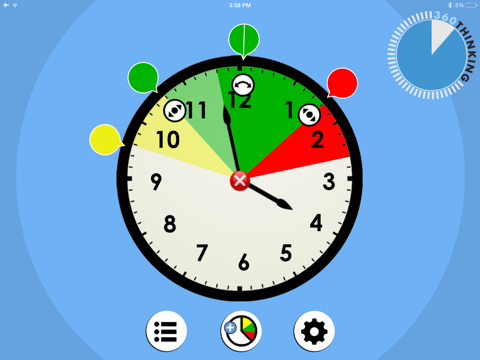
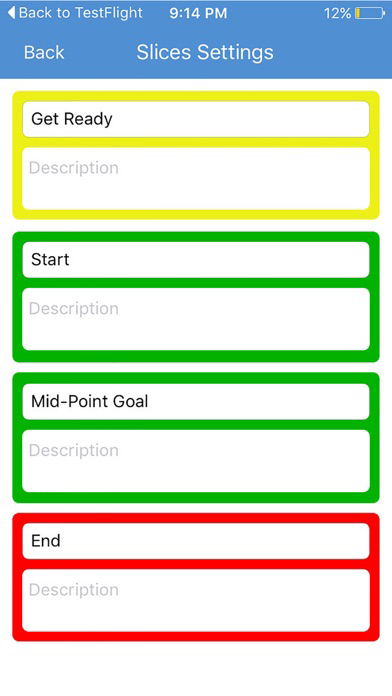
The 360 Thinking™ Get Ready*Do*Done Timer is user friendly and works on simple methodology. The app allows its users to create a time marker to get ready for work, a time marker to check in during the work, and a marker when the work is planned to end. There are tones activated when the time reaches each marker:
• There is a single tone to indicate time to get ready,
• There are two tones to indicate that the user is at the midpoint of the work
• There are three ascending tones to indicate that the user is at the stop point of the work.
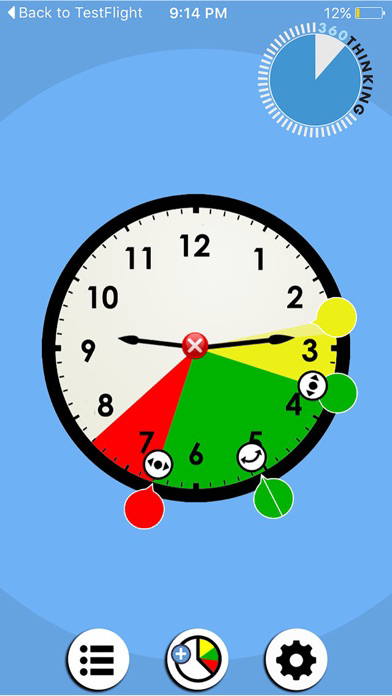
• As time passes the primary color becomes more luminous to show that time has passed.
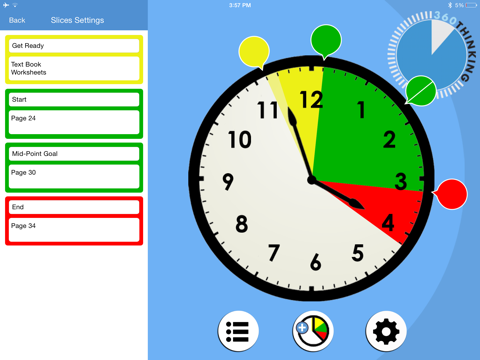
The timer app allows the user to look back and assess the productivity of the time they have spent so far! In fact, with the help of the app, the users can compare the planned vs. actual use of time. A table displays to the left of the clock interface to show the user the original plan for ready comparison.
Trivia
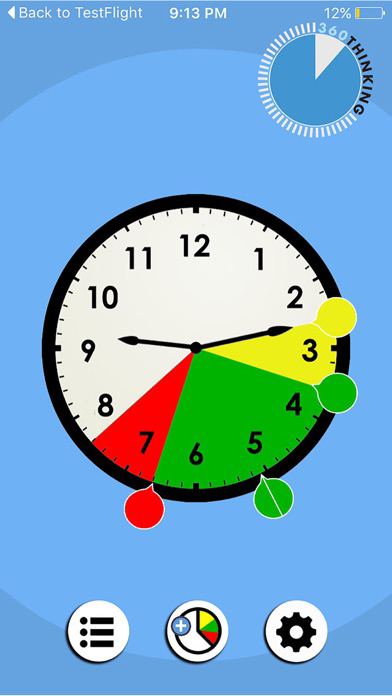
The color indication of the 360 Thinking™ Get Ready*Do*Done Timer app has made the entire user experience easy to manage:
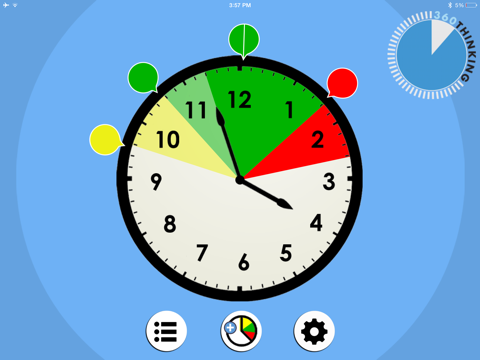
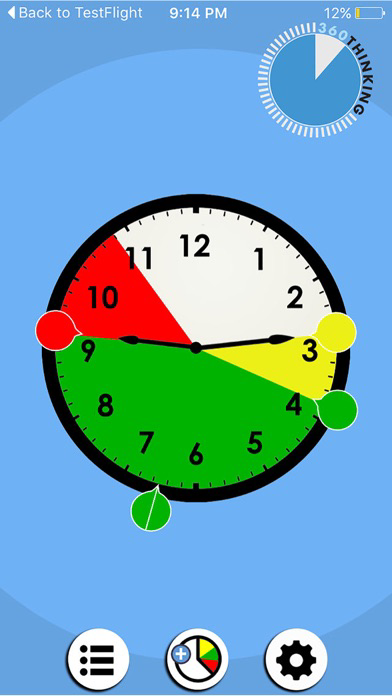
• The yellow color represents slowing down to get ready to start a task,
• The green color represents going ahead and doing the steps to complete a task. The split green time marker at the midpoint provides a visual reminder to break and check the status of the work,
• The red color indicates that it is time to stop the task because it is done.

The 360 Thinking™ Get Ready*Do*Done Timer is an instructional timer app specifically designed for supporting students’ executive function skill development. It is based on the innovative clinical model of executive functioning skills known as 360 Thinking™. By using the app, students will have the opportunity to nurture their situational awareness, develop forethought of an end result, and organize resource materials, time and actions to complete a future task.
The 360 Thinking™ Get Ready*Do*Done Timer is user friendly and works on simple methodology. The app allows its users to create a time marker to get ready for work, a time marker to check in during the work, and a marker when the work is planned to end. There are tones activated when the time reaches each marker:
• There is a single tone to indicate time to get ready,
• There are two tones to indicate that the user is at the midpoint of the work
• There are three ascending tones to indicate that the user is at the stop point of the work.
• As time passes the primary color becomes more luminous to show that time has passed.
The timer app allows the user to look back and assess the productivity of the time they have spent so far! In fact, with the help of the app, the users can compare the planned vs. actual use of time. A table displays to the left of the clock interface to show the user the original plan for ready comparison.
Trivia
The color indication of the 360 Thinking™ Get Ready*Do*Done Timer app has made the entire user experience easy to manage:
• The yellow color represents slowing down to get ready to start a task,
• The green color represents going ahead and doing the steps to complete a task. The split green time marker at the midpoint provides a visual reminder to break and check the status of the work,
• The red color indicates that it is time to stop the task because it is done.
Show More
What's New in the Latest Version 1.1
Last updated on Nov 24, 2015
Old Versions
This app has been updated by Apple to display the Apple Watch app icon.
Added Help button
Added Help button
Show More
Version History
1.1
Nov 24, 2015
This app has been updated by Apple to display the Apple Watch app icon.
Added Help button
Added Help button
1.0
Nov 5, 2015
360 Thinking Time Tracker FAQ
Click here to learn how to download 360 Thinking Time Tracker in restricted country or region.
Check the following list to see the minimum requirements of 360 Thinking Time Tracker.
iPhone
Requires iOS 6.0 or later.
iPad
Requires iPadOS 6.0 or later.
iPod touch
Requires iOS 6.0 or later.
360 Thinking Time Tracker supports English