Updates and improvements, making AnyQuestion better one release at a time.
Updates and improvements, making AnyQuestion better one release at a time.
Updates and improvements, making AnyQuestion better one release at a time.
Updates and improvements, making AnyQuestion better one release at a time.
We’re excited to release a significant update that makes answering on AnyQuestion even easier.
Next time you answer a question...
***Just talk**
Speak naturally – don’t sweat pauses, tangents, or mistakes. Focus on getting it all out and going long!
***Your words, perfected***
Our AI polishes and restructures your transcript, without losing or changing your unique voice or message.
***Pick a title and publish anywhere***
Choose a title generated by AI, or create your own, and get a custom social post in a few taps.
Updates and improvements, making AnyQuestion better one release at a time.
Updates and improvements, making AnyQuestion better one release at a time.
Updates and improvements, making AnyQuestion better one release at a time.
Updates and improvements, making AnyQuestion better one release at a time.
Updates and improvements, making AnyQuestion better one release at a time.
Updates and improvements, making AnyQuestion better one release at a time.
Bug fixes and improvements.
Playlists are a new and exciting way to present your knowledge on AnyQuestion, acting like mini-courses to help your audience learn about a larger topic. To create a playlist from your answers, tap on the Playlist folder or the “Create+” button on the Create page.
Learn more at https://www.notion.so/anyquestion/Create-71a5184bfdb644688d557dd4c72a8487?pvs=4
A new and improved Inbox experience!
We’ve rebuilt the inbox from the ground up to give you more control and help you create and curate a library of questions that your audience will love answers to.
Highlights
- Author your own questions right from the Inbox.
- Search the question library to find what you're looking for and get inspired
- Easily see what's new for you, and see if a question was asked by a user, the AnyQuestion team, or AnyQuestion AI.
Bug fixes and improvements
Introducing Audiograms!
- Audiograms are a new way to answer questions using your voice, rather than video.
- Create an Audiogram and AnyQuestion will turn your audio recording into an engaging video with an animated transcription. Audiograms live in the app feed, but can be shared to other social media platforms of your choice.
Transcript Summaries
- Read and edit your transcript summaries and transcripts from the feed.
General improvements and bug fixes
· Improvements to Search
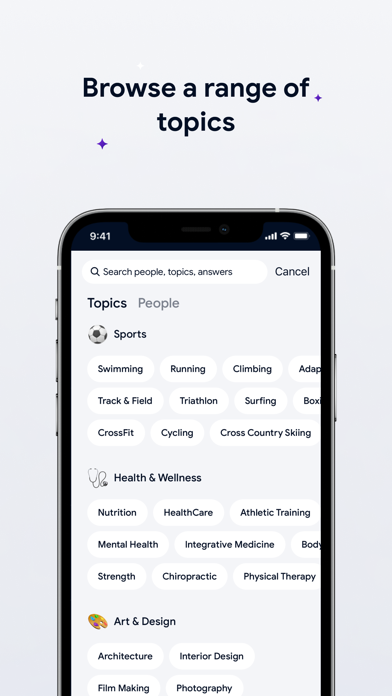
We redesigned the search interface, which is accessible on the bottom tab bar, to allow for searching across the various types of content and people that can be found on AnyQuestion.
Start typing your search query and results will dynamically update below, with results across topics, people, and answers all on one screen.
Pills along the top of the search interface show the number of search results across your query. Tap in any pill to see the full list of results.
· Profile sharing improvements
We rebuilt profile sharing so you can more easily encourage your audience to ask your questions and follow you on AnyQuestion.
· Add links to your profile
When you visit your profile, you’ll be prompted to enter optional, additional information about who you are, and where else people can find you on the internet. Add your personal website, Instagram, or Twitter, or LinkedIn page link to you profile.
Go deeper on the topics and people you’re interested in
Sub-topic pills on channel and profile pages
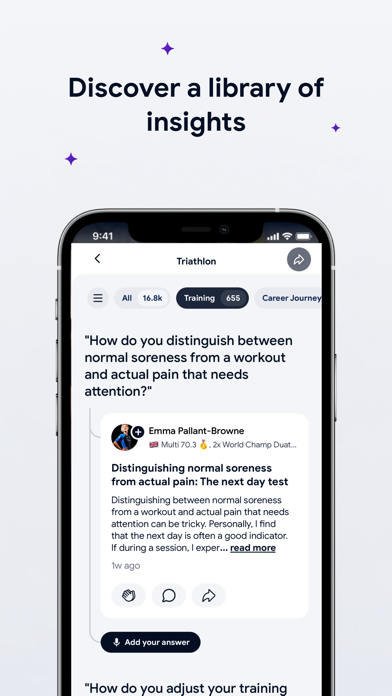
Explore sub-topics on channel and profile pages to dive deeper on exactly what you’re looking for.
Above the list of answers on any topic or profile page, you’ll see a line of sub-topic pills. —
- Scroll horizontally to explore, or tap the “hamburger” icon to see all the sub-topics.
- Once you select a sub-topic, the list of relevant answers will update below. Tap play to watch all in a playlist feed.
Another way to navigate answers on channel and profile pages is to play all, and then select a sub-topic on the top of the feed to refine your playlist right from the feed.
Profile pages get a makeover
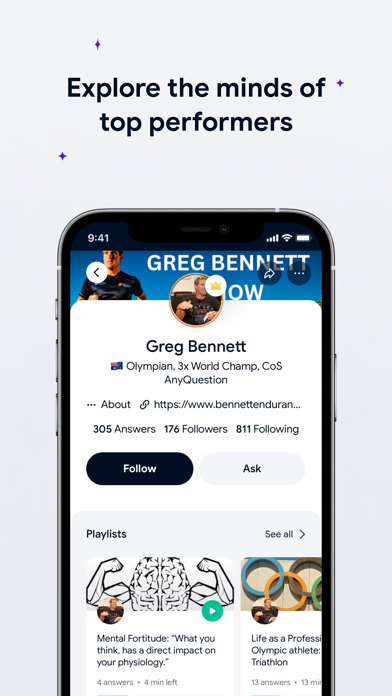
- We redesigned profile pages to make better use of screen space, and to make ‘following” more prominent. Follow the experts you’re interested in to get notified when they publish new answers.
- Experts can now see their following count, and see who follows them.
New ways to navigate!
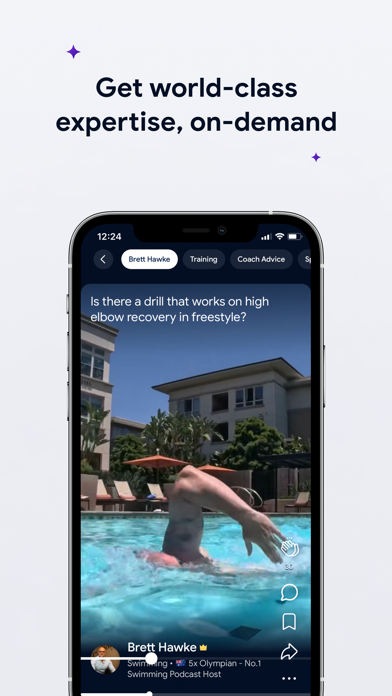
Along the top of your home feed, you’ll see a set of pills that make it easy to navigate between different feeds of content.
“For You” contains recommended answers from a range of experts across the topics you’ve favorited. The “Following” is a feed only of people you’ve specifically chosen to follow. Topic pills are specific feeds to that topic.
Tap any of them, or swipe right and left, and you’ll navigate between feeds!
To customize your experience, tap the + button on the far left to favorite topics you want to see in your “For You” feed and to follow the people you want to see in your Following feed.
Bug fixes and improvements.
Bug fixes and improvements.