AstroFlashTimer
Precise Timing Flash
Free
1.1.1for iPhone, iPad and more
Age Rating
AstroFlashTimer Screenshots
About AstroFlashTimer
AstroFlashTimer provides precise timestamp flashes from the camera LED for astronomical videos (primarily asteroidal occultation recordings). Just point the camera flash into the optical path of the video recording device and trigger the desired flash mode.
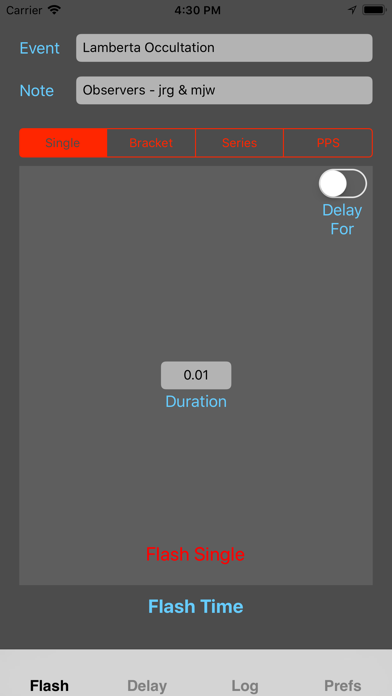
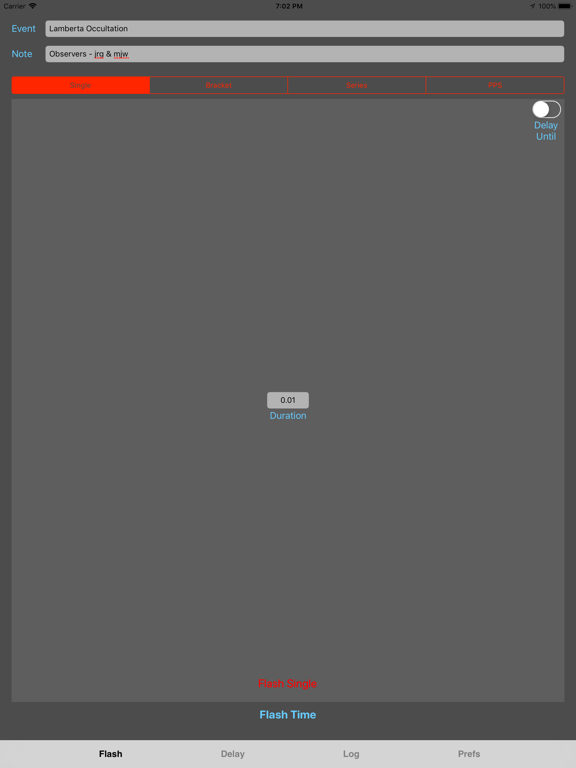
Four separate flash modes offer flexibility for time stamping video captures.
• Flash Single - flashes the camera LED once at the start of the next UTC second. Duration of the flash can be set by the user.
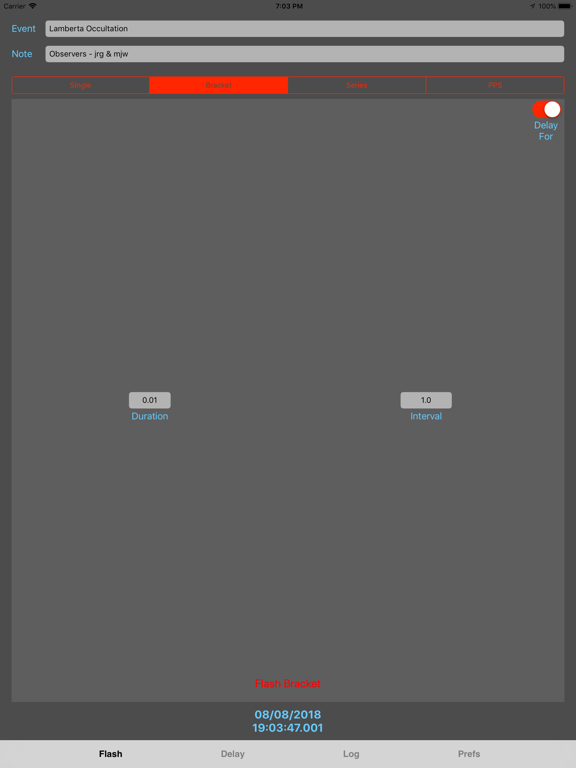
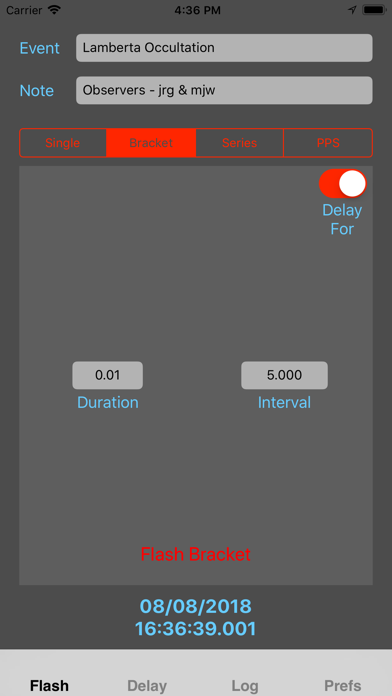
• Flash Bracket - flashes the camera LED twice, separated by a user specified duration, to bracket the event.
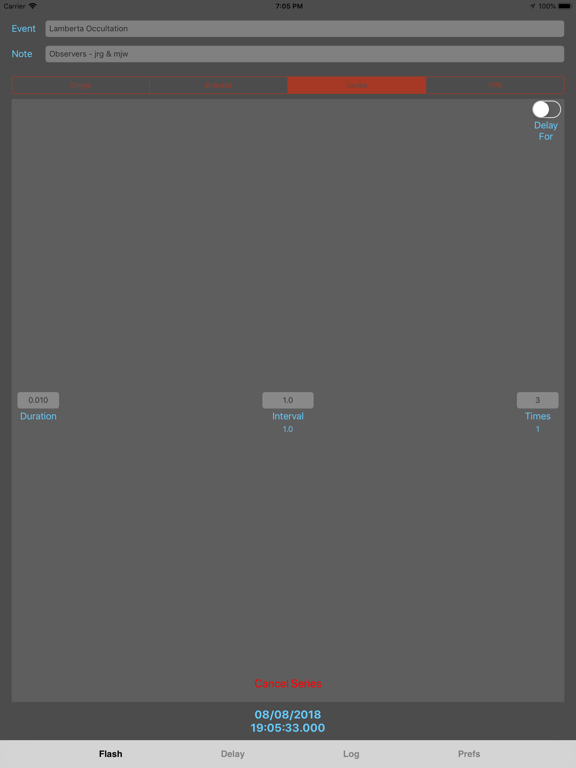
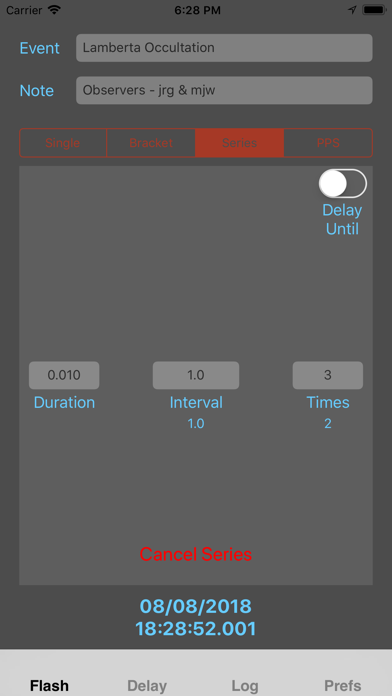
• Flash Series - produces a series of camera LED flashes with user specified flash duration, number of flashes and time interval between flashes.
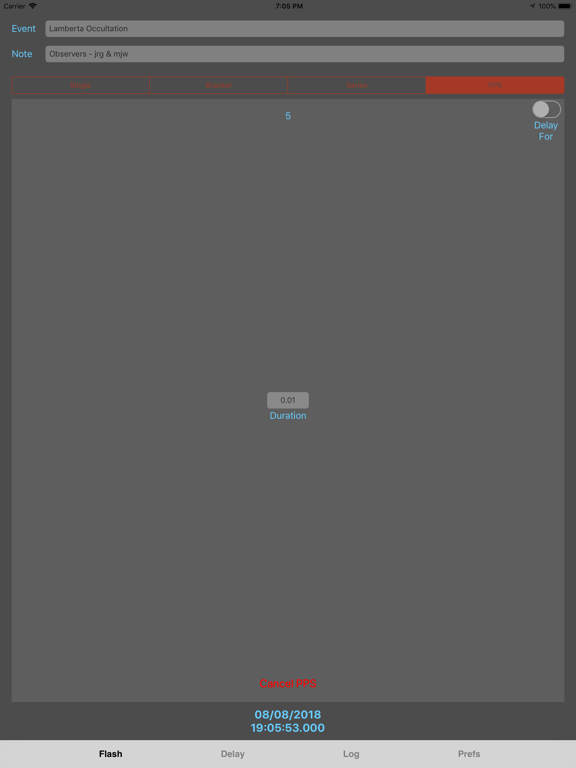
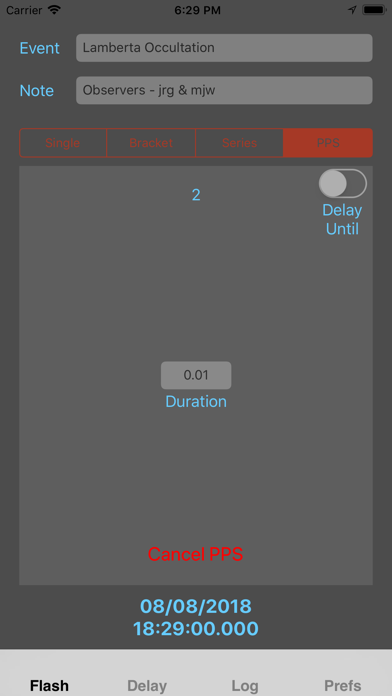
• Flash PPS - produces a sequence of "Pulse Per Second" camera LED flashes. Each flash starts at the next UTC second.
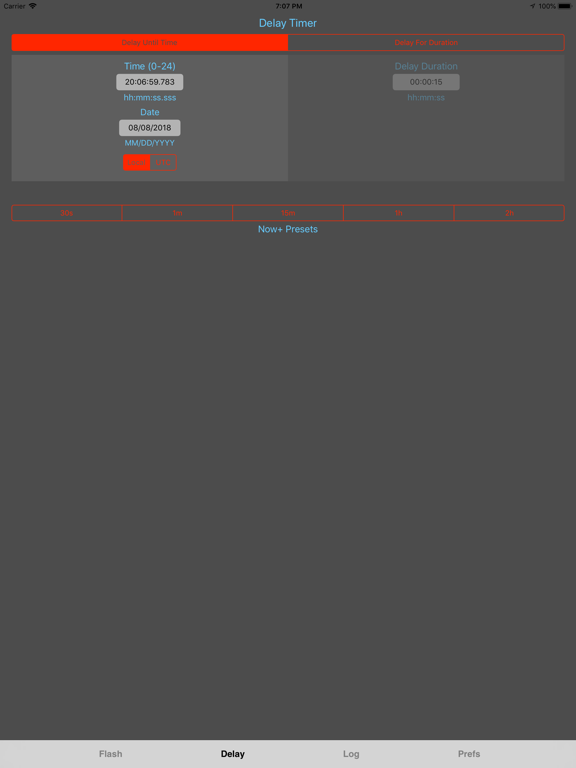
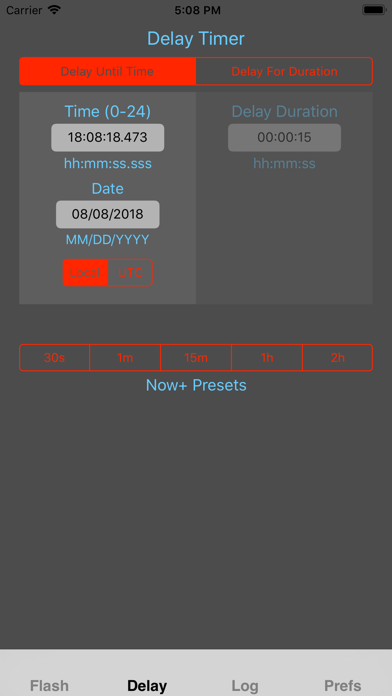
A Delay option can delay the start of any flash mode until a user specified time or for a user specified duration.
A pre-flash feature is optional to initialize the camera's flash system and reduce the delay between scheduled flash time and actual flash time.
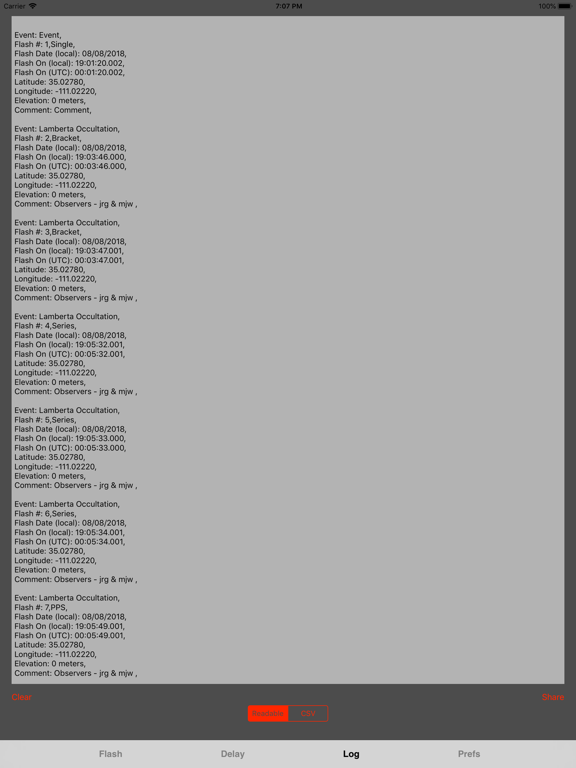
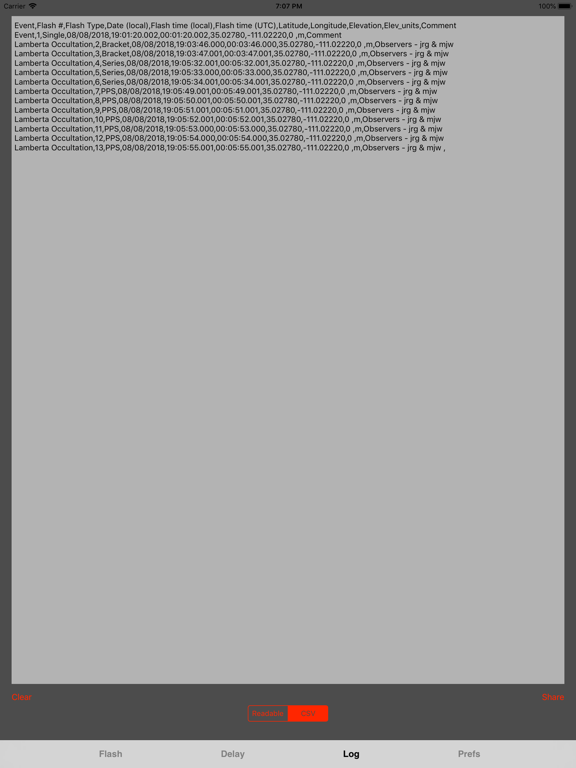
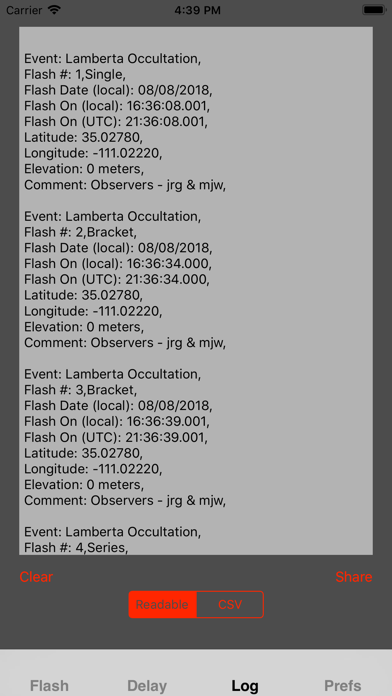
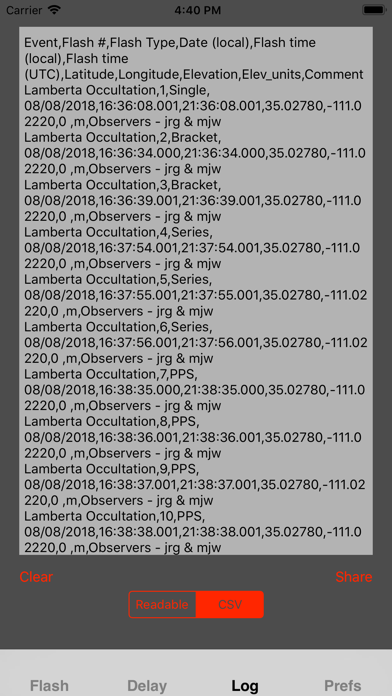
The flash time is logged in local time and UTC, along with local date, latitude, longitude, elevation and flash number. An event title and a comment are also logged with each flash. Optionally, device system information can be logged. The resulting log can be shared by email, messaging, copying to Notes and more.
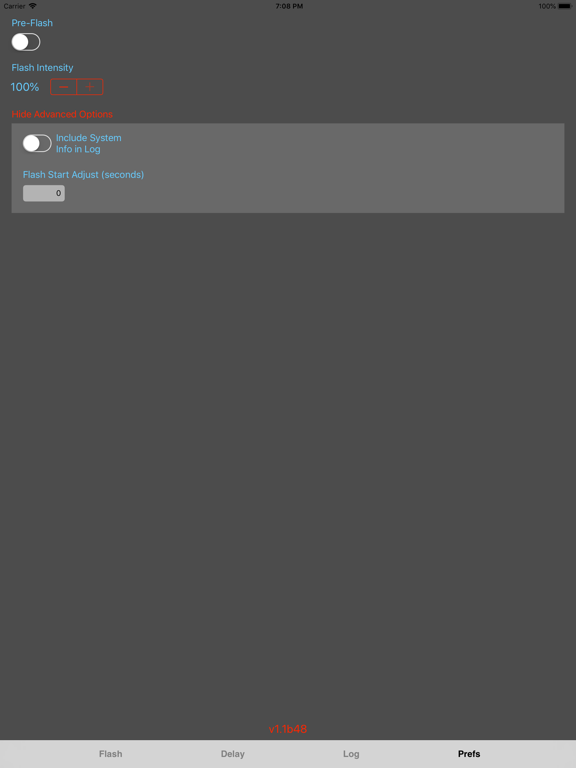
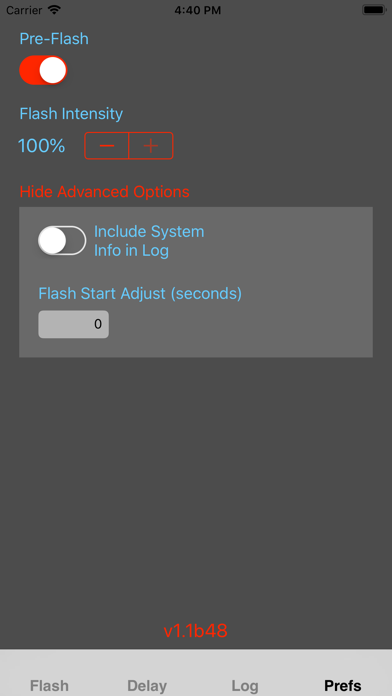
Preferences provide a switch to turn the Pre-Flash feature on and off, an LED intensity control and a flash offset adjustment field, as well as a switch for device system information logging.

Four separate flash modes offer flexibility for time stamping video captures.
• Flash Single - flashes the camera LED once at the start of the next UTC second. Duration of the flash can be set by the user.
• Flash Bracket - flashes the camera LED twice, separated by a user specified duration, to bracket the event.
• Flash Series - produces a series of camera LED flashes with user specified flash duration, number of flashes and time interval between flashes.
• Flash PPS - produces a sequence of "Pulse Per Second" camera LED flashes. Each flash starts at the next UTC second.
A Delay option can delay the start of any flash mode until a user specified time or for a user specified duration.
A pre-flash feature is optional to initialize the camera's flash system and reduce the delay between scheduled flash time and actual flash time.
The flash time is logged in local time and UTC, along with local date, latitude, longitude, elevation and flash number. An event title and a comment are also logged with each flash. Optionally, device system information can be logged. The resulting log can be shared by email, messaging, copying to Notes and more.
Preferences provide a switch to turn the Pre-Flash feature on and off, an LED intensity control and a flash offset adjustment field, as well as a switch for device system information logging.
Show More
What's New in the Latest Version 1.1.1
Last updated on Jun 13, 2022
Old Versions
• Minor updates to conform with Apple's App Store improvements.
Show More
Version History
1.1.1
Jun 13, 2022
• Minor updates to conform with Apple's App Store improvements.
1.1
Dec 2, 2018
• Replaced "At Time" flash mode with "Bracket" mode that will produce two flashes that can bracket an event.
• Renamed "Now" flash mode to "Single" to be clearer and more consistent.
• Added a Delay tab, which can be used to delay (until a specified time, or for a specified duration) the flash start in any mode.
• Added a Preferences option to include device system information for each flash in the log. This will help analyze performance of various devices and models.
• Fixes to improve stability and usability.
• Renamed "Now" flash mode to "Single" to be clearer and more consistent.
• Added a Delay tab, which can be used to delay (until a specified time, or for a specified duration) the flash start in any mode.
• Added a Preferences option to include device system information for each flash in the log. This will help analyze performance of various devices and models.
• Fixes to improve stability and usability.
1.0
May 13, 2018
AstroFlashTimer FAQ
Click here to learn how to download AstroFlashTimer in restricted country or region.
Check the following list to see the minimum requirements of AstroFlashTimer.
iPhone
Requires iOS 9.0 or later.
iPad
Requires iPadOS 9.0 or later.
iPod touch
Requires iOS 9.0 or later.
AstroFlashTimer supports English