Minor bug fixes and improvements
Minor bug fixes and improvements
- Initial offline support for observation information
- Bug fixes and improvements
- View organic matter analysis layer in Map
- Soil texture legends updated to vertical
- Offline access for Last analysed layer
- Bug fixes
- Forgot password feature
- Bug fixes
- Cropping layer available for viewing offline
- Various cropping layer improvements
- New Cropping & Yield Map layers (online only)
- Usability & performance improvements
- Optimisations for offline setup, including account and farm selection
- Anonymous tracking of events (viewing, creating and editing observations and viewing imagery) when the user is opted in to inform product decisions
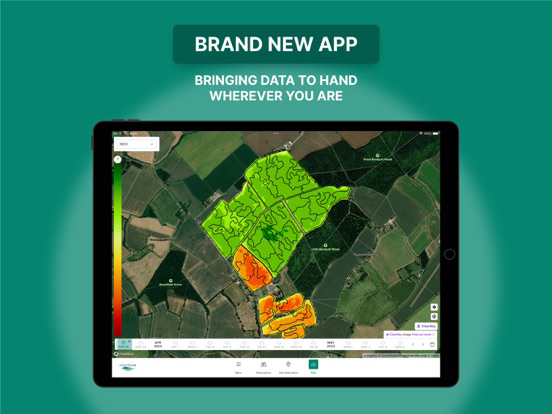
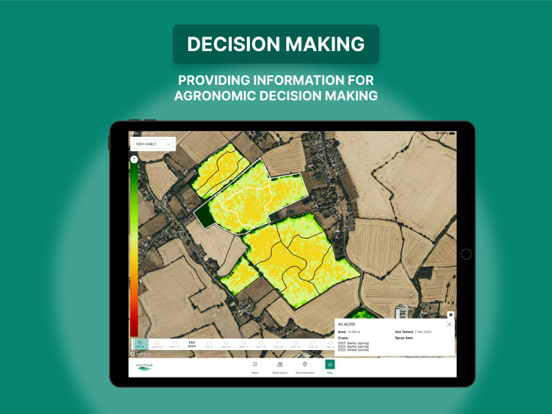
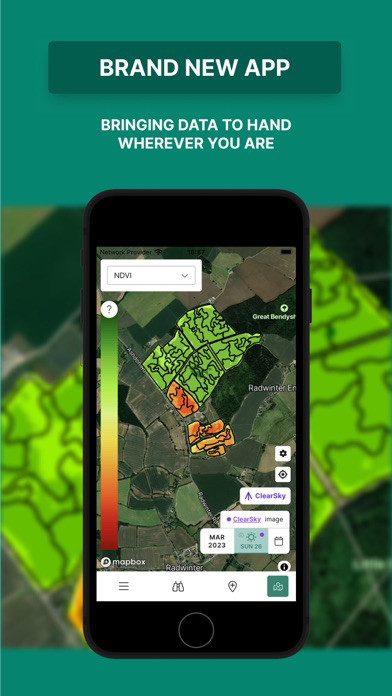
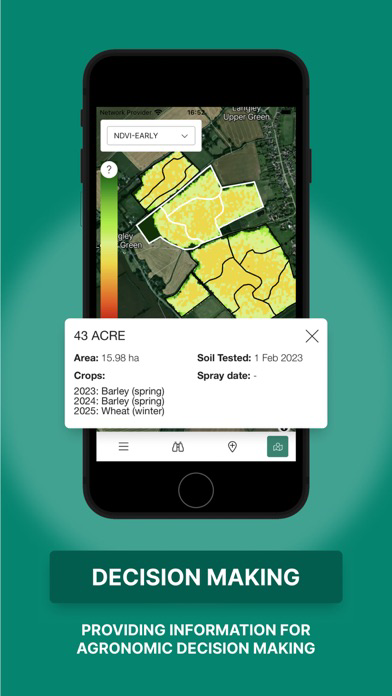
This is the first release of the new Contour mobile app, including online feature parity with the old app. This new app is more similar to the web platform, and benefits from a more stable infrastructure and greatly improved design. The offline process has been streamlined, so that imagery can be quickly selected over a certain time range for offline access.You will also find more data layers available in the map view than previously. The data layer list in this first release comprises of:
GCVI
NDVI
Yield maps
Physical properties (15 attributes)
SoilScan layers
Soil analysis- P, K, Mg and pH
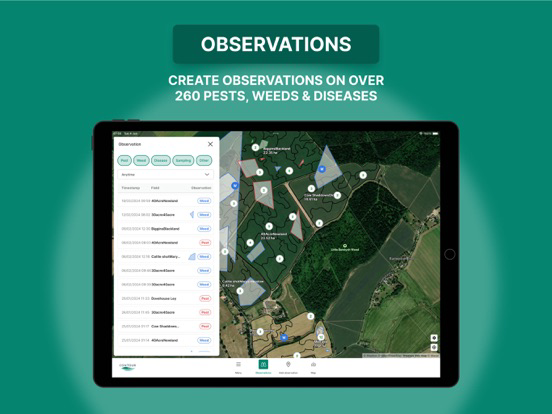
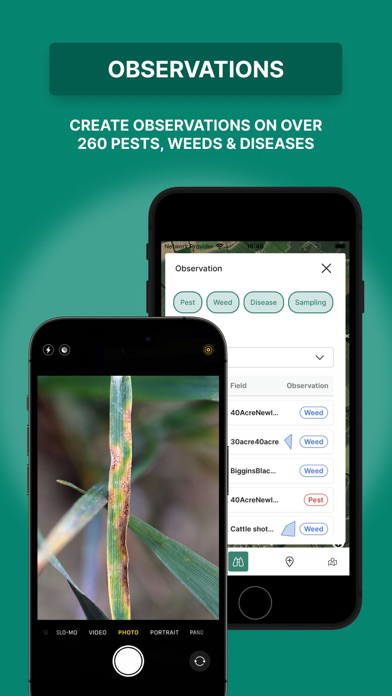
Observations (view and add online)
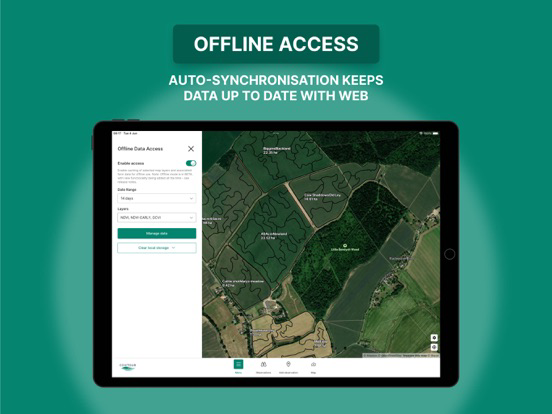
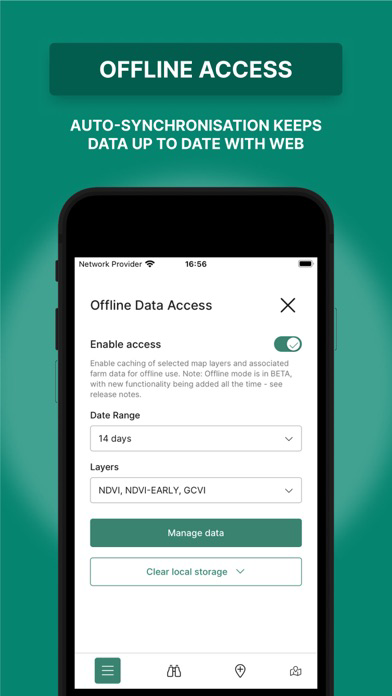
Offline mode is a BETA functionality which you can toggle on and try. Once you have enabled offline access, you will be able to download and store locally 14 or 30 days worth of imagery for offline access. We are looking to streamline this process even further in the coming months and enable the collection of observations when offline.
How to access the new app:
If you have an existing account and the old Contour app downloaded, please uninstall it and then download the new one. If you are a new user, or have forgotten your login details, you can download the app but you will need to contact servicedesk@digital.originenterprises.com to set up your account.
This is the first release of the new Contour mobile app, including online feature parity with the old app. This new app is more similar to the web platform, and benefits from a more stable infrastructure and greatly improved design. The offline process has been streamlined, so that imagery can be quickly selected over a certain time range for offline access.You will also find more data layers available in the map view than previously. The data layer list in this first release comprises of:
GCVI
NDVI
Yield maps
Physical properties (15 attributes)
SoilScan layers
Soil analysis- P, K, Mg and pH
Observations (view and add online)
Offline mode is a BETA functionality which you can toggle on and try. Once you have enabled offline access, you will be able to download and store locally 14 or 30 days worth of imagery for offline access. We are looking to streamline this process even further in the coming months and enable the collection of observations when offline.
How to access the new app:
If you have an existing account and the old Contour app downloaded, please uninstall it and then download the new one. If you are a new user, or have forgotten your login details, you can download the app but you will need to contact servicedesk@digital.originenterprises.com to set up your account.
This is the first release of the new Contour mobile app, including online feature parity with the old app. This new app is more similar to the web platform, and benefits from a more stable infrastructure and greatly improved design. The offline process has been streamlined, so that imagery can be quickly selected over a certain time range for offline access.You will also find more data layers available in the map view than previously. The data layer list in this first release comprises of:
GCVI
NDVI
Yield maps
Physical properties (15 attributes)
SoilScan layers
Soil analysis- P, K, Mg and pH
Observations (view and add online)
Offline mode is a BETA functionality which you can toggle on and try. Once you have enabled offline access, you will be able to download and store locally 14 or 30 days worth of imagery for offline access. We are looking to streamline this process even further in the coming months and enable the collection of observations when offline.
How to access the new app:
If you have an existing account and the old Contour app downloaded, please uninstall it and then download the new one. If you are a new user, or have forgotten your login details, you can download the app but you will need to contact servicedesk@digital.originenterprises.com to set up your account.
Latest update includes ability to view ClearSky GCVI and NDVI imagery every 6 days (for supported regions).
Share observations using a variety of messaging services.
- Identification of imagery sources
- Improvements to map provision
- Improved image picker
- Bug fixes
Bug fixes & improvements.
- Track your GPS location while drawing a polygon
- Measure the size of a polygon once drawn
- New map provider
Improved layout allowing extra screen space for maps
Minor bug fixes
• Create and view observations and their status
• Improved observation precision with fixed pin feature
• New layout for quicker navigation
• Bug fixes
• Create and view observations and their status
• Improved observation precision with fixed pin feature
• New layout for quicker navigation
This release fixes historically deleted fields appearing on the map.
bug fix to grey screen on map view.
- Fixing the error that states you can’t make an observation outside of the field boundary
- Users will not lose their un-synced data if they are logged out and log in again
- Users will not lose their un-synced data if they log out and another user logs in on the same phone
- Users will not be logged out until after 30 days of inactivity
- The error in displaying images showing "object object" will be corrected
Bug fixes and changes following user feedback.