Application Description:
Introduction
C-Timer is a timer application that you can use for any type of exercise movement. It is especially helpful during physical therapy exercises to ensure that the movements are performed in stages, and to easily set and track ideal times. In short: Plan your exercises, set your rest periods, and stick to your schedule! All made possible with C-Timer!
('C'ircular-'T'imer = C-Timer)
Features:
• Ease of Use: Manage your exercise movements effortlessly with a user-friendly interface.
• Multiple Timers: Create separate timers for each movement phase.
• Customizable Durations: Set specific durations for each exercise.
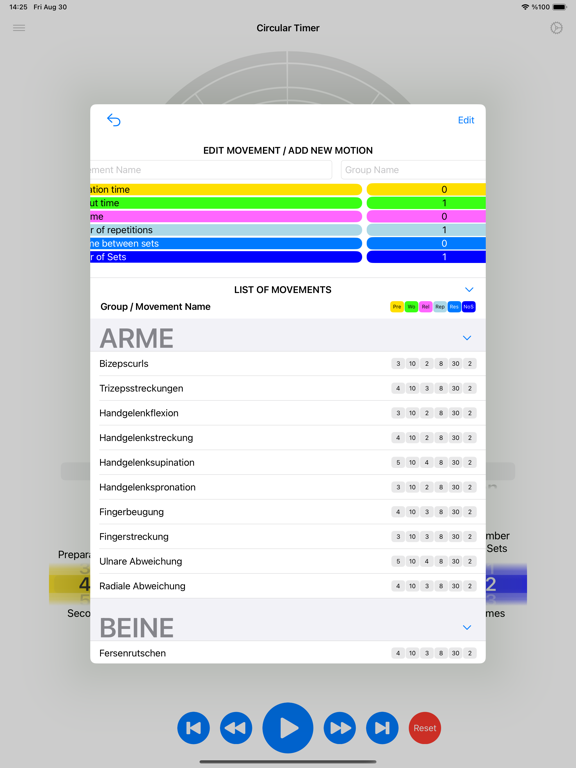
• Customized Exercise Groups: Create and organize different exercise movements into groups, allowing you to sort and manage them as needed.
Usage:
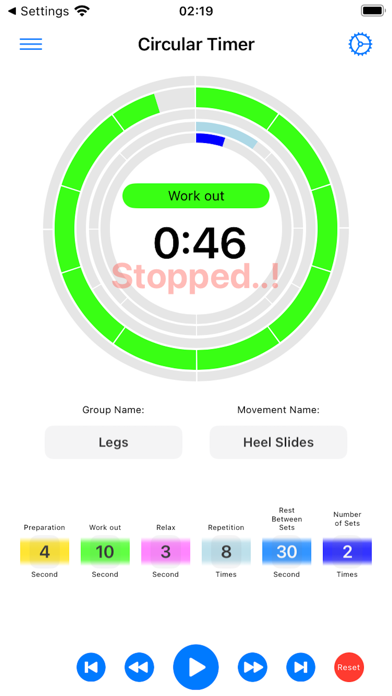
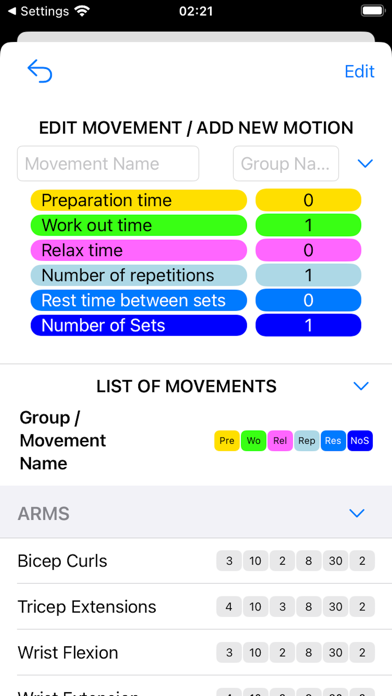
You can name the exercise movement and set the desired values accordingly.
Phases of a Movement:
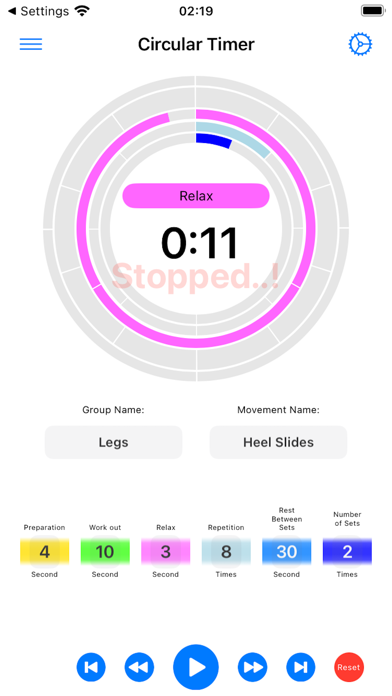
An exercise movement generally consists of three main phases:
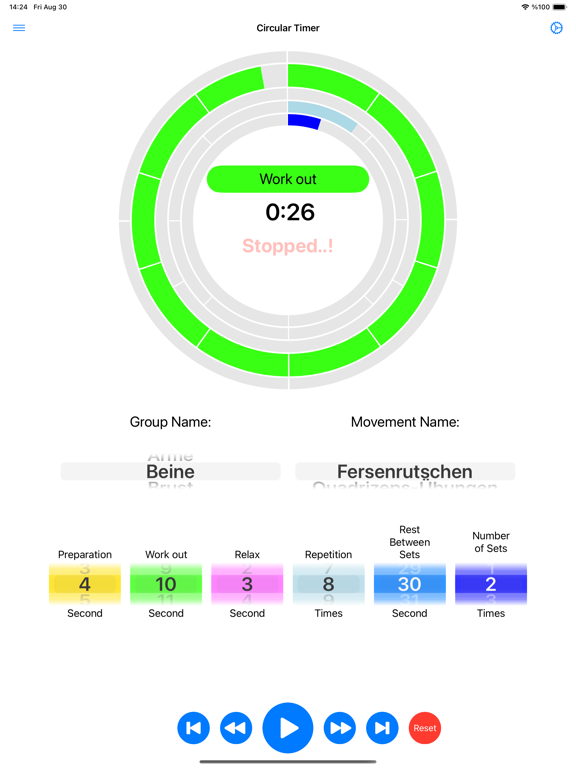
• Preparation Phase: At the beginning of the movement, gently activate your muscles to move from the starting position to the target point. For example, in the exercise of pulling a resistance band with your arm, gently pulling your arm to a specific point (e.g., 3 seconds).
• Exercise Phase: Hold your muscles steady at the target point for a specified duration. Continuing the example, holding the resistance band at that point with your arm (e.g., 5-10 seconds).
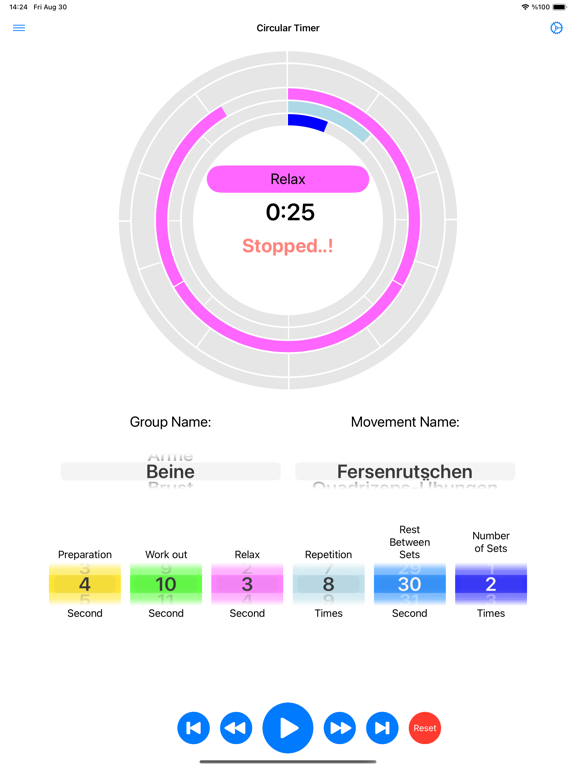
• Relaxation Phase: Gradually relax your muscles and return to the starting position of the movement. In the resistance band exercise, slowly releasing your arm to return to the initial position (e.g., 3 seconds).
• Repetition Count: After completing the phases of a movement, determine how many times the movement should be repeated. For example, the Preparation Phase + Exercise Phase + Relaxation Phase constitutes one repetition, and this cycle is repeated a certain number of times within a set.
• Rest Between Sets: After completing all repetitions in a set, the rest period allows muscles to recover and prepare for the next set. Resting between sets is crucial for performing the next set effectively.
• Number of Sets: A set is completed when a certain number of repetitions of a movement is performed. Each set consists of a specified number of repetitions, and these sets are performed according to training or therapy goals.
You can adjust or modify these values by swiping over them on the main screen or by using the keyboard in the edit screen.
You can name exercise movements and organize them into groups as needed.
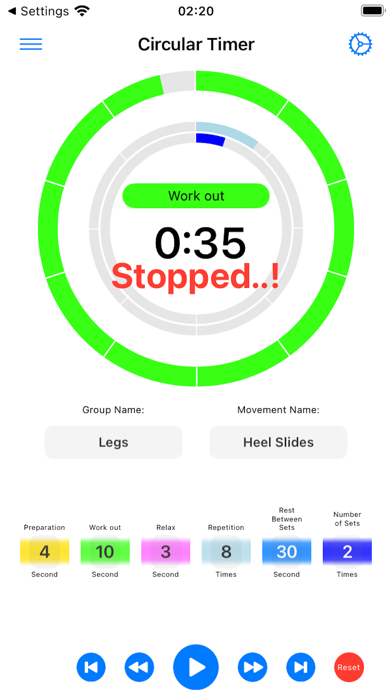
On the main screen, you can adjust all values related to the movement phases by swiping your finger, or by editing them through the keyboard in the edit screen.
Using the buttons at the bottom of the main screen, you can start the timer, switch between phases, and navigate between movements.
From the settings screen, you can customize the appearance of the app and adjust other preferences as desired.
NOTE: It is essential to follow the guidelines provided by your doctor, trainer, or specialist in all of your exercises. The movements included in this application are intended solely to facilitate input and provide information.
Wishing you a healthy life!