Doodle3D Transform
3D design made easy
$5.99
1.7for iPhone, iPad and more
Age Rating
Doodle3D Transform Screenshots
About Doodle3D Transform
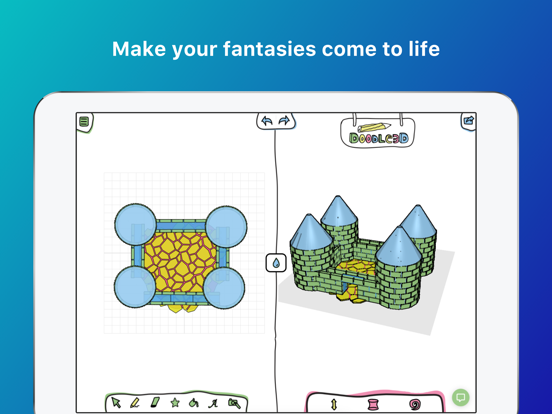
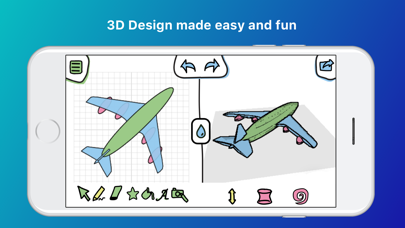
Transform is a simple drawing tool that makes design for 3D modelling and printing accessible to everyone.
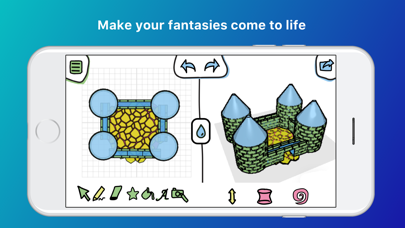
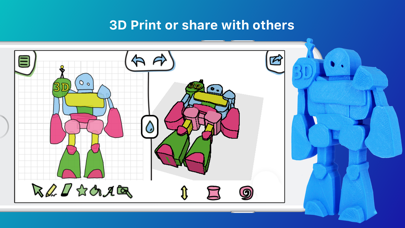
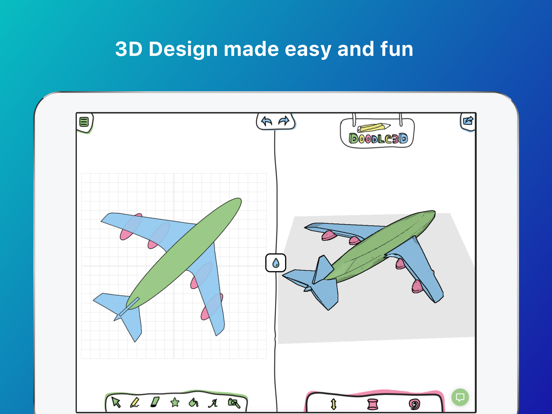
By starting with that what we are already familiar: 2D drawing, everybody can create their first 3D design in minutes. Doodle3D Transform automatically transforms your 2D drawing into a 3D object. No specific skills are required to start, so it’s perfect for children and starting designers who want to get up and running with 3D drawing and printing at home or in education. Design a ready-to-print advanced 3D model in minutes with just a handful of tools.
We provide integrations with external services as Sketchfab, so you can share your designs with others or view them in Virtual Reality.
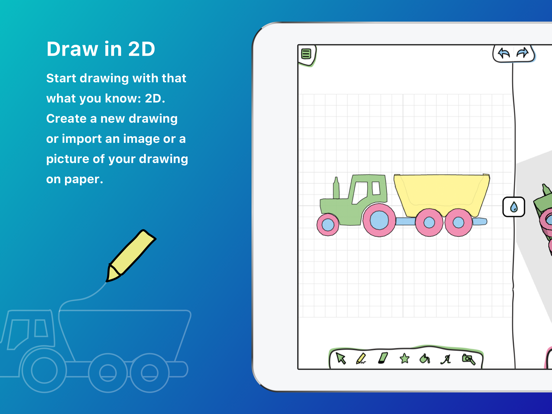
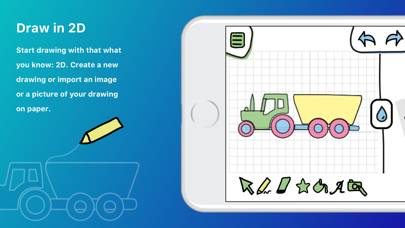
1. Start drawing in the app or import a picture of a drawing you made on paper.
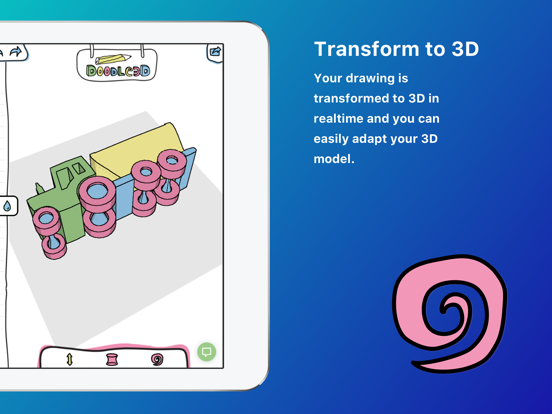
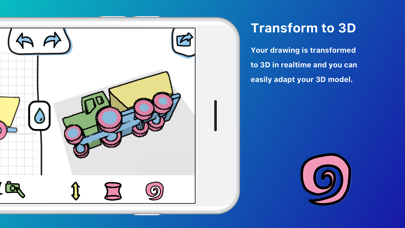
2. Your drawing is transformed to 3D in realtime and you can easily adapt your 3D model.
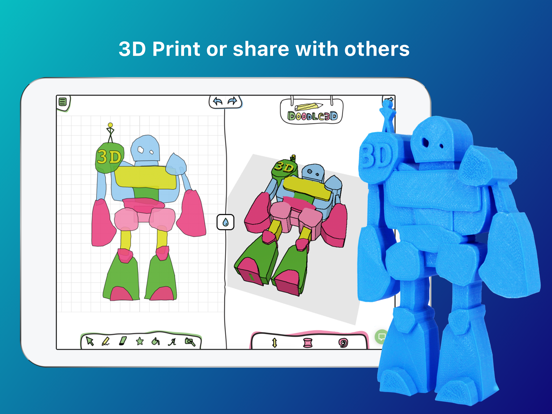
3. Share your model with others, export it to OBJ or STL or directly 3D print your model.
OUR MISSION
Doodle3D aims to make 3D design and 3D printing accessible to anyone. We offer several products to help you getting started with 3D at school or at home.
Downloading a 3D model is easy, but you cannot always find what you are looking for. Designing 3D models yourself gives you freedom and stimulates creativity and spatial awareness. Most established 3D CAD software is targeted at experts. In the application Doodle3D Transform however, simplicity is key. What makes it stand apart from the many other 3D design applications, is the fact that the user designs 3-dimensional shapes based on flat (2D) drawings. Because of its accessibility, anyone can use this app to create their ideas, no matter their age or background
3D-Print using print.doodle3d.com, 3D Hubs, Shapeways, Polar3D
Share your design on Sketchfab, Thingiverse and MyMiniFactory
Download as .STL, .OBJ, GCODE files, .doodle3d file

By starting with that what we are already familiar: 2D drawing, everybody can create their first 3D design in minutes. Doodle3D Transform automatically transforms your 2D drawing into a 3D object. No specific skills are required to start, so it’s perfect for children and starting designers who want to get up and running with 3D drawing and printing at home or in education. Design a ready-to-print advanced 3D model in minutes with just a handful of tools.
We provide integrations with external services as Sketchfab, so you can share your designs with others or view them in Virtual Reality.
1. Start drawing in the app or import a picture of a drawing you made on paper.
2. Your drawing is transformed to 3D in realtime and you can easily adapt your 3D model.
3. Share your model with others, export it to OBJ or STL or directly 3D print your model.
OUR MISSION
Doodle3D aims to make 3D design and 3D printing accessible to anyone. We offer several products to help you getting started with 3D at school or at home.
Downloading a 3D model is easy, but you cannot always find what you are looking for. Designing 3D models yourself gives you freedom and stimulates creativity and spatial awareness. Most established 3D CAD software is targeted at experts. In the application Doodle3D Transform however, simplicity is key. What makes it stand apart from the many other 3D design applications, is the fact that the user designs 3-dimensional shapes based on flat (2D) drawings. Because of its accessibility, anyone can use this app to create their ideas, no matter their age or background
3D-Print using print.doodle3d.com, 3D Hubs, Shapeways, Polar3D
Share your design on Sketchfab, Thingiverse and MyMiniFactory
Download as .STL, .OBJ, GCODE files, .doodle3d file
Show More
What's New in the Latest Version 1.7
Last updated on Feb 10, 2021
Old Versions
Changed
- Simplified export menu
Fixed
- Opening photo guide on iOS
- Simplified export menu
Fixed
- Opening photo guide on iOS
Show More
Version History
1.7
Feb 10, 2021
Changed
- Simplified export menu
Fixed
- Opening photo guide on iOS
- Simplified export menu
Fixed
- Opening photo guide on iOS
1.6
Jun 28, 2018
This is the new stand-alone version of Doodle3D Transform. Your files are now stored on your iOS device and not on the Doodle3D server anymore. If you already have a Doodle3D account and want to access your earlier drawings you can use the browser version of Doodle3D Transform at https://transform.doodle3d.com.
1.5
Apr 3, 2018
Fixed
- Open sketch is now an undoable
- Images on the help page are now correctly loaded
- Text tool now renders correctly after opening
Changed
- Print with Doodle3D Slicer now requires paid account
- Print with Polar Cloud now requires paid account
- Decrease initial text size
- More consistent use of spinners
- Style of authenticate components
- Changing tools is now an undoable
- Add hotkeys
- `s` for TRANSFORM TOOL
- `e` for ERASER TOOL
- `c` for CIRCLE TOOL
- `l` for POLYGON TOOL
Removed
- Talkus (chat support)
- Open sketch is now an undoable
- Images on the help page are now correctly loaded
- Text tool now renders correctly after opening
Changed
- Print with Doodle3D Slicer now requires paid account
- Print with Polar Cloud now requires paid account
- Decrease initial text size
- More consistent use of spinners
- Style of authenticate components
- Changing tools is now an undoable
- Add hotkeys
- `s` for TRANSFORM TOOL
- `e` for ERASER TOOL
- `c` for CIRCLE TOOL
- `l` for POLYGON TOOL
Removed
- Talkus (chat support)
1.4
Feb 19, 2018
Added
- Export to polar3d
- Show warning when leaving page with unsaved work
Changed
- Removed popup for text input, added in canvas text editing
- Added Fonts (from Google Fonts)
- OSWALD
- RANGA
- JOTI_ONE
- BELLEFAIR
- LOBSTER
- ABRIL_FATFACE
- PLAY
- FASCINATE
- Improved hit area of text (changed from each letter being the hitarea to a square around the text as a hitarea)
- Updated file format
- Removed image guides from file format
- Use amazon for downloads
- Cutoff long file names
- Remove slicer interface from app and use print.doodle3d.com instead
Fixed
- Normalize mouse wheel (scrolling should now have the same effect in all browsers)
- Bugs in mollie payment
Performance
- Group overapping holes and apply boolean operation seperatly with each group
- Export to polar3d
- Show warning when leaving page with unsaved work
Changed
- Removed popup for text input, added in canvas text editing
- Added Fonts (from Google Fonts)
- OSWALD
- RANGA
- JOTI_ONE
- BELLEFAIR
- LOBSTER
- ABRIL_FATFACE
- PLAY
- FASCINATE
- Improved hit area of text (changed from each letter being the hitarea to a square around the text as a hitarea)
- Updated file format
- Removed image guides from file format
- Use amazon for downloads
- Cutoff long file names
- Remove slicer interface from app and use print.doodle3d.com instead
Fixed
- Normalize mouse wheel (scrolling should now have the same effect in all browsers)
- Bugs in mollie payment
Performance
- Group overapping holes and apply boolean operation seperatly with each group
1.3
Dec 13, 2017
Changed
- Added colors to the color menu
- Remove image guide transparency to easier pick colors from imported images
- Use less points in circle to increase performance of the holes tool
- Moved Doodle3D-Core to own repo
- Used different toon shader
- Different style due to MatCap Shader
- Less render passes so increased performance
- Dropping d3sketch files on the app now merges the dropped file with the current doodle
- Copy of product info
- A record of total number of sketches is now stored in the userd DB
- Use improved notification system
- Improved design
- More functionality in notification (such as title, body and buttons)
- Community popups are bigger and rendered in MaterialUI dialog
- Brush sizes are now smaller (brush sizes are now small: 2mm medium: 4mm large: 10mm)
- Move 2d merge and cutout tools to context menu
- display distance in mm
Fixed
- Bugs regarding holes tool
- Winding order of 3d shapes
- Boolean subtracted shapes now produce solid shapes
- Updated wk webview to resolve iOS app click timeout problem
- Use less points in circle to increase performance of the holes tool was actualy generating more points
- 3D View crashing in safari
- Some filled shapes were impterpeted as hollow by the Slicer, used THREE triangulate to Fixed
- Event bubbling in file thumbs
Removed
- Export to Formide
Added
- Support for Students
- Student accounts have full access to Doodle3D transform
- User accounts can have no password, they will however be promted with a change password popup on firstlogin
- Holes material enabling 3D cut-outs
- Thumbnails are now saved as png, enabling transparency
- Pipet tool for selecting color from other shapes or from image
- Slicer User Interface
- Enables rotating and scaling before slicing
- Improved settings dialogs
- Prefilled voucher codes
- Support for teacher - student accounts when redeeming school voucher
- Support for new printers
- Added colors to the color menu
- Remove image guide transparency to easier pick colors from imported images
- Use less points in circle to increase performance of the holes tool
- Moved Doodle3D-Core to own repo
- Used different toon shader
- Different style due to MatCap Shader
- Less render passes so increased performance
- Dropping d3sketch files on the app now merges the dropped file with the current doodle
- Copy of product info
- A record of total number of sketches is now stored in the userd DB
- Use improved notification system
- Improved design
- More functionality in notification (such as title, body and buttons)
- Community popups are bigger and rendered in MaterialUI dialog
- Brush sizes are now smaller (brush sizes are now small: 2mm medium: 4mm large: 10mm)
- Move 2d merge and cutout tools to context menu
- display distance in mm
Fixed
- Bugs regarding holes tool
- Winding order of 3d shapes
- Boolean subtracted shapes now produce solid shapes
- Updated wk webview to resolve iOS app click timeout problem
- Use less points in circle to increase performance of the holes tool was actualy generating more points
- 3D View crashing in safari
- Some filled shapes were impterpeted as hollow by the Slicer, used THREE triangulate to Fixed
- Event bubbling in file thumbs
Removed
- Export to Formide
Added
- Support for Students
- Student accounts have full access to Doodle3D transform
- User accounts can have no password, they will however be promted with a change password popup on firstlogin
- Holes material enabling 3D cut-outs
- Thumbnails are now saved as png, enabling transparency
- Pipet tool for selecting color from other shapes or from image
- Slicer User Interface
- Enables rotating and scaling before slicing
- Improved settings dialogs
- Prefilled voucher codes
- Support for teacher - student accounts when redeeming school voucher
- Support for new printers
1.2
Oct 17, 2017
Fixed
- Some filled shapes were impterpeted as hollow by the Slicer, used THREE triangulate to Fixed
- Event bubbling in file thumbs
Added
- Support for teacher - student accounts when redeeming school voucher
- Support for new printers
Changed
- display distance in mm
- Some filled shapes were impterpeted as hollow by the Slicer, used THREE triangulate to Fixed
- Event bubbling in file thumbs
Added
- Support for teacher - student accounts when redeeming school voucher
- Support for new printers
Changed
- display distance in mm
1.1
Oct 10, 2017
We have added app previews
In the binary we have changed
### Changed
- On Share "back" button closes the popup
- Remove delay when opening submenu's
### Fixed
- A href links for iOS (e.g. Login & Sign up button)
- Disable autofocus of text fields in iOS
- Added missing space to copy
In the binary we have changed
### Changed
- On Share "back" button closes the popup
- Remove delay when opening submenu's
### Fixed
- A href links for iOS (e.g. Login & Sign up button)
- Disable autofocus of text fields in iOS
- Added missing space to copy
1.0
Sep 25, 2017
Doodle3D Transform FAQ
Click here to learn how to download Doodle3D Transform in restricted country or region.
Check the following list to see the minimum requirements of Doodle3D Transform.
iPhone
Requires iOS 12.0 or later.
iPad
Requires iPadOS 12.0 or later.
iPod touch
Requires iOS 12.0 or later.
Doodle3D Transform supports English