iInteract: Communication Board

iInteract: Communication Board


Free

3.4.3for iPhone, iPad
Age Rating
4+
Apps in this category do not contain restricted content.
9+
Apps in this category may contain mild or occasional cartoon, fantasy or real-life violence, as well as occasional or mild adult, sexually suggestive or horrifying content and may not be suitable for children under 9 years of age.
12+
Apps in this category may contain occasional mild indecent language, frequent or intense cartoon or real-life violence, minor or occasional adult or sexually suggestive material, and simulated gambling, and may be for children under 12 years of age.
17+
You must be at least 17 years old to access this App.
Apps in this category may contain frequent and intense offensive language; Frequent and intense cartoon, fantasy or realistic violence: frequent and intense adult, scary and sexually suggestive subjects: as well as sexual content, nudity, tobacco, alcohol and drugs, may not be suitable for children under 17 years of age.
iInteract: Communication Board Screenshots
iInteract: Communication Board posteriInteract: Communication Board posteriInteract: Communication Board posteriInteract: Communication Board poster

About iInteract: Communication Board

iInteract is a free communication board for children with autism, apraxia, Down syndrome, and other communication needs. Tap a picture, hear the word out loud — clear, simple, and built to grow with your child.

WHO IT'S FOR Parents, therapists, special-education teachers, and speech-language pathologists working with emerging communicators. Designed with — and used by — families of children with autism, apraxia, Down syndrome, and other communication needs.

Used for over a decade by parents, therapists, and special-education teachers, iInteract is the result of two longtime educators (with 20+ years of special-education experience) collaborating with a software engineer to build the tool they wished they had.

— GET STARTED IN SECONDS —
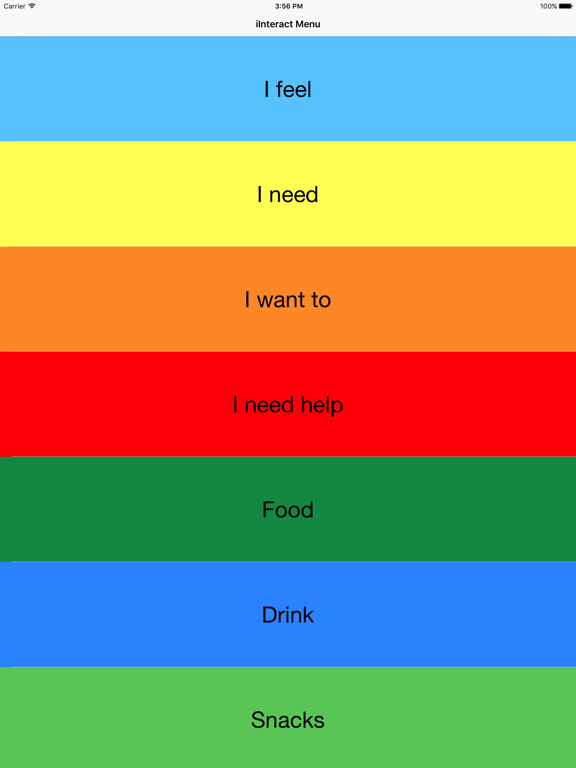
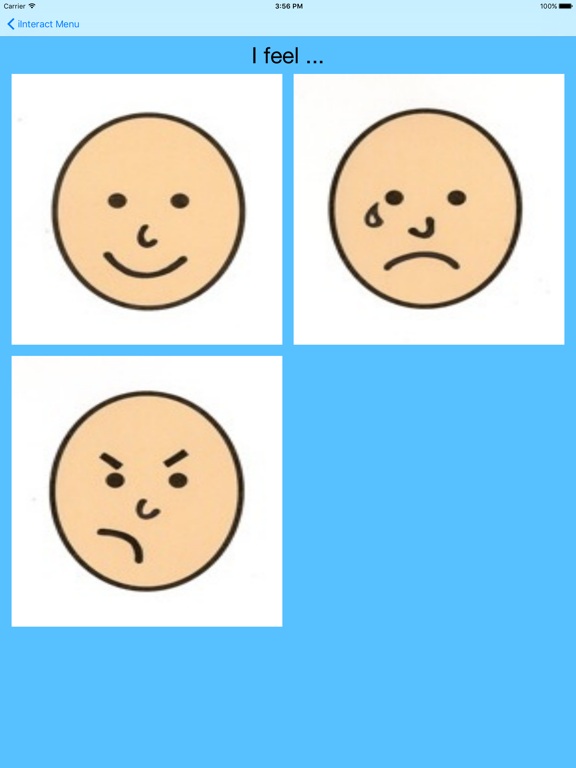
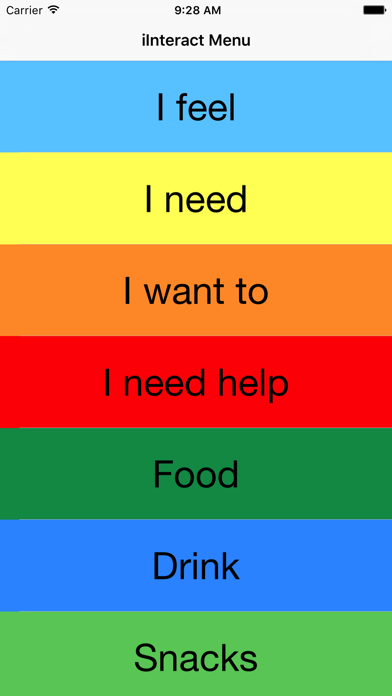
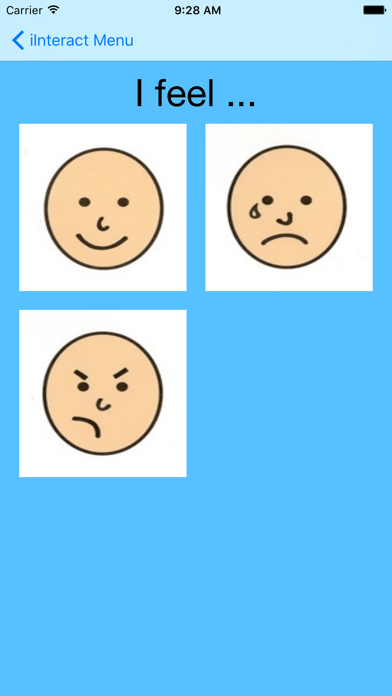
Seven ready-made panels — feelings, needs, and everyday activities — are there the moment you open the app.

— MAKE IT YOUR OWN —
Fresh installs start in Customize, so you can add your own panels right away. Three ways to use the app:
• Customize — add your own panels with your own photos and recorded voice
• Configurable — hide the panels you don't use and reorder the rest
• Default — bundled panels only, nothing changes

BOY OR GIRL VOICE
Record a boy voice, a girl voice, or both for every picture.

KEEP THE SCREEN ON
1, 5, or 10 minutes — or "until I leave the app" — for kids who study the board for a while.

— JUST FOR PARENTS —

PRIVATE PARENT SETTINGS
Press and hold the "iInteract" title to open settings — your child can't tap their way in, and the app returns to kid view on its own after 10 minutes. Prefer a button? Switch to a visible gear icon instead.

OPTIONAL PIN
Add a 4-digit PIN for extra protection. Forgot it? Answer your security question and the PIN clears — no need to delete and reinstall.

UNDO MISTAKES
Anything you delete waits 30 days in the Trash, ready to restore.

LOCK IT DOWN
Turn on "Lock Editor" in iOS Guided Access to freeze the gear icon with a single tap.

ALL YOUR DEVICES, IN SYNC
Set it up once. Your panels, voice recordings, PIN, and settings follow you across iPhone, iPad, and Mac.

— YOUR PRIVACY —
No data collection. No tracking. No accounts. Your panels, photos, and voice recordings stay on your device — and, if you opt in, in your private iCloud, where Apple sees only encrypted data it cannot open.

© 2010–2026 Jim Zucker, Cathy DeMarco, Tricia Zucker. All rights reserved. Not affiliated with or endorsed by any institution.

Show More

What's New in the Latest Version 3.4.3

Last updated on Jun 1, 2026
Old Versions
A safer, cleaner way to switch between kid view and parent view — and now your settings follow you across iPhone, iPad, and Mac.

* Fixes a sync issue where photos and recordings added to an existing interaction sometimes didn't appear on other devices. Friendlier message when recording isn't possible during a phone call.

• Press and hold the "iInteract" title (new). Holding down the title at the top of the screen opens parent settings — your child can't trigger it. After 10 minutes of inactivity the app returns to kid view on its own. Same gesture the Android app already has.

• Pick how parent settings open. Fresh installs see a one-shot Parent Access prompt: press-and-hold (recommended for child safety), or keep the gear icon visible if you prefer. Switch any time in the gear → Configuration.

• Set it up once, use it everywhere. Your panels, PIN, voice choice, and parent-access choice now travel with you between iPhone, iPad, and Mac.

• Mac users get a real settings window. On Mac, the gear icon (or ⌘,) opens settings in its own window — closes on its own after 10 minutes of inactivity.

• One Erase All for every device. A single PIN-protected Erase All wipes every iCloud-connected device within seconds. If you turn iCloud off, make changes, then turn it back on, the app asks which set to keep.

• Forgot PIN, everywhere. Every PIN prompt has a "Forgot PIN?" button — answer your security question and the PIN clears. No more deleting and reinstalling.

• Notes for existing users (3.1.3): your panels, PIN, voice, mode, and gear-visibility setting are preserved exactly as you had them.
Show More
Version History
3.4.3
Jun 1, 2026
A safer, cleaner way to switch between kid view and parent view — and now your settings follow you across iPhone, iPad, and Mac.

* Fixes a sync issue where photos and recordings added to an existing interaction sometimes didn't appear on other devices. Friendlier message when recording isn't possible during a phone call.

• Press and hold the "iInteract" title (new). Holding down the title at the top of the screen opens parent settings — your child can't trigger it. After 10 minutes of inactivity the app returns to kid view on its own. Same gesture the Android app already has.

• Pick how parent settings open. Fresh installs see a one-shot Parent Access prompt: press-and-hold (recommended for child safety), or keep the gear icon visible if you prefer. Switch any time in the gear → Configuration.

• Set it up once, use it everywhere. Your panels, PIN, voice choice, and parent-access choice now travel with you between iPhone, iPad, and Mac.

• Mac users get a real settings window. On Mac, the gear icon (or ⌘,) opens settings in its own window — closes on its own after 10 minutes of inactivity.

• One Erase All for every device. A single PIN-protected Erase All wipes every iCloud-connected device within seconds. If you turn iCloud off, make changes, then turn it back on, the app asks which set to keep.

• Forgot PIN, everywhere. Every PIN prompt has a "Forgot PIN?" button — answer your security question and the PIN clears. No more deleting and reinstalling.

• Notes for existing users (3.1.3): your panels, PIN, voice, mode, and gear-visibility setting are preserved exactly as you had them.

iInteract: Communication Board FAQ

Click here to learn how to download iInteract: Communication Board in restricted country or region.
Check the following list to see the minimum requirements of iInteract: Communication Board.
iPhone
iPad

iInteract: Communication Board Alternative

You May Also Like

Get more from iJaz Software