

Interactive Axes
Free
1.4for iPad
Age Rating
Interactive Axes Screenshots
About Interactive Axes
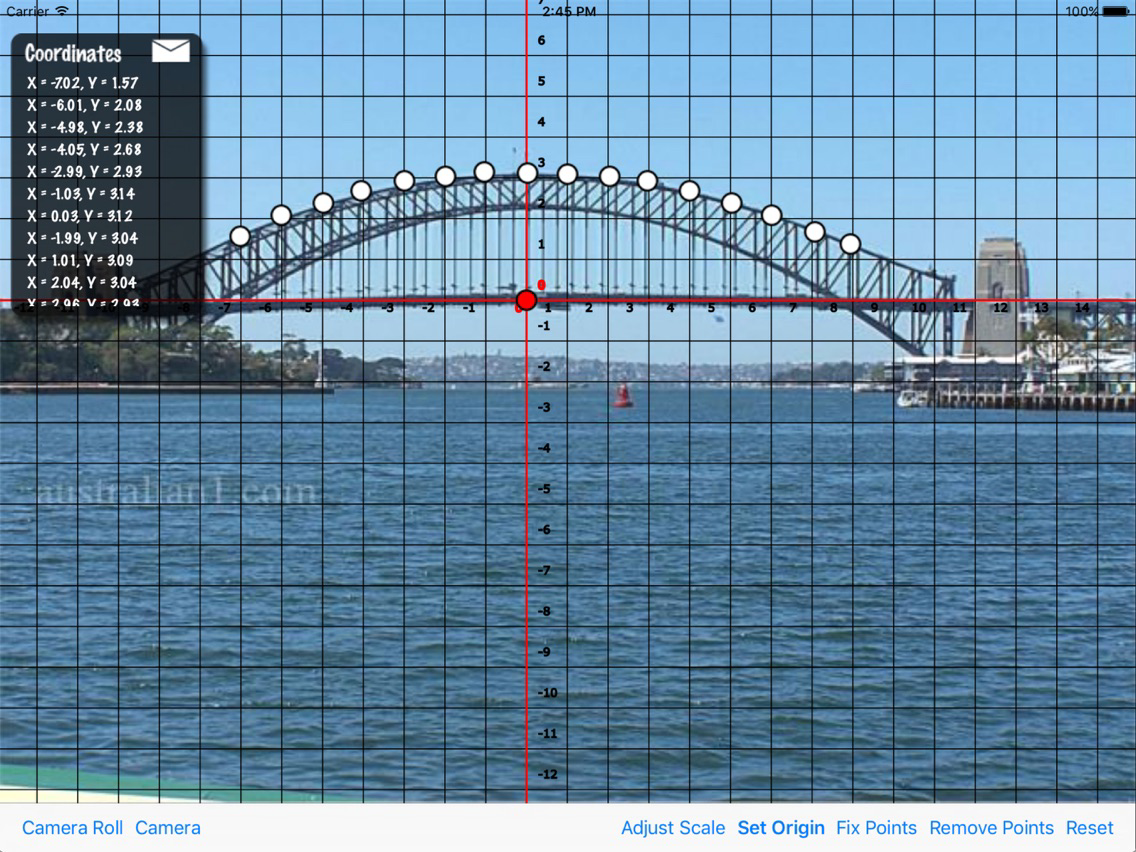
Interactive Axes allows you to plot grid coordinates onto an image of your choosing. Simply Take a picture of a curve with your built in camera, or select an image from your photo library, and plot points on it.
The coordinate data is displayed on screen for you to copy down and work out the equation of the curve you have plotted. You can also email yourself a copy of the coordinates as a file which can be opened in a spreadsheet application.
Once you have plotted your curve you can move the origin point of the grid around to see how that affects the coordinates. Or replace the image to compare two similar curves.
The coordinate data is displayed on screen for you to copy down and work out the equation of the curve you have plotted. You can also email yourself a copy of the coordinates as a file which can be opened in a spreadsheet application.
Once you have plotted your curve you can move the origin point of the grid around to see how that affects the coordinates. Or replace the image to compare two similar curves.
Show More
What's New in the Latest Version 1.4
Last updated on Feb 6, 2017
Old Versions
Fixed a bug which caused some images to display with the wrong aspect ratio.
Show More
Version History
1.4
Apr 13, 2012
Fixed a bug which caused some images to display with the wrong aspect ratio.
Interactive Axes FAQ
Click here to learn how to download Interactive Axes in restricted country or region.
Check the following list to see the minimum requirements of Interactive Axes.
iPad
Interactive Axes supports English





