iPDF
$24.99
1.0for iPhone
Age Rating
iPDF Screenshots
About iPDF
iPDF is a application software that will increase user productivity when working with pdf documents.
Functionalities:
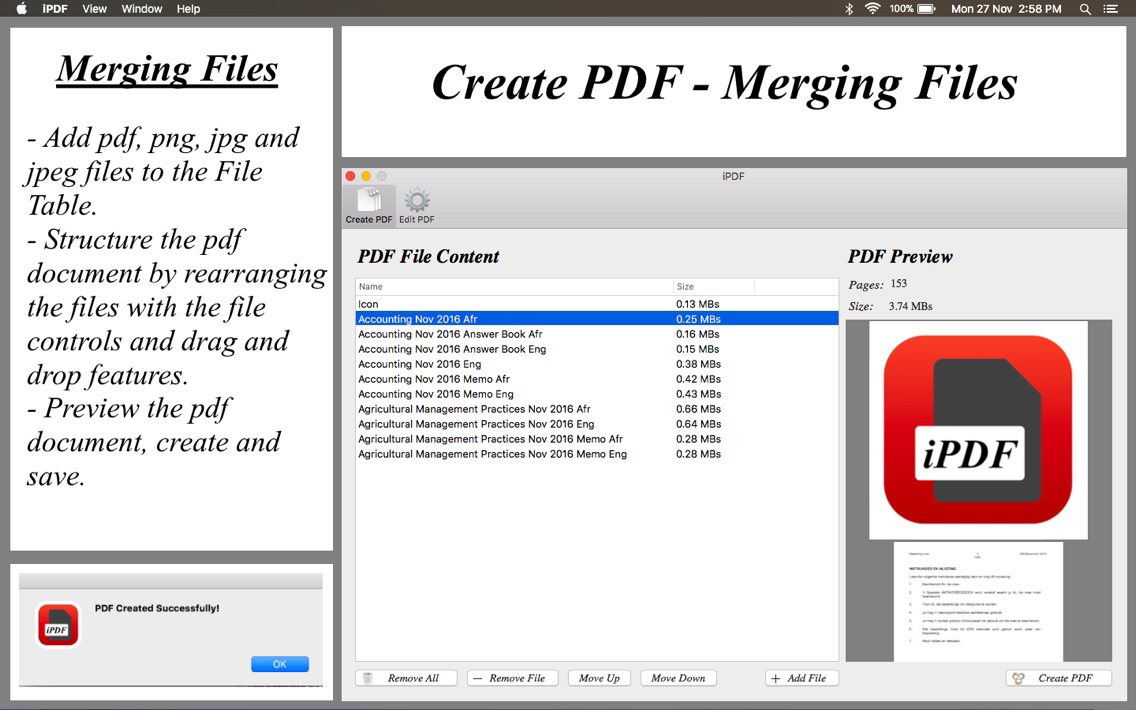
-Merging multiple files into one single pdf document.
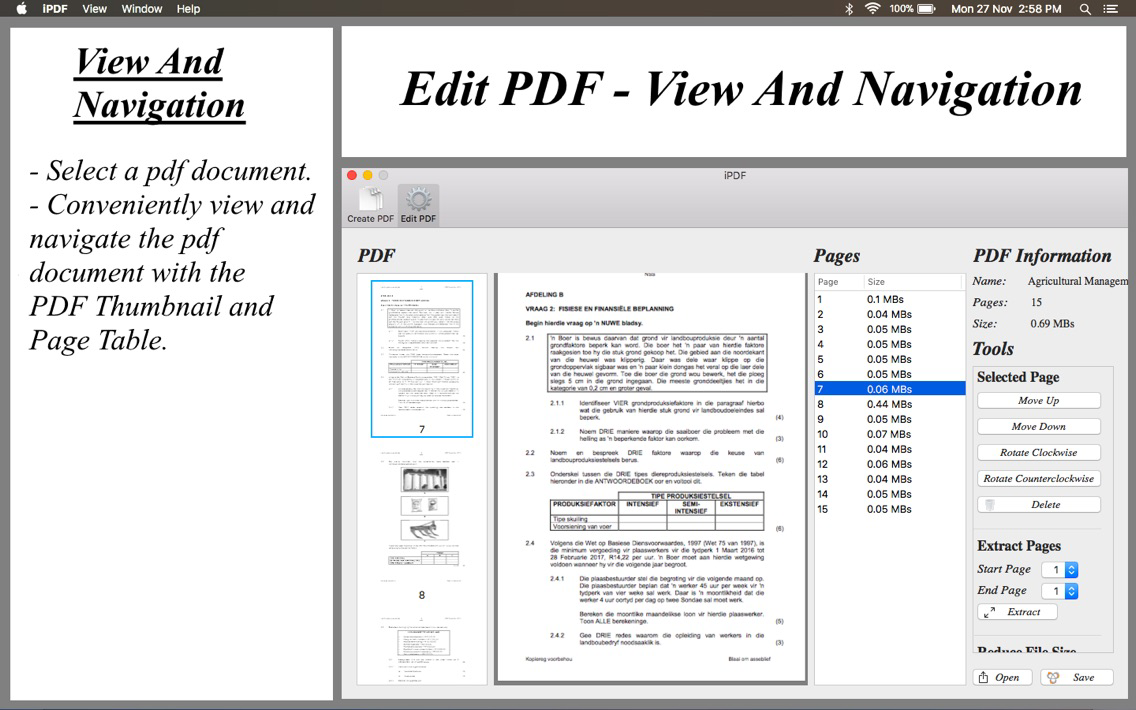
-Viewing and navigating a pdf documents.
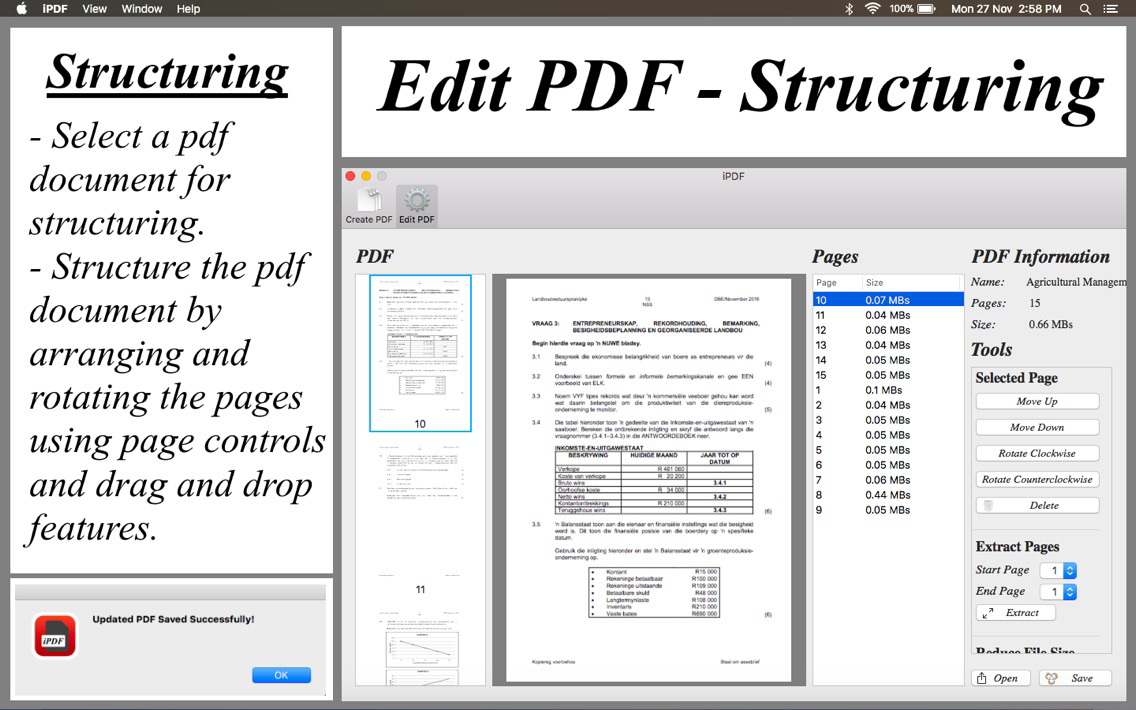
-Structuring a pdf document by arranging and rotating its pages by using page controls and drag and drop features.
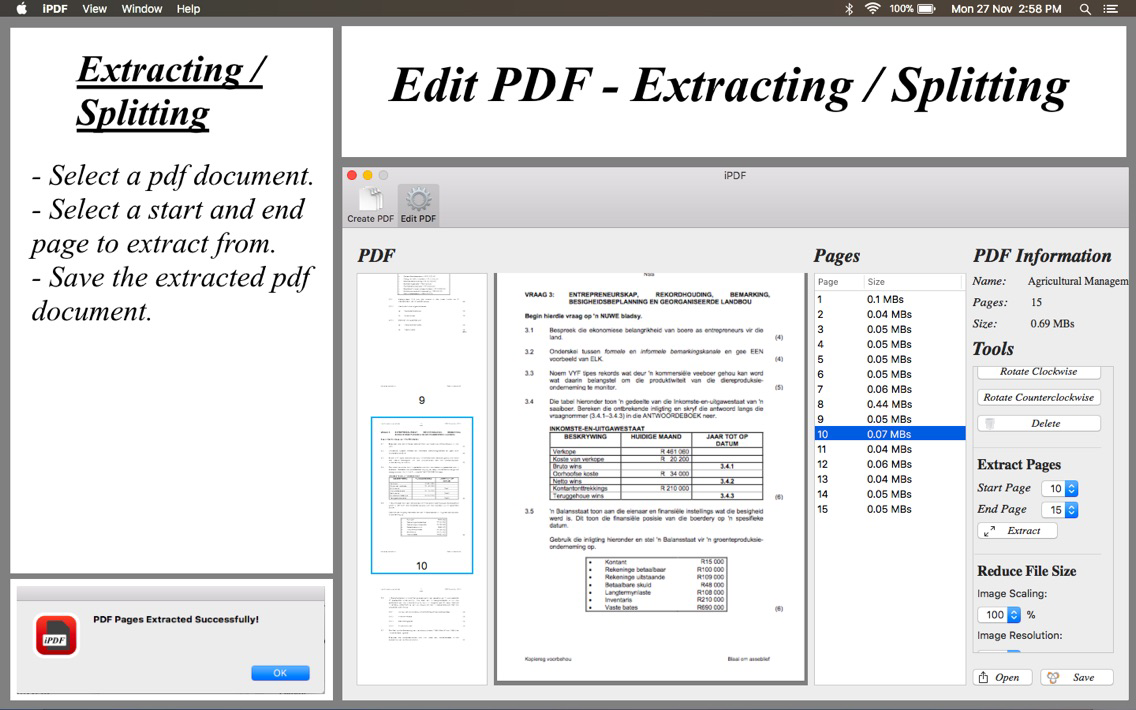
-Splitting or extracting pdf pages from the original pdf document into a separate new pdf document.
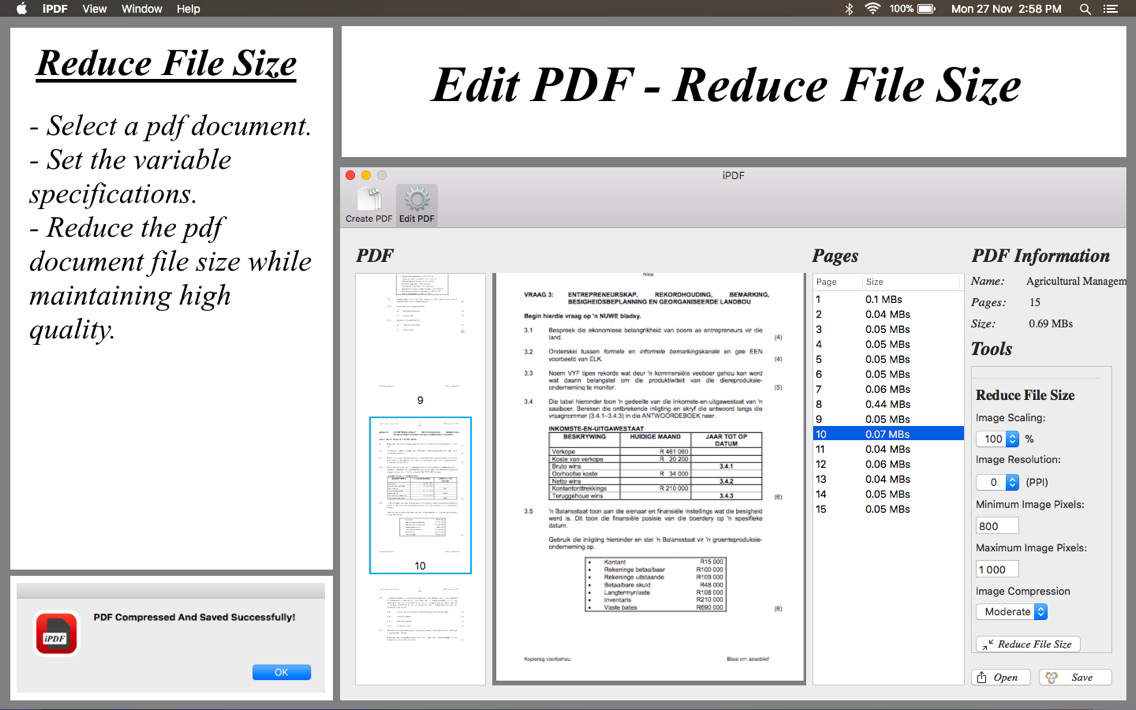
-Reduce a pdf document file size by using variable specifications while maintaining a high quality pdf document.

iPDF is divided into two sections: Create PDF and Edit PDF.
Create PDF:
- Add multiple pdf, png, jpg and jpeg files to create a preview pdf document.
- Structure the preview pdf document by moving selected files with file controls and drag and drop features.
- View and navigate the preview pdf document before creating it.
Edit PDF:
- Select a pdf document for viewing and editing.
- Convenietly view and navigate the selected pdf document.
- Structure the selected pdf document by rearranging and rotating its pages by using page controls and drag and drop features.
- Extract or split a section of the selected pdf document by selecting start and end indexes.
- Reduce the selected pdf document file size by using variable specifications while maintaining a high quality pdf document.
Functionalities:
-Merging multiple files into one single pdf document.
-Viewing and navigating a pdf documents.
-Structuring a pdf document by arranging and rotating its pages by using page controls and drag and drop features.
-Splitting or extracting pdf pages from the original pdf document into a separate new pdf document.
-Reduce a pdf document file size by using variable specifications while maintaining a high quality pdf document.
iPDF is divided into two sections: Create PDF and Edit PDF.
Create PDF:
- Add multiple pdf, png, jpg and jpeg files to create a preview pdf document.
- Structure the preview pdf document by moving selected files with file controls and drag and drop features.
- View and navigate the preview pdf document before creating it.
Edit PDF:
- Select a pdf document for viewing and editing.
- Convenietly view and navigate the selected pdf document.
- Structure the selected pdf document by rearranging and rotating its pages by using page controls and drag and drop features.
- Extract or split a section of the selected pdf document by selecting start and end indexes.
- Reduce the selected pdf document file size by using variable specifications while maintaining a high quality pdf document.
Show More
What's New in the Latest Version 1.0
Last updated on Dec 11, 2017
Version History
1.0
Dec 11, 2017
iPDF FAQ
Click here to learn how to download iPDF in restricted country or region.
Check the following list to see the minimum requirements of iPDF.
iPhone
iPDF supports English