My Map Notebook
Custom Map Creation App
FreeOffers In-App Purchases
1.0.39for iPhone, iPad and more
Age Rating
My Map Notebook Screenshots
About My Map Notebook
■■■
The definitive custom map making app for your exclusive use!
■■■
No need for troublesome setup!
Simple and easy-to-use custom map management application.
I want to create maps for different purposes such as work, holidays, etc.
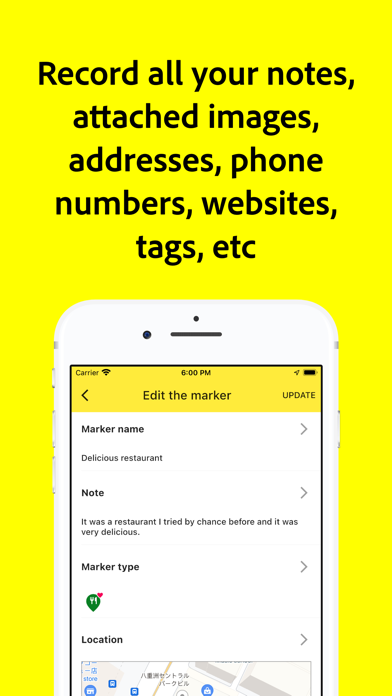
I want to compile notes, attached images, phone numbers, and website information about different locations.
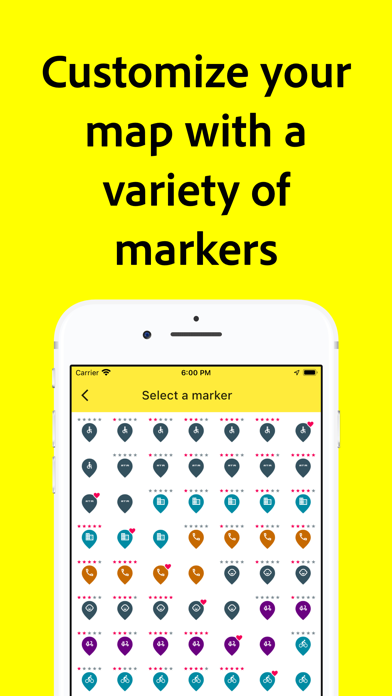
I want to display different icons for different locations.
I want to start using it for free.
■■■
Main features of this application
■■■
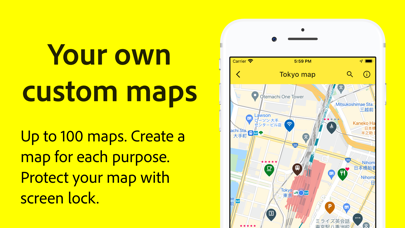
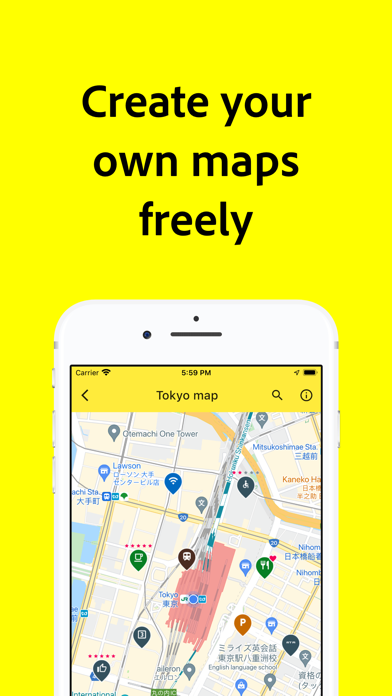
Up to 100 custom maps can be created.
Up to 100 markers can be created for each map.
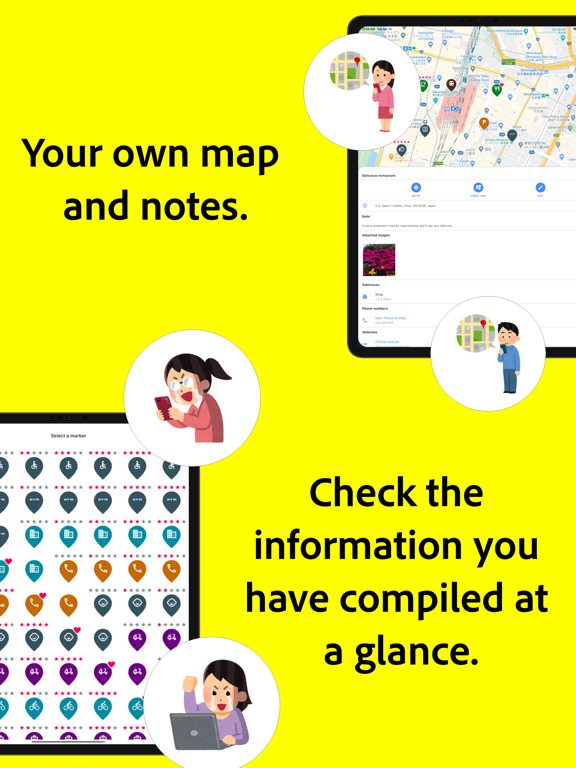
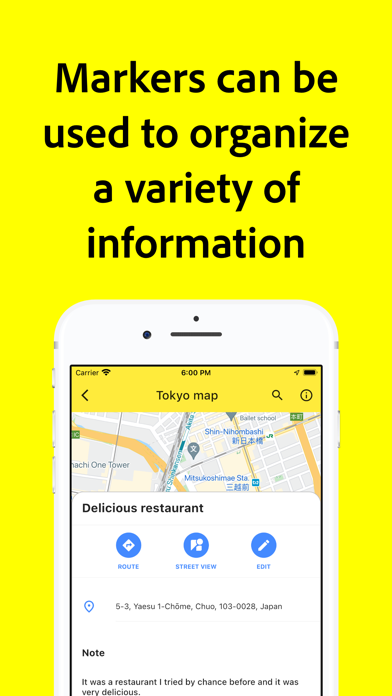
Each marker can register information such as notes, attached images, phone numbers, and websites.
Up to 100 images can be attached to each marker.
Customize icons to be displayed on markers.
Refined search using search tags.
Display function of route navigation.
Ability to display Street View.
Seamless integration with external map applications.
Screen lock for privacy protection (passcode lock and biometric authentication supported).
Data backup function.
Data can be transferred when changing phone models.
■■■
Terms of Use, etc.
■■■
Terms of Use
https://www.knecht.co/guidelines/terms-of-service.html
Privacy Policy
https://www.knecht.co/guidelines/privacy-policy.html
■■■
Monthly billing
■■■
Price per month
US$4.99
You can download your data in CSV file format.
When you sign in to the app with the same user ID, additional features are available exclusively for monthly charged users on all platforms.
■■■
About Paid Plans
■■■
Restoration when changing models
When you change your device, you can restore the previously purchased paid version for free. (Go to Settings=>Paid Version) Please make sure you are logged into AppStore on your iPhone/iPad device with the same AppleID as when you purchased.
Checking and canceling paid plans
You can restore your purchases when you changed your iOS devices or reinstalled the app from [Restore Purchases] in the Settings -> Upgrade. Please note that you need to login to your settings in the iOS -> AppStore with the same Apple ID you used before.
About auto-renewal billing
Payment will be charged to your Apple ID account at the confirmation of purchase.
The subscription automatically renews unless it is canceled at least 24 hours before the end of the current period.
Your account will be charged for renewal within 24 hours prior to the end of the current period.
You can manage and cancel your subscriptions by going to your App Store account settings after purchase.
Notes on paid plans
Those who have paid in-app purchases cannot cancel by any method other than those listed above.
Cancellation of the current month's subscription will not be accepted.
The definitive custom map making app for your exclusive use!
■■■
No need for troublesome setup!
Simple and easy-to-use custom map management application.
I want to create maps for different purposes such as work, holidays, etc.
I want to compile notes, attached images, phone numbers, and website information about different locations.
I want to display different icons for different locations.
I want to start using it for free.
■■■
Main features of this application
■■■
Up to 100 custom maps can be created.
Up to 100 markers can be created for each map.
Each marker can register information such as notes, attached images, phone numbers, and websites.
Up to 100 images can be attached to each marker.
Customize icons to be displayed on markers.
Refined search using search tags.
Display function of route navigation.
Ability to display Street View.
Seamless integration with external map applications.
Screen lock for privacy protection (passcode lock and biometric authentication supported).
Data backup function.
Data can be transferred when changing phone models.
■■■
Terms of Use, etc.
■■■
Terms of Use
https://www.knecht.co/guidelines/terms-of-service.html
Privacy Policy
https://www.knecht.co/guidelines/privacy-policy.html
■■■
Monthly billing
■■■
Price per month
US$4.99
You can download your data in CSV file format.
When you sign in to the app with the same user ID, additional features are available exclusively for monthly charged users on all platforms.
■■■
About Paid Plans
■■■
Restoration when changing models
When you change your device, you can restore the previously purchased paid version for free. (Go to Settings=>Paid Version) Please make sure you are logged into AppStore on your iPhone/iPad device with the same AppleID as when you purchased.
Checking and canceling paid plans
You can restore your purchases when you changed your iOS devices or reinstalled the app from [Restore Purchases] in the Settings -> Upgrade. Please note that you need to login to your settings in the iOS -> AppStore with the same Apple ID you used before.
About auto-renewal billing
Payment will be charged to your Apple ID account at the confirmation of purchase.
The subscription automatically renews unless it is canceled at least 24 hours before the end of the current period.
Your account will be charged for renewal within 24 hours prior to the end of the current period.
You can manage and cancel your subscriptions by going to your App Store account settings after purchase.
Notes on paid plans
Those who have paid in-app purchases cannot cancel by any method other than those listed above.
Cancellation of the current month's subscription will not be accepted.
Show More
What's New in the Latest Version 1.0.39
Last updated on Nov 14, 2023
Old Versions
* Bug fixes and performance improvements.
Show More
Version History
1.0.39
Nov 14, 2023
* Bug fixes and performance improvements.
1.0.38
Aug 27, 2023
* Bug fixes and performance improvements.
1.0.37
Jul 30, 2023
* Bug fixes and performance improvements.
1.0.36
Jul 24, 2023
* Bug fixes and performance improvements.
1.0.34
Jul 22, 2023
* Over 3,000 new premium markers to choose from. Customize your maps for more clarity.
* Bug fixes and performance improvements.
1.0.30
Jul 7, 2023
* Bug fixes and performance improvements.
1.0.29
Jul 4, 2023
* Bug fixes and performance improvements.
1.0.27
Jul 2, 2023
* Dark mode is now available.
* The "Basic" plan can now be selected for subscriptions.
* Labels can now be displayed under markers.
* A list of markers can now be displayed on the map screen.
* Traffic conditions can now be added to your map.
* Bug fixes and performance improvements.
* The "Basic" plan can now be selected for subscriptions.
* Labels can now be displayed under markers.
* A list of markers can now be displayed on the map screen.
* Traffic conditions can now be added to your map.
* Bug fixes and performance improvements.
1.0.20
Nov 22, 2022
* Bug fixes and performance improvements.
1.0.19
Nov 11, 2022
* The type of map can now be selected. (default map, hybrid, satellite image, terrain)
* Bug fixes and performance improvements.
1.0.17
Oct 12, 2022
- Some minor fixes.
1.0.16
Jul 3, 2022
Some minor fixes.
1.0.14
Jun 7, 2022
Some minor fixes.
1.0.13
May 13, 2022
For free users, banner ads are now displayed at the bottom of the screen.
For monthly plan users, the ads will be hidden, along with additional features.
1.0.12
May 5, 2022
Store information has been updated.
1.0.11
Apr 15, 2022
Some minor fixes.
1.0.10
Apr 14, 2022
Paid plan
You can now subscribe to a monthly paid plan.
You can set it up by navigating to the My Plan screen from the menu on the Home screen.
You can now subscribe to a monthly paid plan.
You can set it up by navigating to the My Plan screen from the menu on the Home screen.
1.0.8
Mar 17, 2022
Some minor fixes.
1.0.5
Feb 4, 2022
Translation Cooperation Screen
Translation cooperation can now be completed within the app.
Please feel free to correct any strange translations.
--
Some minor fixes.
Translation cooperation can now be completed within the app.
Please feel free to correct any strange translations.
--
Some minor fixes.
1.0.4
Dec 21, 2021
Image Uploading
It is now possible to upload multiple images at the same time.
This is available in the following screens.
Marker image attachment screen
--
My Maps
You can now attach thumbnail images to your maps.
---
Some minor fixes.
It is now possible to upload multiple images at the same time.
This is available in the following screens.
Marker image attachment screen
--
My Maps
You can now attach thumbnail images to your maps.
---
Some minor fixes.
1.0.3
Nov 9, 2021
Whole app
Fixed the layout of the input form.
--
Home Screen
Changed the layout of the home screen to display more information.
The link to the My Page screen has been moved to the menu on the home screen.
--
Setting screen
You can now screen lock the app.
You can set passcode authentication and biometric authentication.
--
Map
You can now create up to 100 maps.
(Up to now, the maximum was 20.)
The layout of the map screen has been changed.
Improved map drawing.
--
Marker
Changed the layout of the information panel when tapping the marker.
The number of images that can be attached to each marker has been increased to a maximum of 100.
(Up to now, it was up to 10 sheets.)
Improved the drawing of markers.
--
Available languages
Now available in 33 new languages.
---
Store
Updated store information.
---
Some minor fixes.
Fixed the layout of the input form.
--
Home Screen
Changed the layout of the home screen to display more information.
The link to the My Page screen has been moved to the menu on the home screen.
--
Setting screen
You can now screen lock the app.
You can set passcode authentication and biometric authentication.
--
Map
You can now create up to 100 maps.
(Up to now, the maximum was 20.)
The layout of the map screen has been changed.
Improved map drawing.
--
Marker
Changed the layout of the information panel when tapping the marker.
The number of images that can be attached to each marker has been increased to a maximum of 100.
(Up to now, it was up to 10 sheets.)
Improved the drawing of markers.
--
Available languages
Now available in 33 new languages.
---
Store
Updated store information.
---
Some minor fixes.
1.0.2
Apr 16, 2021
Fixed a crash bug when selecting an image.
1.0.1
Apr 15, 2021
Added support for many languages.
Minor bug fixes.
Minor bug fixes.
1.0
Apr 13, 2021
My Map Notebook FAQ
Click here to learn how to download My Map Notebook in restricted country or region.
Check the following list to see the minimum requirements of My Map Notebook.
iPhone
Requires iOS 15.0 or later.
iPad
Requires iPadOS 15.0 or later.
iPod touch
Requires iOS 15.0 or later.
My Map Notebook supports English, Afrikaans, Albanian, Amharic, Arabic, Armenian, Azerbaijani, Basque, Belarusian, Bengali, Bulgarian, Cambodian, Catalan, Croatian, Czech, Danish, Dutch, Estonian, Finnish, French, Galician, Georgian, German, Greek, Gujarati, Hebrew, Hindi, Hungarian, Icelandic, Indonesian, Italian, Japanese, Kannada, Kazakh, Korean, Kyrgyz, Laotian, Latvian, Lithuanian, Macedonian, Malay, Malayalam, Marathi, Mongolian, Nepali, Norwegian Bokmål, Persian, Polish, Portuguese, Punjabi, Romanian, Russian, Serbian, Simplified Chinese, Singhalese, Slovak, Slovenian, Spanish, Swahili, Swedish, Tamil, Telugu, Thai, Traditional Chinese, Turkish, Ukrainian, Urdu, Vietnamese, Zulu

My Map Notebook contains in-app purchases. Please check the pricing plan as below:
Pro
$5.99
Basic
$2.99