MusicTutor
FreeOffers In-App Purchases
1.1for iPhone, iPod touch
Age Rating
MusicTutor Screenshots
About MusicTutor
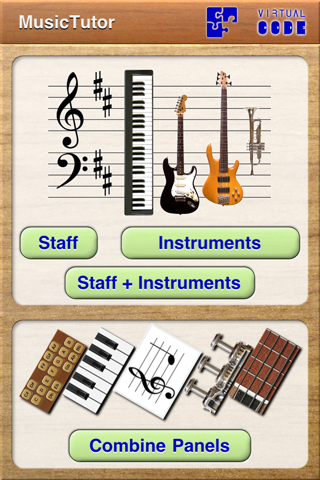
MusicTutor helps you learn music - whether you are a student or a enthusiast, you will learn to identify notes quickly on a staff, on the piano, on fretted instruments, even on a trumpet.
This app is a quiz game, which makes questions. If your answer is correct, another question is made; if it's wrong, try again until it is correct. The game counts the number of correct and wrong answers.
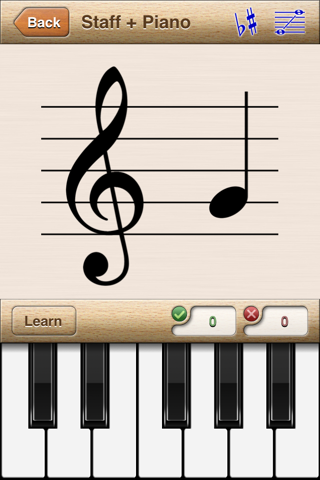
The main game screen has two panels: the top panel presents the question, the bottom panel is used for answering. The question panel shows a musical note (for example, on a staff with treble clef) and you have to answer telling what note is it (for example, using a piano keyboard).
There are two game modes:
- Timed, where you have a limited time to answer.
- Non-timed.
When you play a non-timed game, you can use the Learn mode, designed for cases where you don't know any answers. In such mode you play a note using the answer panel, and the correspondence in question panel is shown. This is a very useful feature for beginners, as you can 'study' notes, and use this app as a quick reference if you don't remember some particular notes.
Music tutor features 3 free panel types:
- Staff.
- Piano.
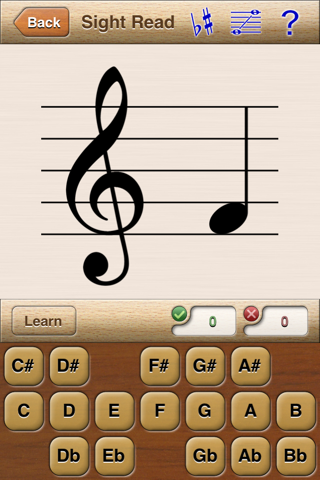
- Note Panel (with note names in standard CDEFGAB notation).
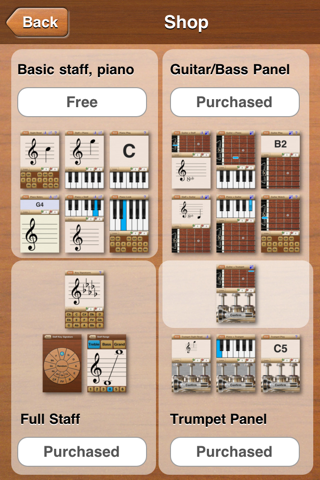
Additional features may be purchased (through In-App Purchase mechanism):
- Full Staff: Key Signatures, Staff Range (Tessitura)
- Guitar Panel
- Trumpet Panel
There is a set of predefined games where you can:
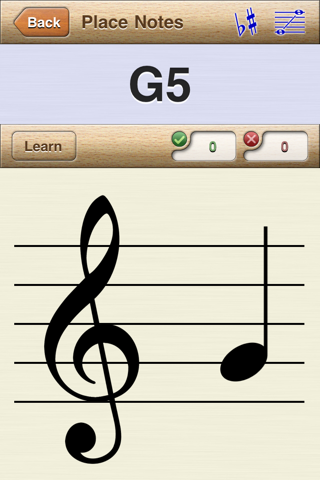
- Study the staff, and learn to sight read, or the inverse process, writing music to the staff.
- Study notes on the piano, guitar, bass or trumpet, with or without staff.
You can also combine panels as you wish. All combinations of the five panel types are possible (except for the trumpet, which can only act as answer panel).
You can customize some options for the game. For staff games, you can select:
- The clef type (treble, bass or grand staff).
- The range of notes to be asked as questions (use a small range first, and use a bigger one as you learn). There are 6 choosable ranges for clef type.
- The key signature of the staff.
There is also a special quiz for learning key signatures (for example, 2 flats for Bb, 3 sharps for A).
For the fretted instruments, you can select between 3 instruments:
- Standard 6-string guitar.
- 4-string bass.
- 5-string bass.
You can also select the fret range, so you can study the lower part of the fretboard, or higher frets... Only standard tuning is supported.
With only a few minutes of daily practice, you can master the staff, or the fretboard, in a few weeks. Begin now!

This app is a quiz game, which makes questions. If your answer is correct, another question is made; if it's wrong, try again until it is correct. The game counts the number of correct and wrong answers.
The main game screen has two panels: the top panel presents the question, the bottom panel is used for answering. The question panel shows a musical note (for example, on a staff with treble clef) and you have to answer telling what note is it (for example, using a piano keyboard).
There are two game modes:
- Timed, where you have a limited time to answer.
- Non-timed.
When you play a non-timed game, you can use the Learn mode, designed for cases where you don't know any answers. In such mode you play a note using the answer panel, and the correspondence in question panel is shown. This is a very useful feature for beginners, as you can 'study' notes, and use this app as a quick reference if you don't remember some particular notes.
Music tutor features 3 free panel types:
- Staff.
- Piano.
- Note Panel (with note names in standard CDEFGAB notation).
Additional features may be purchased (through In-App Purchase mechanism):
- Full Staff: Key Signatures, Staff Range (Tessitura)
- Guitar Panel
- Trumpet Panel
There is a set of predefined games where you can:
- Study the staff, and learn to sight read, or the inverse process, writing music to the staff.
- Study notes on the piano, guitar, bass or trumpet, with or without staff.
You can also combine panels as you wish. All combinations of the five panel types are possible (except for the trumpet, which can only act as answer panel).
You can customize some options for the game. For staff games, you can select:
- The clef type (treble, bass or grand staff).
- The range of notes to be asked as questions (use a small range first, and use a bigger one as you learn). There are 6 choosable ranges for clef type.
- The key signature of the staff.
There is also a special quiz for learning key signatures (for example, 2 flats for Bb, 3 sharps for A).
For the fretted instruments, you can select between 3 instruments:
- Standard 6-string guitar.
- 4-string bass.
- 5-string bass.
You can also select the fret range, so you can study the lower part of the fretboard, or higher frets... Only standard tuning is supported.
With only a few minutes of daily practice, you can master the staff, or the fretboard, in a few weeks. Begin now!
Show More
What's New in the Latest Version 1.1
Last updated on Nov 2, 2011
Old Versions
This app is now free - In-App Purchases have been added, no other changes have been made. New users must purchase some features to use them.
Users from previous versions don't really need to update; if they do, they will be able to use all features, but they must _not_ uninstall the app.
Show More
Version History
1.1
Nov 2, 2011
This app is now free - In-App Purchases have been added, no other changes have been made. New users must purchase some features to use them.
Users from previous versions don't really need to update; if they do, they will be able to use all features, but they must _not_ uninstall the app.
1.0
Jul 12, 2011
MusicTutor FAQ
Click here to learn how to download MusicTutor in restricted country or region.
Check the following list to see the minimum requirements of MusicTutor.
iPhone
Requires iOS 3.2 or later.
iPod touch
Requires iOS 3.2 or later.
MusicTutor supports English
MusicTutor contains in-app purchases. Please check the pricing plan as below:
Full Staff
$1.99
Guitar/Bass Panel
$1.99
Trumpet Panel
$0.99