RobotStudio® AR Viewer
Free
2026.1for iPhone, iPad
Age Rating
RobotStudio® AR Viewer Screenshots
About RobotStudio® AR Viewer
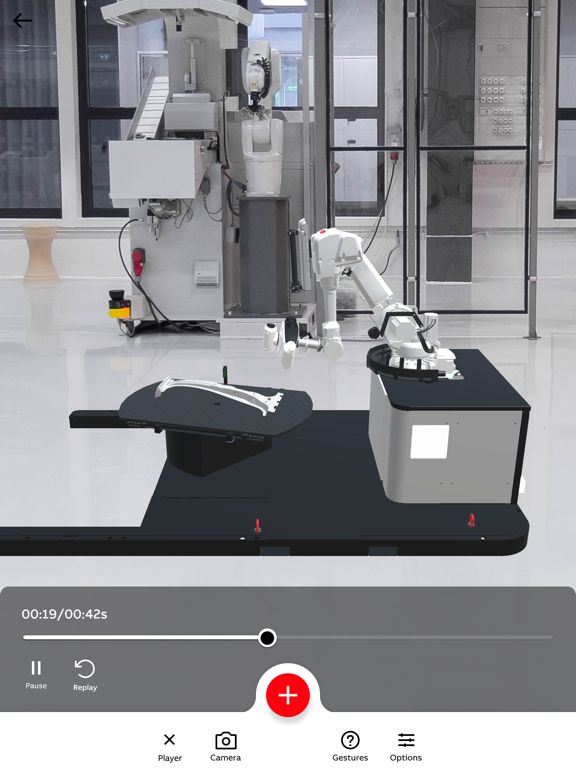
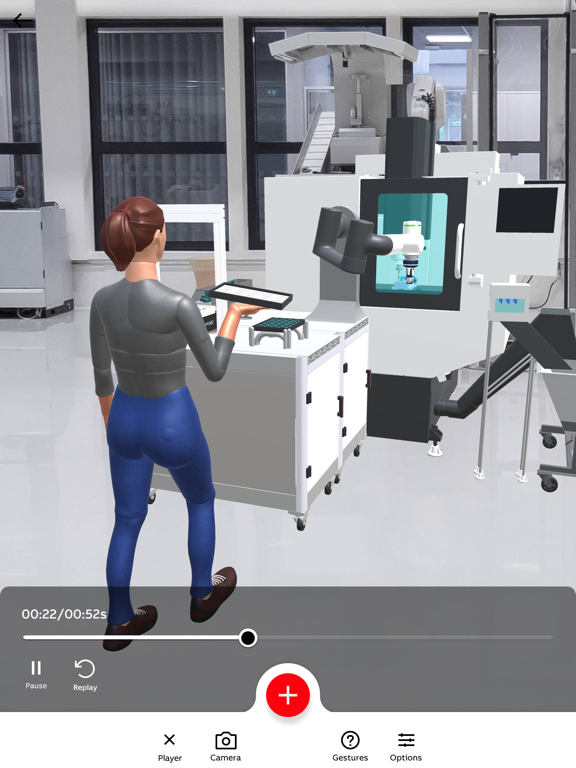
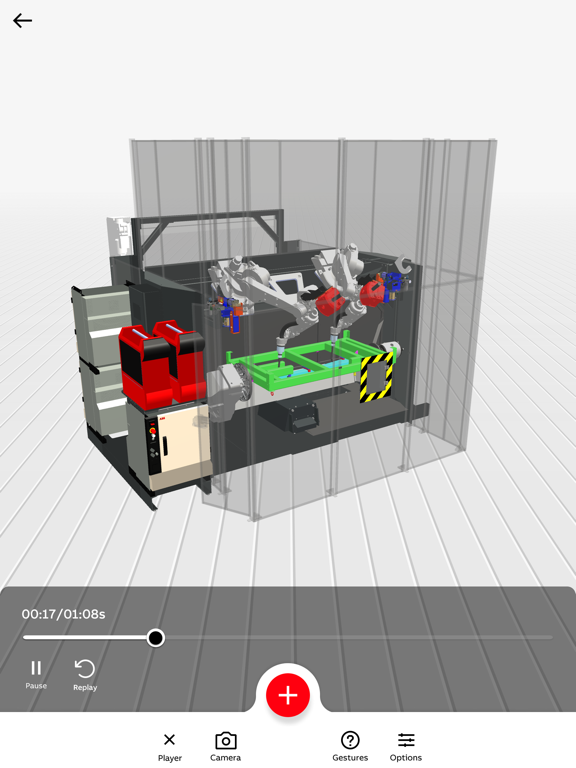
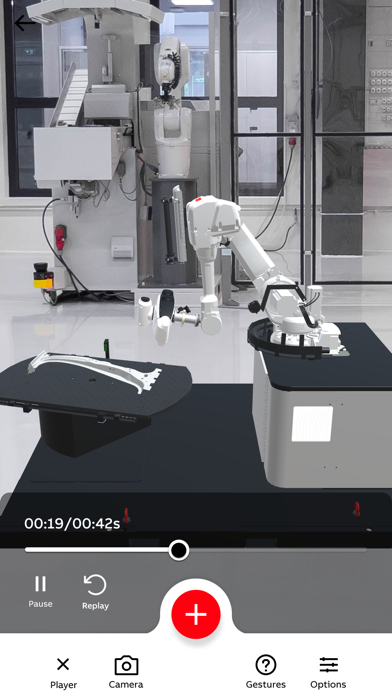
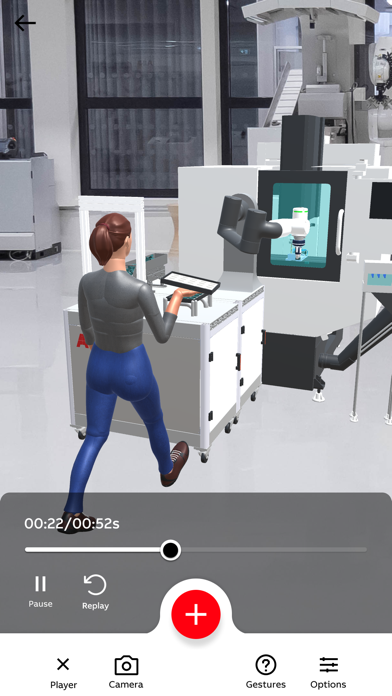
RobotStudio® AR Viewer is an advanced Augmented Reality application that lets you discover and visualize ABB robots and robotic solutions - either in real environment or in 3D. Tailored for users aiming to expedite design and commissioning processes, it offers an exact, full-scale replica of your RobotStudio® simulations, with precise cycle times and movements.
Whether you are engaged in replacement, brownfield, or greenfield projects, RobotStudio® AR Viewer enables faster and more accurate prototyping. Utilize the built-in scanning feature (available on supported devices) to capture your real-world environment, then add markups, measurements, and virtual robots to the scan. Upload your scan directly to a RobotStudio® Cloud project to continue refining your simulation.
RobotStudio® AR Viewer − an indispensable tool for robotics professionals.
Key Features
- Extensive Robot Library: Quickly access over 30 pre-engineered robotic solutions and more than 40 ABB robot models.
- Real-World Visualization: Place and animate complete robotic cells at full scale on your shop floor.
- AR & 3D Modes: Switch between Augmented Reality and 3D views for maximum flexibility.
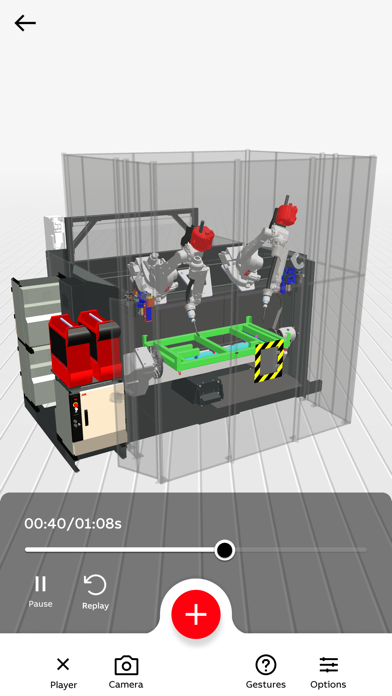
- Multi-Robot Visualization: Interact with multiple robots simultaneously to test complex workflows.
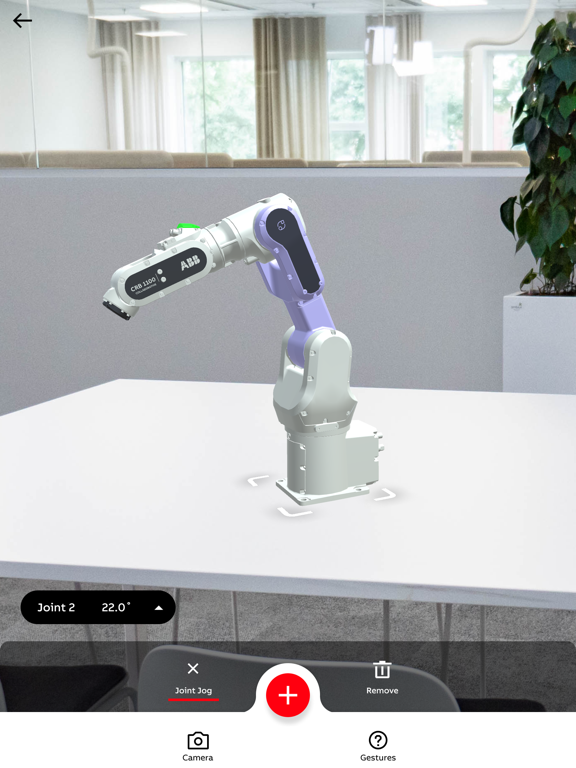
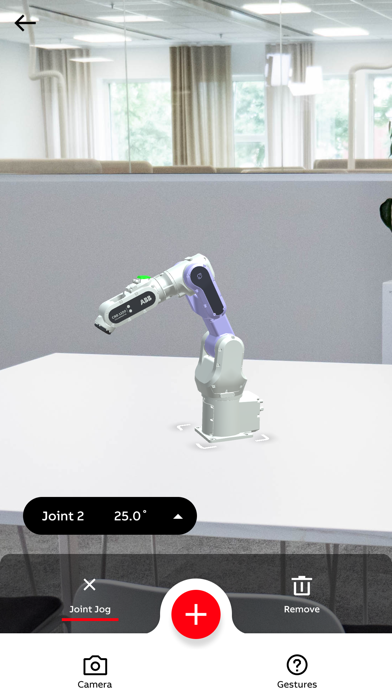
- Joint Jog Control: Test reach, adjust robot joints, and prevent collisions in real time.
- Cycle Time Clock & Scaling: View accurate cycle times, and scale models from 10% to 200% to suit your workspace.
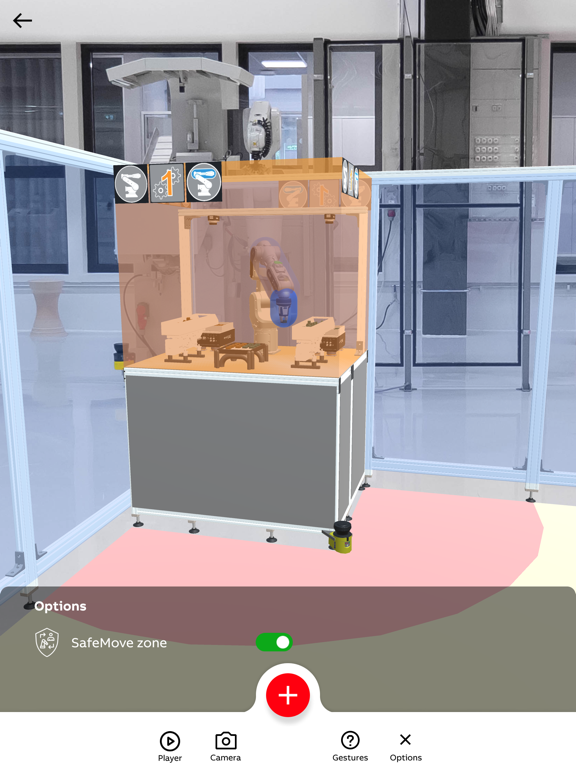
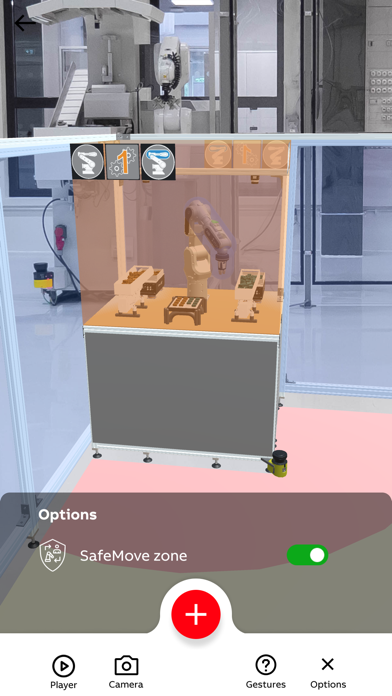
- Safety Zones: Instantly visualize safety zones and minimize operational risks.
- Import Your Own Simulations: Easily bring in your RobotStudio® files by utilizing RobotStudio® Cloud for precise AR or 3D visualization.
- Scanning & Environment Mapping (on supported devices): Capture your existing setup, generate a file compatible with RobotStudio®, and annotate it with markups and measurements.
- Local Project Management: Store scans, photos, and videos in separate projects for easy reference and sharing.

Whether you are engaged in replacement, brownfield, or greenfield projects, RobotStudio® AR Viewer enables faster and more accurate prototyping. Utilize the built-in scanning feature (available on supported devices) to capture your real-world environment, then add markups, measurements, and virtual robots to the scan. Upload your scan directly to a RobotStudio® Cloud project to continue refining your simulation.
RobotStudio® AR Viewer − an indispensable tool for robotics professionals.
Key Features
- Extensive Robot Library: Quickly access over 30 pre-engineered robotic solutions and more than 40 ABB robot models.
- Real-World Visualization: Place and animate complete robotic cells at full scale on your shop floor.
- AR & 3D Modes: Switch between Augmented Reality and 3D views for maximum flexibility.
- Multi-Robot Visualization: Interact with multiple robots simultaneously to test complex workflows.
- Joint Jog Control: Test reach, adjust robot joints, and prevent collisions in real time.
- Cycle Time Clock & Scaling: View accurate cycle times, and scale models from 10% to 200% to suit your workspace.
- Safety Zones: Instantly visualize safety zones and minimize operational risks.
- Import Your Own Simulations: Easily bring in your RobotStudio® files by utilizing RobotStudio® Cloud for precise AR or 3D visualization.
- Scanning & Environment Mapping (on supported devices): Capture your existing setup, generate a file compatible with RobotStudio®, and annotate it with markups and measurements.
- Local Project Management: Store scans, photos, and videos in separate projects for easy reference and sharing.
Show More
What's New in the Latest Version 2026.1
Last updated on Mar 24, 2026
Old Versions
This release brings important enhancements and improvements across key areas of the application:
- Projects: Scans are now saved directly to the Projects list for easier access and organization.
- 3D Visualization: Added support for multi‑robot visualization in 3D mode.
- Usability: Your selected filters on lists are now remembered.
- Stability: Includes various bug fixes and general performance improvements.
- Projects: Scans are now saved directly to the Projects list for easier access and organization.
- 3D Visualization: Added support for multi‑robot visualization in 3D mode.
- Usability: Your selected filters on lists are now remembered.
- Stability: Includes various bug fixes and general performance improvements.
Show More
Version History
2026.1
Mar 24, 2026
This release brings important enhancements and improvements across key areas of the application:
- Projects: Scans are now saved directly to the Projects list for easier access and organization.
- 3D Visualization: Added support for multi‑robot visualization in 3D mode.
- Usability: Your selected filters on lists are now remembered.
- Stability: Includes various bug fixes and general performance improvements.
- Projects: Scans are now saved directly to the Projects list for easier access and organization.
- 3D Visualization: Added support for multi‑robot visualization in 3D mode.
- Usability: Your selected filters on lists are now remembered.
- Stability: Includes various bug fixes and general performance improvements.
RobotStudio® AR Viewer FAQ
Click here to learn how to download RobotStudio® AR Viewer in restricted country or region.
Check the following list to see the minimum requirements of RobotStudio® AR Viewer.
iPhone
iPad