SMASHDOCs

SMASHDOCs


Smart word processing platform


Free

1.3.3for iPhone, iPod touch
1.9
1 Ratings
smartwork solutions GmbH
Developer
37 MB
Size
Mar 5, 2021
Update Date
Productivity
Category
4+
Age Rating
Age Rating
4+
Apps in this category do not contain restricted content.
9+
Apps in this category may contain mild or occasional cartoon, fantasy or real-life violence, as well as occasional or mild adult, sexually suggestive or horrifying content and may not be suitable for children under 9 years of age.
12+
Apps in this category may contain occasional mild indecent language, frequent or intense cartoon or real-life violence, minor or occasional adult or sexually suggestive material, and simulated gambling, and may be for children under 12 years of age.
17+
You must be at least 17 years old to access this App.
Apps in this category may contain frequent and intense offensive language; Frequent and intense cartoon, fantasy or realistic violence: frequent and intense adult, scary and sexually suggestive subjects: as well as sexual content, nudity, tobacco, alcohol and drugs, may not be suitable for children under 17 years of age.
SMASHDOCs Screenshots
SMASHDOCs posterSMASHDOCs posterSMASHDOCs posterSMASHDOCs posterSMASHDOCs posterSMASHDOCs posterSMASHDOCs posterSMASHDOCs poster

About SMASHDOCs

Write, review and produce documents together
Now completely casual. And up to 10x faster than before.
The SMASHDOC means an intelligent document that automatically notifies you when there are new content changes and/or comments in documents you are collaborating on.
• Tracking changes
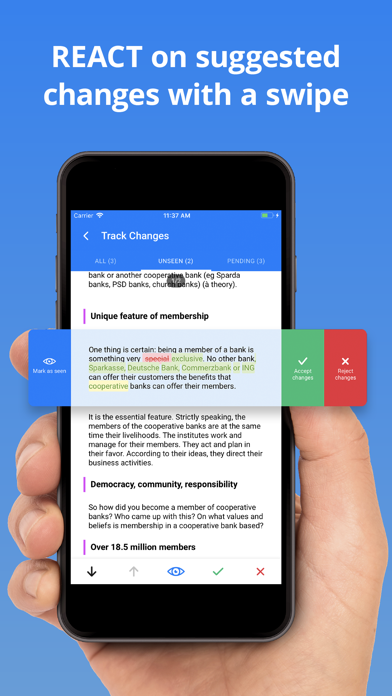
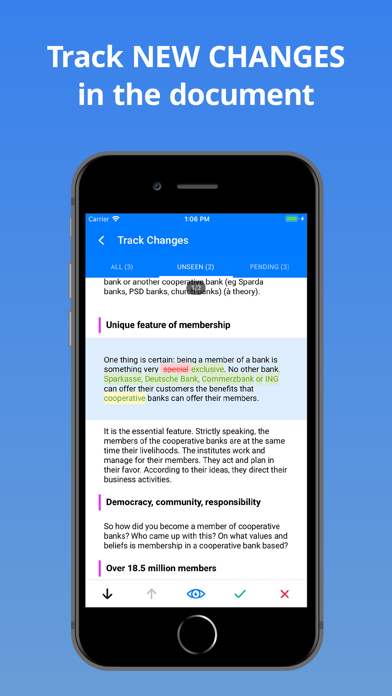
Once you`ve opened a document, all new suggested changes, decisions, comments or responses to comments can be immediately tracked (also when simultaneously working with multiple users). You then can either mark these content changes as seen with a swipe to the left or decide upon them with a single swipe to the right. Processing your documents in SMASHDOCs also means:
• Section-by-section version control
With a completely new and patented versioning concept, SMASHDOCs only creates a new version of a section if it has been changed. This allows you to keep track of the complete history of each paragraph in a single document (and no longer create a flood of the document versions). Also, older section versions can be restored if needed.
In section history, you do not only see by whom the suggested change was made and when, but also who accepted or rejected a change.
• Real-time editing
Do not waste your time by waiting for input from other contributors and simply work on a document with colleagues, clients, and the other party simultaneously.
• Roles and rights management
With SMASHDOCs, as many users as you want can take on various roles and be granted different rights to create, review, and produce a document. Thus, you always have control over what happens within your document.
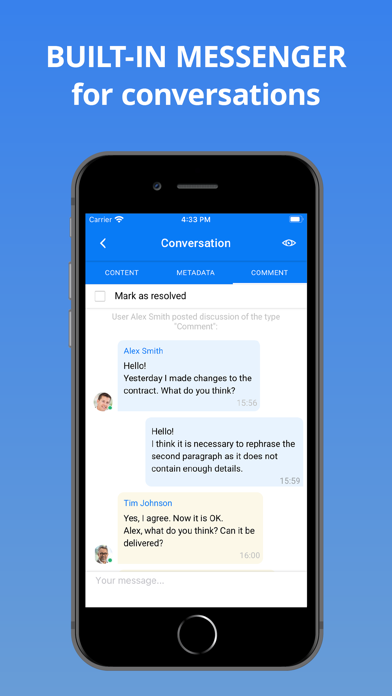
• Private comments and discussions
It can be individually decided for each comment who is allowed to see it. Thus, private discussions visible only for selected users amongst all the document contributors can be created. Moreover, you can also create private comments visible only for yourself.
Use SMASHDOCs whenever professional documents have to be created, reviewed and produced by multiple users. After all, that is why SMASHDOCs has been developed in the first place.

Show More

What's New in the Latest Version 1.3.3

Last updated on Mar 5, 2021
Old Versions
bug fixes
Show More
Version History
1.3.3
Mar 5, 2021
bug fixes
1.3.2
Feb 18, 2021
bug fixes
1.3.1
Jan 20, 2021
Bug fixes & performance optimisation
1.3
Dec 18, 2020
In this release, apart from optimizing the overall performance of the app, our team added a few major functionality updates. From now on you can:
- leave comments in the selected part of a section;
- accept or reject changes in a chosen part in the section;
- create and edit a text section within a document;
- create an image section;
- see the number of news in each system you work with in the systems list.
So, keep reading further to know more about the key updates!
Ability to comment selected part of the section
-----------------------------------------------
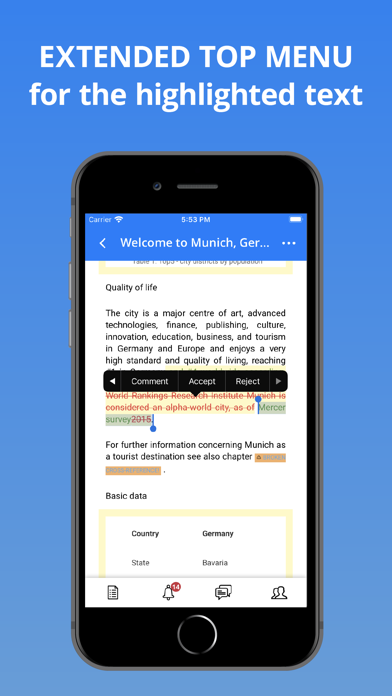
Previously you could leave comments on the whole section only. Now there is an opportunity for you to create your comment in the selected part of a section. To do this, simply select a required part of the section, open a context menu and choose an option ‘Comment’. You are welcome to create a conversation in the selected part only!
Acception or rejection changes in a selected part of the section
----------------------------------------------------------------
Apart from commenting a part of the section, you can also accept or reject changes in the selection. Just choose an aproppriate part of the whole section, open the context menu, rewind to the right and click ‘Accept’ or ‘Reject’. The selected part only will be accepted/rejected!
Create text section
-------------------
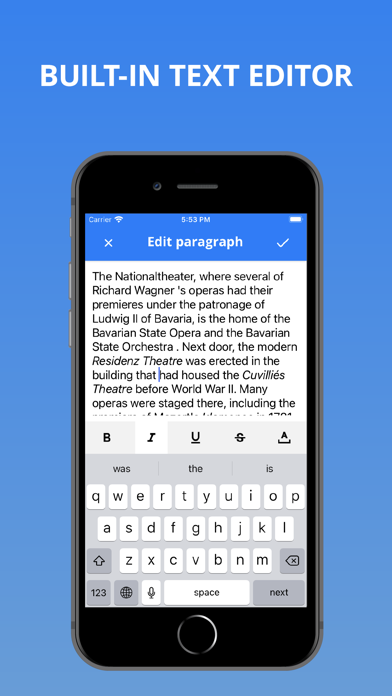
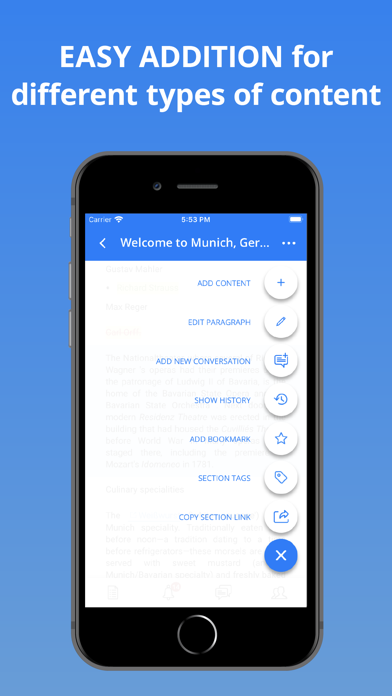
Now it is possible for you to create a new text section. For that click a blue button below, choose an option ‘Add content’, then ‘New paragraph’, select whether it will be created under or above a current section. Insert text in the editor and create the section. The new section is already added to your document!
Edit text section
-----------------
After creating a new section, you should be able to edit it. From now on, you have got this ability! By clicking a blue button below and selecting ‘Edit paragraph’ you are ready to make certain changes in the chosen section. Then save everything and continue working with the rest of document.
Create image section
--------------------
Along with text sections, you have a great opportunity now to create an image section. The procedure of such creation is the same as with a text section: a blue button below - ‘Add content’, but then you have to choose ‘New image’. After that decide, whether you’d like to select an image from gallery or from camera. If you want to add a picture from gallery, click ‘Allow access to all photos’ and then choose an aproppriate one. After that add image caption, numbering, if you need, and decide whether it should be a draft or not. The image section is successfully added to your document!
See number of news in each system from the systems list screen
--------------------------------------------------------------
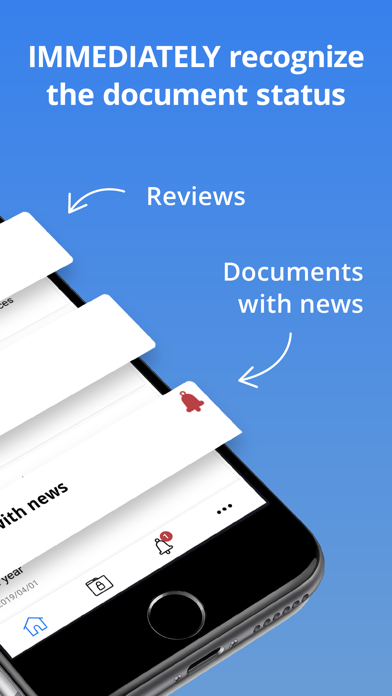
This nice feature is useful for you, if you work with your documents in several systems. To be able to follow the number of changes in each of these systems, click three dots below, click ‘My workspaces’ and the list of your systems will be visible for you. In the top right corner of a system logo there will be displayed a red badge with a number of news.
Note: to see the number of news in your systems you must be logged into these systems.
Bug fixes
---------
In this version we are glad to inform you that major bugs, that appeared during the usage of the SMASHDOCs mobile app in previous versions, are already fixed and do not disturb you from the work with your documents anymore!
Be sure to join our SMASHDOCs mobile community and let us know what you think of the app and the recent changes!
1.2.1
Sep 30, 2020
Bug fixes
1.2
Sep 22, 2020
In this release, apart from fixing bugs and optimizing the overall performance of the app, our team added a few major functionality updates. From now on you can:
- Enjoy newly established and expanded footnotes text section functionality that is now also linked to the main text section.
- Track changes in paragraph and inline styles.
- Immediately see if the workspace has news on „Select workspace screen” if you happen to work with multiple workspaces and have to switch constantly.
- Swipe in the document to quickly open the side menu with the list of functions available to use.
- Fancy the improved app's interface - redesigned conversation screens with the explicit comment section.
- Take joy in enhanced cross-references and bibliography functionality and performance.
- Confirm your registration right from the app if you just recently signed up. Be sure to join our SMASHDOCs mobile community and let us know what you think of the app and the recent changes!
1.1.3
Dec 4, 2019
Dear users, meet the new version of the SMASHDOCS app!
It has minor bug fixes, huge performance optimization and support for iOS 13.
Update your SMASHDOCs app and feel free to let us know what you think of it.
1.1.2
Sep 19, 2019
Hey SMASHDOCs users, we`ve just released a new version of SMASHDOCs app. Not only is it faster due to our ongoing performance optimization but also:
- buttons “Share document link” along with “Share section link” were added to the document and section menu respectively
- the document can be “marked as open” straight from the context menu in the list of unopened documents
- unseen changes can be “marked as read” from the context menu in the list of unseen documents
- the user interface got improved i.e. icons throughout the app got consistent
- extensive bug fixing was accomplished
Feel free to update the app and let us know what you think of it on the App Store or our Facebook page. And enjoy!
1.1.1
Jul 31, 2019
Here are a few enhancements in working with your documents you`ll definitely find useful:
• you can now open SMASHDOCs document links right in the app
• rotate and zoom images in your document once you enter preview mode
• and don`t get stumbled upon any bugs, as we fixed them all
Enjoy!
1.1.0
Jul 18, 2019
Hi, SMASHDOCs friends!
Meet the new update to SMASHDOCs App! In this release, we fixed even the tiniest bugs we were able to find. But most importantly, you now can:
- see inline-formulas, checkboxes and attached files in your documents
- mark all changes as seen in the track mode
- use various options from the section menu also for images
- add/edit/remove folders
- move/duplicate/remove documents
- share the document link with your colleagues via the side menu
- swipe even more for the quickest interaction within the app as swipes were added between the tab screens like home, news, search, settings, user management, conversations and back swipes for inner document screens like ToC, users, conversations, metadata
Log in and enjoy ! =)
1.0.1
May 31, 2019
SMASHDOCs friends, there have been a few important updates in the app you would definitely not want to miss:
- the actions menu under the “+” button added to Track changes mode and both image/table sections, so that you can do all kinds of actions like create a new conversation, bookmark, add a section tag and many more not only from the text section itself
- section menu under the “+” icon expanded with the option “open in fullscreen” - very convenient for docs with images

But also, based on your feedback, we fixed all the annoying bugs and dramatically increased the performance on long documents so that you don`t even want to quit the app. Enjoy :leichtes_lächeln:
1.0.0
Apr 2, 2019

SMASHDOCs FAQ

Click here to learn how to download SMASHDOCs in restricted country or region.
Check the following list to see the minimum requirements of SMASHDOCs.
iPhone
Requires iOS 11.0 or later.
iPod touch
Requires iOS 11.0 or later.
SMASHDOCs supports English

SMASHDOCs Alternative

You May Also Like