SnapLinker
Link Your Social Screenshots
Free
1.3for iPhone, iPod touch
Age Rating
SnapLinker Screenshots
About SnapLinker
SnapLinker - Link Your Social Media Screenshots
Auto Sync, Extract Usernames, & Quick Redirect
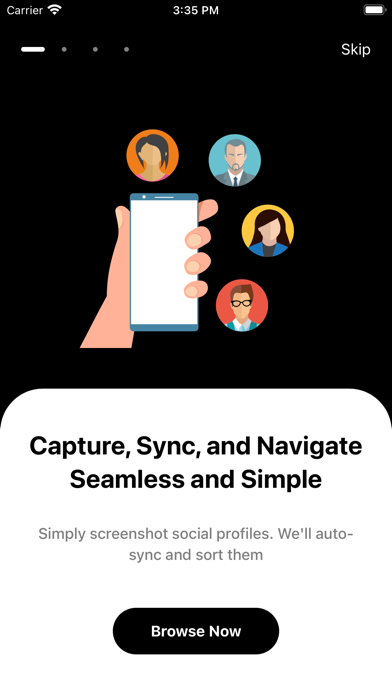
Looking for an easy way to organize and access your social media screenshots? SnapLinker is here to streamline your social media experience!
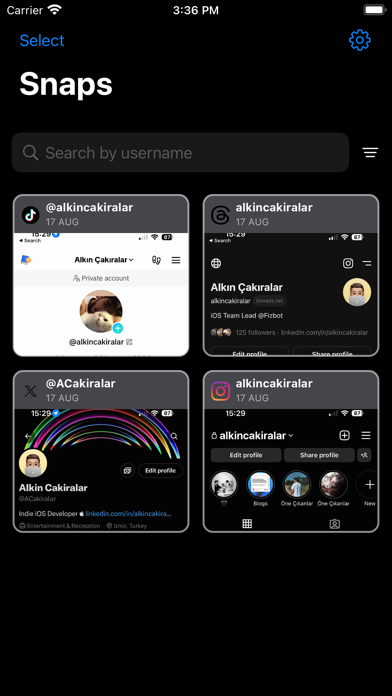
- Auto Sync: Every time you come back to the app, SnapLinker automatically synchronizes and checks your latest screenshots.
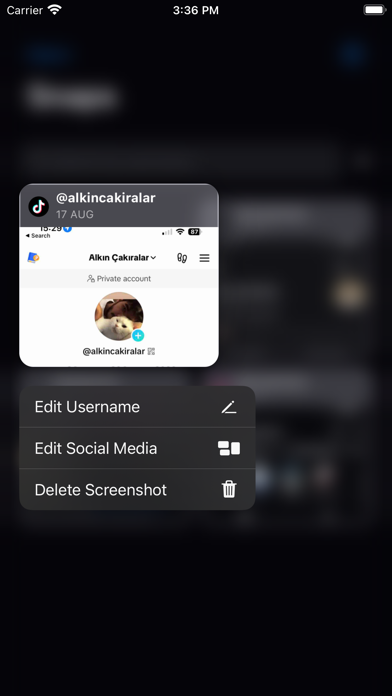
- Extract Usernames: SnapLinker extracts usernames from your social media screenshots with a single tap.
- Quick Redirect: Click on the screenshots and instantly redirect to the relevant link consisting of the extracted username.
How It Works ?
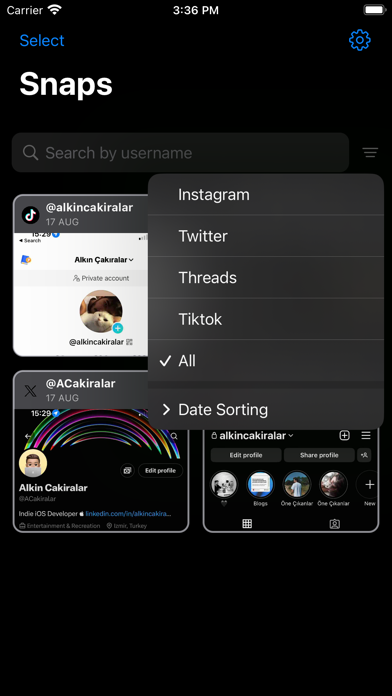
Fetch: SnapLinker demonstrates the screenshots from your user gallery screenshots related to social media profiles on the main screen.
Extract: The app automatically extracts usernames from every screenshot.
Redirect: Users can easily click on the screenshots to be redirected to the relevant link containing the username.
With SnapLinker, you no longer need to manually search for social media profiles. Easily keep track of your screenshots and access the relevant links in seconds.
Your privacy is our priority. SnapLinker only accesses your gallery for screenshots related to social media profiles. We never share your data with third parties.
Download SnapLinker today and simplify your social media screenshot experience!

Auto Sync, Extract Usernames, & Quick Redirect
Looking for an easy way to organize and access your social media screenshots? SnapLinker is here to streamline your social media experience!
- Auto Sync: Every time you come back to the app, SnapLinker automatically synchronizes and checks your latest screenshots.
- Extract Usernames: SnapLinker extracts usernames from your social media screenshots with a single tap.
- Quick Redirect: Click on the screenshots and instantly redirect to the relevant link consisting of the extracted username.
How It Works ?
Fetch: SnapLinker demonstrates the screenshots from your user gallery screenshots related to social media profiles on the main screen.
Extract: The app automatically extracts usernames from every screenshot.
Redirect: Users can easily click on the screenshots to be redirected to the relevant link containing the username.
With SnapLinker, you no longer need to manually search for social media profiles. Easily keep track of your screenshots and access the relevant links in seconds.
Your privacy is our priority. SnapLinker only accesses your gallery for screenshots related to social media profiles. We never share your data with third parties.
Download SnapLinker today and simplify your social media screenshot experience!
Show More
What's New in the Latest Version 1.3
Last updated on Sep 22, 2023
Old Versions
What's New:
Smoother navigation & faster screenshot sync.
Instant profile redirects & enhanced username extraction.
Upgraded privacy & bug fixes for a seamless experience.
Keep your updates on for the best of SnapLinker!
Smoother navigation & faster screenshot sync.
Instant profile redirects & enhanced username extraction.
Upgraded privacy & bug fixes for a seamless experience.
Keep your updates on for the best of SnapLinker!
Show More
Version History
1.3
Sep 22, 2023
What's New:
Smoother navigation & faster screenshot sync.
Instant profile redirects & enhanced username extraction.
Upgraded privacy & bug fixes for a seamless experience.
Keep your updates on for the best of SnapLinker!
Smoother navigation & faster screenshot sync.
Instant profile redirects & enhanced username extraction.
Upgraded privacy & bug fixes for a seamless experience.
Keep your updates on for the best of SnapLinker!
1.2
Sep 22, 2023
What's New:
Smoother navigation & faster screenshot sync.
Instant profile redirects & enhanced username extraction.
Upgraded privacy & bug fixes for a seamless experience.
Keep your updates on for the best of SnapLinker!
Smoother navigation & faster screenshot sync.
Instant profile redirects & enhanced username extraction.
Upgraded privacy & bug fixes for a seamless experience.
Keep your updates on for the best of SnapLinker!
1.0
Sep 5, 2023
SnapLinker FAQ
Click here to learn how to download SnapLinker in restricted country or region.
Check the following list to see the minimum requirements of SnapLinker.
iPhone
Requires iOS 15.0 or later.
iPod touch
Requires iOS 15.0 or later.
SnapLinker supports English, Turkish