SoundsOfThings
We spread the good frequencies
Free
2.1.1for iPhone, iPod touch
9.9
4 Ratings
Soundsofthings limited
Developer
38.5 MB
Size
Nov 6, 2023
Update Date
Social Networking
Category
9+
Age Rating
Age Rating
SoundsOfThings Screenshots
About SoundsOfThings
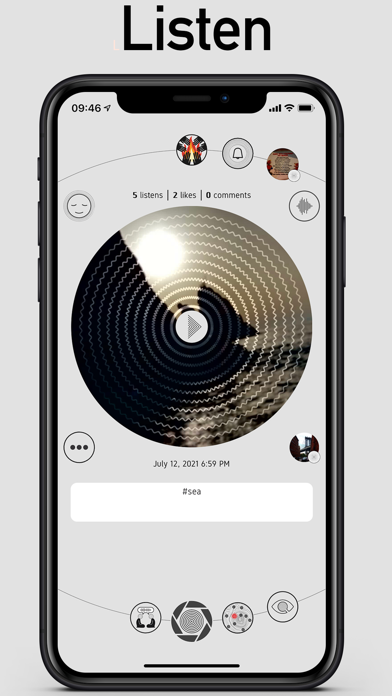
We and the universe are made of energy, all connected through frequencies and vibrations. These frequencies and vibrations interact with matter, influencing how we perceive it as harmonious and vital or unpleasant and dull. With Soundsofthings (SoT), we aim to spread good frequencies worldwide. To achieve this, we have created an audio social Metaverse where posts are made up of sounds and so frequencies, and vibrations. Soundsofthings is the global sounding board to resonate with the earth; it is the audio social Metaverse where good frequencies and vibration connect us all.
The solfeggio frequencies have aroused great interest in us, supported by a centuries-old tradition whose practice has been lost over time; our research will not be limited to the solfeggio frequencies.
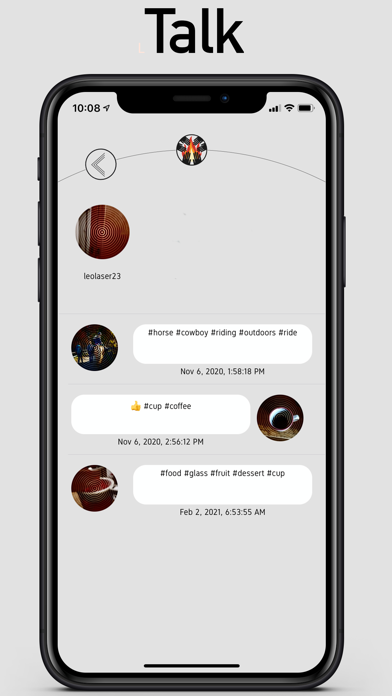
With SoT, you can create Sound Emotion (SE); to do so, you must register. The application is not only free but also offers a revenue opportunity when we reach enough users to activate our and your economy; about the SoT economy, you will find more information on the website token.soundsofthings.com. By registering and logging in, the application will display content created by other users, providing the possibility to listen to them and interact through comments or likes.
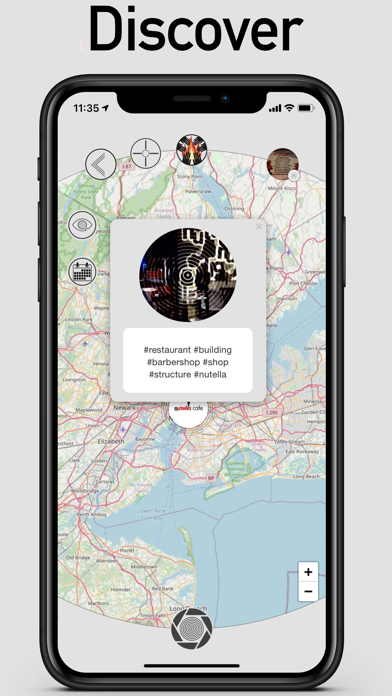
Some content can only be listened to if you are in the location where they were created. These contents are known as geolocated SE (gpSE or GPSe): welcome to the audio Metaverse! In fact, geolocated contents unlock only in the real world, reminiscent of the dynamics of Pokémon Go, creating a new way of communication. Record a gpSE, pin it in the location where you are, and send it as a private message to a friend who will have to go to that place to listen to it. It's up to you whether you want to pin the SE in a location or let it be listened to anywhere.
If you are curious about how to create a SE, there is a big button at the bottom centre to start creating. You can find the video "SoundsOfThings How-to create a Sound Emotion" on our YouTube channel @soundsofthings_official, which explains the steps to create your first SE. Here they are described below:
-Click the button at the bottom centre to enter a screen called Action Mode. On this screen, you are already recording the audio around you.
-You have 17 seconds to record the audio, which will then be overwritten. At the end of the recording, take a photo. The SE consists of both audio and a single image.
-Now, the application presents a hashtag section that you can edit. In this screen, you can decide whether to geolocate the content by creating a gpSE by clicking the round button below the hashtag section. The content will be geolocated if the button turns green after clicking.
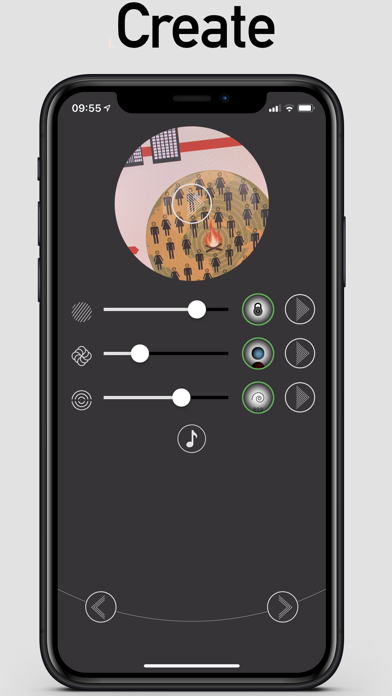
-On the next screen, you will find a mixer with three tracks. The top track is the one you just recorded, and the other two tracks are called Mood and Environment. These tracks are created by composers who make them available to users through their dedicated portal, the composer portal: composer.soundsofthings.com. Choose the tracks, adjust the volume, and listen to the overall result by clicking on play at the top centre of the photo. This section allows users to select sets of tracks that contain good frequencies. By clicking the note icon, exclusive sets of tracks can be selected. Soon, we will release sets of tracks with specific frequencies, starting with the solfeggio frequencies, which can be mixed with the base track. If you want to contribute as a composer, register at the composer portal using the app credentials or contact us for more information.
-In the last screen, you can decide whether to post the Sound Emotion in the main feed, visible to everyone, or search for a user and send it only to them.
-After selecting whether to post it for everyone (top left button) or send it to a user, click the button at the bottom right to post.
See you, or rather, hear you in Soundsofthings.

The solfeggio frequencies have aroused great interest in us, supported by a centuries-old tradition whose practice has been lost over time; our research will not be limited to the solfeggio frequencies.
With SoT, you can create Sound Emotion (SE); to do so, you must register. The application is not only free but also offers a revenue opportunity when we reach enough users to activate our and your economy; about the SoT economy, you will find more information on the website token.soundsofthings.com. By registering and logging in, the application will display content created by other users, providing the possibility to listen to them and interact through comments or likes.
Some content can only be listened to if you are in the location where they were created. These contents are known as geolocated SE (gpSE or GPSe): welcome to the audio Metaverse! In fact, geolocated contents unlock only in the real world, reminiscent of the dynamics of Pokémon Go, creating a new way of communication. Record a gpSE, pin it in the location where you are, and send it as a private message to a friend who will have to go to that place to listen to it. It's up to you whether you want to pin the SE in a location or let it be listened to anywhere.
If you are curious about how to create a SE, there is a big button at the bottom centre to start creating. You can find the video "SoundsOfThings How-to create a Sound Emotion" on our YouTube channel @soundsofthings_official, which explains the steps to create your first SE. Here they are described below:
-Click the button at the bottom centre to enter a screen called Action Mode. On this screen, you are already recording the audio around you.
-You have 17 seconds to record the audio, which will then be overwritten. At the end of the recording, take a photo. The SE consists of both audio and a single image.
-Now, the application presents a hashtag section that you can edit. In this screen, you can decide whether to geolocate the content by creating a gpSE by clicking the round button below the hashtag section. The content will be geolocated if the button turns green after clicking.
-On the next screen, you will find a mixer with three tracks. The top track is the one you just recorded, and the other two tracks are called Mood and Environment. These tracks are created by composers who make them available to users through their dedicated portal, the composer portal: composer.soundsofthings.com. Choose the tracks, adjust the volume, and listen to the overall result by clicking on play at the top centre of the photo. This section allows users to select sets of tracks that contain good frequencies. By clicking the note icon, exclusive sets of tracks can be selected. Soon, we will release sets of tracks with specific frequencies, starting with the solfeggio frequencies, which can be mixed with the base track. If you want to contribute as a composer, register at the composer portal using the app credentials or contact us for more information.
-In the last screen, you can decide whether to post the Sound Emotion in the main feed, visible to everyone, or search for a user and send it only to them.
-After selecting whether to post it for everyone (top left button) or send it to a user, click the button at the bottom right to post.
See you, or rather, hear you in Soundsofthings.
Show More
What's New in the Latest Version 2.1.1
Last updated on Nov 6, 2023
Old Versions
We repuilt the Sound Emotion player, improving it both in performance and reliability
Show More
Version History
2.1.1
Nov 6, 2023
We repuilt the Sound Emotion player, improving it both in performance and reliability
2.1.0
Jul 10, 2022
In this release we did some maintenance and, most importantly, implemented two important new features: now from the home you can access the search page, which allows you to search for people, Sound Emotions, Sound Villages, and Special Tags. Also on the profile page you can search for Sound Emotions within those in that profile.
2.0.1
Nov 4, 2021
This update fixes some minor issues of the new 2.0 version
2.0.0
Aug 10, 2021
We have completely rewritten the SoT app using the best and latest technologies available on the market, to guarantee you a user experience that is always at the highest levels!
1.2.5
Oct 18, 2019
iOS 13 compatibility update
1.2.4
Oct 15, 2019
iOS 13 compatibility update
1.2.0
Jul 13, 2019
Listen to the tracks and select the composer's special tags thanks to the new page accessible from within the Sound Emotion creation
Identify composers and sound village owners thanks to the new avatar badge
1.1.7
May 15, 2019
- New: now you can share your SE on other social networks
- General improvement of app reliability and performance
1.1.0
Feb 6, 2019
- Now you can create an account without the registration code
- Quickly create a SE from phone home screen, using force-touch on SoT icon
- Now you can see on the map those ipse you received as direct messages
- Quickly create a SE from phone home screen, using force-touch on SoT icon
- Now you can see on the map those ipse you received as direct messages
1.0.11
Dec 5, 2018
- Now you can search SE by hashtags not only in the map but also in the home
- Improved reliability of many app functions
1.0.5
Nov 17, 2018
- Improved the user experience on many app functions
1.0.3
Nov 11, 2018
- Minor updates
- Fixed bug on front camera while creating a SE
- Fixed bug on enter SV request function
- Fixed bug on front camera while creating a SE
- Fixed bug on enter SV request function
1.0.0
Nov 7, 2018
SoundsOfThings FAQ
Click here to learn how to download SoundsOfThings in restricted country or region.
Check the following list to see the minimum requirements of SoundsOfThings.
iPhone
Requires iOS 13.0 or later.
iPod touch
Requires iOS 13.0 or later.
SoundsOfThings supports English, Italian