Why would you use SpeedOdo?
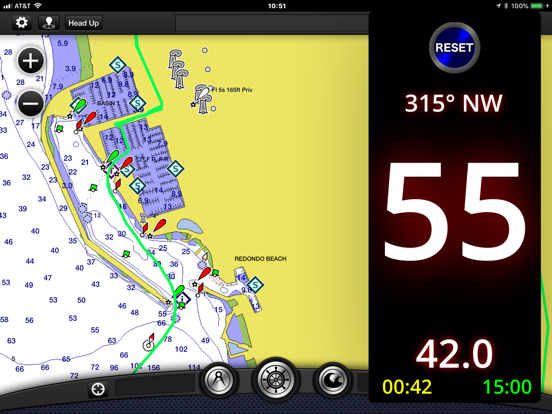
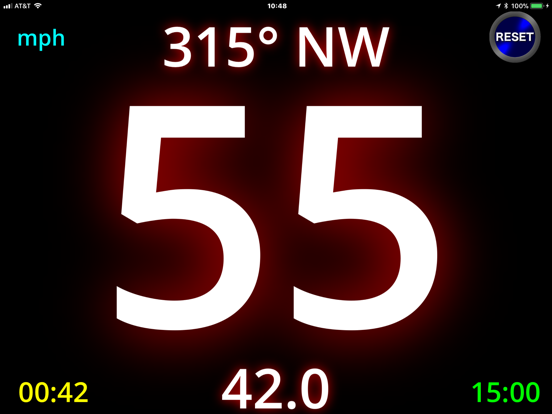
- You want a LARGE digital speedometer, odometer, and compass heading
- Your car or boat speedometer does not work or you do not trust it
- You want to know distances and heading on your boat (on most boats you only get engine hours and speed)
- You want to know trip distance AND time, while walking, running or biking
- You want to send a text message with your longitude/latitude location on a map to someone
- You want to save your data minutes by using a GPS-only app
- You have an old iPhone or iPad without a data plan (but it must have GPS)
Here's what it has:
- Large Speedometer
- Large Odometer (Trip and Total)
- Large Compass Course Heading
- Large Trip Timer
- Longitude/Latitude Location (viewable on a map)
- Top and average speed for a trip
- Text Message of your Longitude/Latitude WITH a map
- Large Digital Clock
BACKGROUND
I wanted something for my small boat so that I could see the speed, distance and heading easily without reading glasses, in sunlight or at night. There are many GPS based apps, but I wanted something BIGGER and with everything navigation related in one app. I also wanted an app that is safe and simple to use while riding in (or on) a moving vehicle (boat, car, motorcycle, bicycle). I couldn't find an app that had all these things, so I wrote SpeedOdo!
USAGE
I mount my iPhone or iPad on my boat dash (and my car dash and my SUP board) in a waterproof case and with the SpeedOdo app I can clearly see the speed, odometer and course heading with just my sunglasses. I don’t have to wear reading glasses when driving or boating anymore! It’s large enough that I can even see it with polarized lenses (iPhone and iPad have polarized screens…)
Use it in the car, on the boat, on a motorcycle or on an e-bike - no more reading glasses or straining to read the tiny dashboard speedometer and odometer. And forget about the tiny barely legible clock in the status bar - a much larger digital time is displayed in the lower right corner. It is also great for hiking, walking, cycling and stand-up paddle boarding.
SCREENS
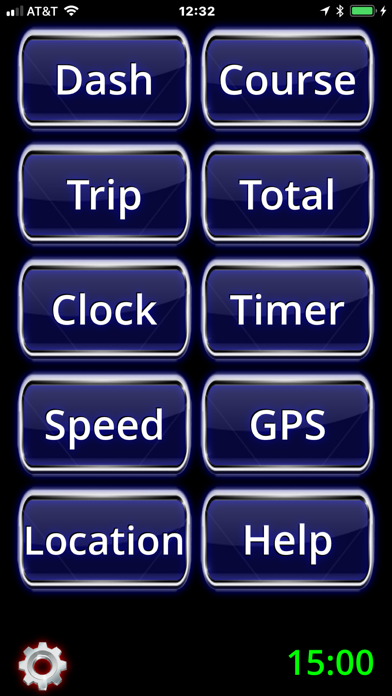
- Menu Screen - Displays LARGE buttons to go to all other screens
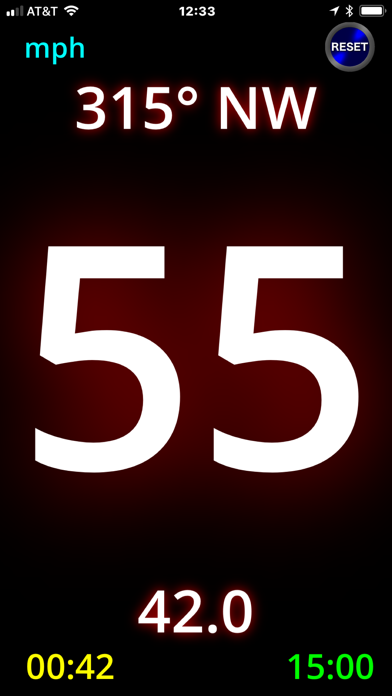
- Dashboard Screen - Displays LARGE speed, course, and trip distance
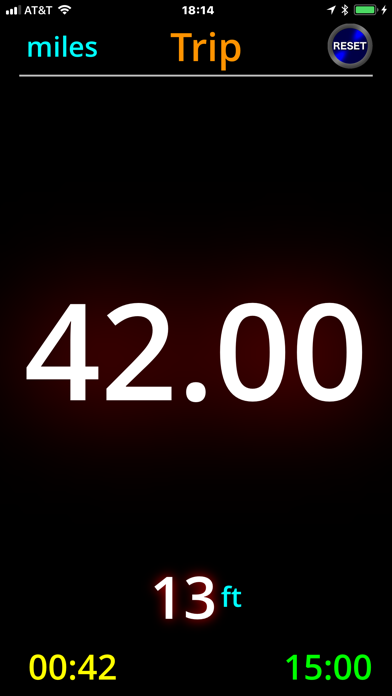
- Trip Odometer Screen - Displays the LARGE trip odometer
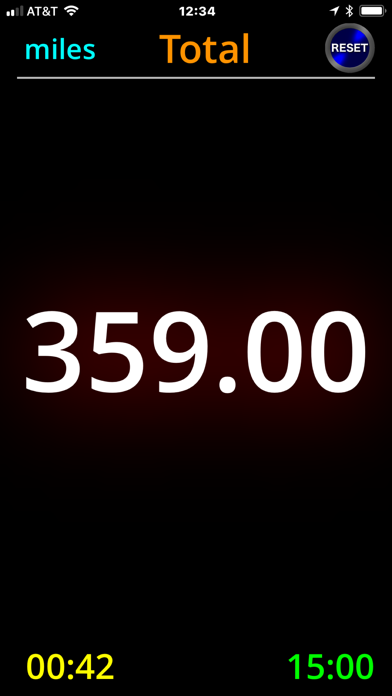
- Total Odometer Screen - Displays the LARGE total odometer
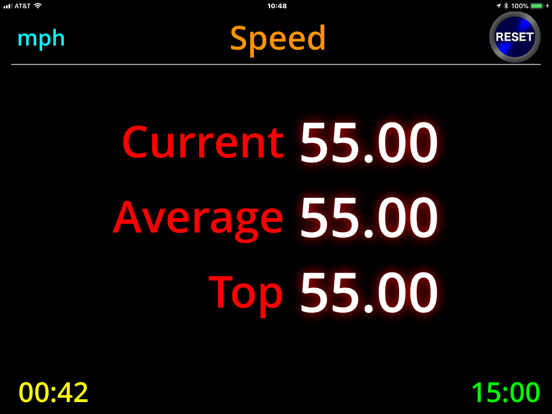
- Speed Screen - Displays current, average and top speeds
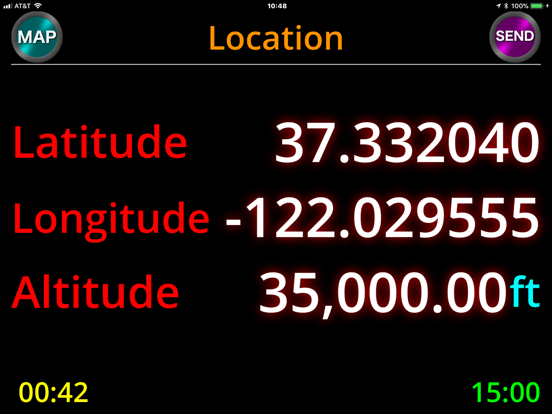
- Location Screen - Displays latitude, longitude and altitude
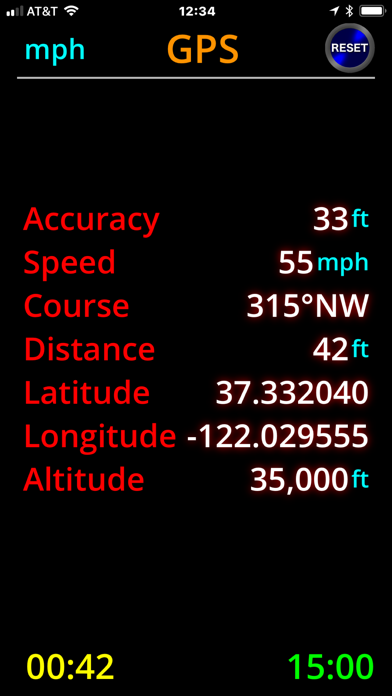
- GPS Screen - Displays all GPS data in real time
- Timer Screen - Displays LARGE trip timer
- Clock Screen - Displays the date and a LARGE digital clock with the current time
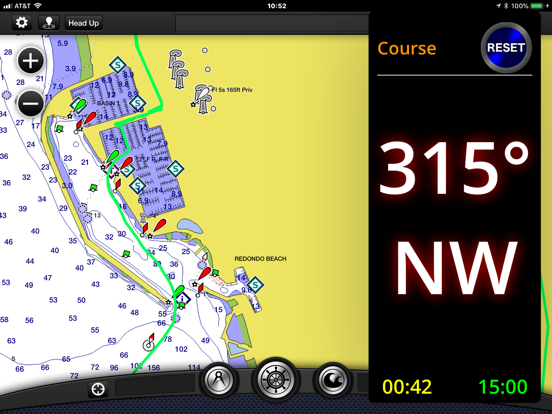
- Course Screen - Displays the LARGE most recent course (degrees and heading)
- Help Screen - Displays tips for navigation within the app
FEATURES
- Easy to read because of the LARGE font sizes
- Screen navigation is all SWIPES and TAPS (the entire screen is one big button!)
- All other buttons require a DOUBLE TAP so you don't hit them accidentally while you're moving
- DOUBLE TAP the Map button on the Location screen to view exactly where you are on a map
- DOUBLE TAP the Send button on the Location screen to send a text message containing your location to friends and family
- Course shows compass degrees and heading (16 points)
- DOUBLE TAP the units in the upper left corner to change units: MPH (miles-per-hour), KPH (kilometers-per-hour) and KNOTS (nautical-miles-per-hour)
- User can pre-set total distance odometer to an existing vehicle odometer value
- No internet access so precious data minutes are NOT used
- Can be used on an old phone without a service plan (as long as it has GPS)
NOTE: Continued use of GPS running in the background can dramatically decrease battery life. If you need to use SpeedOdo for a long time, you should consider plugging your phone or tablet into a DC charger or external battery.