Speedometer One Speed Tracker+
GPS Status & Car Speedometer
$2.99
1.9for iPhone, iPad
8.5
9 Ratings
Joao Pedro Silveira, Unipessoal Lda
Developer
52.9 MB
Size
Feb 7, 2023
Update Date
Navigation
Category
4+
Age Rating
Age Rating
Speedometer One Speed Tracker+ Screenshots
About Speedometer One Speed Tracker+
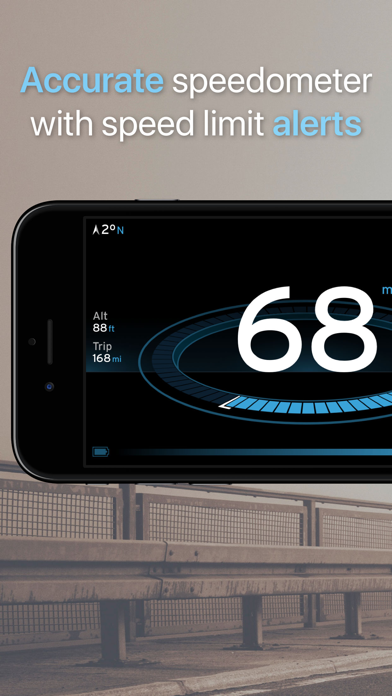
Turn your iPhone and iPad into a Speedometer with Speedometer One+! Speedometer One+ is also suitable for cars, boats, motorcycle, or other types of vehicles. We have various features to make Speedometer the best speed tracker apps for IOS devices. We use GPS to track your speed and alert you when you are over the speed limit. There are other features that will be useful for you such as Night Mode, HUD screen, and many more.
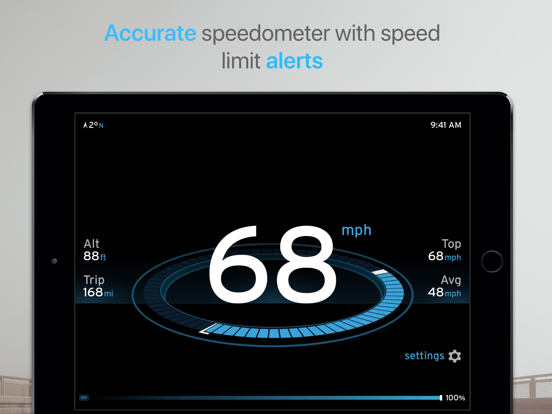
Have you ever driven a car and worry that you go over the speed limit? Driving too fast can get you into trouble especially if there are some traffic cops nearby with their speed radar gun. That’s why we add Speed Limit Alert as one of the most important features on our app. You can enable and disable it. We support US and EU style speed limit sign and support different display units. Which means that it will make it easier to drive when you visit EU or USA.
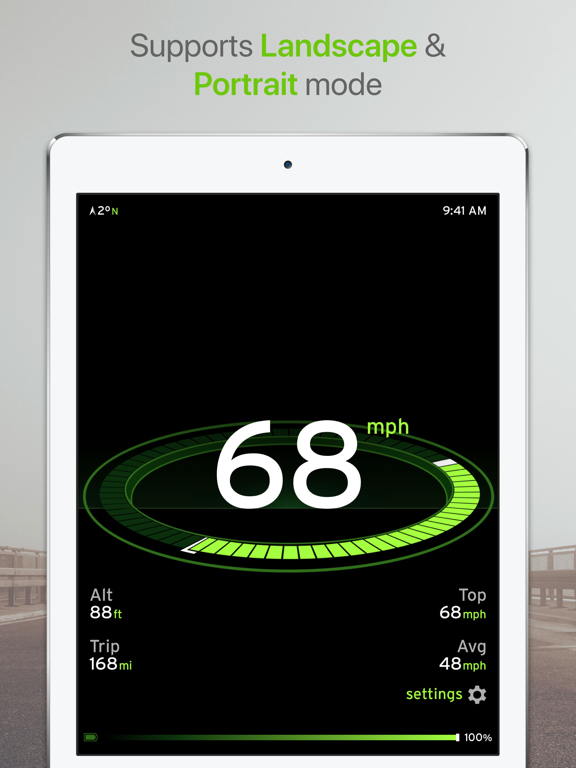
Aside from tracking your speed, Speedometer one also can track your distance, altitude, average speed, and top speed.
=== FEATURES OF SPEEDOMETER ONE: ===
• Accurate Speedometer for Cars, Boats, Motorcycle or other types of Vehicles.
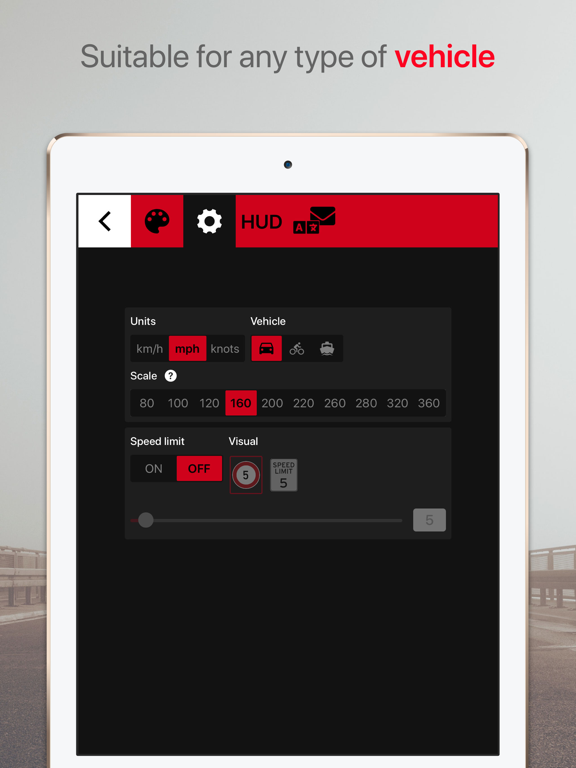
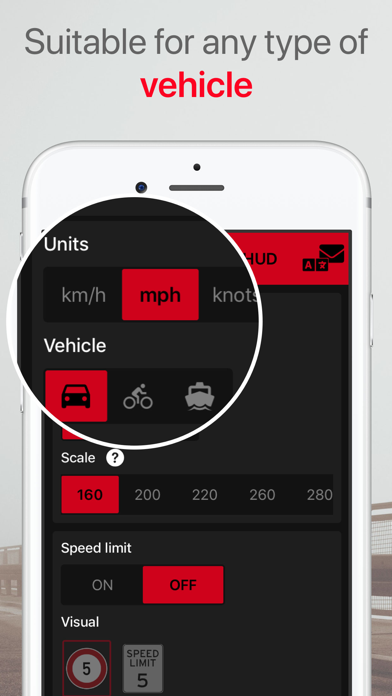
• Choose your units mph, km/h, or knots.
• Support Night Mode with high contrast on the screen.
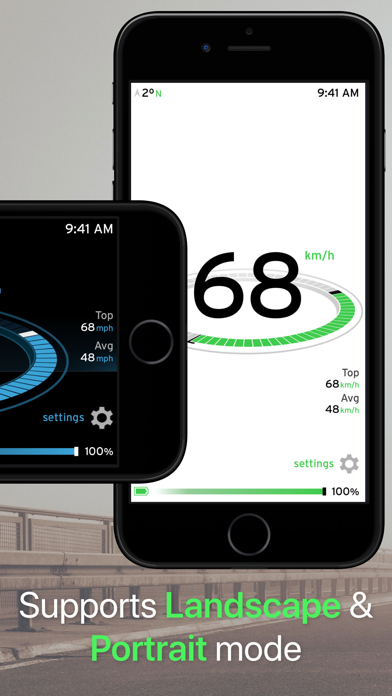
• Support Landscape or Portrait Mode.
• Speed Limit Alert: Enable this option first, and
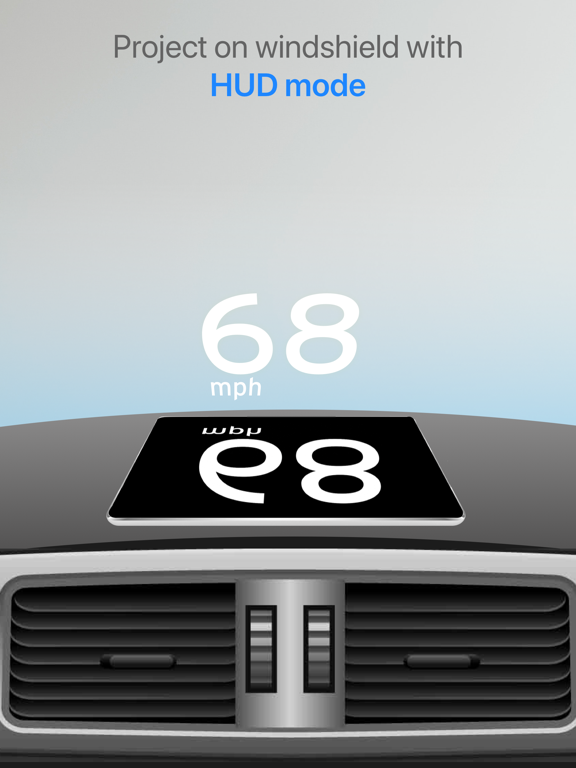
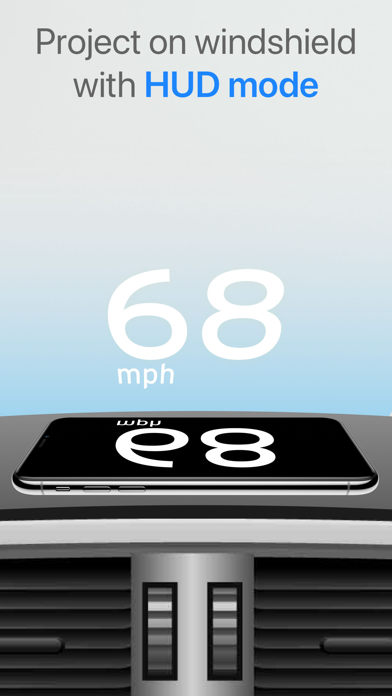
• HUD (Head Unit Display) Mode
• Supports USA and EU speed limit.
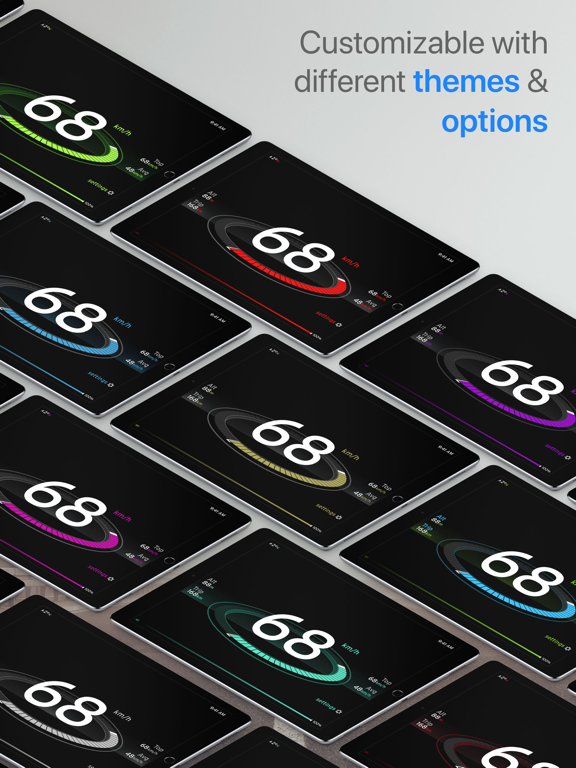
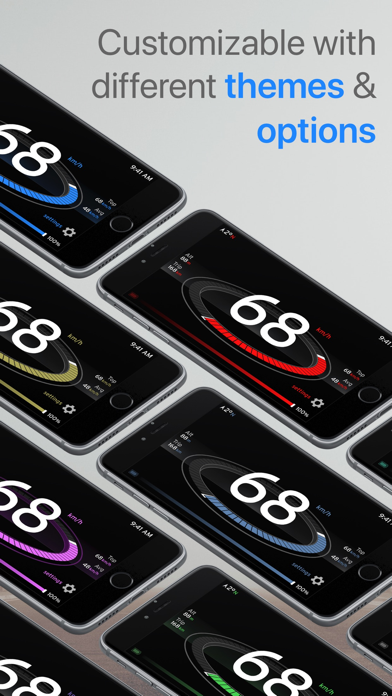
• Choose over 44 themes (22 dark and 22 light)
When you use the HUD mode, you can put your iPhone on the dashboard near the windshield. Our app is very customizable, especially if you’ve unlocked our themes. You can choose the look and display according to your needs: your mood, eyesight, night or day. Our customization is what sets us apart from other similar apps. Try it for your self today!
IMPORTANT USAGE NOTE:
• To be able to use Speedometer One+, please allow Location Services.
• Set what kind of vehicle you use and the max speed before using.
• Speedometer One+ is not compatible with Wifi only iPad or iPod Touch.
• Our speed tracker is based on the GPS info. GPS sensor is not always accurate due to the device hardware sensor limitation. When in doubt, always rely on your car’s speedometer.
• GPS is most accurate when you are on wide open spaces. Trees, tall buildings, and other things might affect your GPS accuracy.
• Prolong use of GPS will affect your battery life.
• Please stay safe. Focus on the road ahead and do not interact with any device when you are driving, especially when you are driving on high speed.
Love Speedometer One+! Give it a rating and review on our Appstore page and don’t forget to share it to your friends and family! If you encounter a problem when using the app, please send us an email about it and we will work ASAP to fix it.

Have you ever driven a car and worry that you go over the speed limit? Driving too fast can get you into trouble especially if there are some traffic cops nearby with their speed radar gun. That’s why we add Speed Limit Alert as one of the most important features on our app. You can enable and disable it. We support US and EU style speed limit sign and support different display units. Which means that it will make it easier to drive when you visit EU or USA.
Aside from tracking your speed, Speedometer one also can track your distance, altitude, average speed, and top speed.
=== FEATURES OF SPEEDOMETER ONE: ===
• Accurate Speedometer for Cars, Boats, Motorcycle or other types of Vehicles.
• Choose your units mph, km/h, or knots.
• Support Night Mode with high contrast on the screen.
• Support Landscape or Portrait Mode.
• Speed Limit Alert: Enable this option first, and
• HUD (Head Unit Display) Mode
• Supports USA and EU speed limit.
• Choose over 44 themes (22 dark and 22 light)
When you use the HUD mode, you can put your iPhone on the dashboard near the windshield. Our app is very customizable, especially if you’ve unlocked our themes. You can choose the look and display according to your needs: your mood, eyesight, night or day. Our customization is what sets us apart from other similar apps. Try it for your self today!
IMPORTANT USAGE NOTE:
• To be able to use Speedometer One+, please allow Location Services.
• Set what kind of vehicle you use and the max speed before using.
• Speedometer One+ is not compatible with Wifi only iPad or iPod Touch.
• Our speed tracker is based on the GPS info. GPS sensor is not always accurate due to the device hardware sensor limitation. When in doubt, always rely on your car’s speedometer.
• GPS is most accurate when you are on wide open spaces. Trees, tall buildings, and other things might affect your GPS accuracy.
• Prolong use of GPS will affect your battery life.
• Please stay safe. Focus on the road ahead and do not interact with any device when you are driving, especially when you are driving on high speed.
Love Speedometer One+! Give it a rating and review on our Appstore page and don’t forget to share it to your friends and family! If you encounter a problem when using the app, please send us an email about it and we will work ASAP to fix it.
Show More
What's New in the Latest Version 1.9
Last updated on Feb 7, 2023
Old Versions
Improvements:
- Performance improvements on the app opening
- HUD will now show a warning advising to properly secure the device before continuing
Bug fixes:
- Fixed: app not saving the selected color theme
- Fixed: layout distortion after dismissing the HUD mode
- Performance improvements on the app opening
- HUD will now show a warning advising to properly secure the device before continuing
Bug fixes:
- Fixed: app not saving the selected color theme
- Fixed: layout distortion after dismissing the HUD mode
Show More
Version History
1.9
Feb 7, 2023
Improvements:
- Performance improvements on the app opening
- HUD will now show a warning advising to properly secure the device before continuing
Bug fixes:
- Fixed: app not saving the selected color theme
- Fixed: layout distortion after dismissing the HUD mode
- Performance improvements on the app opening
- HUD will now show a warning advising to properly secure the device before continuing
Bug fixes:
- Fixed: app not saving the selected color theme
- Fixed: layout distortion after dismissing the HUD mode
1.8.6
Sep 9, 2022
- Fixed layout issues on newer devices
1.8.5
May 11, 2022
- Fixed an issue with theme not updating when changing from dark mode to light mode
1.8.4
Apr 29, 2022
- Stability improvements
- Minor changes on HUD selector behavior
1.8.3
Dec 24, 2021
- Fixed an issue regarding animation performance when using light theme mode
1.8.2
Aug 20, 2021
- Fixed an issue with the altitude units not being updated when changing from imperial to metric units
1.8.1
Jul 28, 2021
- Fixed a bug that was causing the app to crash for some users
1.8.0
Jun 11, 2021
- Improved localizations
- Fixed a bug that was causing the HUD mode to appear different than the one selected
1.7.2
Mar 28, 2021
- Fixed a problem with the layout being presented cut off on some specific iPhone models
1.7.1
Mar 24, 2021
- Stability improvements
- Minor changes on HUD selector behavior
1.7.0
Oct 8, 2020
- Added an option to use HUD mode with full speedometer info.
- App performance was improved.
1.6.2
Aug 30, 2020
- Minor localization fixes
1.6.1
Jul 15, 2020
Bug fix:
- Fixed layout problem when activating HUD mode
1.6
Apr 30, 2020
- Added a trip reset button to reset the speedometer values
1.5.2
Apr 19, 2020
Bug fix:
- Fixed: Crash/Freezing addressed on the last update was still occurring for a small number of users.
1.5
Apr 14, 2020
Bug fixes:
- Instructions to activate location services should be easier to read
- Settings button will take less time to fade
- Instructions to activate location services should be easier to read
- Settings button will take less time to fade
1.4.3
Jan 29, 2020
Bug fixes:
- Changing between settings should be smoother now
- Users will be asked to rate the app less often
- Performance optimizations
- Changing between settings should be smoother now
- Users will be asked to rate the app less often
- Performance optimizations
1.4.2
Jan 18, 2020
Performance optimizations
Bug fixes:
- Changing tabs on the settings should now always display the correct content
Bug fixes:
- Changing tabs on the settings should now always display the correct content
1.4.1
Nov 15, 2019
Bug fixes:
- HUD mode will show the selected measure unit
1.3
Jul 10, 2019
General Improvements:
- Request for rating will appear less often
- Localization changes
- Request for rating will appear less often
- Localization changes
1.1.2
Apr 5, 2019
- Fixed a bug that was causing the menu bar to appear with the incorrect color
1.1.1
Mar 12, 2019
Bug fixes:
- Fixed a bug that was causing the rating popup to appear to some users on their first session
General improvements on the app performance
- Fixed a bug that was causing the rating popup to appear to some users on their first session
General improvements on the app performance
1.1
Mar 9, 2019
iPhone XS, XS Max, and XR support
General improvements
1.0
Oct 4, 2018
Speedometer One Speed Tracker+ FAQ
Click here to learn how to download Speedometer One Speed Tracker+ in restricted country or region.
Check the following list to see the minimum requirements of Speedometer One Speed Tracker+.
iPhone
Requires iOS 12.3 or later.
iPad
Requires iPadOS 12.3 or later.
Speedometer One Speed Tracker+ supports English, Dutch, Finnish, French, German, Italian, Portuguese, Russian, Simplified Chinese, Spanish, Traditional Chinese
Related Videos
Latest introduction video of Speedometer One Speed Tracker+ on iPhone