Age Rating
Learn & Validate SQL Screenshots
About Learn & Validate SQL
Will you start learning SQL in Oracle?
Did you forget the statements many times?
Do you no longer remember the syntax and the result of an statement?
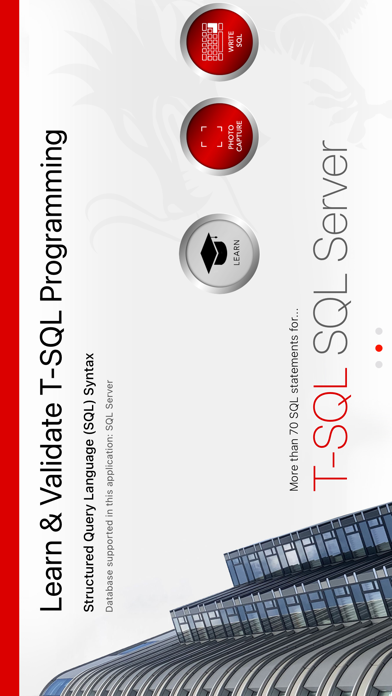
Developed to easily learn SQL Programming (T-SQL) for Oracle
. . . . . . . . . . . . . . . . . . . . .
This App acts as a reference for the PL-SQL language
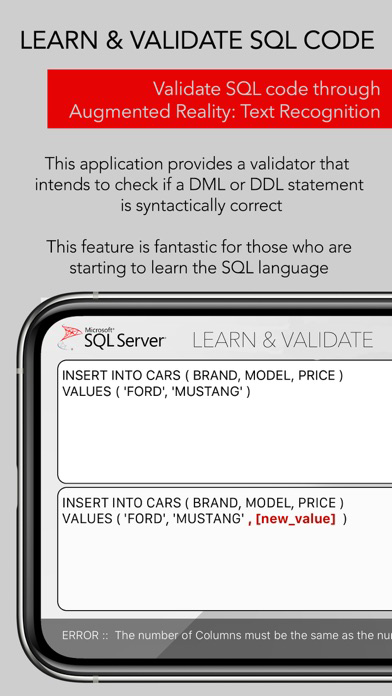
Validate SQL code through Augmented Reality (Text Recognition - possibility to take a picture of the code on your PC)
. . . . . . . . . . . . . . . . . . . . .
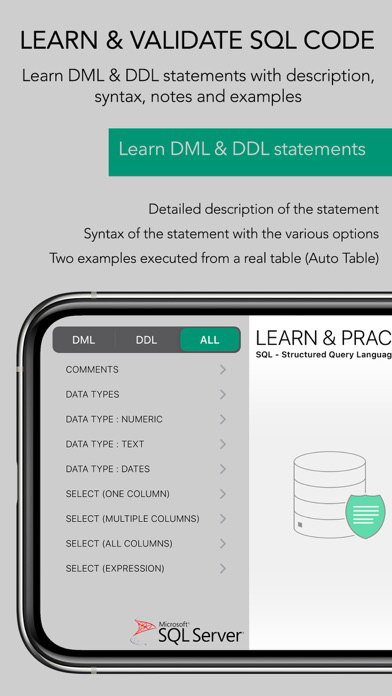
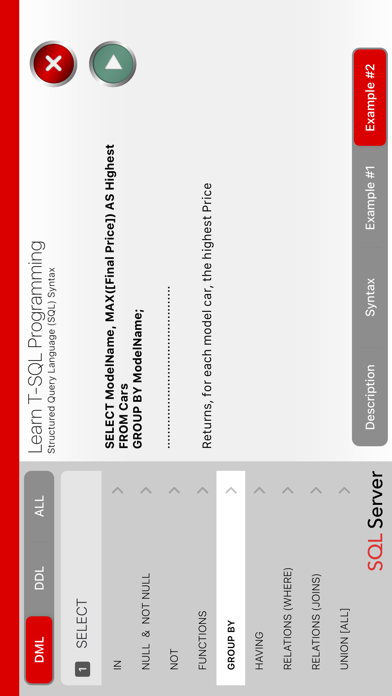
Learn DML & DDL statements with description, syntax, notes and examples
For each statement is presented:
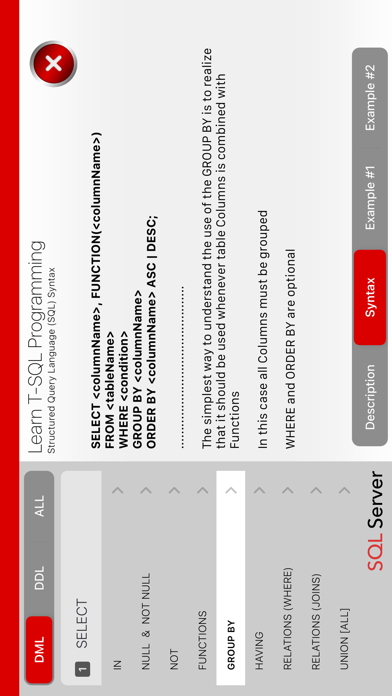
Detailed description of the statement/command purpose
Syntax of the statement with the various options
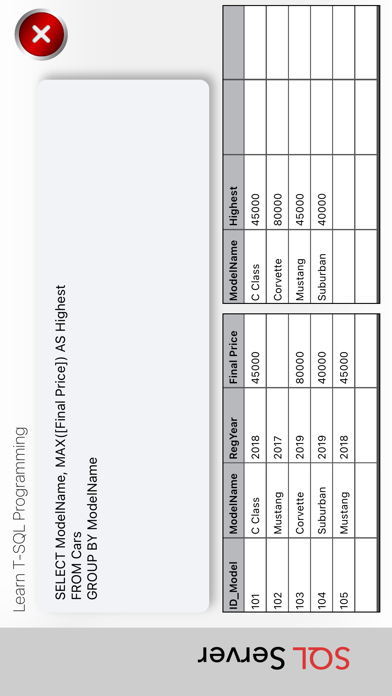
Two examples executed from a real table (Automobile Table)
FEATURE 1 - SQL VALIDATOR
__________________________________
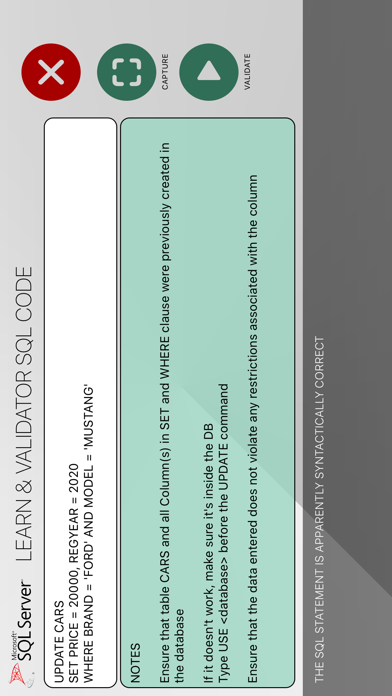
This application provides a validator that intends to check if a DML or DDL statement is syntactically correct. This feature is fantastic for those who are starting to learn the SQL language.
Functionalities:
1.1) Capture SQL code directly from the PC monitor (and directly from SQL Server, Oracle, MySQL or Access query window)
1.2) Write an SQL statement directly in the application
2) Step-by-step validation with clear error indication (with suggestions and automatic corrections)
Note:
Select and Create statement is not yet available for Validation. Likewise, sub-queries, expressions and column and table names using spaces are not yet evaluated.
We are working on this feature which will be available in a future release.
Statements available:
- INSERT
- UPDATE
- DELETE
- ALTER (Database, Table or Indexes)
- DROP (Database, Table or Constraints)
FEATURE 2 – SQL REFERENCE
__________________________________
1. GENERAL
1.1 - Comments
1.2 - Data Types
2. (DML) Data Manipulation Language
2.1 – SELECT
- Columns, Multi-Column, All Columns
- Expressions, Functions, Alias
- Top, Distinct, Order By
- Where
- Relational, Math & String Operators
- Wildcards
- Group By, Having, Aggregate Functions
- Union, Intersect, Except (Any & All)
- Subqueries
- Joins (Inner, Full, Right, Left)
- Select Into
2.2 - INSERT
- With Columns names
- Without Column names
- Rules
- Insert Into ... Select
2.3 - DELETE
- Delete All Rows
- Delete ... Where
- Rules
- Referencial Integrity
2.4 - UPDATE
- Update All Rows
- Update ... Where
- Rules
3. (DDL) DATA DEFINITION LANGUAGE
3.1 - CREATE
- Create Database
- Create Table
- Create Index
- Auto-Increment
- Constraints (PK, FK, CK, DF, UQ, NN, IX)
3.2 - ALTER
- Alter Columns
- Add Constraints
- Drop Constrains
3.3 - DROP
- Drop Table
- Drop Database
- Drop Index
3.4 - TUNCATE
- Delete Versus Truncate

Did you forget the statements many times?
Do you no longer remember the syntax and the result of an statement?
Developed to easily learn SQL Programming (T-SQL) for Oracle
. . . . . . . . . . . . . . . . . . . . .
This App acts as a reference for the PL-SQL language
Validate SQL code through Augmented Reality (Text Recognition - possibility to take a picture of the code on your PC)
. . . . . . . . . . . . . . . . . . . . .
Learn DML & DDL statements with description, syntax, notes and examples
For each statement is presented:
Detailed description of the statement/command purpose
Syntax of the statement with the various options
Two examples executed from a real table (Automobile Table)
FEATURE 1 - SQL VALIDATOR
__________________________________
This application provides a validator that intends to check if a DML or DDL statement is syntactically correct. This feature is fantastic for those who are starting to learn the SQL language.
Functionalities:
1.1) Capture SQL code directly from the PC monitor (and directly from SQL Server, Oracle, MySQL or Access query window)
1.2) Write an SQL statement directly in the application
2) Step-by-step validation with clear error indication (with suggestions and automatic corrections)
Note:
Select and Create statement is not yet available for Validation. Likewise, sub-queries, expressions and column and table names using spaces are not yet evaluated.
We are working on this feature which will be available in a future release.
Statements available:
- INSERT
- UPDATE
- DELETE
- ALTER (Database, Table or Indexes)
- DROP (Database, Table or Constraints)
FEATURE 2 – SQL REFERENCE
__________________________________
1. GENERAL
1.1 - Comments
1.2 - Data Types
2. (DML) Data Manipulation Language
2.1 – SELECT
- Columns, Multi-Column, All Columns
- Expressions, Functions, Alias
- Top, Distinct, Order By
- Where
- Relational, Math & String Operators
- Wildcards
- Group By, Having, Aggregate Functions
- Union, Intersect, Except (Any & All)
- Subqueries
- Joins (Inner, Full, Right, Left)
- Select Into
2.2 - INSERT
- With Columns names
- Without Column names
- Rules
- Insert Into ... Select
2.3 - DELETE
- Delete All Rows
- Delete ... Where
- Rules
- Referencial Integrity
2.4 - UPDATE
- Update All Rows
- Update ... Where
- Rules
3. (DDL) DATA DEFINITION LANGUAGE
3.1 - CREATE
- Create Database
- Create Table
- Create Index
- Auto-Increment
- Constraints (PK, FK, CK, DF, UQ, NN, IX)
3.2 - ALTER
- Alter Columns
- Add Constraints
- Drop Constrains
3.3 - DROP
- Drop Table
- Drop Database
- Drop Index
3.4 - TUNCATE
- Delete Versus Truncate
Show More
What's New in the Latest Version 1.3
Last updated on Jan 23, 2021
Old Versions
Minor corrections
Changes to the graphical environment
Show More
Version History
1.3
Jan 23, 2021
Minor corrections
Changes to the graphical environment
1.2.2
Jun 2, 2020
Correction of minor errors
1.2.1
Apr 27, 2020
Correction of minor errors
1.1
Apr 10, 2020
Correction of small lines of SQL code
Add new SQL statements
New graphics features
New features. Possibility of Rate & Share the app
Add new SQL statements
New graphics features
New features. Possibility of Rate & Share the app
1.0
Mar 24, 2020
Learn & Validate SQL Price
Today:
$3.99
Lowest:
$1.99
Highest:
$4.99
Learn & Validate SQL FAQ
Click here to learn how to download Learn & Validate SQL in restricted country or region.
Check the following list to see the minimum requirements of Learn & Validate SQL.
iPhone
Requires iOS 13.0 or later.
iPod touch
Requires iOS 13.0 or later.
Learn & Validate SQL supports English