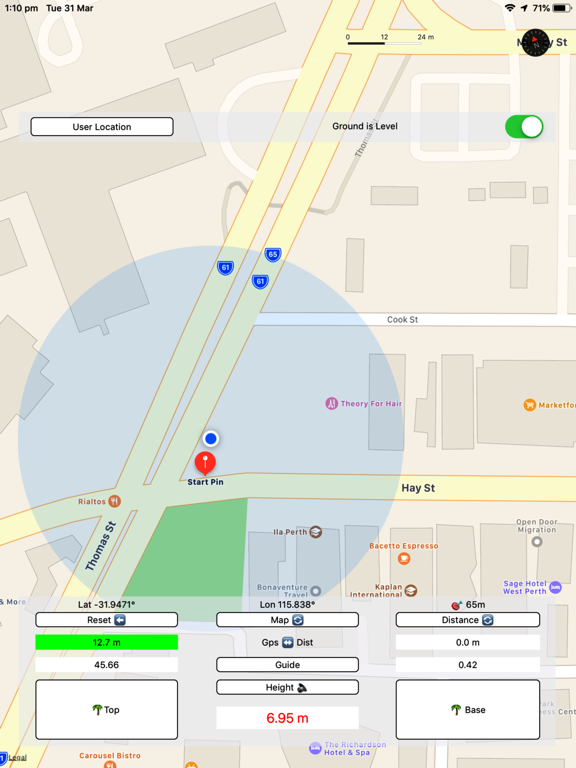
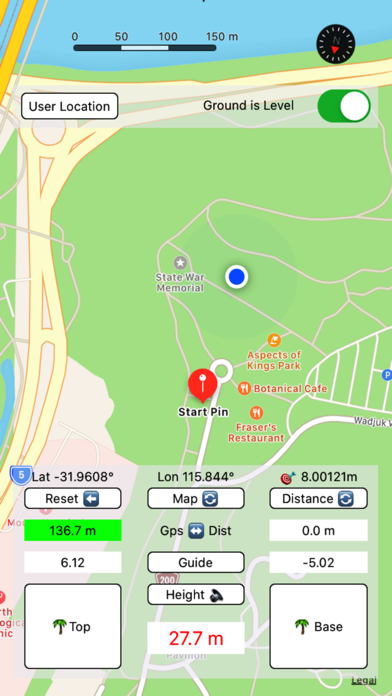
Tree Height app will measure tree height in metres on level or sloping ground using distance or GPS distance and 2 angles to the top and base of the tree.
As the app is designed to work outside, sound is attached to some of the buttons and the tree height is spoken as well as recorded on the screen to assist in bright sunlight. Your tree height distance is supplied by GPS or calculated by the app. After top of the tree and base of the tree angles are obtained, tree height is calculated.
The app can also be used to measure indoor objects at home or work, or to calculate height of your friend. The Map button will toggle between map and satellite map. To select between GPS Distance and calculated Distance use Distance toggle button. Green colour indicates which distance will be used in the next height calculation. Use calculated Distance indoor and for small distances, GPS for large distances. To measure the tree height : Tap Reset at the tree location. Red pin will drop. Move away about 3 times the estimated tree height. GPS Distance will change.
Tap Tree TOP button, clock sound starts and TOP angle is visible. Lift device straight up and aim home button microphone tree top. When on target, tap Tree TOP again. Sound stops, angle is recorded. Repeat with Tree BASE button this time aiming at the tree BASE. When clock sound stops, BASE angle is noted and tree height is announced.
Tree height is also displayed in red text. The app displays current latitude, longitude and horizontal accuracy.
Tap Guide button to read instructions on how to use this app.
If you are using the app on sloping ground, switch Ground is Level to off position. The accuracy of the tree height depends on the accuracy of the GPS, and the skill of the user while recording the TOP and BASE angles. Use this app to get a quick estimate of the tree height. For more accurate measurements use other more precise methods.