WretchUp
$3.99
1.5.1for iPhone, iPad and more
Age Rating
WretchUp Screenshots
About WretchUp
An effect instrument anyone can play - sonic anarchy in the palm of your hand.
iOS Mars: "Barely controlled chaos“, "sonic extremes“, "well suited for live use“
Music App Blog: "if you like the occasional dose of sonic mayhem, then this is an app that will let you make it"
WretchUp is the sonic instrument from the imagination of Mouse on Mars Instruments. Used by the duo in their live performances, it's a playable effect inspired by analog hardware. Sing into it, speak into it, plug in an instrument, sample sounds, and then make sonic mayhem.
It's been tested in Mouse on Mars' live shows and used in studio albums. But now it's available to anyone - whether you're a musician wanting to create unique sounds or you just want to make some wild noises and frighten friends and enemies.
// FEATURES
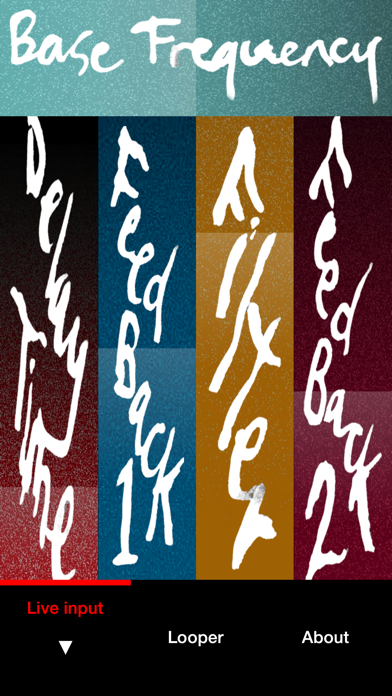
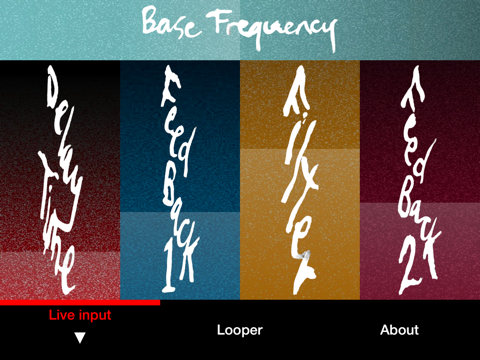
- Pitch-shifted delay with feedback and filter
- Unique controls, designed to be used in live performance and tested onstage
- Play with gestures, even without looking closely at the screen
- Record vocals or instruments from the built-in mic or another input
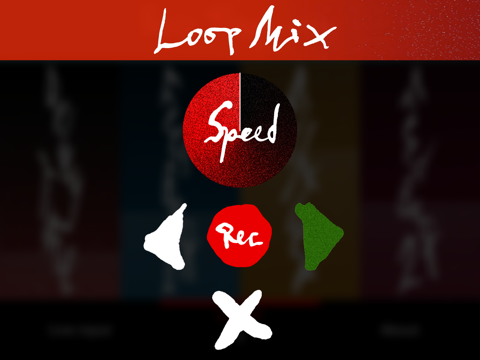
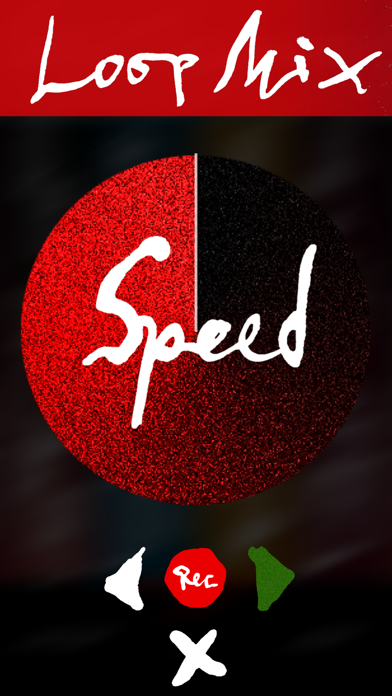
- Sample loops and change their speed
- Adjust the feedback loop, pitch, and filter for unique sounds
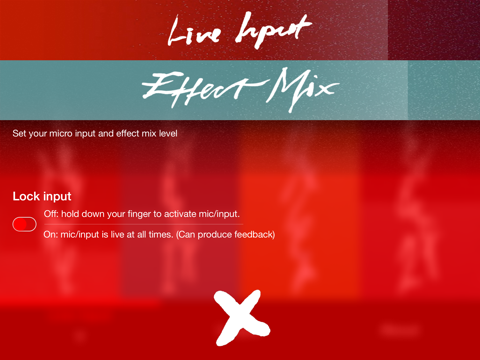
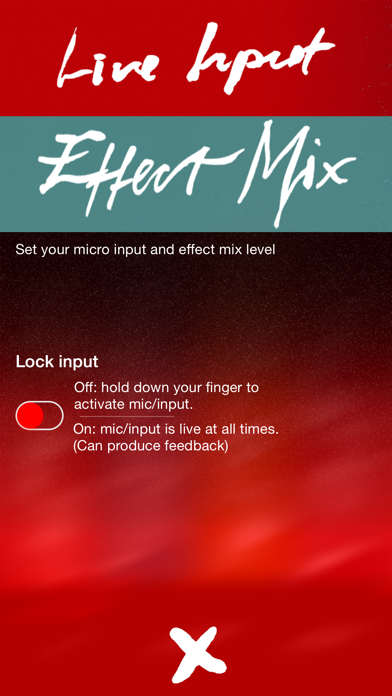
- Make inputs by holding down your finger, or lock input for continuous sampling
- Inter-App-Audio supported
- Audiobus supported
www.mouseonmars.com/mominstruments
Features artwork by Rupert Smyth. Pure Data-based, open source patch created by Florian Grote and Peter Kirn with Mouse on Mars. App design by Oliver Greschke. Powered by free and open source software libpd.
Note: like all mic-based effects, you need to enable microphone input. If you accidentally did not allow mic input, you can allow later via: Device settings, WretchUp, Data settings, Microphone, allow mic input.

iOS Mars: "Barely controlled chaos“, "sonic extremes“, "well suited for live use“
Music App Blog: "if you like the occasional dose of sonic mayhem, then this is an app that will let you make it"
WretchUp is the sonic instrument from the imagination of Mouse on Mars Instruments. Used by the duo in their live performances, it's a playable effect inspired by analog hardware. Sing into it, speak into it, plug in an instrument, sample sounds, and then make sonic mayhem.
It's been tested in Mouse on Mars' live shows and used in studio albums. But now it's available to anyone - whether you're a musician wanting to create unique sounds or you just want to make some wild noises and frighten friends and enemies.
// FEATURES
- Pitch-shifted delay with feedback and filter
- Unique controls, designed to be used in live performance and tested onstage
- Play with gestures, even without looking closely at the screen
- Record vocals or instruments from the built-in mic or another input
- Sample loops and change their speed
- Adjust the feedback loop, pitch, and filter for unique sounds
- Make inputs by holding down your finger, or lock input for continuous sampling
- Inter-App-Audio supported
- Audiobus supported
www.mouseonmars.com/mominstruments
Features artwork by Rupert Smyth. Pure Data-based, open source patch created by Florian Grote and Peter Kirn with Mouse on Mars. App design by Oliver Greschke. Powered by free and open source software libpd.
Note: like all mic-based effects, you need to enable microphone input. If you accidentally did not allow mic input, you can allow later via: Device settings, WretchUp, Data settings, Microphone, allow mic input.
Show More
What's New in the Latest Version 1.5.1
Last updated on Dec 10, 2024
Old Versions
Bugfix sound issues / Audiobus Update
Show More
Version History
1.5.1
Dec 10, 2024
Bugfix sound issues / Audiobus Update
1.5
Nov 22, 2015
This app has been updated by Apple to display the Apple Watch app icon.
- iPad/Universal version
1.2.1
Apr 8, 2015
- minor graphical improvements
1.2
Dec 19, 2014
- Inter-App Audio integration (switch between host and WretchUp screen)
1.1
Dec 3, 2014
- improved Audiobus implementation (mix wet/dry signal)
- improved level faders
- additional fader in live input settings screen to mix between wet and dry signal
- improved level faders
- additional fader in live input settings screen to mix between wet and dry signal
1.0.3
Nov 13, 2014
- basic Audiobus support
1.0.2
Nov 2, 2014
- Debugged mic input level behavior (could be 0, when not initialized)
- Optimized feedback behavior (can not be 0 anymore)
- Direct iTunes link to rate the app (in about screen)
- Support Email (in about screen)
- Optimized feedback behavior (can not be 0 anymore)
- Direct iTunes link to rate the app (in about screen)
- Support Email (in about screen)
1.0.1
Oct 27, 2014
- Hint/Alert text if there is no mic input allowed
- Hint/Alert texts hide when tapping anywhere
- Mic input volume gets stored in device (in between sessions)
- Hint/Alert texts hide when tapping anywhere
- Mic input volume gets stored in device (in between sessions)
1.0
Oct 21, 2014
WretchUp FAQ
Click here to learn how to download WretchUp in restricted country or region.
Check the following list to see the minimum requirements of WretchUp.
iPhone
Requires iOS 11.0 or later.
iPad
Requires iPadOS 11.0 or later.
iPod touch
Requires iOS 11.0 or later.
WretchUp supports English