SolutionView 2.3.12 Release Notes
We’re excited to share the latest updates in SolutionView! This release introduces key improvements to service product designation in Improveit 360 and enhancements to the Product Placement Tool to streamline workflows and improve usability.
Service Product Designation in Improveit 360
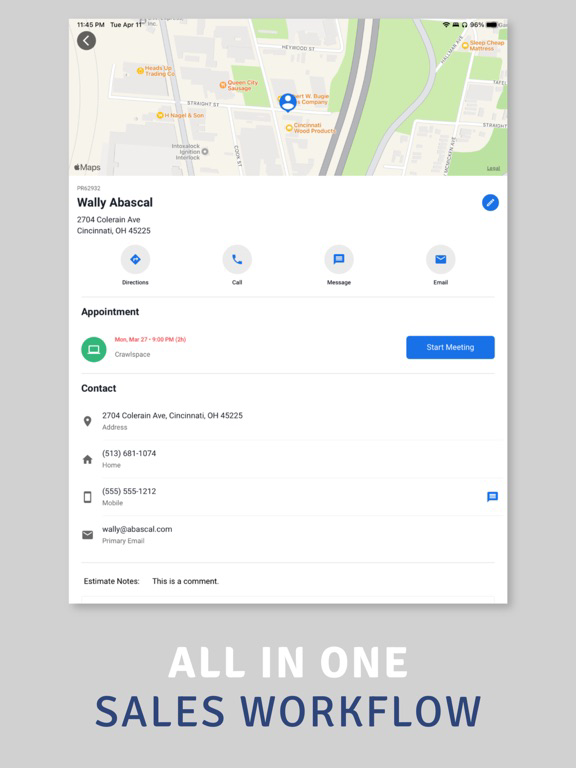
For SolutionView users utilizing service appointments, there is now additional configuration for the “Install Today” option that enables products to be separated into two distinct sales in Improveit 360. This enhancement helps to better organize products that are installed that day versus those scheduled for future installation within the CRM.
Benefits Include: Automatically separate products into two sales orders based on their installation timing.
Ensures proper deposit collection for products installed today. Helps the back office with material allocation, payment processing, and scheduling future work.
Note: This functionality is available upon request. Please contact SolutionView to enable it for your team.
Product Placement Tool Enhancements
Products Available for Artwork
Now, when products are manually added to a project not present in Project 1, they will be included in the product placement tool to be placed on the drawing. This ensures that every relevant product is available for placement across all projects.
Base Image Improvements
We’ve made enhancements to better support third-party drawing applications. When images are modified during an appointment, those changes will now appear automatically in contract PDFs, streamlining the process and reducing the need for manual intervention.
As always, we are committed to enhancing your experience with SolutionView. Please reach out if you have any questions or need assistance enabling any of these features.
Let me know if you’d like to adjust any details!
We made a fix for generating drawing on complete page.
This release includes changes related to custom quantity labels, generation of product drawings, project naming, and removing photos from overview forms.
This addresses an issue with editing product quantities.
We're excited to bring you the latest updates in SolutionView 2.3.8! This release includes many new features and improvements designed to enhance your workflow and improve the customer experience.
Customer Information
Project Information: A new section called Project Information is now available in the Customer Info form in the Overview section. Specify the project name and set a different project address. This information is added to contract PDFs under a 'Job Location' section.
Inspection
Drawing Visibility Field: Your project drawing can be made visible within an inspection form. For sales reps that do a drawing first, place the drawing within a form to reference for inspection details.
Field Requirements: Have a hard time remembering to complete details within an inspection form? Fields can now be set to be required, which will visually remind sales reps to complete the fields.
Drawing Tool
Inspection Details: There is now an additional icon in the top toolbar that gives sales reps access to the inspection details. They can use the details to draw accurately without leaving the drawing tool.
Set Canvas Size: Sales reps can now set the canvas width and height when entering the drawing tool, allowing for better customization of drawings that are not created outside of SolutionView.
Undo Options: All dynamic shapes now include an undo button in the bottom left of the drawing tool when being added. This feature allows sales reps to remove their last action, making it easier to correct mistakes.
Number Pad: For shapes with distance measurements, sales reps can click the measurement to bring up a number pad and specify the exact length.
Line Customization: Lines can now be set to dashed lines to help separate them from other line artwork.
Rectangles: Users can now rotate rectangles within the canvas.
Additional Improvements: The drawing tool has undergone several tweaks and enhancements, improving its overall functionality and impact on projects after drawings are saved.
Findings
Photo List: Sales reps can now display photos added to a form in the Details tab. Press 'Photos List' to show all corresponding photos in a grid layout, more quickly sharing with customers.
Default Notes
Default notes can now be added to appointments. These notes appear in the notes section and can be included in the customer PDF if the sales rep chooses. For companies integrated with a CRM, these notes will be included in the appointment update in the CRM when the appointment is finalized.
Solution Detail
In the Solution Detail screen, sub-areas are now visible as chips. Selecting or deselecting these chips will add or remove these areas from each product included in the solution.
Project Section
Product Editing: A new feature allows users to edit product pricing when accessing solutions from the Project section. When enabled, editing a price will update the product pricing in all associated projects. A message reminds sales reps that the product pricing will be updated universally.
Complete Screen
Complete Appointment Forms: The complete appointment screen now supports multiple forms based on the appointment result. Companies can have forms specific to appointments resulted as Sold, Pending, or custom statuses.
Complete Appointment Field Requirements: Form fields within a complete form can now be marked as required, ensuring important fields are not overlooked by sales reps.
PDFs
Job Details Section: The Job Details section in standard PDFs now includes notes from the appointment quick nav, provided they are marked 'Show in Customer PDF.'
Discount Descriptions: Descriptions for override discount types will now appear below the discount in the Proposal Summary.
Email Consolidation
Customer Portal Email: Emails containing the customer portal link now include both the PDFs and the access link in one email, reducing the number of emails sent and consolidating all necessary information for the customer.
We’re excited to bring you the latest updates in SolutionView 2.3.6! This release includes several new features and improvements designed to enhance your workflow and improve the customer experience.
CRM Calendar Update
Enhanced Color Coding: Companies can now color code events on the calendar for better organization.
Salesforce Integration: Enhanced display of information on calendar events for Salesforce users.
Project Screens
Improved Visibility: Larger text for project breakdowns on single project views to enhance visibility for customers.
Products as Install Today or Not Today
New feature to mark products as installable today or not, perfect for service-type appointments.
Solution Level Marking: Products are marked at the solution level in the project screens and applied to the products within each solution.
Project Breakdown: The project breakdown in the app and on contract PDFs will now reflect what is owed based not the products being installed today or later, and what is owed today based on the project being installed and the deposit for later work.
PDF Separation: Contract PDFs will separate products based on whether they are installed today or later.
Design Enhancements
Present Screen: Presentation queue interface now adjusts dynamically based on screen size and device orientation.
Comparison Screen: Adjusted spacing between solutions on the comparison screen for better visibility.
Specifications: Better display of options selected on the specifications screen.
PDF Updates
Contract PDF: Option to hide discounts from appearing on the customer contract PDF.
Job Information Page: Simplified project summary available, excluding data like commissions.
E-Sign Enhancements: Signatures and initials that are not required are now optional for a signing customer, and this detail will be reflected in generated PDF documents.
Customer Contract Email
Enhanced Subject Line: Company name now included in the subject line of customer emails.
Consolidated Emails: When generating PDFs for multiple projects, they will now be included in a single email instead of multiple emails.
Bug Fixes
Support Organizations: Resolved issue where switching between companies was not possible.
Product Pricing: Fixed issue where products set to $0.00 couldn’t have their prices changed.
Presentation: Fixed issue where solutions were not being automatically added to the presentation section.
Enjoy the new updates and enhancements in SolutionView 2.3.6!
Fixed communication with ArcSite server.
What’s new in SolutionView 2.3.4
New Features and Improvements
Pricing List Automation
Salesforce Market Segments: We’ve added a new feature that integrates with Salesforce to automate configuration and pricing list selection. Now, when you create appointments and set the market segment field in your CRM, SolutionView will automatically select the corresponding configuration and price list when the meeting begins. Streamline your sales process with this seamless automation!
Product Placement Tool
Oval Shape: Introducing the new oval shape tool! You can now add and adjust oval shapes in your drawings, perfect for creating precise diagrams. Adjust it to a perfect circle or an oval shape as needed.
Bug Fixes
Document Fix: We’ve resolved an issue where product artwork wouldn’t display in the Contract PDFs if products were included in sub-areas but not in the main area of the project. Your documents will now display all product artwork correctly.
Global Values Fix: Fixed an issue with global numeric or calculated values in automated forms. Previously, incorrect values would appear when forms were automated from the newly introduced Accomplish List field type. Forms will now reflect the correct values, ensuring accurate data across all your documents.
Thank you for using SolutionView! We’re continually working to improve your experience and help you redefine your sales process. If you have any feedback or suggestions, feel free to reach out to us.
What’s New in SolutionView 2.3.3
We’re thrilled to announce the latest enhancements in SolutionView 2.3.3, designed to streamline your workflows and improve the customization and navigation of features according to your business needs. Discover the updates that make managing sales workflows more intuitive and effective.
Form Enhancements
Add Solutions Enhancement: Solutions can now be sorted based on company preferences instead of just alphabetically, allowing for a more tailored and efficient experience when adding solutions to forms.
Presentation and Project Enhancements
Solution Details: Dive deeper with enhanced features:
Product sub-areas are now hidden by default but can be displayed easily.
Newly designed 'Add' and 'Remove' product buttons.
Sub-area titles are now conveniently displayed under the product title when not all sub-areas are added.
Enhanced navigational buttons to proceed to the Project Cart or Continue Presentation after adding or declining solutions.
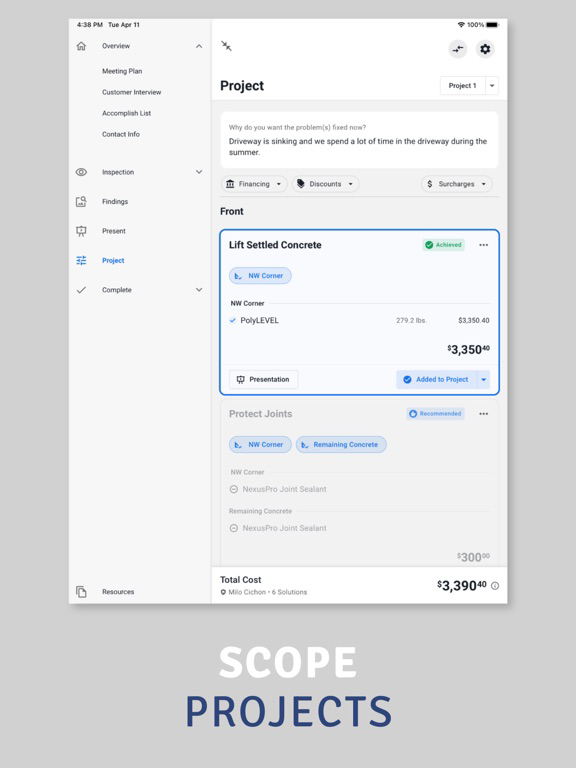
Project Cart: Introducing a new Project Cart screen accessible via the “Your Project” button. Review solutions with statuses like “Added to Project” or “Declined” alongside the “Customer Why” feature, providing insights right at the top, and a summarized project cost at the bottom.
Solution Cards: Updated solution cards now feature a direct access button with a chevron to view solution details seamlessly. Sub-area chips are visible directly on the card, improving selection visibility and management. Lastly, for solutions that include products with sub-areas, each product is summarized into one row.
Product Placement Tool Enhancements
Customize Defaults: Admins now have the ability to set default configurations for Product Placement Tools, like grid visibility and measurement settings, streamlining setup across your team.
Contract PDF Enhancements
Solution Recommendations: Enhanced to include deselected products or the remainder of recommended quantities within solution recommendations on contract PDFs.
Job Information Page: Now features the option to include selected drawings at the end of the job information pages, further enhancing project comprehensiveness and clarity.
SolutionView E-Sign Integration
Automatic PDF Tagging: E-signatures are simplified with automatic tagging of PDF documents for e-signature via the customer portal, eliminating the manual tagging process and streamlining document preparation.
Efficiency and Engagement
With SolutionView 2.3.3, your ability to manage and present project details is enhanced, ensuring that every interaction with your customer is as informative and efficient as possible. These updates are designed to help you streamline operations and enhance customer interactions, making every project smoother and more professional.
What’s New in SolutionView 2.3
Form Field Enhancements
Accomplish List Field Type:
Introducing a dynamic field type enabling the addition of forms and solutions directly into selected forms. This seamless integration meets specific sales process needs by making added solutions readily available for presentation.
Default Global Field Values:
Elevate your efficiency with fields automatically defaulting to global values. This applies across dropdowns, single-selects, and text fields, ensuring a cohesive data experience.
Solution Details Screen Revamp
Organized Tabs:
The Solution Details screen is now elegantly separated into tabs for drawings, findings, and products, making navigation and presentation clearer and more focused.
Drawing Annotations: Enhance your discussions with the ability to annotate drawings using a highlighter tool, perfect for emphasizing specific aspects directly with customers.
Presentation Screen Enhancements:
Streamlined for visibility, with a consolidated “start presentation” button and collapsible sections for intro, form/areas, and outro—intro being the primary focus upon screen opening.
Add Solutions Screen Improvement:
A clearer interface with 'Done' and 'Cancel' buttons, making selections straightforward and mistake-free.
Add Product Prompt Clarification:
Updated dialogues clarify the process of adding products with or without sub-areas, removing any confusion and enhancing user experience.
Product Placement Tool Upgrades
Drag-Select:
Introducing drag-select for easy adjustment of multiple objects.
Customizable Shapes:
In the shapes tool, companies can now create unique shapes including images, lines, and areas for a personalized touch.
Arc Line Dynamic Shape:
Draw custom curved lines on your canvas.
Snap Tool:
Enable snapping to the grid for precision while placing lines, objects, and areas.
Tool Reorganization:
Optimized placement of canvas and drawing tools to enhance accessibility and workflow.
Enhanced Line Drawing:
A new pulse animation indicates the starting point for line drawing, improving clarity and user interaction.
Discount Features
Form/Area Specific Discounts:
Offer discounts targeted at specific form/areas, providing flexibility and customization in promotions.
Automatic Default Discounts:
Streamline appointments with discounts that are automatically applied. For the new form/area specific discounts, those discounts will only be added if the form/area has been added to the appointment.
Project Comparison Enhancements
New display options to hide products or sub-areas for a cleaner comparison view, along with a toggle for viewing two or three projects.
Review & Complete Screen Enhancements
Review Screen:
The project summary now takes a prominent top position, ensuring project details is the first information the customer and you see when opening this screen.
Complete Screen:
A redesigned layout offers a clearer path to completing appointments, with options for form completion, customer portal contacts, and cloud sending options, including a choice to send the customer portal link each time you send to cloud.
Embracing Efficiency and Engagement
SolutionView 2.3 enriches the sales process with thoughtful enhancements aimed at streamlining operations and bolstering engagement. Each feature is designed with your workflow in mind, bringing us closer to a seamless, efficient, and highly engaging customer experience.
Welcome to the enhanced SolutionView—where every interaction counts.
What’s New in SolutionView 2.1.5
We’re excited to share the latest updates in SolutionView 2.1.5, designed to redefine your customer experience and streamline your sales process even further. This update includes enhancements to our Product Placement Tool, new automation functionalities, improved presentation capabilities, and extended contract functionalities. Let's dive into what's new!
Enhanced Product Placement Tool
Shape Libraries: Elevate your drawings with architectural shapes like stairs, doors, and appliances. Provide additional context and detail, making it easier to visualize the placement of products near these elements.
Photo Placement: Bring your drawings to life by adding photos directly or using a camera icon to associate multiple images. This feature also allows you to present areas to your customers through a photo slideshow.
Product Placement Improvements: Streamline your workflow with the ability to add new lines or areas without exiting the product placement mode. This update simplifies the process of placing products, by now included an “Add Area” or “Add Line” button in the bottom right within the product placement mode.
New Automation Capabilities
Global Field Values: Enhance form efficiency by filling out a field once and making it visible across other forms. This feature allows for seamless integration of inspection values and other relevant data, facilitating automation and reducing manual entry.
Project Total Automation: Leverage the project total to automate processes, such as permitting, based on the project size. This addition provides a more dynamic and responsive automation capability, tailored to your project needs.
Presentation Enhancement
Force Solution Presentations: Ensure that specific solutions, whether added, declined, or hidden, are presented according to your company’s customizations. This feature guarantees that your presentations always align with your strategic approach.
Contract Enhancements
Contract Groups: Gain clarity in project cost breakdown by categorizing products into groups such as materials, permitting, and insurance. This transparency helps customers understand their investment distribution more clearly.
Product Images & Signoff: Elevate your contracts with product imagery and a new signoff feature for these images, enhancing transparency and reducing potential disputes by confirming customer approval on product details.
Commission: Introducing the ability to add sales commission to a project. With this new feature, it includes flexibility in commission calculations with the ability to set custom project commission, either as percentages or fixed amounts. Tailor how commissions are included in the project by setting them to blend into the project or as an itemized line item.
Hide Products from Contract: Customize how products are presented to your customers, with the option to hide specific items from project screens and contract PDFs. This feature is ideal for managing visibility of labor costs or other unique items in a discreet manner. This feature is not recommended if you display itemized pricing to your customers.
We believe these updates will not only improve the efficiency and productivity of your sales process but also enhance the overall experience for your customers. SolutionView 2.1.5 is about more than just sales; it’s about creating a seamless, informative, and engaging journey for every customer.
As always, we’re here to support you in making the most of these new features. Your feedback is invaluable to us as we continue to refine and enhance SolutionView to meet your needs.
What’s New in SolutionView v2.1.4
Drawings are now named "SolutionView Drawing" and will be sent to your CRM and Customer Portal along with photos.
As always, we are committed to continuously improving SolutionView to better support your sales processes and customer engagement. We hope these updates enhance your experience and look forward to your feedback!
What’s New in SolutionView v2.1.3
Enhanced Form Functionality for Streamlined Product Recommendations
New Field Type: Filtered Product Recommendation Dropdown - Elevate your product recommendation process with our latest field type. This feature automatically populates a dropdown with products that align with set filters, based on properties or categories. Selecting a product from this dropdown adds it to the project, tailored to the defined quantity and solution parameters.
Complete Section Update
Customer Email Control - We’ve added a new layer of flexibility for documentation management. For businesses that have their Customer Packet automatically email customers, a handy switch in the Complete Section now enables you to choose whether to email the customer packet immediately or not. This allows for adjustments to the project without premature customer notifications, ensuring documentation is sent only when you're ready.
Tweaks for a More Accurate Contract Presentation
Deselected Products on Contract PDFs - We've refined the contract PDF generation process. Now, when a product is deselected from a customer's project, it will no longer appear in the Job Specifications sections of the contract PDFs. This update ensures that the contract accurately reflects the final customer selections.
As always, we are committed to continuously improving SolutionView to better support your sales processes and customer engagement. We hope these updates enhance your experience and look forward to your feedback!
What's New in SolutionView V2.1.2
For Non-CRM Users: Enhanced Calendar Functionality
Experience a more streamlined calendar view in SolutionView. We've introduced a range limitation feature to optimize loading times and improve usability. Don't worry - you can still easily access all past appointments through the “Open Company Proposals” button.
Form Enhancements for Tailored Product Recommendations
New Field Type: Filtered Product Recommendation - Introducing a smarter way to suggest products. This new field type filters the Add Products screen based on predefined properties or categories, helping you recommend the most relevant products to your customers.
New Field Type: Predefined Product Recommendation - Customize your product offerings with ease. This feature allows you to predefine specific products to populate in a dropdown field, streamlining the addition of these products to any project.
Refined Selection Screens for Project Adjustments
We've updated the selection screens for modifying a project’s discount, tax rate, and financing plans. Now, these screens are consistent with the look and feel of the Project Screens, ensuring a cohesive user experience.
Tweaks for Better Workflow Management
We're fine-tuning your experience: Customer Portal links will no longer be automatically sent to sales reps. This change provides better control over when and how customer information is shared.
Fixes for a Smoother SolutionView Experience
Contract PDF Pricing Clarity: We’ve resolved an issue where itemized pricing was inaccurately displayed on contract PDFs for forms with subareas lacking product quantities.
Job Info PDF Data Consistency: We've fixed a bug to ensure that all form data correctly appears on the Job Information PDF, maintaining the accuracy and reliability of project documentation.
Keep your feedback coming, and we'll keep refining SolutionView to redefine the customer experience in trades businesses. Enjoy the new version!
What's New in SolutionView 2.1.1
Tailored Forms for Enhanced Inspections:
Area Specific Solution Access
In inspection forms, access solutions specific to each inspection area directly. A new icon in the top right allows for quick addition of recommended, yet unassigned, solutions, streamlining your inspection process.
Sub-Area Automation
Introducing a new field type for forms with sub-areas. Create and select default sub-areas with preset titles effortlessly, enhancing efficiency during detailed inspections.
Solution Detail Screen Upgraded:
Edit Forms with Ease
Within the Solution Detail screen's Findings section, you can now edit inspection forms directly using a new pencil icon, perfect for quick adjustments or enhancing customer transparency about inspection findings.
Findings Screens Refined:
Enhanced Photo Display
Improved display of images in findings screens, especially photos taken within forms. This update optimizes screen space, ensuring important inspection details are front and center.
Navigating Projects Made Simpler:
Seamless Project Switching and Comparison
Experience a smoother transition when switching between projects and comparison views, now with the ability to click the full text next to the dropdown menu.
SolutionView Menu Updates:
Open Company Proposals
Renamed the menu item from “Download Proposals from Server” to “Open Company Proposals,” offering a clearer understanding of where to access, review, or modify proposals.
Issues Addressed for Smoother Operations:
Included Products Clarification
Fixed an issue where products marked as included were not always correctly marked in projects with sub-areas.
Proposal Pricing Accuracy
Resolved how product pricing was shown on the contract, where included products displayed full prices on proposals. These products now rightly appear as “Included,” ensuring proposal clarity.
Edit Product Functionality Enhanced
Addressed a glitch preventing users from setting product prices to negative values or discounting them to $0, offering more flexibility in pricing adjustments.
SolutionView 2.1.1 continues our journey in refining the sales workflow, making it more intuitive, efficient, and transparent. Dive into these new features and enjoy a smoother, more connected experience with your clients.
Document Enhancements for Clarity and Convenience
Product Clauses Added:
Proposals can now include product clauses that include dynamic data like sold quantity and unit price, offering clear, customized conditions alongside your products.
Document Packets & Recommended Drawing:
We've added flexibility in sharing the recommended drawing, ensuring it is included in the contract PDF regardless of your recommendation settings.
Job Information Page Revamp:
Introducing itemized pricing to the Job Information page printouts, catering to precise budget discussions and transparency with your clients.
Introducing Recommended Solutions Page:
A new optional page in your contract PDF showcases declined solutions, presenting customers with alternative options and the associated investment, keeping future possibilities open.
Appointment Summary Page Overhaul:
Upgraded layout for better readability and a neat photo grid at the bottom, transforming your appointment summaries into a visual narrative.
Presentation Enhancements for a Streamlined Experience
Solution Presentations Update:
Solution titles now prominently displayed within presentation mode, reinforcing the value and focus of the solution being presented.
Refined Accomplish List & Add Solutions Workflow:
Now when you select or add solutions, they are primed for presentation, aligning with companies requiring findings-based solution addition.
View Products Flow Enhancement:
Experience a seamless flow when reviewing products with a new screen that integrates inspection details, product listings, and solution status - a one-stop overview for informed decision-making. When advancing past this screen, you’ll also see a project review that includes the status of all solutions added to the project.
Include Products Toggle for Tailored Proposals:
Gain control over solution content with a toggle that defines whether products are included by default or require manual addition, tailoring proposals to each client's unique needs.
Solution Card Display Update:
A new "Review" button on solution cards prompts sales teams to review the solution and products, in cases where a company has the Include Products toggle turned off.
Accounting Details Enhancements for Precision
Set It and Forget It - Default Tax Rates and Finance Plans:
Configure your default tax rates and finance plans to be auto-selected, with the flexibility to switch as needed, streamlining your financial processes.
Project Editing Made Smoother
Annotator Tools Personalized:
Your preferred annotation settings are now saved and applied contextually, making your editing experience more intuitive and less repetitive. Settings used for markup on a photos, for example, won’t interrupt the settings set for photo annotation.
Edit Product Price Redefined:
Adjusting product prices is now a more natural and user-friendly process, taking the hassle out of price modifications.
Enhanced Product Filtering:
A more robust filtering system for products now supports detailed searches by price, properties, and categories, helping you find the perfect fit for your projects swiftly.
The Finishing Touches Before Finalization
Complete Section Revamped Review Screen:
An enhanced layout displaying selected financing plans enhances the review screen, mirroring the client's perspective for consistency between SolutionView and the customer portal.
Streamlining Meeting Setups
Set Default Status for Solutions:
Default statuses for common solutions can now be preset, saving time and ensuring consistency across your sales appointments.
Offline Login Fine-Tuned
The offline login process has been refined to accurately reflect connection issues, directing you appropriately when the internet is unavailable.
This update reaffirms our commitment to redefining the customer experience by enhancing the transparency, flexibility, and efficiency of your sales workflow. Explore the new dimensions of client engagement with SolutionView 2.1.0.
Elevating the SolutionView Experience: Here's What's New
Project View & Comparison Upgrades
Switching gears to project comparison is now smoother. Access it directly from the project selection dropdown, and view comparisons with the side navigation open for a wider perspective.
Revitalized Project Review Screen
We've woven in familiar design patterns for a cohesive feel across the app. Your project reviews just got clearer and more intuitive when you are completing your project.
Payment Screen Gets More Flexible
Ever wished you could delete a payment after creating it? Now you can, right from the Payment Screen.
Fixes
No more hiccups when deleting duplicated projects.
Customer signatures are now in place on the 'Right to Cancel' document.
Advanced calculators are now firing on all cylinders.
An issue with the project total calculating in products that were changed to hidden after being accepting has been resolved.
Streamlined, intuitive, and efficient. That's how we're refining the customer experience with this update. Dive in and explore the improved SolutionView.
Elevate Your Customer Experience with Our Latest Updates
Updated Customer Info Screen
We've spruced up the design for a more uniform look across the app, making it easier on the eyes while capturing customer information.
Revamped Payment Screen
The new layout of our Payment Screen is more intuitive than ever. With a clean overview of project details, payments, and project balance, closing deals just got smoother.
Introduce Default Presentations to Forms
You can now add default educational presentations to any form. Whether you're explaining the cause of an issue or presenting a high-level overview service types, assign presentations that can be used to enlighten your customers.
View Products Prompt
With this setting enabled, and during the presentation after each solution presentation, sales reps will now be prompted to go over the corresponding products, offering a tailored, step-by-step experience for the customer.
Customer-Centric View Products Screen
No longer just a setup screen, the View Products Screen now prioritizes customer interaction. The focus is on customer choices, but with an edit option still available for sales reps.
Recommended Solutions from Project Goals
If you're leveraging our new Project Goals feature, you’ll find it that added solutions solutions right now appear in your Project Setup as a recommended solution if it isn’t added during the inspection.
Customer Why Enhancements
Choose to only display answers in the 'Customer Why' field. A more streamlined look is just a setting away.
Fixes and Tweaks
A rare issue in pricing lists that would cause the app to crash when adding products has been resolved.
Aesthetic upgrades in various areas of the appointment.
With these updates, we're not just improving a sales workflow tool; we're redefining how your customers experience the entire sales process. Keep providing those tailored, insightful interactions that set your trades business apart.
Introducing an incremental release of SolutionView, featuring a range of updates aimed at refining both styling and functionality.
Styling and Functionality Updates:
In this release, we've made several minor yet impactful updates to the project settings, accomplish list, and project setup screens. These changes enhance the visual appeal and streamline the user experience without introducing major alterations.
Contract PDF Fix:
We've addressed an issue related to the contract PDF that occurred when products were placed in multiple areas with tiered or product minimum pricing. This fix ensures accurate itemized pricing display, eliminating any inconsistencies that may have arisen.
We're committed to delivering a seamless sales app experience, and your feedback is invaluable. Should you have any suggestions or come across any issues, please don't hesitate to contact our support team.
Thank you for choosing SolutionView! We hope these updates contribute to a more efficient and effective sales process.
We're excited to introduce the newest release of SolutionView, featuring various styling updates and improvements within the app.
Changes to Settings and Dropdowns:
We've made changes to settings and various dropdowns used in different sections of the app, including the project page, review page, comparison, and project settings. These enhancements aim to streamline your workflow and provide a smoother user experience.
Add Solutions Field Type and Findings Screen Interaction:
The new "Add Solutions" field type now interacts more seamlessly with the findings and project screens. Solutions added from the Add Solutions field will include a star symbol noting your customer's asked for that solution. Additionally, solutions that have been selected but not yet assigned to an area are now visible in the project page under "Additional Solutions," simplifying the process of assigning them to inspection areas. There will be no need for you to reassign solutions with the same title if they are added to an area later.
Contract PDF Updates:
To accommodate different currencies, we've removed the (USD) label from the contract PDF. This change ensures greater flexibility and accuracy in displaying currency information.
Login Page Changes:
We've made some updates to the login page to enhance the user experience.
Fix for Right to Cancel:
For companies using the Right to Cancel feature, we've resolved an issue where it was not appearing as expected.
We're dedicated to providing you with the best sales app experience, and we value your feedback. If you have any suggestions or encounter any issues, please don't hesitate to reach out to our support team.
Thank you for choosing SolutionView, and we hope you enjoy the improvements in this release!
We're thrilled to introduce the latest release of SolutionView, packed with exciting new features and enhancements to improve your sales process. Here's what's included:
New Form Field: Add Solutions:
Introducing a brand new field type that allows you to select and add solutions directly within your forms. Use this field to address customer concerns and showcase relevant solutions during the different stages of the appointment. It empowers you to demonstrate your capability to meet their needs effectively.
Findings Screen - Recommended Solutions:
The findings screen now includes a dedicated section for recommended solutions within each inspection area. This feature enables you to share out-of-scope solutions with the customer while reviewing inspection results. Presenting these options earlier in the process helps set the stage for the upcoming presentation and ensures comprehensive communication with the customer.
Presentation Options:
With the enhanced findings screen, you now have the option to include or exclude presentations from solutions that were not selected on the findings screen. This customization setting allows you to tailor the presentation based on your company preferences and provide a consistent presentation experience.
Discounts - Allow User to Edit:
Creating or editing discounts is now more flexible, as you can choose to make the discount editable. This setting enables you to specify a new amount or percentage for the discount, providing greater customization and adaptability in project pricing.
Tax Rates - Allow User to Edit:
You can now make tax rates editable when creating or editing them for a project. This feature is particularly useful for areas with multiple tax rates that may change frequently. It allows you to confidently specify the accurate tax rate before applying it to the project.
Project Goals:
Introducing Project Goals, a new way to include a form easily accessible from the side navigation or the quick navigation at the bottom of the appointment. This feature is ideal for keeping key customer details readily available without navigating to specific overview or inspection forms.
Overview Details in the Job Information Page:
Building on previous enhancements, you can now include details from overview forms in the job information page. The job information page is often used as a comprehensive internal document for review and an informative guide for the installation process and this enhancement ensures that additional customer details and concerns are accessible to the back office and installation crews.
Product Minimum Bug:
We have addressed a bug that occurred when editing a product that was included in sub-areas. When a user deselected sub-areas from a product, it had a negative impact on product minimum pricing. This issue has been addressed.
We value your feedback and are dedicated to improving your sales experience. Should you have any suggestions or encounter any issues, please don't hesitate to reach out to our support team.
Thank you for choosing SolutionView, and we hope you find these updates valuable for your sales processes!
We're thrilled to present the latest release of SolutionView, introducing an enhancement to forms, new functionality for quantity display customization and including products automatically, and a valuable integration feature. Here's what's included:
New Form Field - "Form Automation":
With the addition of this new field type, you can now automate forms in both the overview and inspect sections. By utilizing a set of checkboxes, you can easily automate customer interviews and inspection forms for specific services or offerings. This feature streamlines the process for companies offering multiple services, allowing for efficient form automation with just a single selection.
Include Products at No Cost:
A new setting is available for products that allows you to associate other products with them. When you add products in the product setup, they can be marked as included and will not count toward the project total. This feature is particularly useful for bundled services that include additional products. It prevents double charging, communicates added value to customers, and automatically includes associated products when adding a product offering that has several components.
Hide Quantity from Customer:
You now have the ability to customize how quantity is displayed to the customer for specific products. This setting allows you to change the label for quantity display, providing clarity for products with complex calculations or estimates. For example, you can display a quantity of 1 for products based on an estimate or other calculations that may not be clear to the customer.
Improved Integration with Improveit 360:
For companies using SolutionView integrated with Improveit 360, we've added a valuable integration feature. When an appointment is completed, SolutionView automatically creates a marketing opportunity in Improveit 360. This streamlines the follow-up and communication process, enabling different departments in your company to effectively manage and engage with completed appointments.
We value your feedback and are committed to providing you with the best sales app experience. Should you have any suggestions or encounter any issues, please don't hesitate to reach out to our support team.
Thank you for choosing SolutionView, and we hope you find these enhancements valuable for your sales processes!
We're thrilled to introduce the latest release of SolutionView, bringing significant enhancements and new features to streamline your sales process. Here's what's included:
Sub Area Form Feature Enhancements:
The sub area feature for forms has undergone a design overhaul to provide a better experience. Updating sub areas now visually mirrors the primary form/area. Sub areas are now created as a tab at the bottom of the form making it simple to toggle between sub areas and the primary area/form. Additionally, you'll now get the benefit of getting immediate feedback when automating solutions and quick access to the side navigation and quick nav bar.
Brand New Field Type: Sketch:
Introducing a brand new field type, Sketch, designed to provide a handwriting-like experience within SolutionView. This feature is ideal for users who prefer the feel of sketching on paper. You can customize the size of the sketch pad, including an optional grid for a familiar grid paper experience. The Sketch field type also supports drawing directly onto an image, making it easy to incorporate worksheets, sell sheets, or other previously paper documents used during appointments. The final sketch field result is saved with the project and can be sent to your company's CRM if desired.
Contract PDF Enhancements:
Customizing your contract PDF has been further expanded. You can add a disclaimer to the customer consent section that displays with a large and bold font, ensuring clear understanding. Additionally, initials can be added below the customer consent section, allowing customers to sign off on specific project details. Global project warranties can now be assigned to the entire project, ensuring that global warranties are never missed. Lastly, a new feature called "Additional Notes" that can be included and is visible in the Specifications section, includes functionality to include default text that can then be edited later based on specific project requirements.
We're dedicated to providing you with the best sales app experience, and we value your feedback. Should you have any suggestions or encounter any issues, please don't hesitate to reach out to our support team.
Thank you for choosing SolutionView, and we hope you enjoy these exciting updates!
We're excited to announce the latest release of SolutionView, packed with new features and improvements to enhance your sales experience. Here's what's new:
Findings: Access the full form by pressing the pencil icon. Make quick changes that can impact automation. For example, a color or style option on a product that the customer wants to choose.
Project Minimums: You can now enforce project minimum requirements on the total project and area levels, ensuring that all necessary criteria are met.
Financing Plans Selector Feature: The financing grids now consider deposit requirements, providing more accurate calculations for financing options.
Job Information PDF: The Job Information Page has been enhanced to include details from inspect forms, giving you a comprehensive view of project information.
Drawing: In the complete section, you can now add a recommended drawing, making it easier to communicate and visualize project recommendations.
Contract PDF: User information specified in the user settings now displays in the Prepared by section of the contract. Additionally, a new feature allows a copy of the contract to be sent to the salesperson each time the appointment is completed.
Product Discount Functionality: You can now create discounts that specifically apply to products in specified categories, allowing for more targeted pricing strategies.
CRM Integration Enhancements: For i360 integration users, a SolutionView Comment is created each time the appointment is marked as Sold or Pending. All CRM integration users now have the ability to customize result status titles and choose which status updates are sent to the CRM appointment.
UI/UX Updates and Bug Fixes: We've made several styling enhancements and addressed various bugs, improving the overall user experience and ensuring a smoother workflow.
Thank you for choosing SolutionView! We're committed to providing you with the best tools and continuously improving our app. Should you have any feedback or encounter any issues, please don't hesitate to reach out to our support team.
We're excited to announce the latest release of SolutionView! This update brings a range of improvements to enhance your user experience, simplify key areas, and address several bugs.
We greatly value your feedback, and if you have any suggestions or encounter any issues, please don't hesitate to reach out to our support team.
Thank you for choosing SolutionView as your trusted app. We hope you enjoy these enhancements, and we look forward to serving you better in future updates!