TextCode Editor
Professional Code Editor
GrátisOffers In-App Purchases
3.0for iPhone, iPad and more
Age Rating
TextCode Editor Capturas de tela
About TextCode Editor
## TextCode Editor - A Comfortable Text Editor for Code, Markup and Prose.
## Why Would You Need a More Advanced Text Editor? Developers use text editors to make code changes using HTML, CSS, JavaScript, or any other programming language. If you don’t know a file’s format, you can open it with the text editor to view the source code. The process is always difficult on mobile device, but TextCode Editor can make the process much easier.
## Some Features:
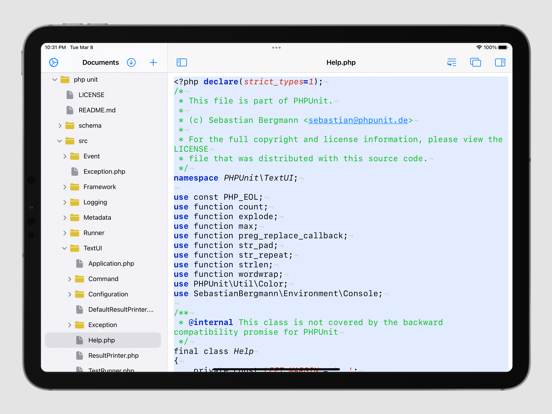
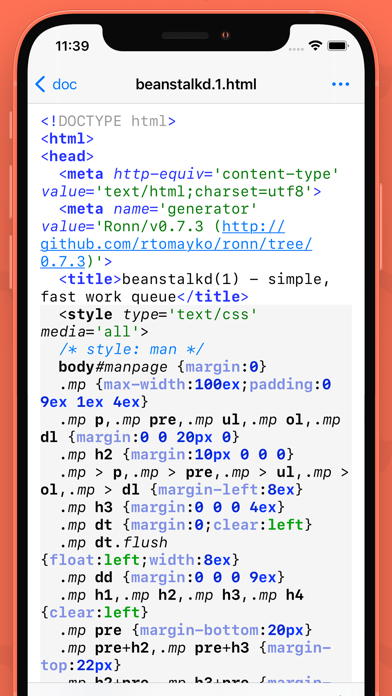
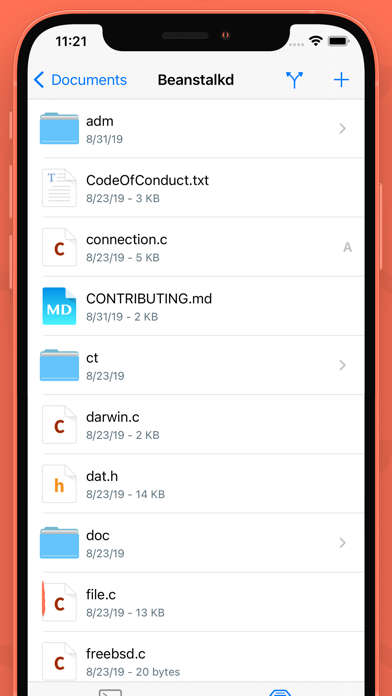
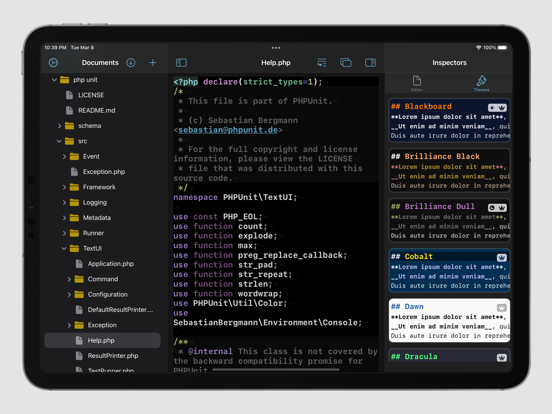
- Powerful Syntax Highlighting: C, C#, C++, CoffeeScript, CSS, D, Erlang, Fortran, Go, Groovy, Haskell, HTML, Java, JavaScript, LaTex, LESS, Markdown, Objective-C, Objective-C++, Pascal, Perl, PHP, Prolog, Python, R, Ruby, Shell Script, SQL, Swift and so on.
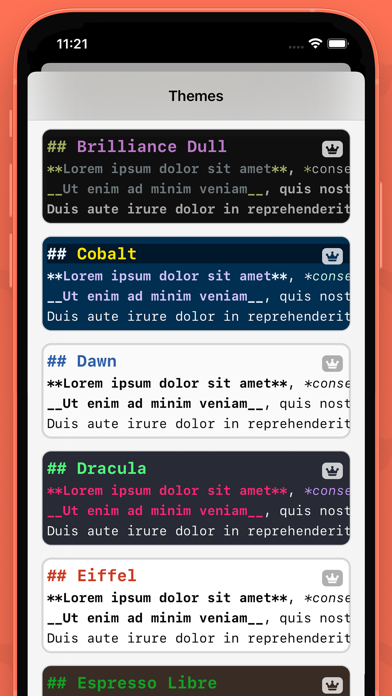
- Coloring Themes: Solarized, Tommorrow and so on.
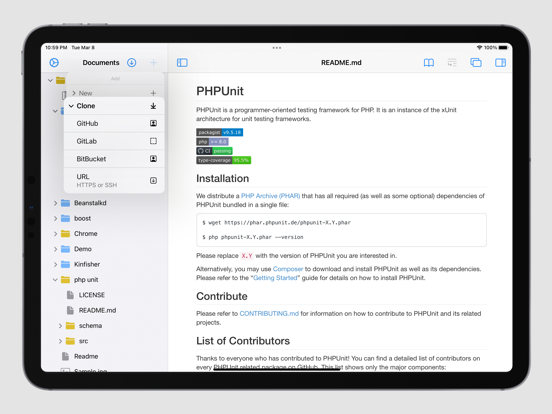
- Integrates with GitHub, Bitbucket and GitLab.
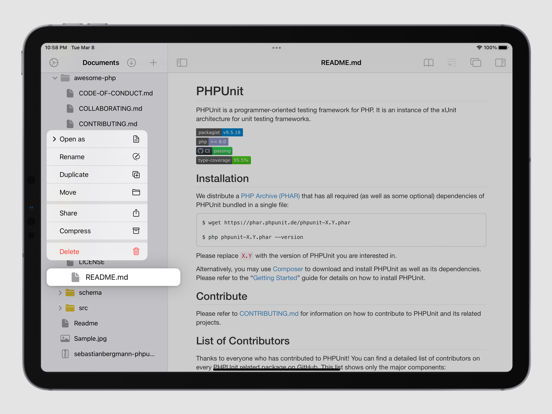
- Markdown & HTML Quick Preview.
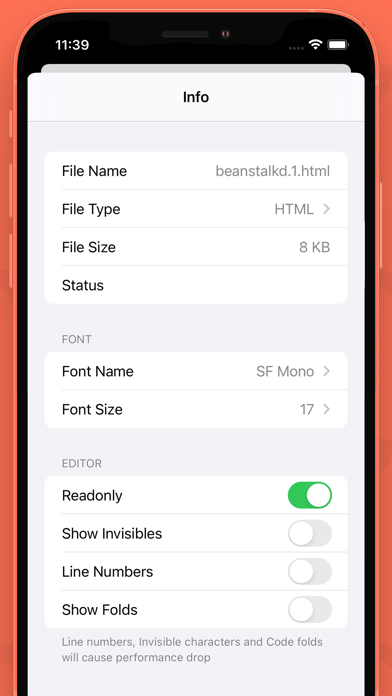
- Show Line Numbers.
- Regex Find & Search.
- Document Structure Display.
- Source Control Manager.

## Why Would You Need a More Advanced Text Editor? Developers use text editors to make code changes using HTML, CSS, JavaScript, or any other programming language. If you don’t know a file’s format, you can open it with the text editor to view the source code. The process is always difficult on mobile device, but TextCode Editor can make the process much easier.
## Some Features:
- Powerful Syntax Highlighting: C, C#, C++, CoffeeScript, CSS, D, Erlang, Fortran, Go, Groovy, Haskell, HTML, Java, JavaScript, LaTex, LESS, Markdown, Objective-C, Objective-C++, Pascal, Perl, PHP, Prolog, Python, R, Ruby, Shell Script, SQL, Swift and so on.
- Coloring Themes: Solarized, Tommorrow and so on.
- Integrates with GitHub, Bitbucket and GitLab.
- Markdown & HTML Quick Preview.
- Show Line Numbers.
- Regex Find & Search.
- Document Structure Display.
- Source Control Manager.
Show More
Novidades da Última Versão 3.0
Last updated on Feb 6, 2023
Versões Antigas
BUG FIXES
Show More
Version History
3.0
Feb 6, 2023
BUG FIXES
2.0
Apr 12, 2021
+ Full Text Searching.
+ Readonly mode supported.
1.0.5
Mar 23, 2020
• NEW Show file changes in history. NOW can checkout & reset a commit.
• FIXED Syntax highlighting code block in Markdown file.
1.0.4
Feb 20, 2020
+ Add Context Menu support for File Browser.
+ Fix crash bug for some situation on iPad.
+ Add snippets for Markdown & Java.
+ Fix crash bug for some situation on iPad.
+ Add snippets for Markdown & Java.
1.0.3
Jan 15, 2020
+ New UI design.
+ Add GitLab & BitBucket Support.
1.0.2
Oct 6, 2017
Updated Ads.
1.0.1
Oct 3, 2017
+ Bug fixes
+ Add Fetch,Pull,Push feature
+ Add (S)FTP support
+ Add Fetch,Pull,Push feature
+ Add (S)FTP support
1.0
Jun 4, 2016
TextCode Editor FAQ
Clique aqui para saber como baixar TextCode Editor em um país ou região restrita.
Confira a lista a seguir para ver os requisitos mínimos de TextCode Editor.
iPhone
Requer o iOS 14.0 ou posterior.
iPad
Requer o iPadOS 14.0 ou posterior.
iPod touch
Requer o iOS 14.0 ou posterior.
TextCode Editor suporta Alemão, Chinês simplificado, Chinês tradicional, Coreano, Espanhol, Francês, Inglês, Italiano, Japonês, Russo, Turco, Vietnamita, Árabe
TextCode Editor contém compras no aplicativo. Verifique o plano de preços abaixo:
Unlock All Themes
R$ 39,90
JavaScript Syntax Highlighting
R$ 14,90
PHP Syntax Highlighting
R$ 14,90
Java Syntax Highlighting
R$ 14,90
C# Syntax Highlighting
R$ 14,90
VHDL Syntax Highlighting
R$ 9,90
R Syntax Highlighting
R$ 14,90
Swift Syntax Highlighting
R$ 14,90
SCSS Syntax Highlighting
R$ 9,90
Go Syntax Highlighting
R$ 14,90