HyperList

HyperList


0,99 €Best Deal Ever
2.0.2for iPhone, iPad and more
SGB Services, LLC
Developer
7,8 MB
Size
Jan 11, 2026
Update Date
Utilities
Category
Age Rating
4+
Apps in this category do not contain restricted content.
9+
Apps in this category may contain mild or occasional cartoon, fantasy or real-life violence, as well as occasional or mild adult, sexually suggestive or horrifying content and may not be suitable for children under 9 years of age.
12+
Apps in this category may contain occasional mild indecent language, frequent or intense cartoon or real-life violence, minor or occasional adult or sexually suggestive material, and simulated gambling, and may be for children under 12 years of age.
17+
You must be at least 17 years old to access this App.
Apps in this category may contain frequent and intense offensive language; Frequent and intense cartoon, fantasy or realistic violence: frequent and intense adult, scary and sexually suggestive subjects: as well as sexual content, nudity, tobacco, alcohol and drugs, may not be suitable for children under 17 years of age.
HyperList Screenshots
HyperList PlakatHyperList PlakatHyperList PlakatHyperList PlakatHyperList PlakatHyperList PlakatHyperList PlakatHyperList Plakat

About HyperList

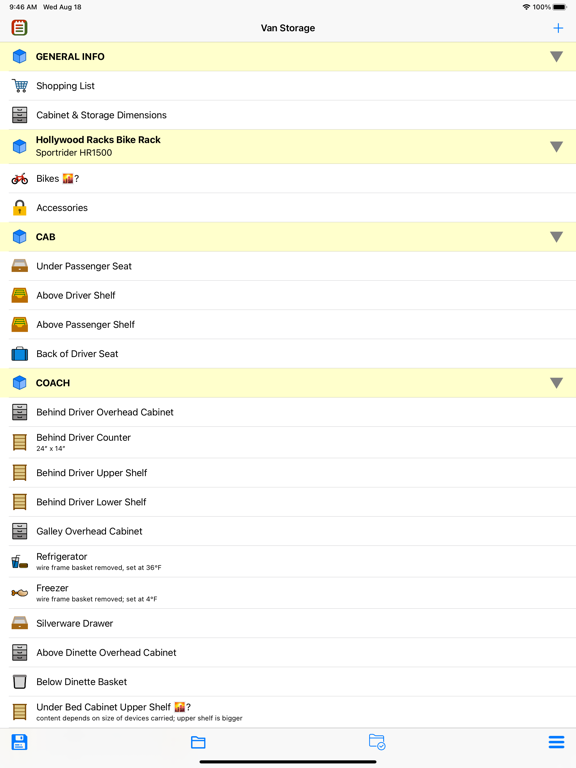
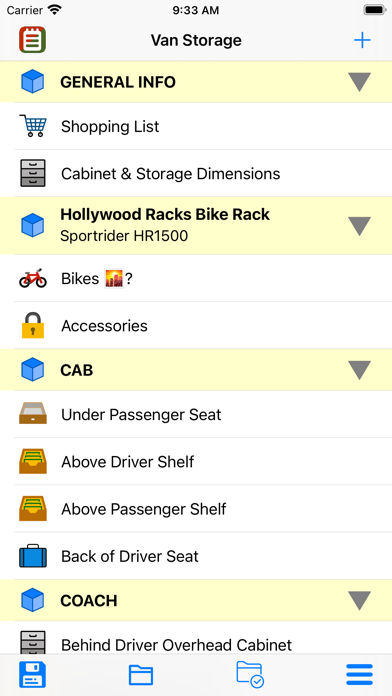
HyperList is a full-featured app for creating and using Lists of all types. Its design includes intuitive use, a simple appearance, and an extensive array of list customizations. Build your list the way you want it!

Features include:

- Save and share individual lists or bundles of lists in HyperList format. You may have different lists or bundles on different devices, and can save them either on the device and/or in iCloud

- Individual lists can be saved, shared, and re-imported in comma-separated-variables (*.csv) files. This allows you to view a list in your favorite spreadsheet or text editor

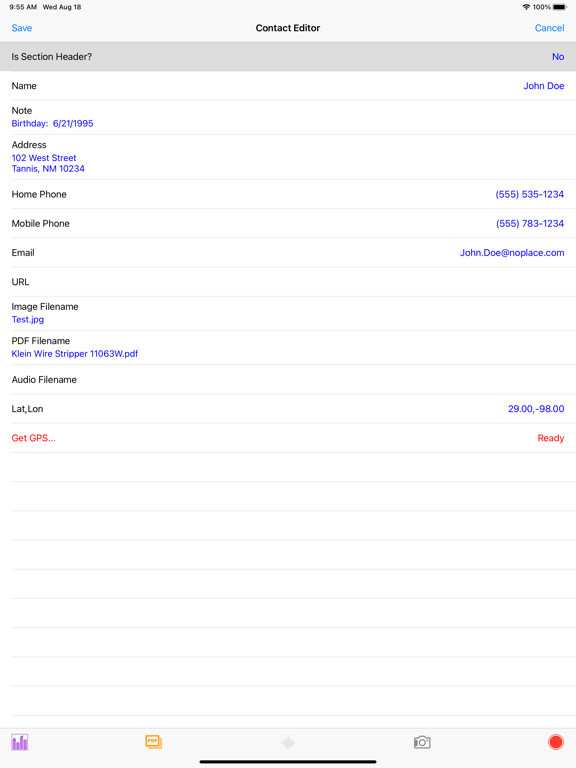
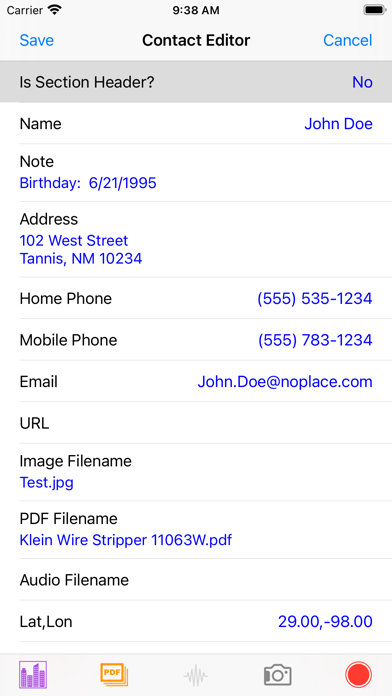
- List items can include text, images, PDF’s, audio and GPS locations

- Checklists can be uploaded to an Apple Watch where items can be marked as completed (or not). Changes can be downloaded and merged into the original iPhone list

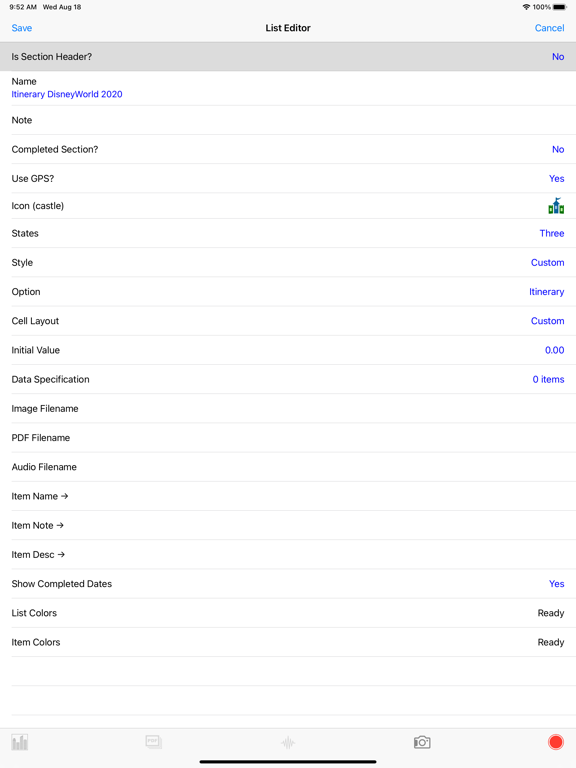
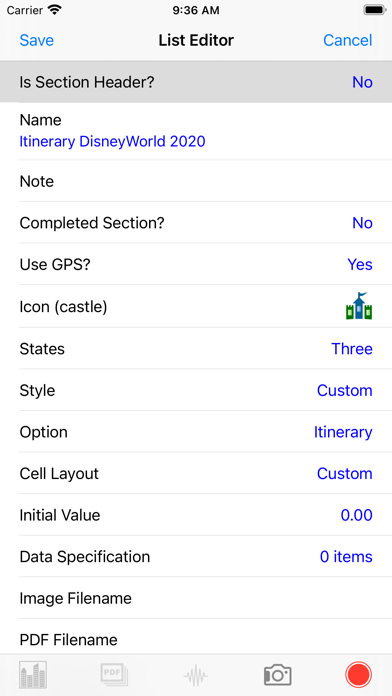
- A list editor allows the choice of different types of lists, a list icon, cell layout for presenting list items in tables, and the option of having a distinct ‘Completed’ items section

- List items and bundles may be separated into sections with unique section headers. Sections of items may be collapsed or expanded

- Lists may now be three-state. Items on the list may be inactive, normal, or completed. You can hide items marked as inactive

- A search bar is now available to search long (or short) lists for specific content. Virtually all text fields are searched

- Standard lists may use check boxes, bullets, dashes, numbers, or just be plain text
-- List items may be a combination of item title and content or just content
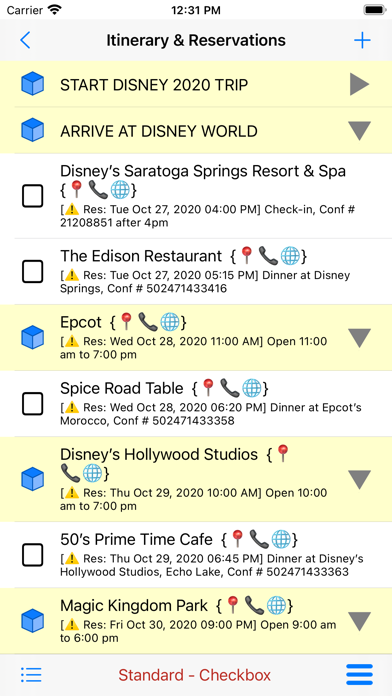
-- Collapsible Section Headers may be added to group items
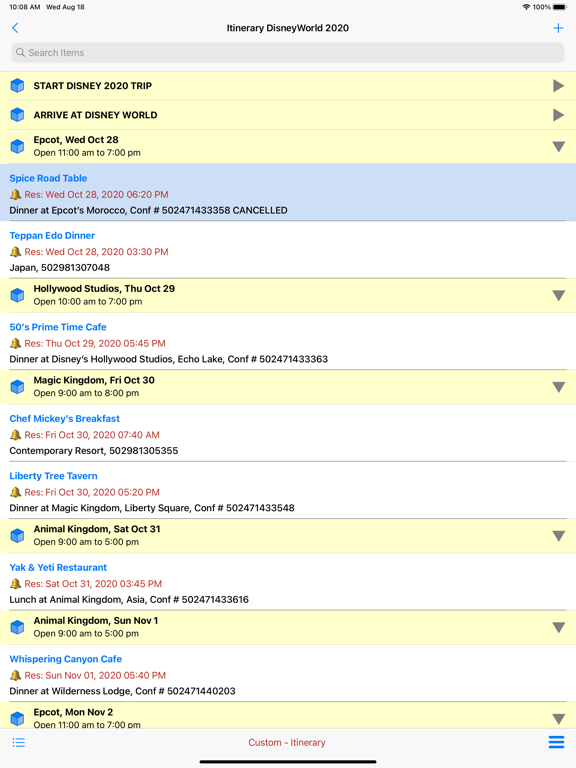
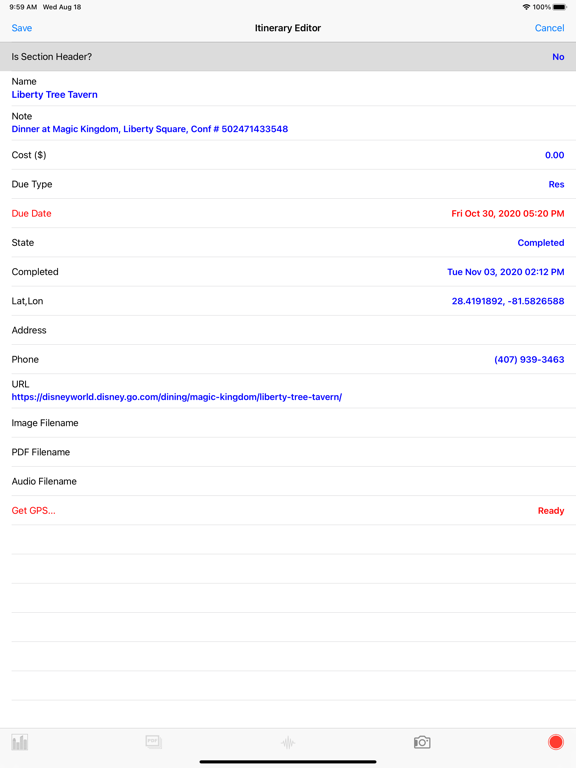
-- Dates/times can be specified and identified as due dates, reservations, appointments or just an ‘about’ date
-- Item creation and completion can be tracked

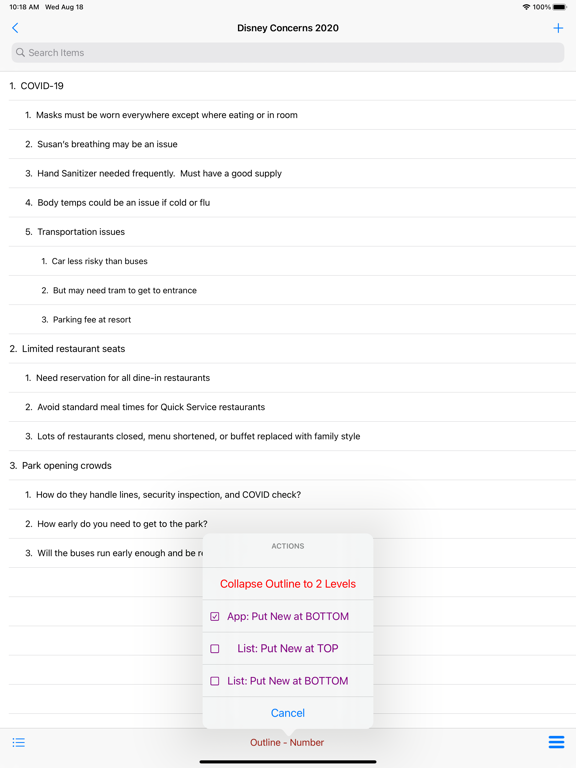
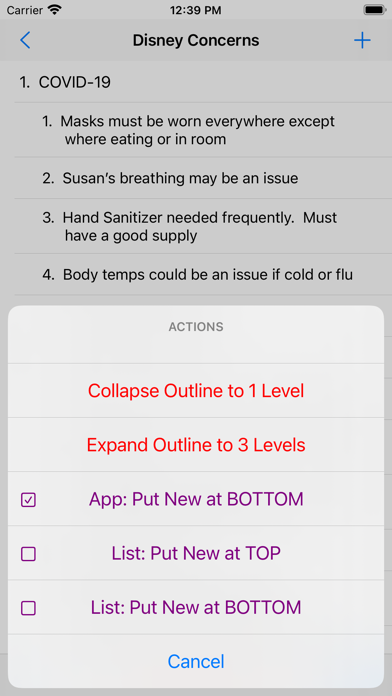
- Outline lists may use bullets, dashes or numbers up to 3 levels
-- Outline lists may be collapsed to expanded to different levels
-- Numbering is automated
-- New rows by default are added at the same level as previous rows

- Custom lists include: business listings, contacts, diary, itinerary, mileage, pack weight, shopping, expenditures, account, catalog, FAQ and data

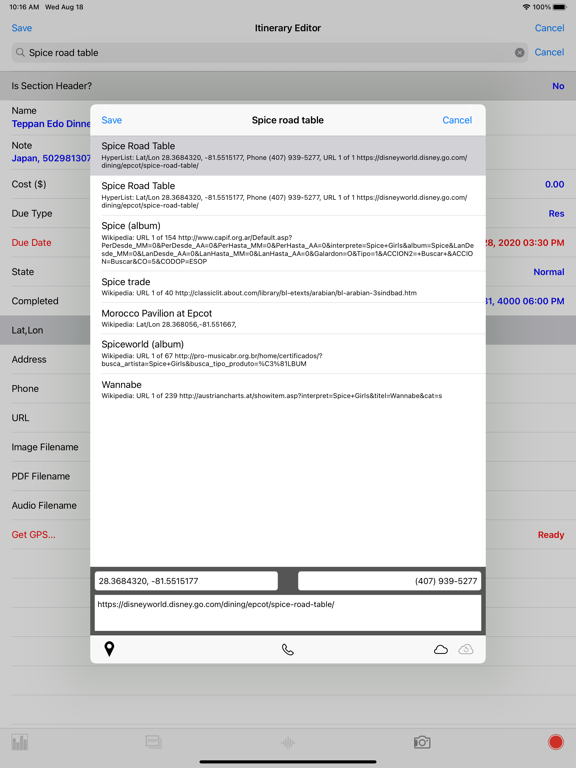
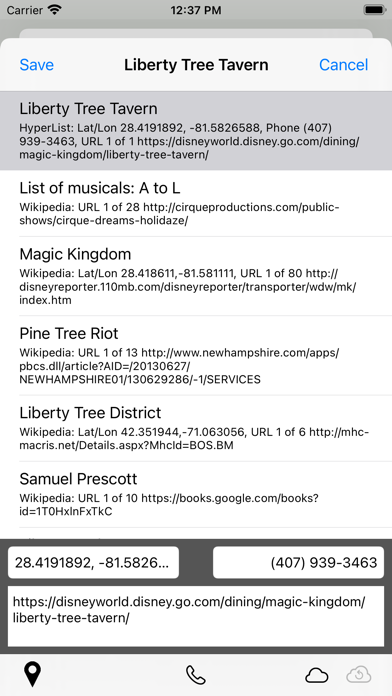
- Business listings allow searches of Apple’s Geocoder, the Geonames database, and Wikipedia to find URLs and locations

- Item editors include a generic editor for standard lists, and customized editors for outlines and custom lists. All editors use a standardized table-style layout

- A Quick Look viewer lets the user see all list item properties at a glance

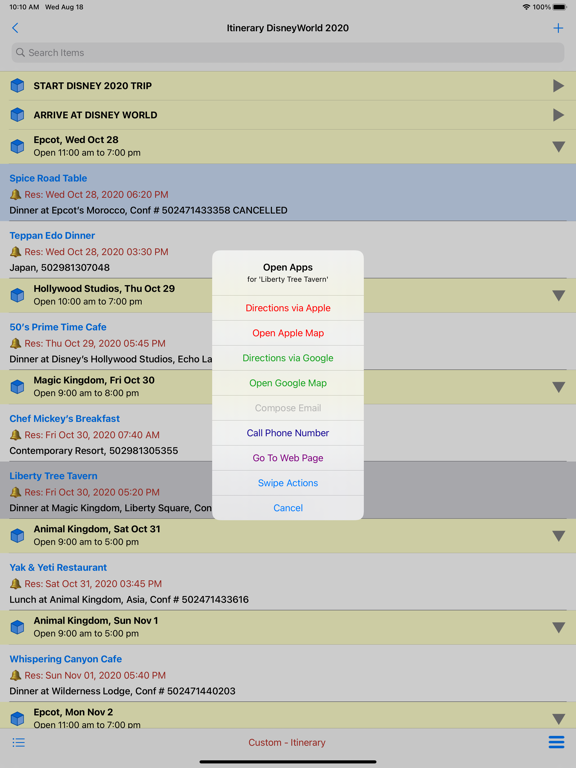
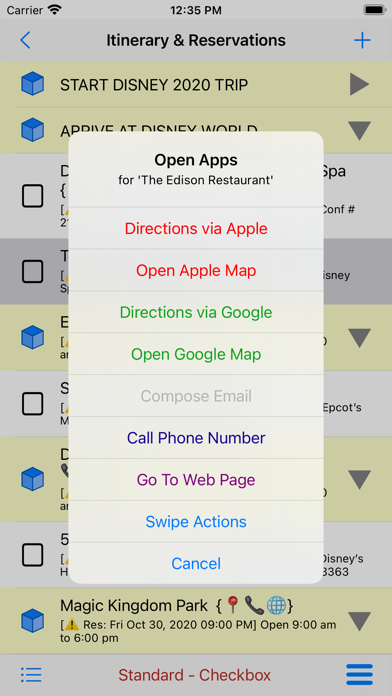
- List items with locations, addresses, phone numbers, or URLs permit the user to open external apps
-- Apple Maps or Google Maps may be used for driving directions or just mapping a location
-- Your device’s Phone will dial phone numbers
-- Your device’s default web browser will open a URL

- The interface for user interaction is extensive
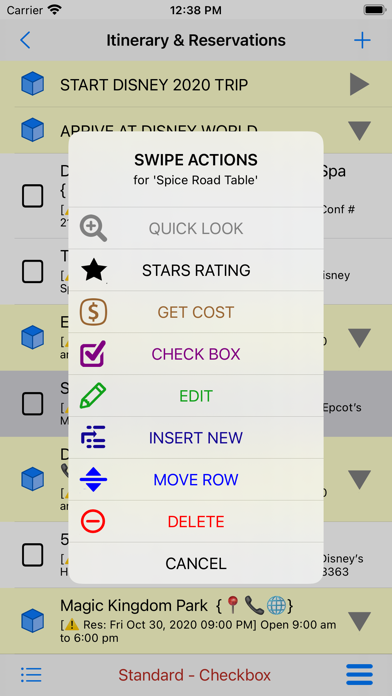
-- Left and right swipes on Lists and their Items will present a broad variety of editing options
-- Long presses (or mouse click and hold) will bring up an equivalent set of options

- A dedicated, in-app Help text and graphical system make it easy for the user to get answers

- GPS notes
-- HyperList does not use GPS while in background mode. The only time GPS is used is when you touch the 'Get GPS' button on an item editor, and it will be on for at most a few seconds.
-- However, if this should ever change, you should be aware that "Continued use of GPS running in the background can dramatically decrease battery life"

Show More

Was ist neu in der neuesten Version 2.0.2

Last updated on Jan 11, 2026
Alte Versionen
- Various minor updates
- Replaced W icon with red Watch icon to indicate list that should be downloaded to the Apple Watch
Show More
Version History
2.0.2
Aug 12, 2022
- Various minor updates
- Replaced W icon with red Watch icon to indicate list that should be downloaded to the Apple Watch
2.0.0
Aug 18, 2021
- Allows images, PDF's, and audio files to be attached to lists and list items. Import the media from any app. Or take a photo or record audio in a list or item editor.
- Allows the user to specify background and text colors for lists in the list editor.
- Lists can now be specified as section headers in list bundles (the home page), allowing more complex list bundles.
- User list customization. You can now change labels for the three primary item text properties (name, note, description) from the list editor. Hence, a custom FAQ list's item editor could show Title, Ingredients, and Preparation (a recipe) instead of the standard Title, Question, and Answer (a standard FAQ).
- Increased the font size in the Diary and FAQ custom lists to make them easier to read in an entry (list item) table. Also extended the shown line length from a maximum of 10 to the actual entry's number of lines.
- Simplified the save button menu options on the home page to make saves easier. To do a 'save as' you should now click the toolbar far right menu button and rename the bundle.
- Added an option for 'none' in the due date types property. This allows the user to delete a due date when they decide it is not needed.
- File folders (documents, iCloud, inbox, viewer, and audio) will now remember the last-used sort mode for the next presentation or change.
- Users can now turn off the showing of item completed dates by setting Show Completed Dates to No in the list editor.
- Fixed the iCloud refresh function so newly added items show properly.
- Fixed various minor bugs.
1.8.3
Mar 1, 2021
- Replaced black-and-white icons with color versions.
- Modified the date input dialog by adding date and time mode buttons. You can now enter or update an historical list and easily go to prior years and months.
- Modified the custom pack weight and shopping lists to show ounces or grams when a weight is less than one pound or kilogram. Improved weight input dialog and fixed bugs.
- Replaced cost and weight list tags with a list statistics (or summation) option. You can access list statistics with a swipe or by touching the statistics entry in the page menu.
- Changed swipe buttons to conform to a uniform white icon and text on a relatively dark background.
- Updated long-press (swipe alternative) options to match swipe menus. This supports M1 Mac users without a touch pad.
- Added additional weather related icons.
- Added a 'Tips & FAQs' page.
1.8.0
Jan 26, 2021
- A watch app is now included to support shopping and other check lists.
- Added copy and past buttons to text input dialogs used to edit table entries.
1.7.3
Dec 29, 2020
- New sort options for the documents folder, iCloud container and app inbox
- A new 3-state sort function in the list items table orders items into groups of normal (not completed), completed, and inactive items. This is only available if your list does not include a completed section
- A Big Title/Subtitle cell layout with larger fonts
- Modified file sharing capability in documents folder, iCloud container and app inbox that uses the generic iOS share capability instead of simple email
- Bug reports and suggestions can now be sent to the developer
- Various bug fixes
1.7.2
Nov 15, 2020
- Two new custom lists: Catalog and Data. Catalog was designed as a media catalog, but has many uses. Data is a manual data logger that lets you record up to five measurements per item. You provide measurement names, units, formats, and precision. As an example, you could record both blood pressure and pulse for each item.
- Converted the List Editor's format to the same table format used in all of the Item Editors. You edit the same properties, but the editing approach is consistent for all objects.
- Added a search bar to the list's item table. You can now search virtually all text fields (properties) in your list's items to find a specific item in a long list.
- Updated the custom Mileage list to show cost per mile when the user enters a cost for fuel purchased. Also updated logic to allow automatic use of previous odometer readings or manual input of a previous odometer reading. This will let you obtain good miles/gallon results even if you miss recording a fuel purchase.
- Fixed a variety of minor bugs and made minor improvements.
1.6.5
Nov 7, 2020
- Added clear button to custom input dialogs
- Bug fixes
1.6.0
Oct 24, 2020
- Added two new custom lists: Expenditures and Account. Expenditures let you record expenses. Account acts as a register for checking, savings, credit cards or any other monetary account with debits and credits.
- New, simpler Outline item editor that eliminates unused property fields.
- You can now annotate items with GPS locations. Each list has a 'Use GPS' switch. And you only record a GPS location when you touch the 'Get GPS' button in an item's editor. This is a potential benefit for Mileage records and Diaries. But it can be used for any list.
- You can now save, export and re-import lists as comma-separated-variables (*.csv) files. This allows you to export and view your lists in any text editor or spreadsheet. The CSV capability also allows you to backup your lists in a non-HyperList format.
- Various bug fixes and improved usability. Problem with showing Section Header titles resolved. Also corrected error where modified items were erroneously moved. Finally, fixed issue with Outlines sometimes showing unused data when changing number of levels.
1.5.0
Oct 16, 2020
- An innovative, dynamic three-state list. Items are no longer just complete or incomplete. They can also be inactive and hidden. Now it's easy to decide what items to buy at the grocery or what alternatives to take on a backpacking trip. Make your choices and hide the alternatives!
- Several new custom list types including: diary, itinerary, mileage, pack weight and shopping
- Custom and generic list editors have been redesigned to present a common, compact layout
- Section headers now use dedicated title and subtitle properties that make it obvious to the user what will be shown on the list
- Several new list icons
1.4.5
Sep 22, 2020

HyperList Preis

Heute:
0,99 €
Am günstigsten:
0,99 €
Am teuersten:
1,19 €

HyperList FAQ

Klicken Sie hier, um zu erfahren, wie Sie HyperList in eingeschränkten Ländern oder Regionen herunterladen können.
Überprüfen Sie die folgende Liste, um die Mindestanforderungen von HyperList zu sehen.
iPhone
Erfordert iOS 13.6 oder neuer.
iPad
Erfordert iPadOS 13.6 oder neuer.
Apple Watch
Erfordert watchOS 6.0 oder neuer.
iPod touch
Erfordert iOS 13.6 oder neuer.
HyperList unterstützt Englisch

HyperList Alternative

Das könnte Ihnen auch gefallen

Erhalte mehr von SGB Services, LLC