NotificationTimer
Gratis
2.2.1for iPhone, iPad and more
Age Rating
NotificationTimer Screenshots
About NotificationTimer
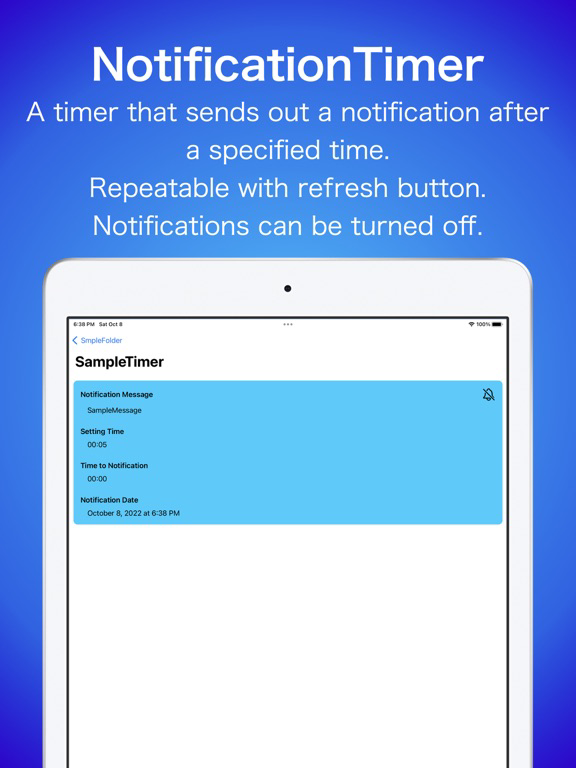
This application allows you to easily send out notifications.
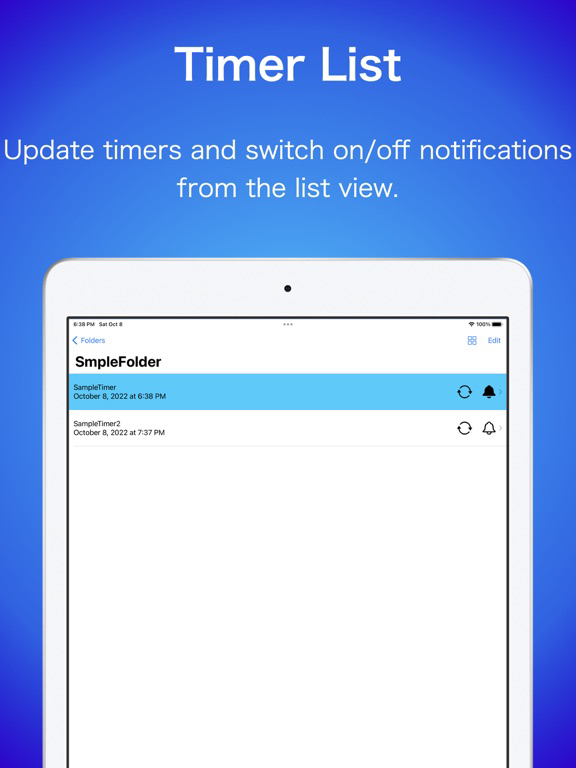
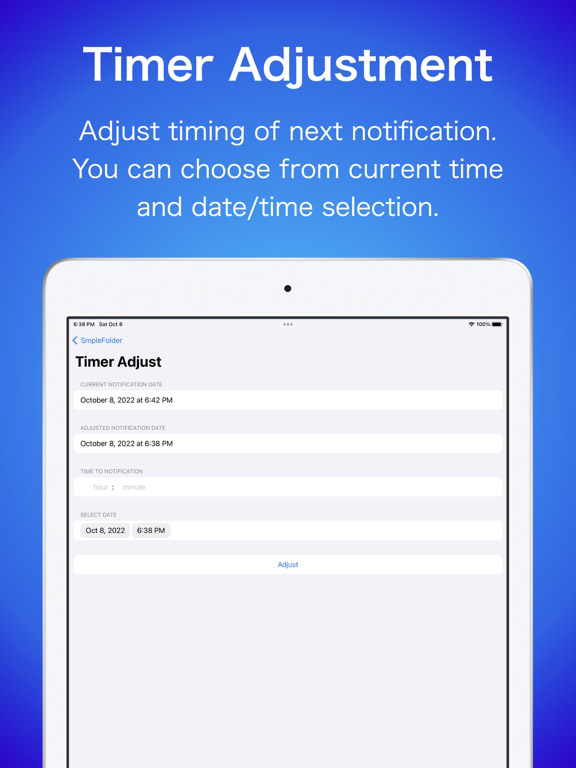
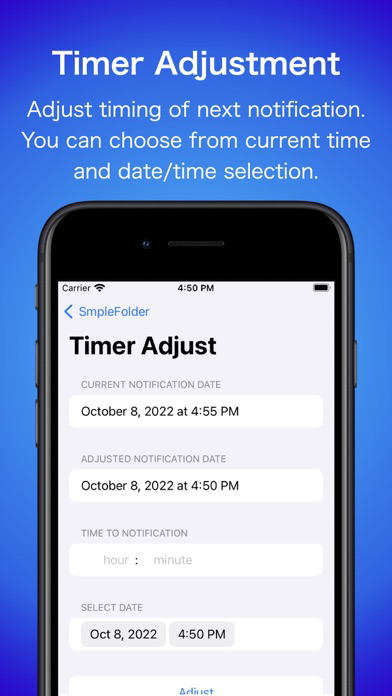
Set by elapsed time from current time and easily re-set.
Ideal for repetitive tasks, waiting for game stamina to recover, waiting for a respawn, etc.
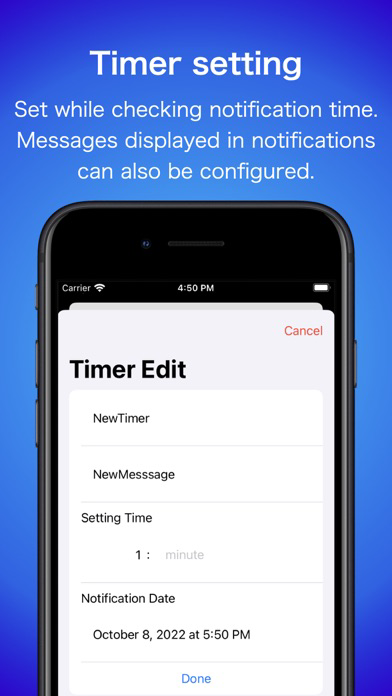
You can set how many hours and minutes after the current time the notification will be sent out.
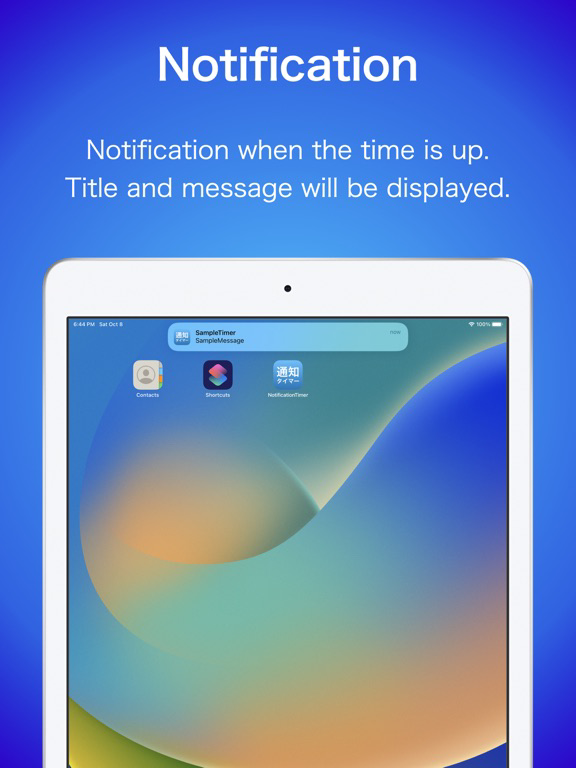
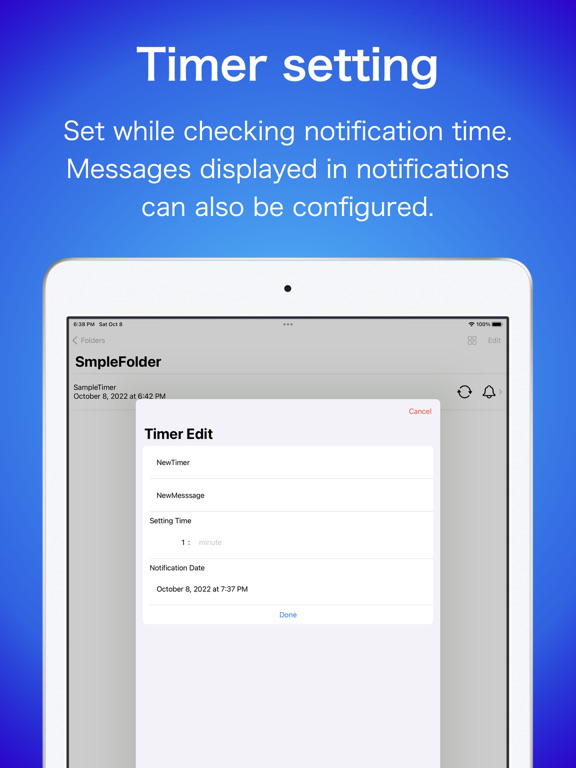
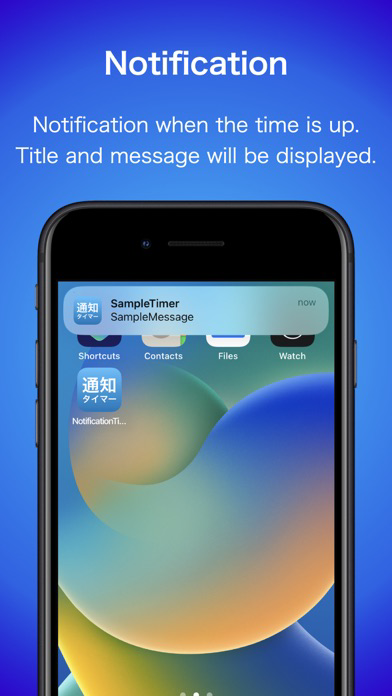
At the set time, the set title and message will appear in the notification.
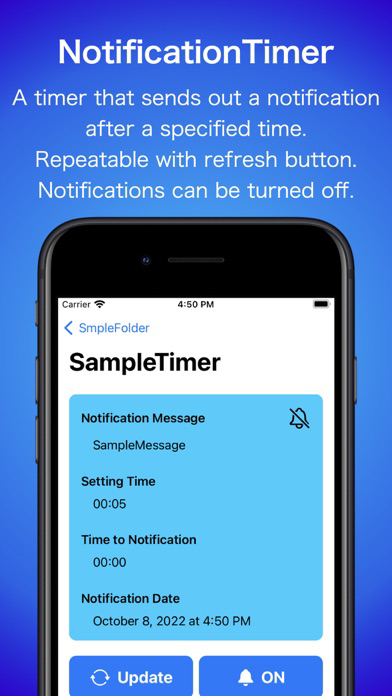
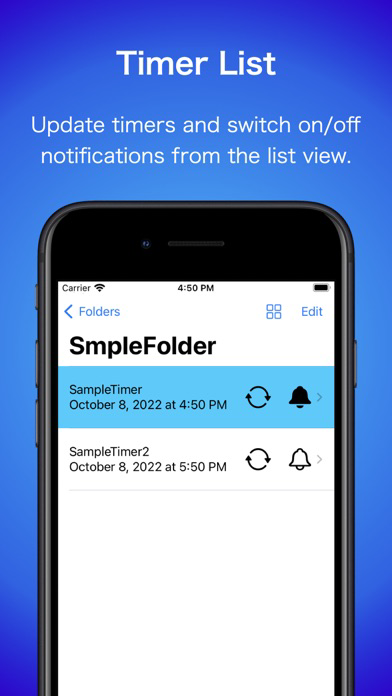
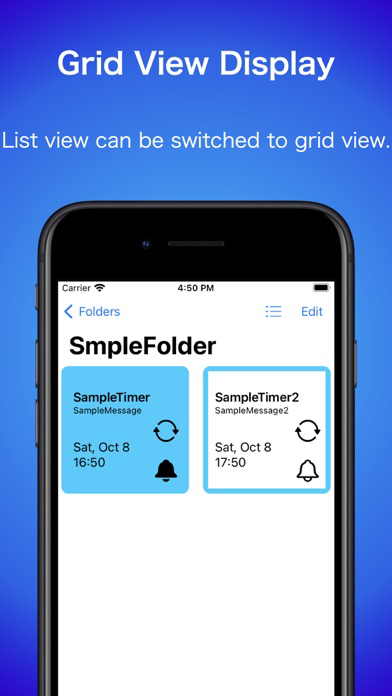
Tap the refresh button to reset the timer from the current time.
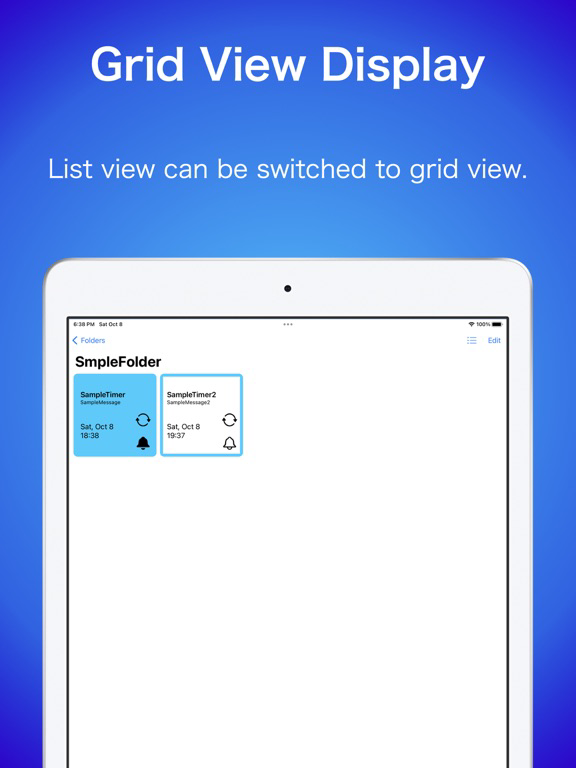
Tap the bell icon to toggle notifications on and off.
*Please set permission for notifications if you want to use notifications.

Set by elapsed time from current time and easily re-set.
Ideal for repetitive tasks, waiting for game stamina to recover, waiting for a respawn, etc.
You can set how many hours and minutes after the current time the notification will be sent out.
At the set time, the set title and message will appear in the notification.
Tap the refresh button to reset the timer from the current time.
Tap the bell icon to toggle notifications on and off.
*Please set permission for notifications if you want to use notifications.
Show More
Was ist neu in der neuesten Version 2.2.1
Last updated on Dec 22, 2023
Alte Versionen
■ Ver 2.2.1
■Feature modification
-Adjusted UI around ads.
-GDPR message display support.
■Feature modification
-Adjusted UI around ads.
-GDPR message display support.
Show More
Version History
2.2.1
Dec 22, 2023
■ Ver 2.2.1
■Feature modification
-Adjusted UI around ads.
-GDPR message display support.
■Feature modification
-Adjusted UI around ads.
-GDPR message display support.
2.2.0
Oct 24, 2023
■ Ver 2.2.0
Interactive widgets are now supported.
Notifications can now be turned on/off and timers can be updated from widgets on iOS 17 or later.
Timers set in widgets can be used without launching the application.
*I for one would be happy if you would run the app once in a while.
■ Additional function
-Can be operated from widgets on iOS 17 or later.
-Added widget button settings to Config.
■ Functional modification
-Adjusted UI rendering process on iOS 16.1 or later.
Interactive widgets are now supported.
Notifications can now be turned on/off and timers can be updated from widgets on iOS 17 or later.
Timers set in widgets can be used without launching the application.
*I for one would be happy if you would run the app once in a while.
■ Additional function
-Can be operated from widgets on iOS 17 or later.
-Added widget button settings to Config.
■ Functional modification
-Adjusted UI rendering process on iOS 16.1 or later.
2.1.1
Oct 10, 2023
■ Ver 2.1.1
iOS17 is now supported.
-The widget now displays correctly on iOS17.
-From iOS17, when two timers are placed on a small size widget, it is now possible to transition to each timer's screen.
iOS17 is now supported.
-The widget now displays correctly on iOS17.
-From iOS17, when two timers are placed on a small size widget, it is now possible to transition to each timer's screen.
2.1.0
May 11, 2023
■ Ver 2.1.0
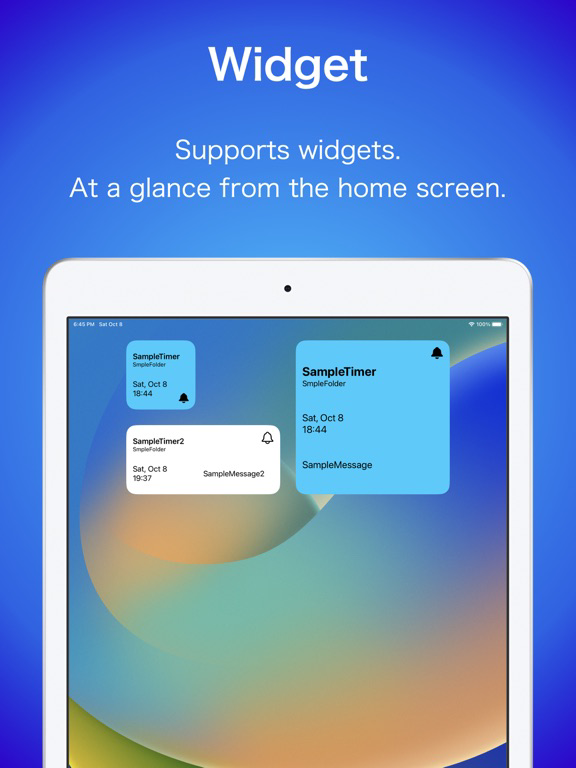
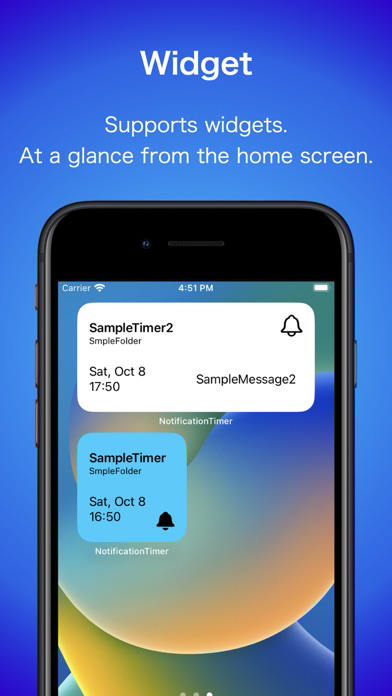
Multiple timers can now be specified for home screen widgets.
The number of widgets that can be set depends on the size of the widget.
■ Additional function
-Added the function to set multiple timers to the home screen widget.
Small size: 1~2
Medium size: 1~4
Large size: 1~8
The display size is automatically adjusted according to the number of timer.
Tap the small size widget to open the first timer screen.
Medium and Large sizes open the screen of the timer you tapped.
*When setting the timer to open
■ Bug Fix
-Fixed a bug that prevented folders from being created properly.
Previously created folders will be automatically modified at the first startup after the update.
-Fixed a bug that could prevent normal screen transitions when selecting folders.
-Fixed a bug that could prevent normal screen transition when opening an application from a widget.
Multiple timers can now be specified for home screen widgets.
The number of widgets that can be set depends on the size of the widget.
■ Additional function
-Added the function to set multiple timers to the home screen widget.
Small size: 1~2
Medium size: 1~4
Large size: 1~8
The display size is automatically adjusted according to the number of timer.
Tap the small size widget to open the first timer screen.
Medium and Large sizes open the screen of the timer you tapped.
*When setting the timer to open
■ Bug Fix
-Fixed a bug that prevented folders from being created properly.
Previously created folders will be automatically modified at the first startup after the update.
-Fixed a bug that could prevent normal screen transitions when selecting folders.
-Fixed a bug that could prevent normal screen transition when opening an application from a widget.
2.0.1
Oct 9, 2022
■ Ver 2.0.1
Basic settings are now in English.
If the device setting is not Japanese, the default setting is English.
If you want to change it back to Japanese, you can change the language from the Notification Timer item in the Settings application.
You can also open the settings screen from Config.
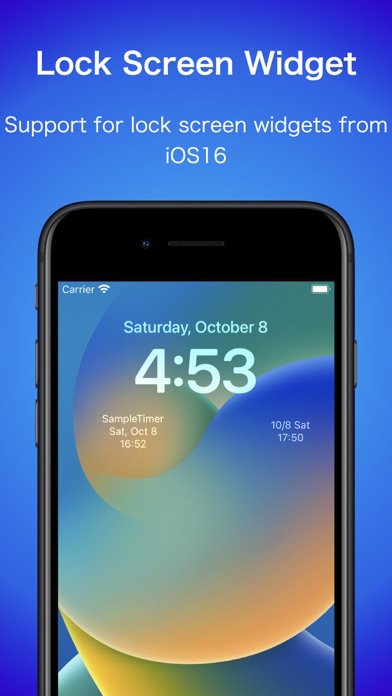
From Ver. 2.0.0, Lock screen widget support for iOS16.
Please give it a try.
■Additional function
ーThe notification timer settings in the Settings app can now be opened from Config.
■functional modification
ーAdjusted the UI for adding folders on iOS 16 or later.
■Bug Information (Ongoing)
ーThe toolbar may not be displayed on iOS16.
When returning to the timer list from the timer screen on iOS16, the bottom toolbar does not appear.
It is displayed when you go from the folder list to the timer list.
※This issue is on the iOS side and is expected to be fixed by updating to iOS 16.1.
Please wait for the iOS 16.1 release from Apple.
Basic settings are now in English.
If the device setting is not Japanese, the default setting is English.
If you want to change it back to Japanese, you can change the language from the Notification Timer item in the Settings application.
You can also open the settings screen from Config.
From Ver. 2.0.0, Lock screen widget support for iOS16.
Please give it a try.
■Additional function
ーThe notification timer settings in the Settings app can now be opened from Config.
■functional modification
ーAdjusted the UI for adding folders on iOS 16 or later.
■Bug Information (Ongoing)
ーThe toolbar may not be displayed on iOS16.
When returning to the timer list from the timer screen on iOS16, the bottom toolbar does not appear.
It is displayed when you go from the folder list to the timer list.
※This issue is on the iOS side and is expected to be fixed by updating to iOS 16.1.
Please wait for the iOS 16.1 release from Apple.
2.0.0
Oct 9, 2022
■ Ver 2.0.0
English is supported
If you want to use Japanese as before, you can change the language from the language of the NotificationTimer item in the Settings application.
Lock screen widget support for iOS16.
Please give it a try.
■Additional function
ーEnglish is supported
ーLock screen widget support for iOS16.
It supports rectangular and circular widgets that appear below the time.
■Bug Fix
ーFixed a problem in which the Close button on the software keyboard sometimes did not appear.
■Bug Information
ーThe toolbar may not be displayed on iOS16.
When returning to the timer list from the timer screen on iOS16, the bottom toolbar does not appear.
It is displayed when you go from the folder list to the timer list.
※This issue is on the iOS side and is expected to be fixed by updating to iOS 16.1.
Please wait for the iOS 16.1 release from Apple.
English is supported
If you want to use Japanese as before, you can change the language from the language of the NotificationTimer item in the Settings application.
Lock screen widget support for iOS16.
Please give it a try.
■Additional function
ーEnglish is supported
ーLock screen widget support for iOS16.
It supports rectangular and circular widgets that appear below the time.
■Bug Fix
ーFixed a problem in which the Close button on the software keyboard sometimes did not appear.
■Bug Information
ーThe toolbar may not be displayed on iOS16.
When returning to the timer list from the timer screen on iOS16, the bottom toolbar does not appear.
It is displayed when you go from the folder list to the timer list.
※This issue is on the iOS side and is expected to be fixed by updating to iOS 16.1.
Please wait for the iOS 16.1 release from Apple.
1.3.6
Oct 2, 2022
1.3.5
Mar 17, 2022
1.3.4
Nov 10, 2021
1.3.3
Sep 26, 2021
1.3.2
Sep 7, 2021
1.3.1
Aug 30, 2021
1.3.0
Aug 28, 2021
1.2.1
Aug 24, 2021
1.2.0
May 25, 2021
1.1.0
May 7, 2021
1.0.1
Apr 30, 2021
1.0.0
Apr 29, 2021
NotificationTimer FAQ
Klicken Sie hier, um zu erfahren, wie Sie NotificationTimer in eingeschränkten Ländern oder Regionen herunterladen können.
Überprüfen Sie die folgende Liste, um die Mindestanforderungen von NotificationTimer zu sehen.
iPhone
Erfordert iOS 14.0 oder neuer.
iPad
Erfordert iPadOS 14.0 oder neuer.
iPod touch
Erfordert iOS 14.0 oder neuer.
NotificationTimer unterstützt Englisch, Japanisch