NotificationTimer

NotificationTimer


Gratuit

2.0.1for iPhone, iPad and more
Takashi Hidano
Developer
63,8 Mo
Size
Dec 22, 2023
Update Date
Lifestyle
Category
Age Rating
4+
Apps in this category do not contain restricted content.
9+
Apps in this category may contain mild or occasional cartoon, fantasy or real-life violence, as well as occasional or mild adult, sexually suggestive or horrifying content and may not be suitable for children under 9 years of age.
12+
Apps in this category may contain occasional mild indecent language, frequent or intense cartoon or real-life violence, minor or occasional adult or sexually suggestive material, and simulated gambling, and may be for children under 12 years of age.
17+
You must be at least 17 years old to access this App.
Apps in this category may contain frequent and intense offensive language; Frequent and intense cartoon, fantasy or realistic violence: frequent and intense adult, scary and sexually suggestive subjects: as well as sexual content, nudity, tobacco, alcohol and drugs, may not be suitable for children under 17 years of age.
NotificationTimer Captures d'écran
NotificationTimer AfficheNotificationTimer AfficheNotificationTimer AfficheNotificationTimer AfficheNotificationTimer AfficheNotificationTimer AfficheNotificationTimer AfficheNotificationTimer Affiche

About NotificationTimer

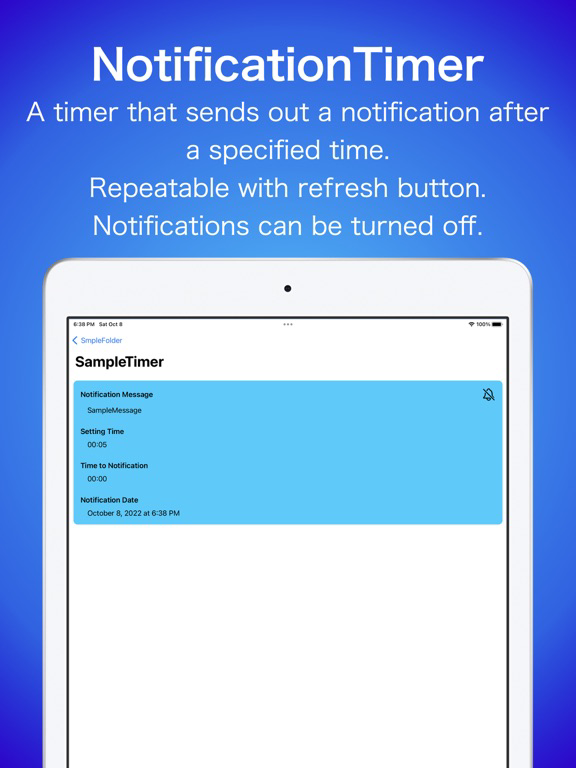
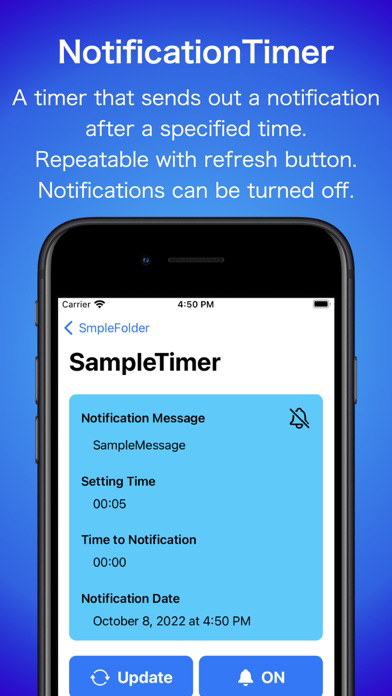
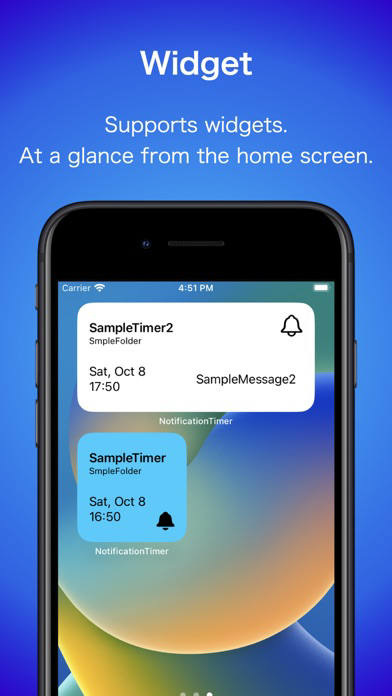
This application allows you to easily send out notifications.

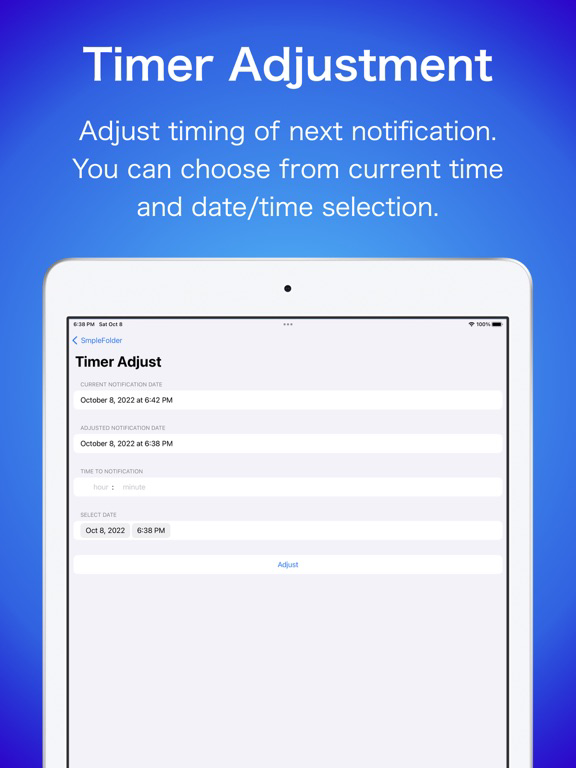
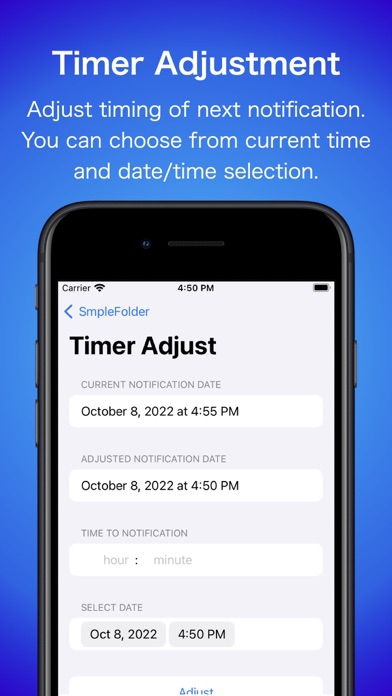
Set by elapsed time from current time and easily re-set.
Ideal for repetitive tasks, waiting for game stamina to recover, waiting for a respawn, etc.

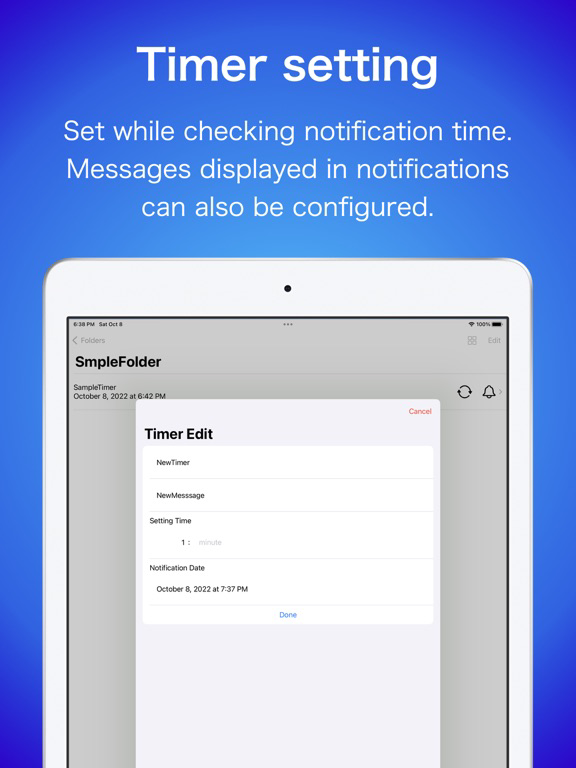
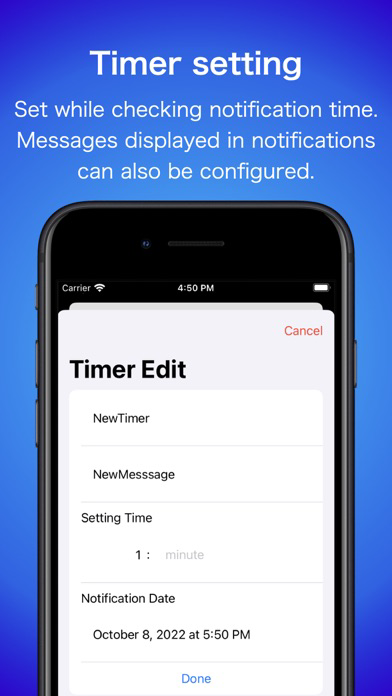
You can set how many hours and minutes after the current time the notification will be sent out.
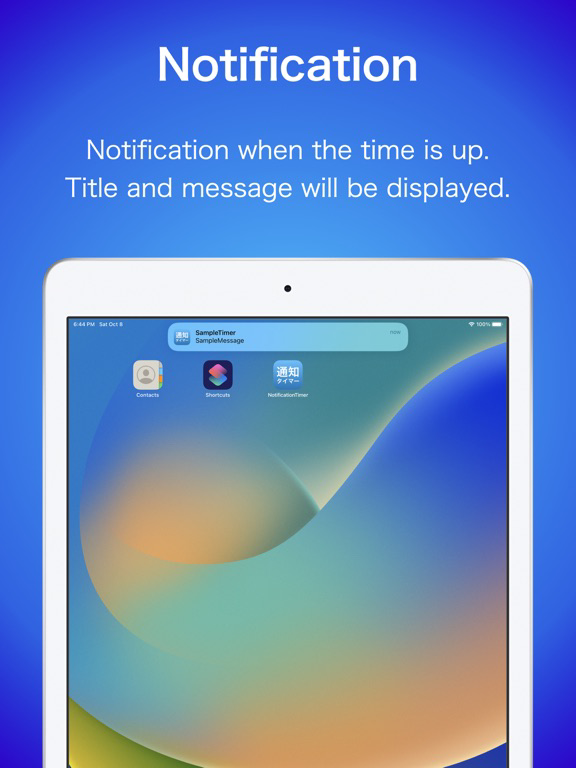
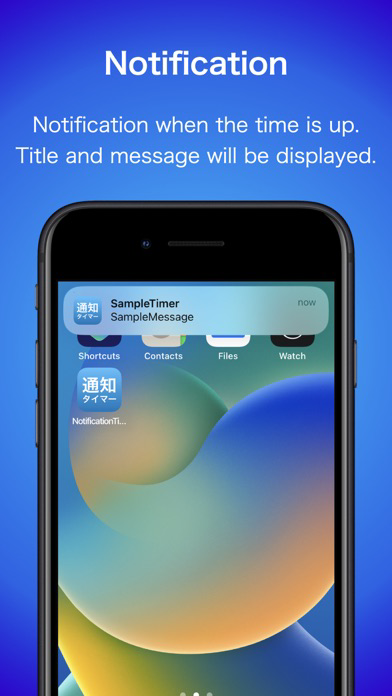
At the set time, the set title and message will appear in the notification.

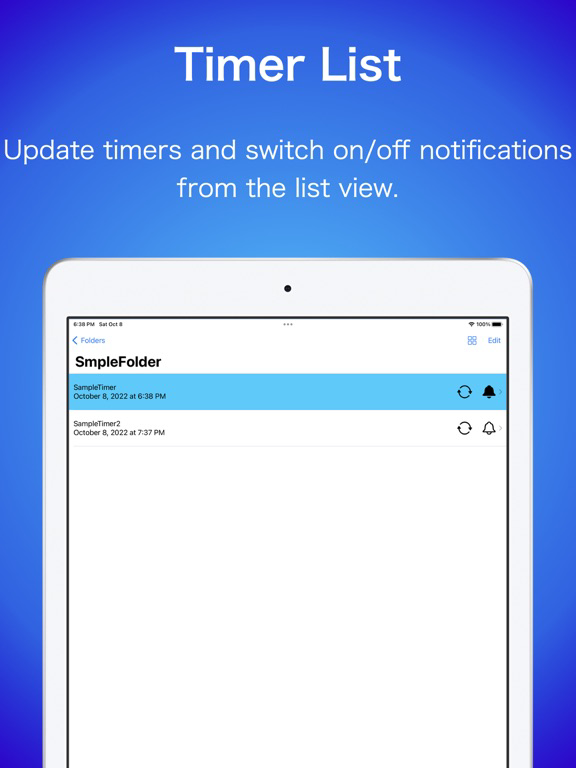
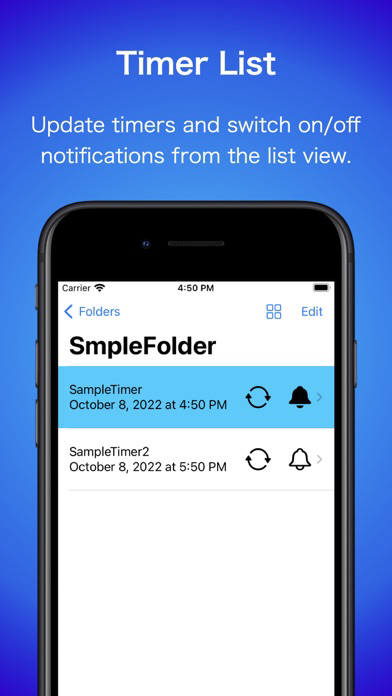
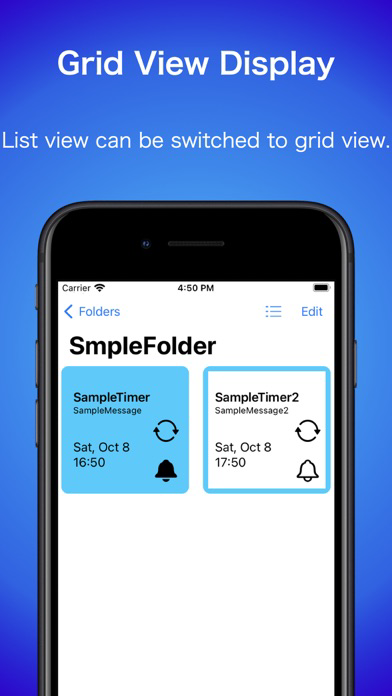
Tap the refresh button to reset the timer from the current time.
Tap the bell icon to toggle notifications on and off.

*Please set permission for notifications if you want to use notifications.

Show More

Quoi de neuf dans la dernière version 2.0.1

Last updated on Dec 22, 2023
Vieilles Versions
■ Ver 2.0.1
Basic settings are now in English.
If the device setting is not Japanese, the default setting is English.
If you want to change it back to Japanese, you can change the language from the Notification Timer item in the Settings application.
You can also open the settings screen from Config.

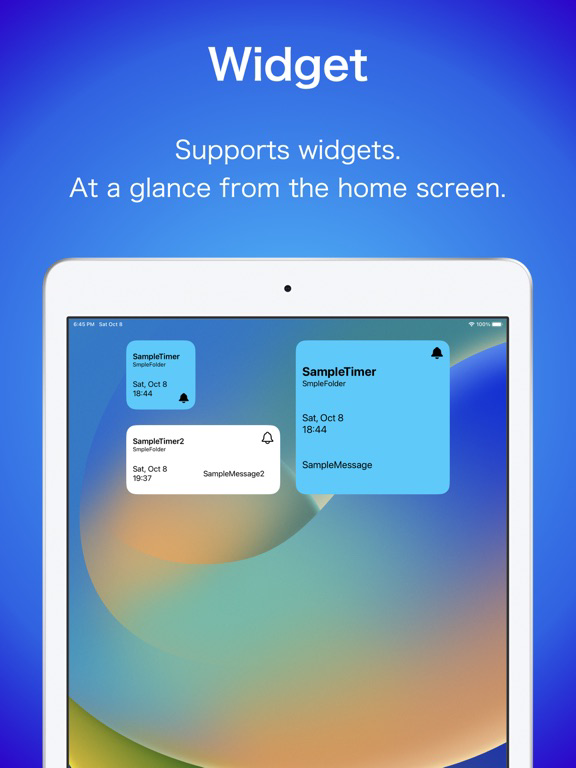
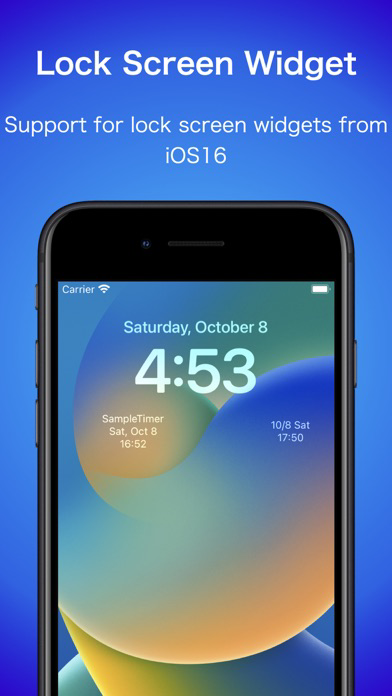
From Ver. 2.0.0, Lock screen widget support for iOS16.
Please give it a try.


■Additional function
ーThe notification timer settings in the Settings app can now be opened from Config.

■functional modification
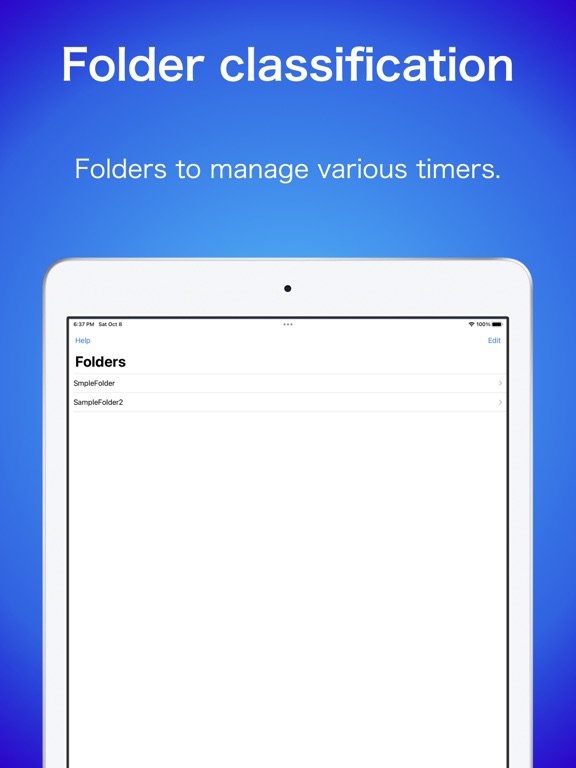
ーAdjusted the UI for adding folders on iOS 16 or later.

■Bug Information (Ongoing)
ーThe toolbar may not be displayed on iOS16.
When returning to the timer list from the timer screen on iOS16, the bottom toolbar does not appear.
It is displayed when you go from the folder list to the timer list.
※This issue is on the iOS side and is expected to be fixed by updating to iOS 16.1.
Please wait for the iOS 16.1 release from Apple.
Show More
Version History
2.0.1
Oct 9, 2022
■ Ver 2.0.1
Basic settings are now in English.
If the device setting is not Japanese, the default setting is English.
If you want to change it back to Japanese, you can change the language from the Notification Timer item in the Settings application.
You can also open the settings screen from Config.

From Ver. 2.0.0, Lock screen widget support for iOS16.
Please give it a try.


■Additional function
ーThe notification timer settings in the Settings app can now be opened from Config.

■functional modification
ーAdjusted the UI for adding folders on iOS 16 or later.

■Bug Information (Ongoing)
ーThe toolbar may not be displayed on iOS16.
When returning to the timer list from the timer screen on iOS16, the bottom toolbar does not appear.
It is displayed when you go from the folder list to the timer list.
※This issue is on the iOS side and is expected to be fixed by updating to iOS 16.1.
Please wait for the iOS 16.1 release from Apple.
2.0.0
Oct 9, 2022
■ Ver 2.0.0
English is supported
If you want to use Japanese as before, you can change the language from the language of the NotificationTimer item in the Settings application.

Lock screen widget support for iOS16.
Please give it a try.

■Additional function
ーEnglish is supported
ーLock screen widget support for iOS16.
It supports rectangular and circular widgets that appear below the time.

■Bug Fix
ーFixed a problem in which the Close button on the software keyboard sometimes did not appear.

■Bug Information
ーThe toolbar may not be displayed on iOS16.
When returning to the timer list from the timer screen on iOS16, the bottom toolbar does not appear.
It is displayed when you go from the folder list to the timer list.
※This issue is on the iOS side and is expected to be fixed by updating to iOS 16.1.
Please wait for the iOS 16.1 release from Apple.
1.3.6
Oct 2, 2022
1.3.5
Mar 17, 2022
1.3.4
Nov 10, 2021
1.3.3
Sep 26, 2021
1.3.2
Sep 7, 2021
1.3.1
Aug 30, 2021
1.3.0
Aug 28, 2021
1.2.1
Aug 24, 2021
1.2.0
May 25, 2021
1.1.0
May 7, 2021
1.0.1
Apr 30, 2021
1.0.0
Apr 29, 2021

NotificationTimer FAQ

Cliquez ici pour savoir comment télécharger NotificationTimer dans un pays ou une région restreints.
Consultez la liste suivante pour voir les exigences minimales de NotificationTimer.
iPhone
Nécessite iOS 14.0 ou version ultérieure.
iPad
Nécessite iPadOS 14.0 ou version ultérieure.
iPod touch
Nécessite iOS 14.0 ou version ultérieure.
NotificationTimer prend en charge Anglais, Japonais

Alternative à NotificationTimer

Tu pourrais aussi aimer

Obtenir plus de Takashi Hidano