QuickLaunch Mobile
Gratis
3.2for iPhone, iPod touch
Age Rating
QuickLaunch Mobile Screenshots
About QuickLaunch Mobile
QuickLaunch Mobile enables users to securely access organization-wide applications from a mobile device using a single set of credentials, thereby improving the end user experience and enhancing productivity.
Top Features:
Custom Branding: Change theme color and logo to mirror your organisations’ brand image
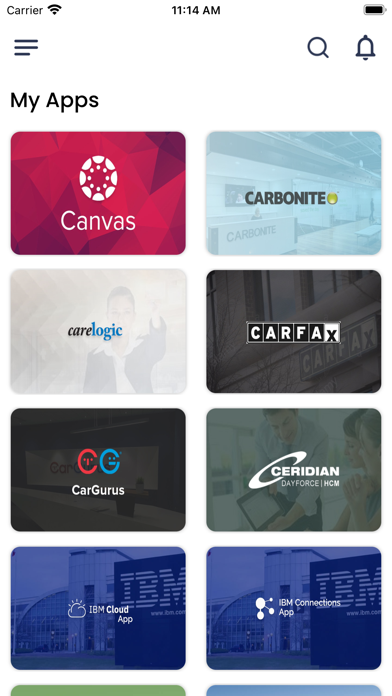
Single Sign-On to Apps: Access organization-wide applications, from a single screen on a mobile device, using a single set of credentials to all authorized applications
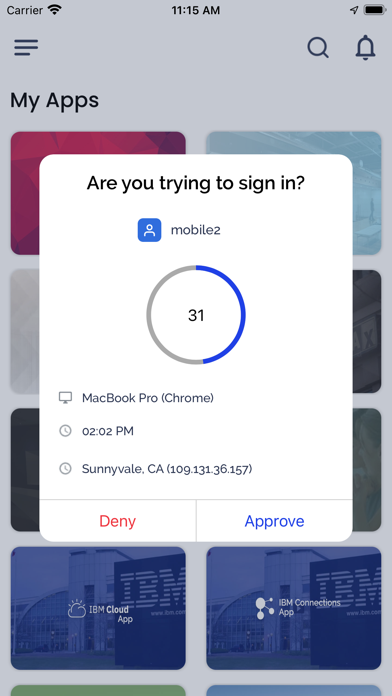
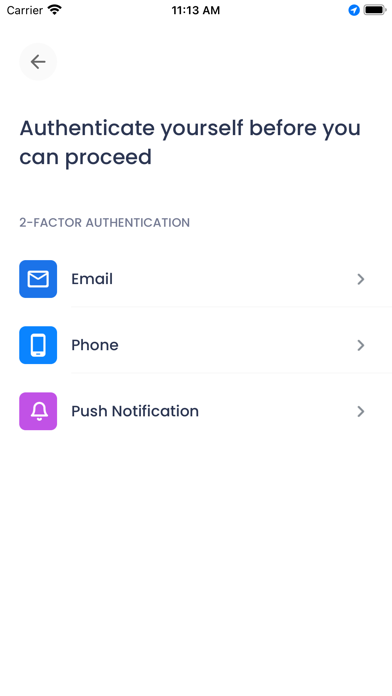
Two-Factor Login: Organization can enable two-factor authentication at the time of login based on predefined policies by the organization
Get Push Notifications: Users receive push notifications displaying custom alerts and password expiry notifications
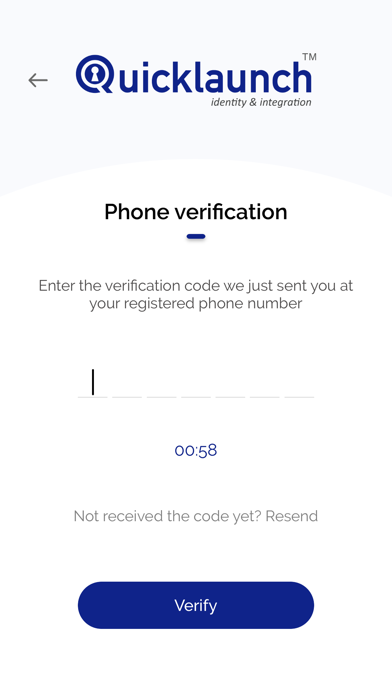
Prevent False Access: Prevent unauthorized access and protect the organization’s mission-critical applications by verifying identity at the time of login using multiple factors (Security Questions, SMS and Email)
Biometric App Lock: Lower the risk of unwanted breaches by enabling Face ID or Touch ID as one of the app-locking mechanisms
Reset Lost/Forgotten Password from Mobile: Reset lost/forgotten passwords using multiple factors (Security Questions, SMS and Email)
Change Password: Instantly change password on-demand
Forgot Username: Retrieve lost/forgotten usernames using Mobile app
First-Time User Registration: New users to the organization can set up their password instantly
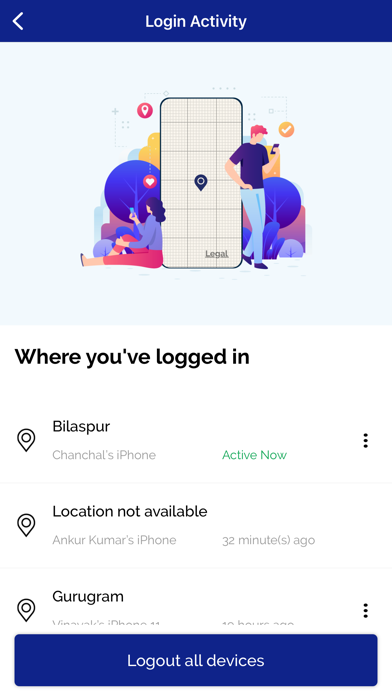
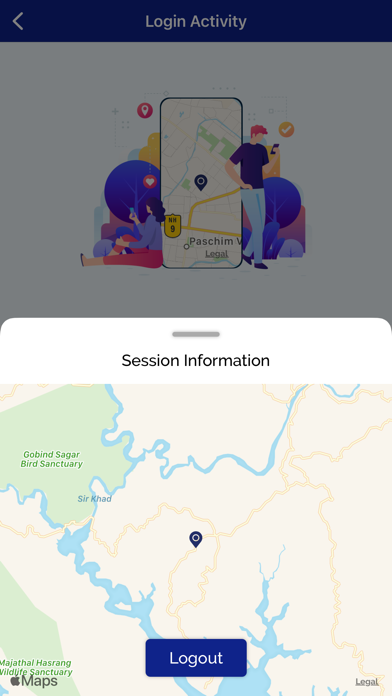
Login Activities: Enabled support for multi-device access and visibility to Login activity with Geolocation
To learn more, visit - https://quicklaunch.io/mobile/

Top Features:
Custom Branding: Change theme color and logo to mirror your organisations’ brand image
Single Sign-On to Apps: Access organization-wide applications, from a single screen on a mobile device, using a single set of credentials to all authorized applications
Two-Factor Login: Organization can enable two-factor authentication at the time of login based on predefined policies by the organization
Get Push Notifications: Users receive push notifications displaying custom alerts and password expiry notifications
Prevent False Access: Prevent unauthorized access and protect the organization’s mission-critical applications by verifying identity at the time of login using multiple factors (Security Questions, SMS and Email)
Biometric App Lock: Lower the risk of unwanted breaches by enabling Face ID or Touch ID as one of the app-locking mechanisms
Reset Lost/Forgotten Password from Mobile: Reset lost/forgotten passwords using multiple factors (Security Questions, SMS and Email)
Change Password: Instantly change password on-demand
Forgot Username: Retrieve lost/forgotten usernames using Mobile app
First-Time User Registration: New users to the organization can set up their password instantly
Login Activities: Enabled support for multi-device access and visibility to Login activity with Geolocation
To learn more, visit - https://quicklaunch.io/mobile/
Show More
Was ist neu in der neuesten Version 3.2
Last updated on Mar 28, 2026
Alte Versionen
Fixed few of bugs that we found at our side.
Show More
Version History
3.2
Jun 8, 2023
Fixed few of bugs that we found at our side.
3.1
Mar 15, 2023
We have introduced a lot of new Features in this version and have aimed to provide the user with a completely new experience in both UI Design and Functionality
A few of the features introduced in this build are :
• Introducing a new "password-less" login experience
• Introducing new MFA factors: "Mobile Push" and "Authenticator" based authentication
• Ability to change the configuration of MFA factors in Settings post login.
• First-time users of Quicklaunch can log in to the app using a QR code.
• Bug fixes with OTP Flows and other Flows also.
• Improved performance of the App.
A few of the features introduced in this build are :
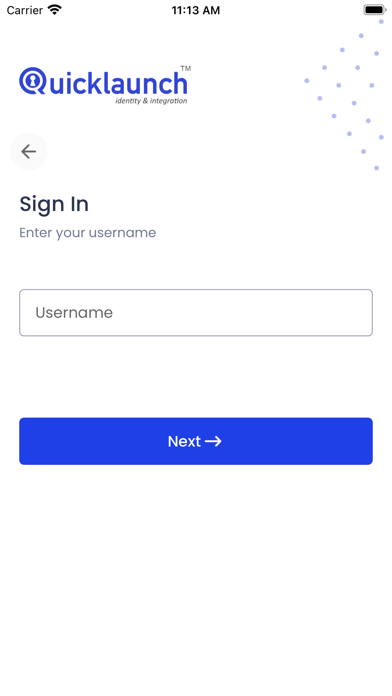
• Introducing a new "password-less" login experience
• Introducing new MFA factors: "Mobile Push" and "Authenticator" based authentication
• Ability to change the configuration of MFA factors in Settings post login.
• First-time users of Quicklaunch can log in to the app using a QR code.
• Bug fixes with OTP Flows and other Flows also.
• Improved performance of the App.
3.0
Jan 7, 2023
We have introduced a lot of new Features in this version and have aimed to provide the user with a completely new experience in both UI Design and Functionality
A few of the features introduced in this build are :
• Introducing a new "password-less" login experience
• Introducing new MFA factors: "Mobile Push" and "Authenticator" based authentication
• Ability to change the configuration of MFA factors in Settings post login.
• First-time users of Quicklaunch can log in to the app using a QR code.
• Bug fixes and improved performance
A few of the features introduced in this build are :
• Introducing a new "password-less" login experience
• Introducing new MFA factors: "Mobile Push" and "Authenticator" based authentication
• Ability to change the configuration of MFA factors in Settings post login.
• First-time users of Quicklaunch can log in to the app using a QR code.
• Bug fixes and improved performance
2.0
Feb 25, 2021
- Support for multi-device access and visibility to Login activity with their Geolocation
- Ability to logout other signed-in devices remotely
- Password Policy visibility in all Change/Set Password situations
- Branding now controls visibility of First Time User, Forgot Username and Password options
- License Manager integration with QuickLaunch Mobile
- Pull down gesture to refresh Apps and Notifications
- Support for Notification Badges on Homescreen
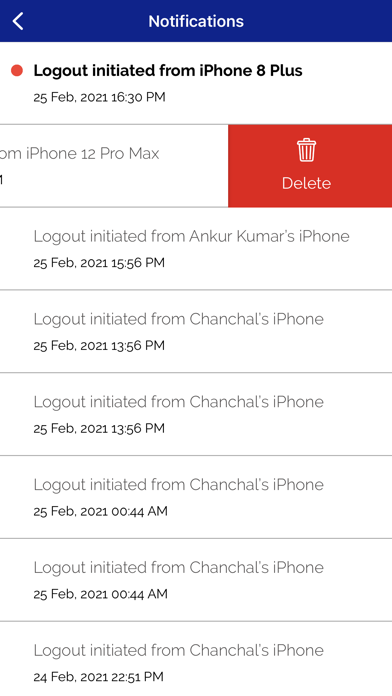
- Support for unread Notifications
- Support for lazy loading in Notifications
- Navigation now greets the user
- Overlay for App background until Biometric is verified
- Settings and Notifications screen redesign
- Numbered list for better indication in case of multiple Security Questions
- App will now prompt whenever App upgrade is available
- App will now auto-logout the user if the device moves beyond 500KM from last location
- Biometric verification is required when changing password
- In-app browser enhancements for re-direction and scrollable navigation
- User was able to login with one incorrect answer in case of multiple Security Questions
- Biometric and My Apps state now persists post logout in the event of re-login by the same user
- Consistency in error and warning messages
- Ability to logout other signed-in devices remotely
- Password Policy visibility in all Change/Set Password situations
- Branding now controls visibility of First Time User, Forgot Username and Password options
- License Manager integration with QuickLaunch Mobile
- Pull down gesture to refresh Apps and Notifications
- Support for Notification Badges on Homescreen
- Support for unread Notifications
- Support for lazy loading in Notifications
- Navigation now greets the user
- Overlay for App background until Biometric is verified
- Settings and Notifications screen redesign
- Numbered list for better indication in case of multiple Security Questions
- App will now prompt whenever App upgrade is available
- App will now auto-logout the user if the device moves beyond 500KM from last location
- Biometric verification is required when changing password
- In-app browser enhancements for re-direction and scrollable navigation
- User was able to login with one incorrect answer in case of multiple Security Questions
- Biometric and My Apps state now persists post logout in the event of re-login by the same user
- Consistency in error and warning messages
1.4.5
Oct 17, 2020
- iOS 14 support
- Incorrect error message when fetching attributes directly from DB versus AD
- Multiple duplicate Push notifications were being received notifying about Password Expiry
- Incorrect error message when fetching attributes directly from DB versus AD
- Multiple duplicate Push notifications were being received notifying about Password Expiry
1.4.0
Aug 25, 2020
QuickLaunch Mobile FAQ
Klicken Sie hier, um zu erfahren, wie Sie QuickLaunch Mobile in eingeschränkten Ländern oder Regionen herunterladen können.
Überprüfen Sie die folgende Liste, um die Mindestanforderungen von QuickLaunch Mobile zu sehen.
iPhone
Erfordert iOS 13.0 oder neuer.
iPod touch
Erfordert iOS 13.0 oder neuer.
QuickLaunch Mobile unterstützt Englisch