WebForge IDE
Gratis
1.3.0for iPhone, iPad
Age Rating
WebForge IDE Screenshots
About WebForge IDE
A complete, powerful web development environment for iOS.
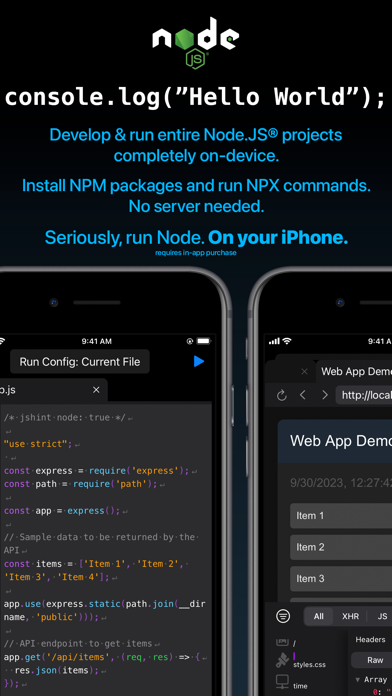
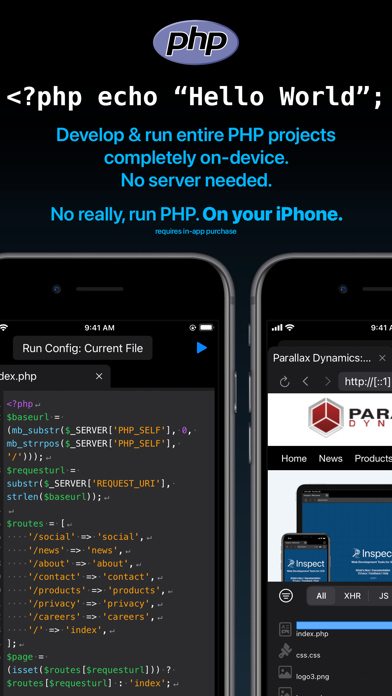
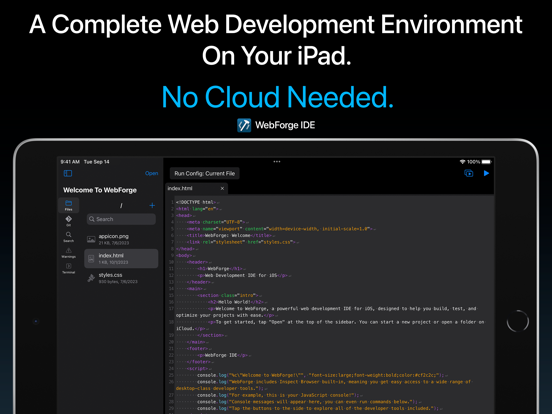
WebForge includes everything you need to develop, run, and debug your web projects on your iPad or iPhone. No cloud needed.
Includes:
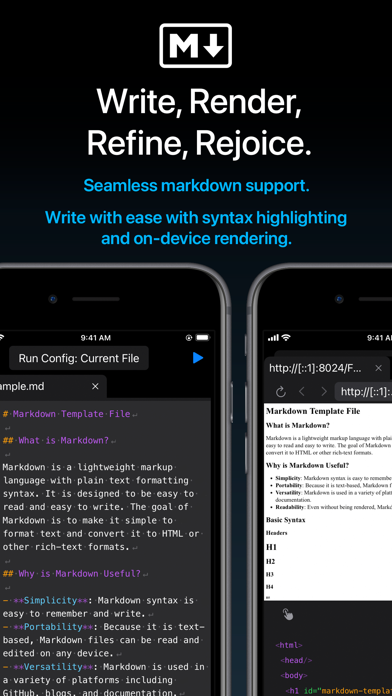
- Powerful code editor with syntax highlighting.
- Inspect Browser built-in, providing extensive desktop-class browser dev tools.
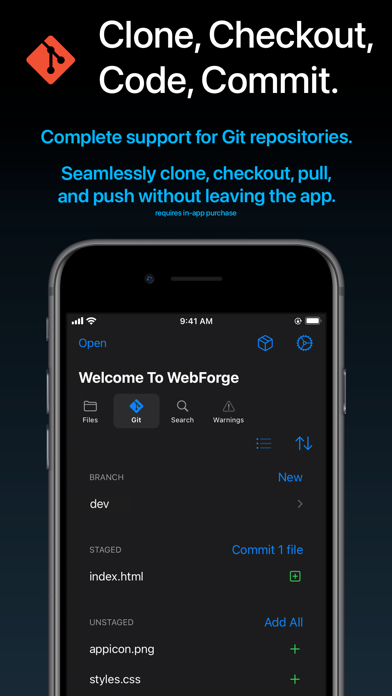
- Complete Git support - clone, branch, commit, pull, and push.
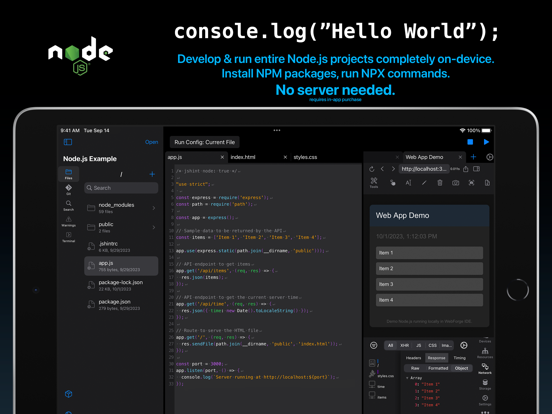
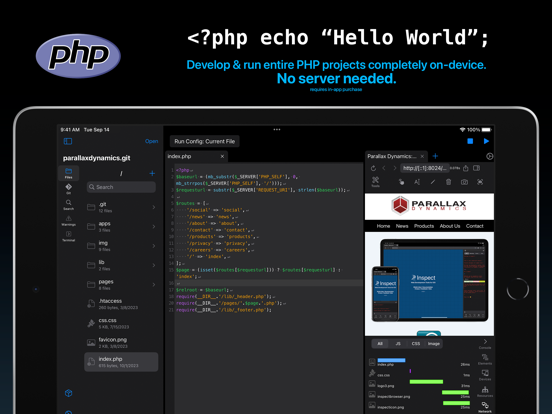
- Run entire NodeJS & PHP projects on-device. Support for includes and a wide variety of extensions. Run on your device in the built-in browser.
- Clone projects locally to your device or open code stored on iCloud.
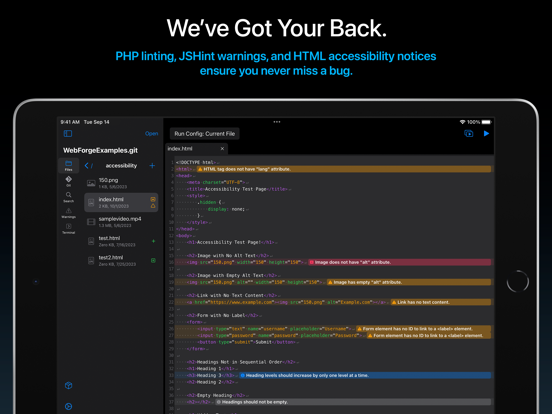
- Includes customizable and extensive code checking with in-editor notices to keep your code bug-free.
- No cloud needed, everything runs on your device.
Easily build fantastic web projects on your iPad and iPhone!
Privacy Policy: https://apps.pdyn.net/webforge/privacy
Terms of Service: https://apps.pdyn.net/webforge/terms

WebForge includes everything you need to develop, run, and debug your web projects on your iPad or iPhone. No cloud needed.
Includes:
- Powerful code editor with syntax highlighting.
- Inspect Browser built-in, providing extensive desktop-class browser dev tools.
- Complete Git support - clone, branch, commit, pull, and push.
- Run entire NodeJS & PHP projects on-device. Support for includes and a wide variety of extensions. Run on your device in the built-in browser.
- Clone projects locally to your device or open code stored on iCloud.
- Includes customizable and extensive code checking with in-editor notices to keep your code bug-free.
- No cloud needed, everything runs on your device.
Easily build fantastic web projects on your iPad and iPhone!
Privacy Policy: https://apps.pdyn.net/webforge/privacy
Terms of Service: https://apps.pdyn.net/webforge/terms
Show More
Was ist neu in der neuesten Version 1.3.0
Last updated on Sep 24, 2024
Alte Versionen
Happy Fall 2024!
Here's what's new in v1.3:
- Added SSH Plugin: connect to remote systems over SSH from the terminal.
- NodeJS Plugin
- Added stepping debugger. Set breakpoints by tapping on the line number or adding the "debugger" keyword.
- Added debugger panel. See running session, start/stop execution, and step over/in/out when paused. View active call frames and scope variables.
- Added breakpoints panel. See all added breakpoints.
- Detect run configurations in package.json files and select them from the run menu. Run with single tap on the play button.
- Enhanced run environment, supporting Vite 5.4.x
- Bookmarks Plugin
- Added option to include a note for the bookmark. Notes will appear in the bookmark panel and in the editor as a line-level notice.
- Added icon in editor gutter to indicate bookmarked lines.
- Fixed bug causing some bookmarked lines to not appear in the panel.
- JSHint Plugin
- Default esversion changed to 6.
- Terminal
- Added support for multiple commands on a single line using &&.
- Code Editor
- Added syntax highlighting for TypeScript files.
Here's what's new in v1.3:
- Added SSH Plugin: connect to remote systems over SSH from the terminal.
- NodeJS Plugin
- Added stepping debugger. Set breakpoints by tapping on the line number or adding the "debugger" keyword.
- Added debugger panel. See running session, start/stop execution, and step over/in/out when paused. View active call frames and scope variables.
- Added breakpoints panel. See all added breakpoints.
- Detect run configurations in package.json files and select them from the run menu. Run with single tap on the play button.
- Enhanced run environment, supporting Vite 5.4.x
- Bookmarks Plugin
- Added option to include a note for the bookmark. Notes will appear in the bookmark panel and in the editor as a line-level notice.
- Added icon in editor gutter to indicate bookmarked lines.
- Fixed bug causing some bookmarked lines to not appear in the panel.
- JSHint Plugin
- Default esversion changed to 6.
- Terminal
- Added support for multiple commands on a single line using &&.
- Code Editor
- Added syntax highlighting for TypeScript files.
Show More
Version History
1.3.0
Sep 24, 2024
Happy Fall 2024!
Here's what's new in v1.3:
- Added SSH Plugin: connect to remote systems over SSH from the terminal.
- NodeJS Plugin
- Added stepping debugger. Set breakpoints by tapping on the line number or adding the "debugger" keyword.
- Added debugger panel. See running session, start/stop execution, and step over/in/out when paused. View active call frames and scope variables.
- Added breakpoints panel. See all added breakpoints.
- Detect run configurations in package.json files and select them from the run menu. Run with single tap on the play button.
- Enhanced run environment, supporting Vite 5.4.x
- Bookmarks Plugin
- Added option to include a note for the bookmark. Notes will appear in the bookmark panel and in the editor as a line-level notice.
- Added icon in editor gutter to indicate bookmarked lines.
- Fixed bug causing some bookmarked lines to not appear in the panel.
- JSHint Plugin
- Default esversion changed to 6.
- Terminal
- Added support for multiple commands on a single line using &&.
- Code Editor
- Added syntax highlighting for TypeScript files.
Here's what's new in v1.3:
- Added SSH Plugin: connect to remote systems over SSH from the terminal.
- NodeJS Plugin
- Added stepping debugger. Set breakpoints by tapping on the line number or adding the "debugger" keyword.
- Added debugger panel. See running session, start/stop execution, and step over/in/out when paused. View active call frames and scope variables.
- Added breakpoints panel. See all added breakpoints.
- Detect run configurations in package.json files and select them from the run menu. Run with single tap on the play button.
- Enhanced run environment, supporting Vite 5.4.x
- Bookmarks Plugin
- Added option to include a note for the bookmark. Notes will appear in the bookmark panel and in the editor as a line-level notice.
- Added icon in editor gutter to indicate bookmarked lines.
- Fixed bug causing some bookmarked lines to not appear in the panel.
- JSHint Plugin
- Default esversion changed to 6.
- Terminal
- Added support for multiple commands on a single line using &&.
- Code Editor
- Added syntax highlighting for TypeScript files.
WebForge IDE FAQ
WebForge IDE ist in anderen Regionen außerhalb der folgenden eingeschränkten Ländern verfügbar:
China,France
Überprüfen Sie die folgende Liste, um die Mindestanforderungen von WebForge IDE zu sehen.
iPhone
iPad
Klicken Sie hier, um zu erfahren, wie Sie WebForge IDE in eingeschränkten Ländern oder Regionen herunterladen können.