WebForge IDE
Gratis
1.3.0for iPhone, iPad
Age Rating
لقطات الشاشة لـ WebForge IDE
About WebForge IDE
A complete, powerful web development environment for iOS.
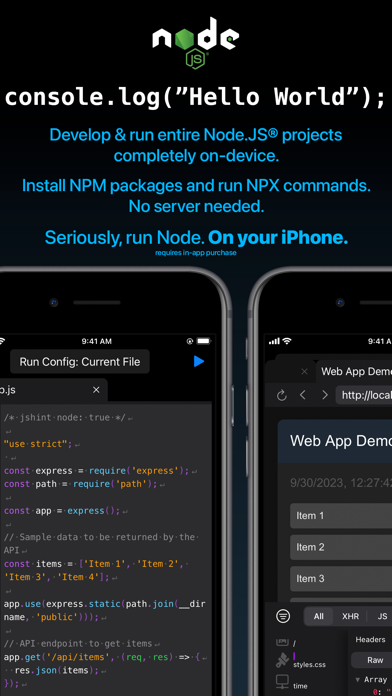
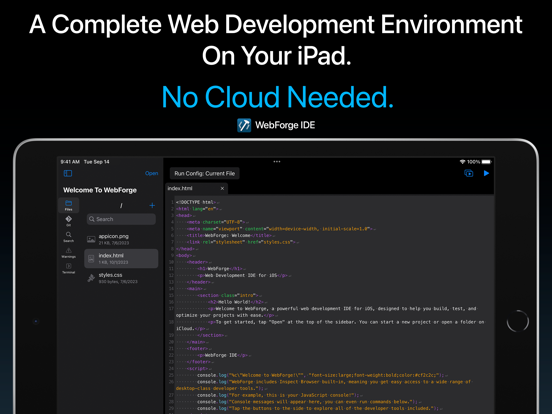
WebForge includes everything you need to develop, run, and debug your web projects on your iPad or iPhone. No cloud needed.
Includes:
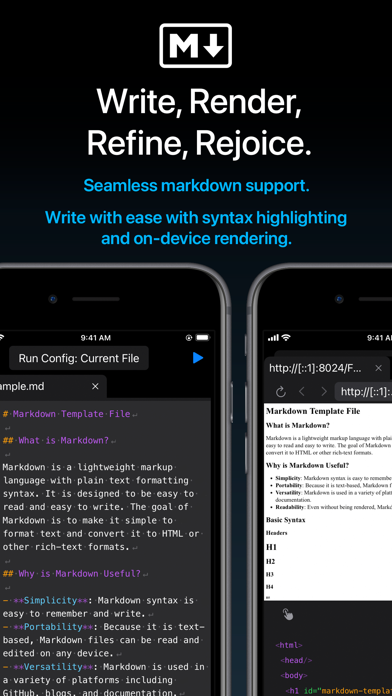
- Powerful code editor with syntax highlighting.
- Inspect Browser built-in, providing extensive desktop-class browser dev tools.
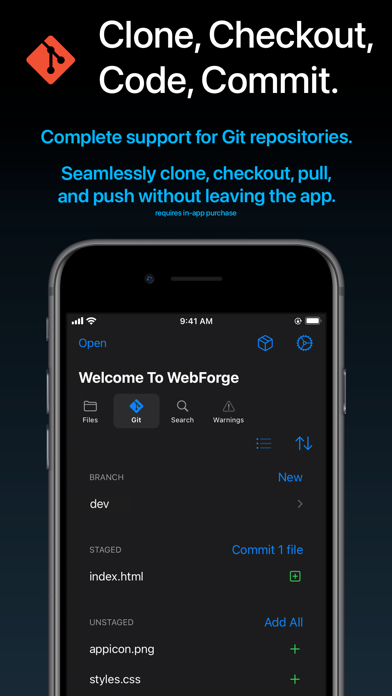
- Complete Git support - clone, branch, commit, pull, and push.
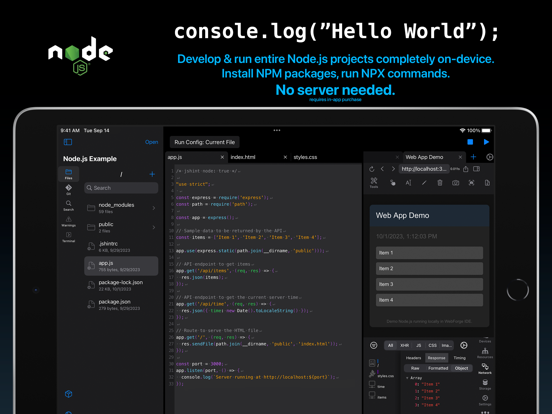
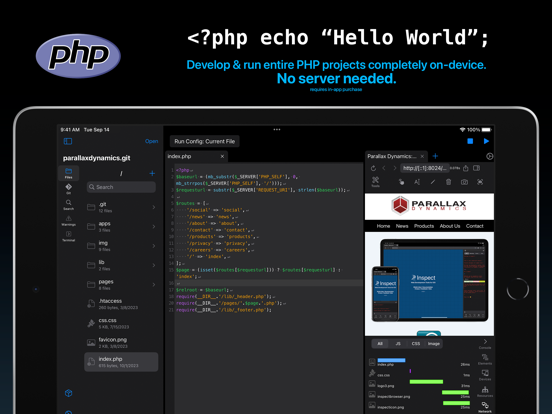
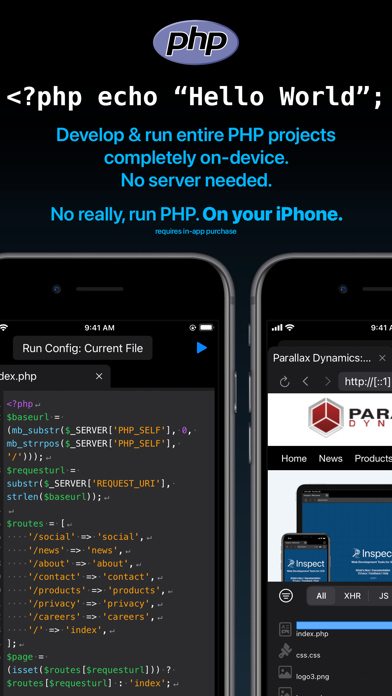
- Run entire NodeJS & PHP projects on-device. Support for includes and a wide variety of extensions. Run on your device in the built-in browser.
- Clone projects locally to your device or open code stored on iCloud.
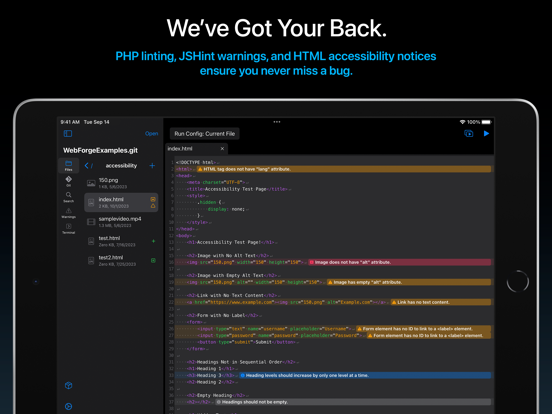
- Includes customizable and extensive code checking with in-editor notices to keep your code bug-free.
- No cloud needed, everything runs on your device.
Easily build fantastic web projects on your iPad and iPhone!
Privacy Policy: https://apps.pdyn.net/webforge/privacy
Terms of Service: https://apps.pdyn.net/webforge/terms

WebForge includes everything you need to develop, run, and debug your web projects on your iPad or iPhone. No cloud needed.
Includes:
- Powerful code editor with syntax highlighting.
- Inspect Browser built-in, providing extensive desktop-class browser dev tools.
- Complete Git support - clone, branch, commit, pull, and push.
- Run entire NodeJS & PHP projects on-device. Support for includes and a wide variety of extensions. Run on your device in the built-in browser.
- Clone projects locally to your device or open code stored on iCloud.
- Includes customizable and extensive code checking with in-editor notices to keep your code bug-free.
- No cloud needed, everything runs on your device.
Easily build fantastic web projects on your iPad and iPhone!
Privacy Policy: https://apps.pdyn.net/webforge/privacy
Terms of Service: https://apps.pdyn.net/webforge/terms
Show More
تحديث لأحدث إصدار 1.3.0
Last updated on 24/09/2024
الإصدارات القديمة
Happy Fall 2024!
Here's what's new in v1.3:
- Added SSH Plugin: connect to remote systems over SSH from the terminal.
- NodeJS Plugin
- Added stepping debugger. Set breakpoints by tapping on the line number or adding the "debugger" keyword.
- Added debugger panel. See running session, start/stop execution, and step over/in/out when paused. View active call frames and scope variables.
- Added breakpoints panel. See all added breakpoints.
- Detect run configurations in package.json files and select them from the run menu. Run with single tap on the play button.
- Enhanced run environment, supporting Vite 5.4.x
- Bookmarks Plugin
- Added option to include a note for the bookmark. Notes will appear in the bookmark panel and in the editor as a line-level notice.
- Added icon in editor gutter to indicate bookmarked lines.
- Fixed bug causing some bookmarked lines to not appear in the panel.
- JSHint Plugin
- Default esversion changed to 6.
- Terminal
- Added support for multiple commands on a single line using &&.
- Code Editor
- Added syntax highlighting for TypeScript files.
Here's what's new in v1.3:
- Added SSH Plugin: connect to remote systems over SSH from the terminal.
- NodeJS Plugin
- Added stepping debugger. Set breakpoints by tapping on the line number or adding the "debugger" keyword.
- Added debugger panel. See running session, start/stop execution, and step over/in/out when paused. View active call frames and scope variables.
- Added breakpoints panel. See all added breakpoints.
- Detect run configurations in package.json files and select them from the run menu. Run with single tap on the play button.
- Enhanced run environment, supporting Vite 5.4.x
- Bookmarks Plugin
- Added option to include a note for the bookmark. Notes will appear in the bookmark panel and in the editor as a line-level notice.
- Added icon in editor gutter to indicate bookmarked lines.
- Fixed bug causing some bookmarked lines to not appear in the panel.
- JSHint Plugin
- Default esversion changed to 6.
- Terminal
- Added support for multiple commands on a single line using &&.
- Code Editor
- Added syntax highlighting for TypeScript files.
Show More
Version History
1.3.0
24/09/2024
Happy Fall 2024!
Here's what's new in v1.3:
- Added SSH Plugin: connect to remote systems over SSH from the terminal.
- NodeJS Plugin
- Added stepping debugger. Set breakpoints by tapping on the line number or adding the "debugger" keyword.
- Added debugger panel. See running session, start/stop execution, and step over/in/out when paused. View active call frames and scope variables.
- Added breakpoints panel. See all added breakpoints.
- Detect run configurations in package.json files and select them from the run menu. Run with single tap on the play button.
- Enhanced run environment, supporting Vite 5.4.x
- Bookmarks Plugin
- Added option to include a note for the bookmark. Notes will appear in the bookmark panel and in the editor as a line-level notice.
- Added icon in editor gutter to indicate bookmarked lines.
- Fixed bug causing some bookmarked lines to not appear in the panel.
- JSHint Plugin
- Default esversion changed to 6.
- Terminal
- Added support for multiple commands on a single line using &&.
- Code Editor
- Added syntax highlighting for TypeScript files.
Here's what's new in v1.3:
- Added SSH Plugin: connect to remote systems over SSH from the terminal.
- NodeJS Plugin
- Added stepping debugger. Set breakpoints by tapping on the line number or adding the "debugger" keyword.
- Added debugger panel. See running session, start/stop execution, and step over/in/out when paused. View active call frames and scope variables.
- Added breakpoints panel. See all added breakpoints.
- Detect run configurations in package.json files and select them from the run menu. Run with single tap on the play button.
- Enhanced run environment, supporting Vite 5.4.x
- Bookmarks Plugin
- Added option to include a note for the bookmark. Notes will appear in the bookmark panel and in the editor as a line-level notice.
- Added icon in editor gutter to indicate bookmarked lines.
- Fixed bug causing some bookmarked lines to not appear in the panel.
- JSHint Plugin
- Default esversion changed to 6.
- Terminal
- Added support for multiple commands on a single line using &&.
- Code Editor
- Added syntax highlighting for TypeScript files.
WebForge IDE FAQ
WebForge IDE متاح في مناطق أخرى غير البلدان المقيدة التالية:
China,France
تحقق من القائمة التالية لمعرفة الحد الأدنى من المتطلبات WebForge IDE.
iPhone
iPad
انقر هنا لمعرفة كيفية تنزيل WebForge IDE في بلد أو منطقة محظورة.