Visual SLAM Tool
Create a 3D map for AR
Free
5.1.1for iPhone, iPod touch
Age Rating
Visual SLAM Tool Screenshots
About Visual SLAM Tool
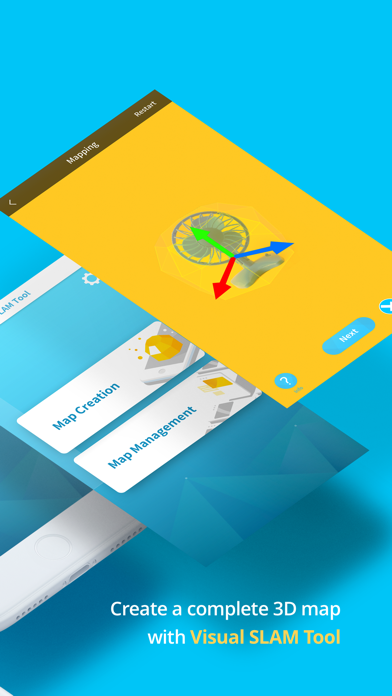
The MAXST Visual SLAM Tool is designed to help you with mapping object/space.
With Visual SLAM Tool and MAXST AR SDK you can blend 3D content with the real world and create immersive AR experience.
There are two main functions.
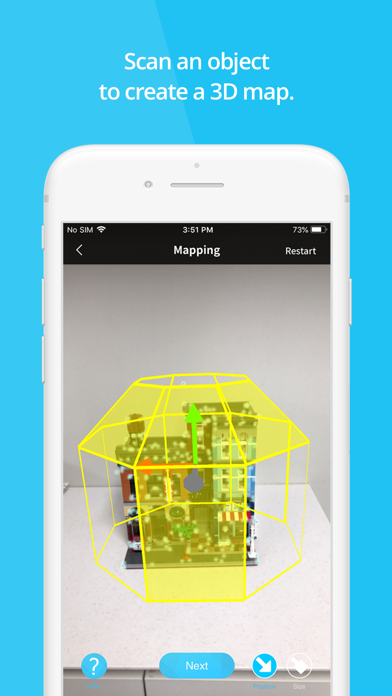
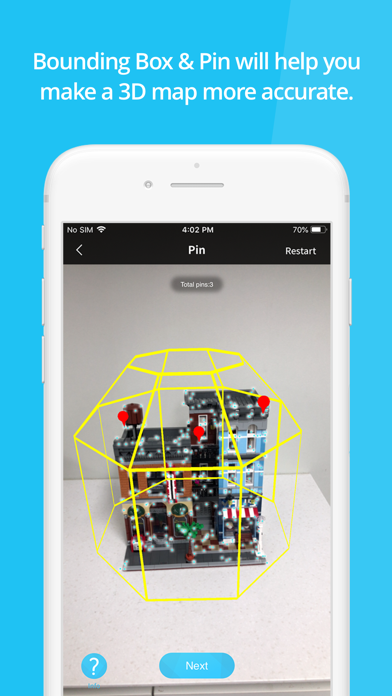
1. [Map Creation]: You can create map files by mapping medium scale (size 0.3m ~ 1.5m) object and space. MAXST provides Bounding Box and Pin UI that help you make more accurate 3D Map.
- Bounding Box specifies the mapping area. You can adjust Bounding Box size and position to fit your object.
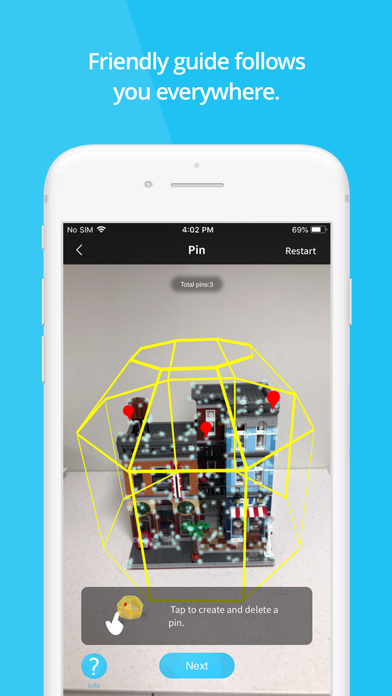
- Pin indicates a specific location where you want to augment 3D content.
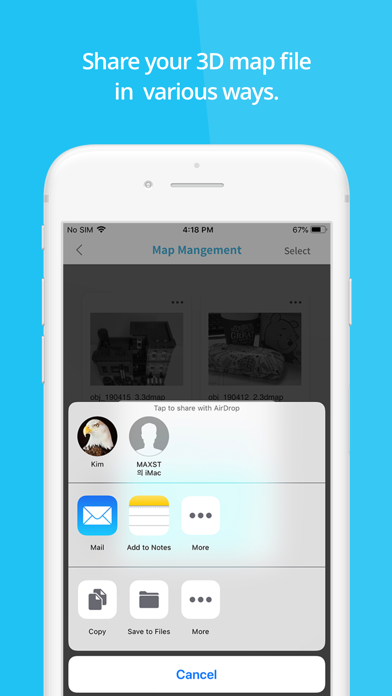
2. [Map Management]: You can manage the created 3D map files. In Map Management you can edit pins and share the map file in various ways.
You can load up map files at Unity 3D and render 3D objects wherever you like on them.
Please refer to MAXST Developer Site for more detailed instructions on how to use the key functions of MAXST AR SDK: https://developer.maxst.com/MD/doc/6_1_x/intro
Note!
- Visual SLAM Tool app can only be used with SDK version 6.1.x or later.

With Visual SLAM Tool and MAXST AR SDK you can blend 3D content with the real world and create immersive AR experience.
There are two main functions.
1. [Map Creation]: You can create map files by mapping medium scale (size 0.3m ~ 1.5m) object and space. MAXST provides Bounding Box and Pin UI that help you make more accurate 3D Map.
- Bounding Box specifies the mapping area. You can adjust Bounding Box size and position to fit your object.
- Pin indicates a specific location where you want to augment 3D content.
2. [Map Management]: You can manage the created 3D map files. In Map Management you can edit pins and share the map file in various ways.
You can load up map files at Unity 3D and render 3D objects wherever you like on them.
Please refer to MAXST Developer Site for more detailed instructions on how to use the key functions of MAXST AR SDK: https://developer.maxst.com/MD/doc/6_1_x/intro
Note!
- Visual SLAM Tool app can only be used with SDK version 6.1.x or later.
Show More
What's New in the Latest Version 5.1.1
Last updated on Dec 18, 2023
Old Versions
- bug fix
Show More
Version History
5.1.1
Dec 18, 2023
- bug fix
5.1.0
Sep 18, 2023
1. upgrade sdk version
- Change the 3dmap file format
- Improve object recognition performance
- Change the 3dmap file format
- Improve object recognition performance
5.0.6
Jul 26, 2022
- bug fix.
- upgrade sdk version.
5.0.3
Jun 3, 2020
- fixed a bug that caused crash when creating a bounding box.
5.0.2
May 22, 2020
- 30 devices are added on camera calibrated device list.
- update MAXSTARSDK 5.0.2
4.1.4
Sep 5, 2019
- fixed bug that crash when creating a map.
4.1.2
Apr 19, 2019
- ui bug fix.
4.1.1
Apr 18, 2019
- Improve Mapping UX
- New Guide and icon design
- Bug Fix
- New Guide and icon design
- Bug Fix
1.0
Feb 28, 2019
Visual SLAM Tool FAQ
Click here to learn how to download Visual SLAM Tool in restricted country or region.
Check the following list to see the minimum requirements of Visual SLAM Tool.
iPhone
Requires iOS 14.0 or later.

iPod touch
Requires iOS 14.0 or later.
Visual SLAM Tool supports English