Remote Desktop Manager

Remote Desktop Manager


Gratuit

2026.2.0for iPhone, iPad
Age Rating
4+
Apps in this category do not contain restricted content.
9+
Apps in this category may contain mild or occasional cartoon, fantasy or real-life violence, as well as occasional or mild adult, sexually suggestive or horrifying content and may not be suitable for children under 9 years of age.
12+
Apps in this category may contain occasional mild indecent language, frequent or intense cartoon or real-life violence, minor or occasional adult or sexually suggestive material, and simulated gambling, and may be for children under 12 years of age.
17+
You must be at least 17 years old to access this App.
Apps in this category may contain frequent and intense offensive language; Frequent and intense cartoon, fantasy or realistic violence: frequent and intense adult, scary and sexually suggestive subjects: as well as sexual content, nudity, tobacco, alcohol and drugs, may not be suitable for children under 17 years of age.
Remote Desktop Manager Captures d'écran
Remote Desktop Manager AfficheRemote Desktop Manager AfficheRemote Desktop Manager AfficheRemote Desktop Manager AfficheRemote Desktop Manager Affiche

About Remote Desktop Manager

Remote Desktop Manager pour iOS est un outil gratuit qui permet d’accéder à toutes vos connexions à distance et à vos mots de passe. Centralisez vos connexions dans des espaces de travail et accédez à vos données de n’importe où, sur le terrain avec RDM mobile!

Connexions à distance
================

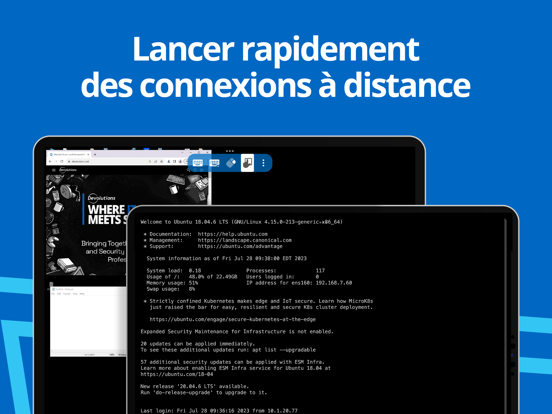
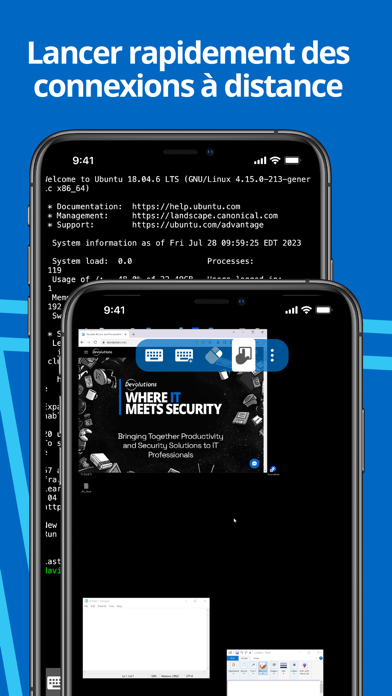
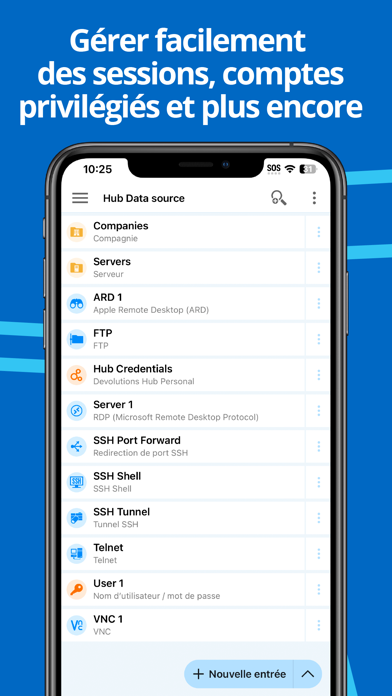
Remote Desktop Manager pour iOS prend en charge le protocole RDP Microsoft, VNC, Apple Remote Desktop (ARD), le shell SSH, le tunnel SSH, le tunnel proxy, TELNET, FTP, TFTP, SFTP, SCP, la console Active Directory, WebDAV, la passerelle RDP Microsoft, l’explorateur Azure Blob Storage, le tableau de bord Amazon AWS, l’explorateur Amazon S3, les sites Web, le transfert de port SSH, Dell iDRAC, HP iLO, BeyondTrust Password Safe et le tableau de bord BeyondTrust Password Safe.

Une fois configurées, les connexions à vos serveurs distants, machines virtuelles et autres postes de travail peuvent être lancées facilement en un seul toucher.


Gestion de mots de passe
==================


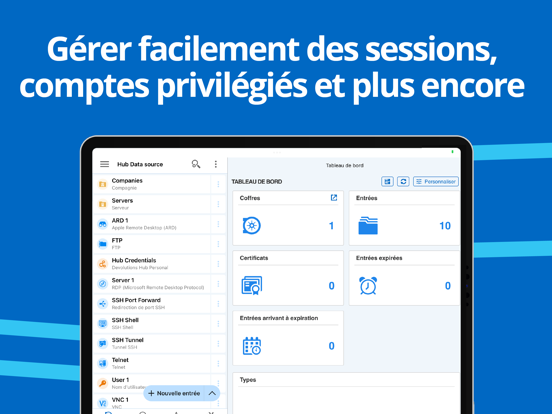
En plus des connexions à distance, Remote Desktop Manager pour iOS vous permet d’enregistrer et de gérer vos mots de passe et vos identifiants à partir de votre base de données centralisée ou de votre fichier XML local. Saisissez facilement vos identifiants et connectez-vous automatiquement partout.


Identifiants
=========


RDM prend en charge les identifiants génériques ainsi que les intégrations suivantes : 1Password, Bitwarden, Dashlane, Keeper, LastPass, One Time Password, Passportal, Password Manager Pro, Passwordstate, Pleasant Password Server, RoboForm, Secret Server, Sticky Password, TeamPass et Zoho Vault, en plus de nos propres produits, Devolutions Cloud et Devolutions Server.


Espaces de travail
=======


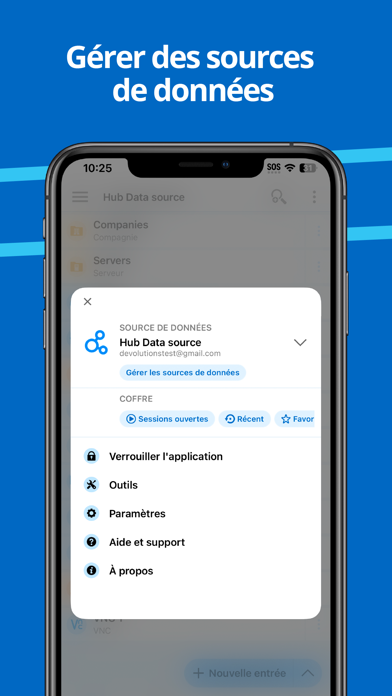
Remote Desktop Manager pour iOS prend en charge les espaces de travail suivants :

-Devolutions Server
-Devolutions Cloud

- XML File

Show More

Quoi de neuf dans la dernière version 2026.2.0

Last updated on Jun 2, 2026
Vieilles Versions
=== RDM (iOS) 2026.2.0.12 ===

Beta

DVLS: "2026.2"

New Features
- Added MFA support for PAM checkout requests
- Added support for multiple checkout mode
- Added support for social login credentials in website entries

Improvements
- [B]Removed Hub Personal data source support
- Added a new empty state screen for new data sources to help users quickly connect or create their first entry
- Added a setting to reset the SSH terminal scrollback when a key is pressed
- Added alphabetical ordering for SFTP sessions
- Added support for two-factor authentication (2FA) in Passwordstate
- Added support for viewing and deleting 23 add-on entry types
- Default elevation group for PAM JIT (Just-In-Time) accounts has been implemented
- Improved error messages for failed RDP connection attempts
- Improved OpenSSH compatibility by supporting the hotkeys-00@openssh.com extension
- Improved the display of checkout status in the entry overview
- Most recently used entries are now saved on the server instead of locally, enabling synchronization across platforms for DVLS data sources
- New modes have been added to the password generator
- Removed the Crypto Wallet entry type
- Users can now export a list of non-sensitive app settings as an XML file when submitting a ticket to our support team
- You can now launch SSH sessions in DVLS using a sealed SSH key
- You can now set a contact photo for contact entries

Fixes
- Fixed a crash that could occur when opening data source notifications
- Fixed a crash that occurred when editing widgets in the root dashboard
- Fixed an issue that caused SFTP entry to be unresponsive when browsing folders
- Fixed an issue where closing the Keeper MFA dialog without entering the one-time password caused an error
- Fixed an issue with importing RDD files from OneDrive
- Fixed Delinea Secret Server resolution when using an OTP
- Fixed incorrect F1-F12 key input in SSH sessions by adding a Keyboard settings section with configurable function key modes
- Fixed missing Favorites entries when using multiple vaults
- Restored the missing "Add Folder" button in Favorites
Show More
Version History
2026.2.0
Jun 2, 2026
=== RDM (iOS) 2026.2.0.12 ===

Beta

DVLS: "2026.2"

New Features
- Added MFA support for PAM checkout requests
- Added support for multiple checkout mode
- Added support for social login credentials in website entries

Improvements
- [B]Removed Hub Personal data source support
- Added a new empty state screen for new data sources to help users quickly connect or create their first entry
- Added a setting to reset the SSH terminal scrollback when a key is pressed
- Added alphabetical ordering for SFTP sessions
- Added support for two-factor authentication (2FA) in Passwordstate
- Added support for viewing and deleting 23 add-on entry types
- Default elevation group for PAM JIT (Just-In-Time) accounts has been implemented
- Improved error messages for failed RDP connection attempts
- Improved OpenSSH compatibility by supporting the hotkeys-00@openssh.com extension
- Improved the display of checkout status in the entry overview
- Most recently used entries are now saved on the server instead of locally, enabling synchronization across platforms for DVLS data sources
- New modes have been added to the password generator
- Removed the Crypto Wallet entry type
- Users can now export a list of non-sensitive app settings as an XML file when submitting a ticket to our support team
- You can now launch SSH sessions in DVLS using a sealed SSH key
- You can now set a contact photo for contact entries

Fixes
- Fixed a crash that could occur when opening data source notifications
- Fixed a crash that occurred when editing widgets in the root dashboard
- Fixed an issue that caused SFTP entry to be unresponsive when browsing folders
- Fixed an issue where closing the Keeper MFA dialog without entering the one-time password caused an error
- Fixed an issue with importing RDD files from OneDrive
- Fixed Delinea Secret Server resolution when using an OTP
- Fixed incorrect F1-F12 key input in SSH sessions by adding a Keyboard settings section with configurable function key modes
- Fixed missing Favorites entries when using multiple vaults
- Restored the missing "Add Folder" button in Favorites

Remote Desktop Manager FAQ

Cliquez ici pour savoir comment télécharger Remote Desktop Manager dans un pays ou une région restreints.
Consultez la liste suivante pour voir les exigences minimales de Remote Desktop Manager.
iPhone
iPad

Vidéos connexes

Latest introduction video of Remote Desktop Manager on iPhone

Alternative à Remote Desktop Manager

Tu pourrais aussi aimer

Obtenir plus de Devolutions Inc.