Remote Desktop Manager

Remote Desktop Manager


Gratis

2026.2.0for iPhone, iPad
Age Rating
4+
Apps in this category do not contain restricted content.
9+
Apps in this category may contain mild or occasional cartoon, fantasy or real-life violence, as well as occasional or mild adult, sexually suggestive or horrifying content and may not be suitable for children under 9 years of age.
12+
Apps in this category may contain occasional mild indecent language, frequent or intense cartoon or real-life violence, minor or occasional adult or sexually suggestive material, and simulated gambling, and may be for children under 12 years of age.
17+
You must be at least 17 years old to access this App.
Apps in this category may contain frequent and intense offensive language; Frequent and intense cartoon, fantasy or realistic violence: frequent and intense adult, scary and sexually suggestive subjects: as well as sexual content, nudity, tobacco, alcohol and drugs, may not be suitable for children under 17 years of age.
Remote Desktop Manager Screenshots
Remote Desktop Manager PlakatRemote Desktop Manager PlakatRemote Desktop Manager PlakatRemote Desktop Manager PlakatRemote Desktop Manager Plakat

About Remote Desktop Manager

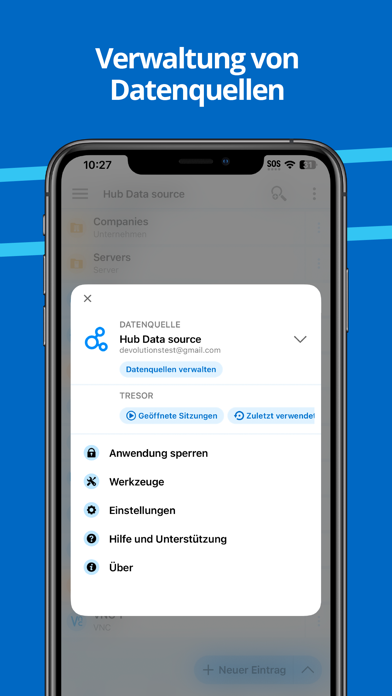
Remote Desktop Manager für iOS ist ein kostenloses Tool, das den Zugriff auf alle Ihre Remote-Verbindungen und Passwörter ermöglicht. Zentralisieren Sie Ihre Verbindungen in arbeitsbereiche. und greifen Sie von überall auf Ihre Daten zu, von unterwegs mit RDM Mobile!

Remote-Verbindungen
================

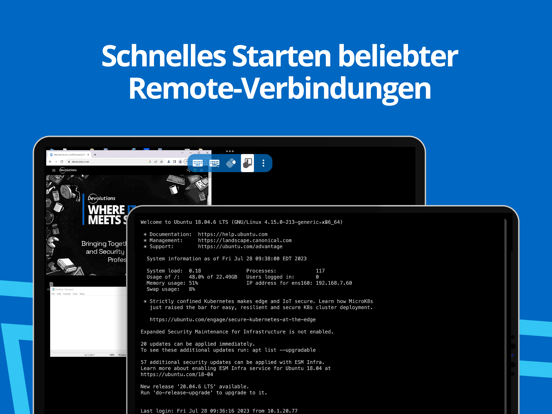
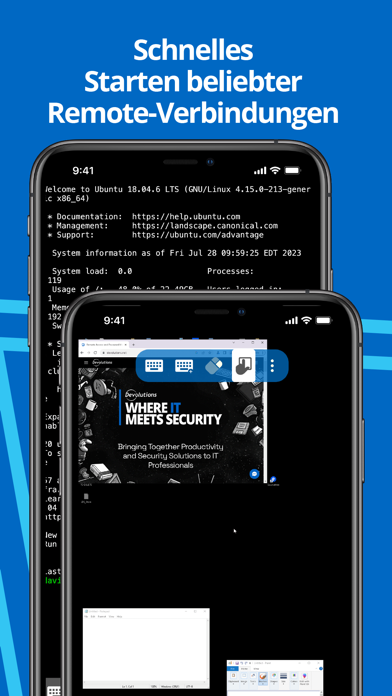
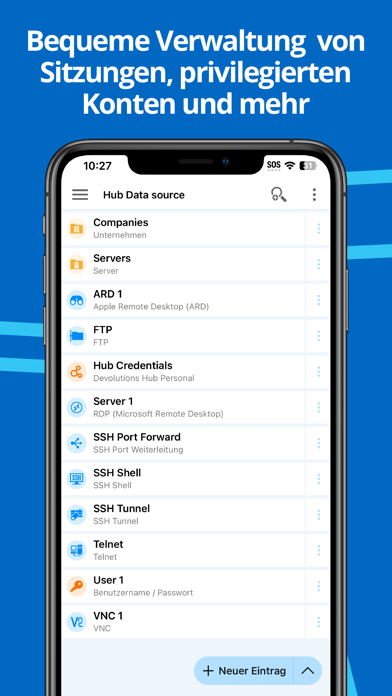
Remote Desktop Manager für iOS unterstützt Microsoft Remote Desktop Protocol (RDP), VNC, Apple Remote Desktop (ARD), SSH Shell, SSH Tunnel, Proxy Tunnel, Telnet, FTP, TFTP, SFTP, SCP, Active Directory Console, WebDAV, Google Drive, Microsoft OneDrive, Microsoft RDP Gateway, Azure Blob Storage Explorer, Amazon AWS Dashboard, Amazon S3 Explorer, Website, Devolutions PAM Dashboard, SSH Port forward, Dell iDRAC, Dropbox Explorer, HP iLO, BeyondTrust Password Safe und BeyondTrust Password Safe Dashboard.

Einmal konfiguriert, lassen sich Verbindungen zu Ihren Remote-Servern, virtuellen Maschinen und anderen Workstations ganz einfach durch einmaliges Antippen herstellen.

Passwort-Verwaltung
================

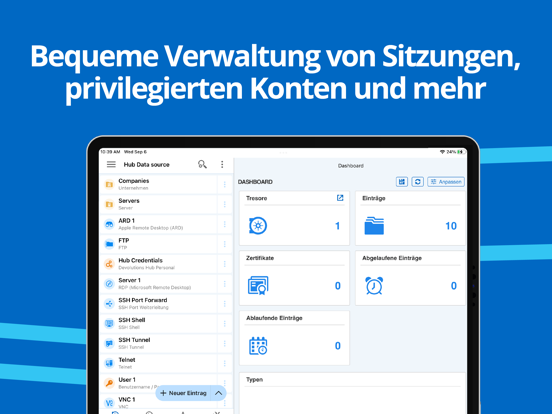
Mit Remote Desktop Manager für iOS können Sie nicht nur Remote-Verbindungen herstellen, sondern auch Ihre Passwörter und Anmeldeinformationen in Ihrer zentralen Datenbank oder Ihrer lokalen XML-Datei speichern und verwalten. Geben Sie einfach Ihre Anmeldedaten ein und melden Sie sich überall automatisch an.

Anmeldeinformationen
================

RDM unterstützt sowohl generische Anmeldedaten als auch die folgenden Integrierungen: 1Password, Bitwarden, Dashlane, Keeper, LastPass, One Time Password, Passportal, Password Manager Pro, Passwordstate, Pleasant Password Server, RoboForm, Secret Server, Sticky Password, TeamPass, True Key und Zoho Vault, zusätzlich zu unseren eigenen Produkten, Devolutions Cloud, Devolutions Server.

Arbeitsbereich.
=======

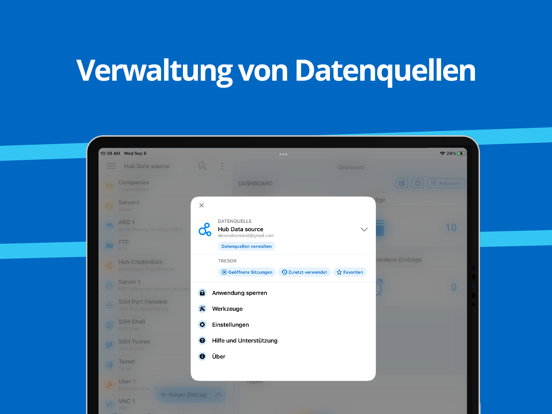
Remote Desktop Manager für Android unterstützt folgende Arbeitsbereiche:

-Devolutions Server
-Devolutions Cloud

- XML File

Show More

Was ist neu in der neuesten Version 2026.2.0

Last updated on Jun 2, 2026
Alte Versionen
=== RDM (iOS) 2026.2.0.12 ===

Beta

DVLS: "2026.2"

New Features
- Added MFA support for PAM checkout requests
- Added support for multiple checkout mode
- Added support for social login credentials in website entries

Improvements
- [B]Removed Hub Personal data source support
- Added a new empty state screen for new data sources to help users quickly connect or create their first entry
- Added a setting to reset the SSH terminal scrollback when a key is pressed
- Added alphabetical ordering for SFTP sessions
- Added support for two-factor authentication (2FA) in Passwordstate
- Added support for viewing and deleting 23 add-on entry types
- Default elevation group for PAM JIT (Just-In-Time) accounts has been implemented
- Improved error messages for failed RDP connection attempts
- Improved OpenSSH compatibility by supporting the hotkeys-00@openssh.com extension
- Improved the display of checkout status in the entry overview
- Most recently used entries are now saved on the server instead of locally, enabling synchronization across platforms for DVLS data sources
- New modes have been added to the password generator
- Removed the Crypto Wallet entry type
- Users can now export a list of non-sensitive app settings as an XML file when submitting a ticket to our support team
- You can now launch SSH sessions in DVLS using a sealed SSH key
- You can now set a contact photo for contact entries

Fixes
- Fixed a crash that could occur when opening data source notifications
- Fixed a crash that occurred when editing widgets in the root dashboard
- Fixed an issue that caused SFTP entry to be unresponsive when browsing folders
- Fixed an issue where closing the Keeper MFA dialog without entering the one-time password caused an error
- Fixed an issue with importing RDD files from OneDrive
- Fixed Delinea Secret Server resolution when using an OTP
- Fixed incorrect F1-F12 key input in SSH sessions by adding a Keyboard settings section with configurable function key modes
- Fixed missing Favorites entries when using multiple vaults
- Restored the missing "Add Folder" button in Favorites
Show More
Version History
2026.2.0
Jun 2, 2026
=== RDM (iOS) 2026.2.0.12 ===

Beta

DVLS: "2026.2"

New Features
- Added MFA support for PAM checkout requests
- Added support for multiple checkout mode
- Added support for social login credentials in website entries

Improvements
- [B]Removed Hub Personal data source support
- Added a new empty state screen for new data sources to help users quickly connect or create their first entry
- Added a setting to reset the SSH terminal scrollback when a key is pressed
- Added alphabetical ordering for SFTP sessions
- Added support for two-factor authentication (2FA) in Passwordstate
- Added support for viewing and deleting 23 add-on entry types
- Default elevation group for PAM JIT (Just-In-Time) accounts has been implemented
- Improved error messages for failed RDP connection attempts
- Improved OpenSSH compatibility by supporting the hotkeys-00@openssh.com extension
- Improved the display of checkout status in the entry overview
- Most recently used entries are now saved on the server instead of locally, enabling synchronization across platforms for DVLS data sources
- New modes have been added to the password generator
- Removed the Crypto Wallet entry type
- Users can now export a list of non-sensitive app settings as an XML file when submitting a ticket to our support team
- You can now launch SSH sessions in DVLS using a sealed SSH key
- You can now set a contact photo for contact entries

Fixes
- Fixed a crash that could occur when opening data source notifications
- Fixed a crash that occurred when editing widgets in the root dashboard
- Fixed an issue that caused SFTP entry to be unresponsive when browsing folders
- Fixed an issue where closing the Keeper MFA dialog without entering the one-time password caused an error
- Fixed an issue with importing RDD files from OneDrive
- Fixed Delinea Secret Server resolution when using an OTP
- Fixed incorrect F1-F12 key input in SSH sessions by adding a Keyboard settings section with configurable function key modes
- Fixed missing Favorites entries when using multiple vaults
- Restored the missing "Add Folder" button in Favorites

Remote Desktop Manager FAQ

Klicken Sie hier, um zu erfahren, wie Sie Remote Desktop Manager in eingeschränkten Ländern oder Regionen herunterladen können.
Überprüfen Sie die folgende Liste, um die Mindestanforderungen von Remote Desktop Manager zu sehen.
iPhone
iPad

Ähnliche Videos

Latest introduction video of Remote Desktop Manager on iPhone

Remote Desktop Manager Alternative

Das könnte Ihnen auch gefallen

Erhalte mehr von Devolutions Inc.