ClassLink Analytics
무료
5.1for iPhone, iPod touch
Age Rating
ClassLink Analytics 스크린 샷
About ClassLink Analytics
ClassLink Analytics is designed for School Administrators who use ClassLink OneClick at their schools.
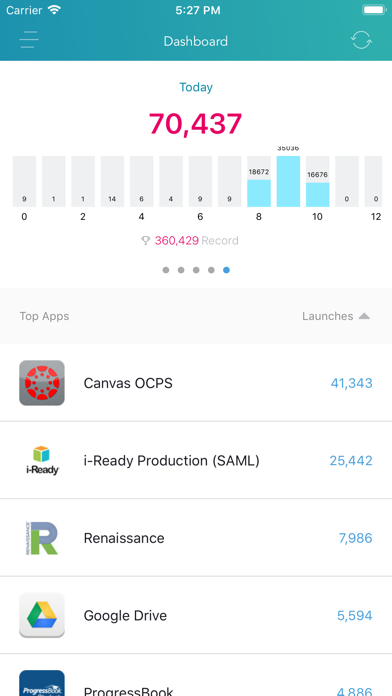
No more guessing if people are using your instructional technology investments. With ClassLink Analytics, school administrators have 24/7 access to login and web-app usage reports from their mobile devices.
When you are in a meeting and your leadership team asks, “Does anyone here even know if people are using that software we spent all that money on?” With ClassLink Analytics, you can be the one with the answer.
Included Reports:
Most Popular Web-Apps
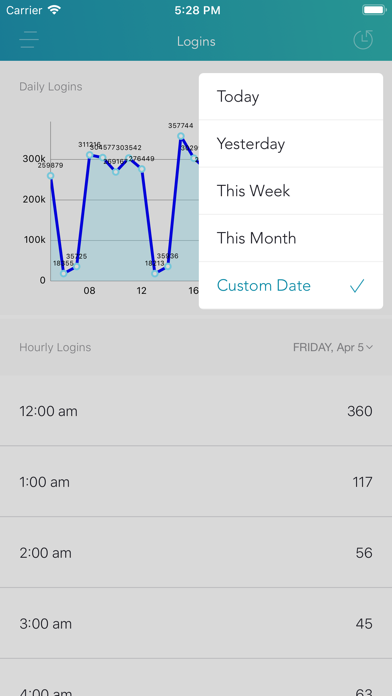
Logins by Hour, Day, Week, Month, & Custom Date Range
Web-App use by Hour, Day, Week, Month, & Custom Date Range
PLEASE NOTE:
Your school or organisation must have ClassLink for this app to work.
Your ClassLink login needs to have permission to access ClassLink Analytics (inquire with your technology department or email helpdesk@classlink.com).

No more guessing if people are using your instructional technology investments. With ClassLink Analytics, school administrators have 24/7 access to login and web-app usage reports from their mobile devices.
When you are in a meeting and your leadership team asks, “Does anyone here even know if people are using that software we spent all that money on?” With ClassLink Analytics, you can be the one with the answer.
Included Reports:
Most Popular Web-Apps
Logins by Hour, Day, Week, Month, & Custom Date Range
Web-App use by Hour, Day, Week, Month, & Custom Date Range
PLEASE NOTE:
Your school or organisation must have ClassLink for this app to work.
Your ClassLink login needs to have permission to access ClassLink Analytics (inquire with your technology department or email helpdesk@classlink.com).
Show More
최신 버전 5.1의 새로운 기능
Last updated on Mar 27, 2020
오래된 버전
Fixed login with School Code
Show More
Version History
5.1
Mar 27, 2020
Fixed login with School Code
5.0
May 15, 2019
-Added Authentication through your mobile authenticator application of choice;
-Bug fixes and improvements;
4.3
Oct 12, 2018
Added login with ADFS
4.2
Sep 6, 2018
-Added the 2-Factor Authentication feature similar to the web app;
-Bug fixes and improvements;
4.1
Aug 22, 2018
Please update to the newest version of the app, the older ones won't be supported anymore!
4.0
Aug 2, 2018
-Added the School Districts list and the same login methods as on the LaunchPad ClassLink mobile app and web app;
-Bug fixes and improvements;
3.0
May 9, 2018
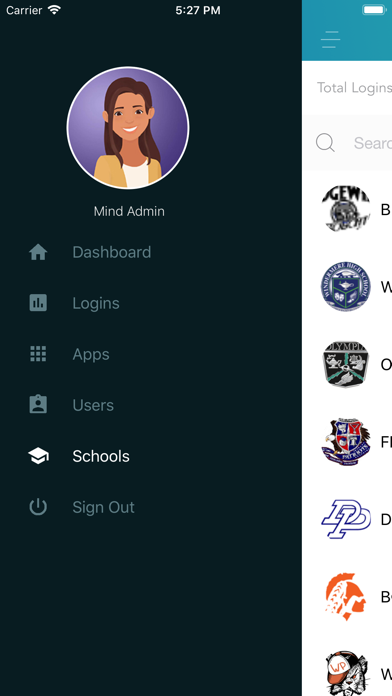
Here's what's new in 3.0: Added Schools section similar to the web app; now you can view your district's individual school logins and apps usage
2.1
Nov 11, 2017
Bug fixes.
2.0
Oct 13, 2017
Bug fixing.
1.3
Apr 14, 2017
Bug fixes and improvements.
1.2
Mar 20, 2017
Added Google sign-in
1.1
Mar 16, 2017
- Added auto-login;
- Minor bug fixes;
- Minor bug fixes;
1.0.1
Dec 10, 2016
Bug fixes.
1.0
Dec 8, 2016
ClassLink Analytics FAQ
제한된 국가 또는 지역에서 ClassLink Analytics를 다운로드하는 방법을 알아보려면 여기를 클릭하십시오.
ClassLink Analytics의 최소 요구 사항을 보려면 다음 목록을 확인하십시오.
iPhone
iOS 10.0 이상 필요.
iPod touch
iOS 10.0 이상 필요.
ClassLink Analytics은 다음 언어를 지원합니다. 영어