Surface Level
Free
1.0for iPhone
Age Rating
Surface Level 스크린 샷
About Surface Level
Description
Surface Level is a unique application that provides the “Do it Yourselfer” with a precision level right in their pocket. Whether you need to fix a crooked desk or build custom shelving, Surface Level is the app you need!
Included Features:
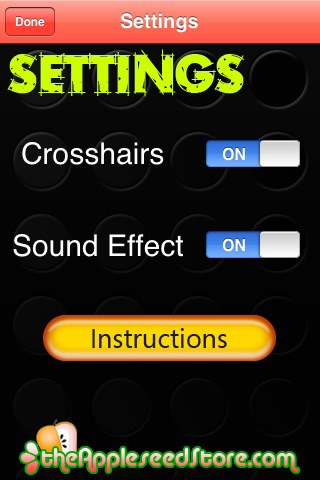
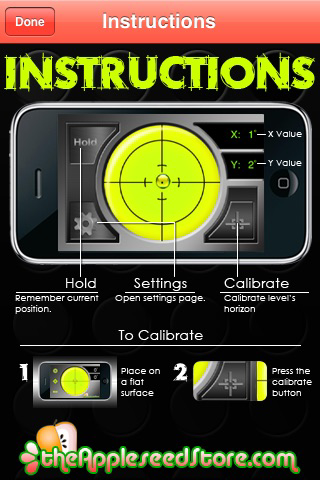
- Hold Function
- Sound Alert
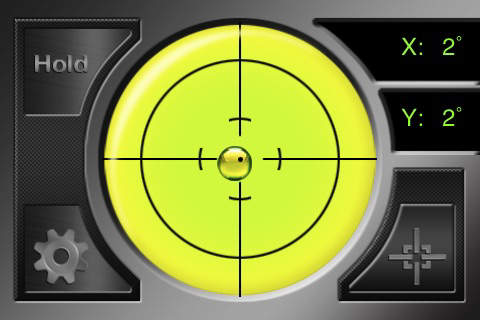
- Precision Markers
- Angle Readout
Calibration Instructions:
To make the level more accurate, you may need to calibrate before use.
To calibrate:
1. Find a flat surface.
2. Place your device flat on its back
3. Press Calibration Button. The button is highlighted
indicating a calibrated angle is saved.
4. Pressing the Calibrate button again zeros the calibration
angle

Surface Level is a unique application that provides the “Do it Yourselfer” with a precision level right in their pocket. Whether you need to fix a crooked desk or build custom shelving, Surface Level is the app you need!
Included Features:
- Hold Function
- Sound Alert
- Precision Markers
- Angle Readout
Calibration Instructions:
To make the level more accurate, you may need to calibrate before use.
To calibrate:
1. Find a flat surface.
2. Place your device flat on its back
3. Press Calibration Button. The button is highlighted
indicating a calibrated angle is saved.
4. Pressing the Calibrate button again zeros the calibration
angle
Show More
최신 버전 1.0의 새로운 기능
Last updated on Aug 26, 2010
Version History
1.0
Aug 26, 2010
Surface Level FAQ
제한된 국가 또는 지역에서 Surface Level를 다운로드하는 방법을 알아보려면 여기를 클릭하십시오.
Surface Level의 최소 요구 사항을 보려면 다음 목록을 확인하십시오.
iPhone
Surface Level은 다음 언어를 지원합니다. English