Surface Level
Free
1.0for iPhone
Age Rating
Surface Level Screenshots
About Surface Level
Description
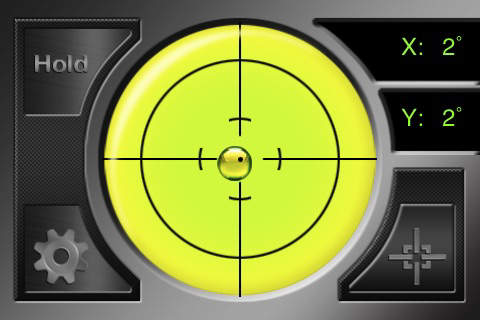
Surface Level is a unique application that provides the “Do it Yourselfer” with a precision level right in their pocket. Whether you need to fix a crooked desk or build custom shelving, Surface Level is the app you need!
Included Features:
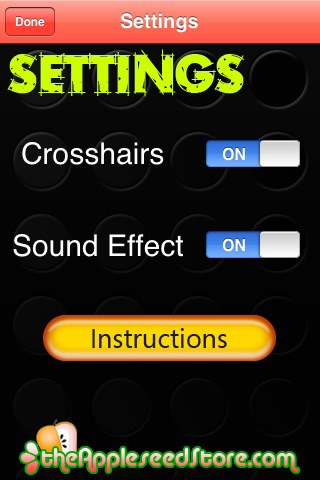
- Hold Function
- Sound Alert
- Precision Markers
- Angle Readout
Calibration Instructions:
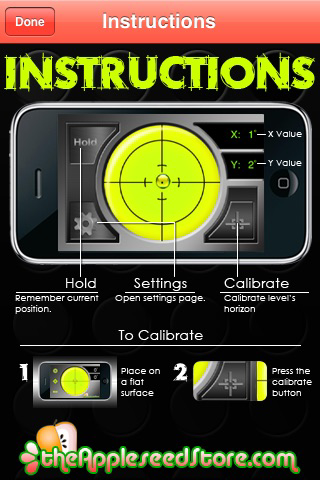
To make the level more accurate, you may need to calibrate before use.
To calibrate:
1. Find a flat surface.
2. Place your device flat on its back
3. Press Calibration Button. The button is highlighted
indicating a calibrated angle is saved.
4. Pressing the Calibrate button again zeros the calibration
angle

Surface Level is a unique application that provides the “Do it Yourselfer” with a precision level right in their pocket. Whether you need to fix a crooked desk or build custom shelving, Surface Level is the app you need!
Included Features:
- Hold Function
- Sound Alert
- Precision Markers
- Angle Readout
Calibration Instructions:
To make the level more accurate, you may need to calibrate before use.
To calibrate:
1. Find a flat surface.
2. Place your device flat on its back
3. Press Calibration Button. The button is highlighted
indicating a calibrated angle is saved.
4. Pressing the Calibrate button again zeros the calibration
angle
Show More
What's New in the Latest Version 1.0
Last updated on Aug 26, 2010
Version History
1.0
Aug 26, 2010
Surface Level FAQ
Click here to learn how to download Surface Level in restricted country or region.
Check the following list to see the minimum requirements of Surface Level.
iPhone
Surface Level supports English