Surface Level
Free
1.0for iPhone
Age Rating
Surface Level 螢幕截圖
About Surface Level
Description
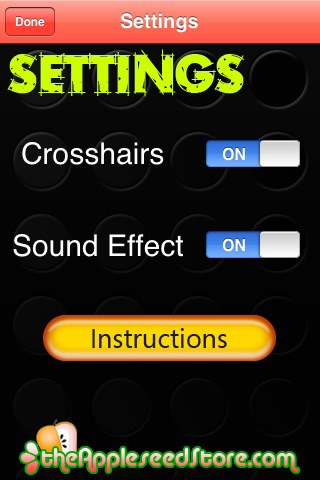
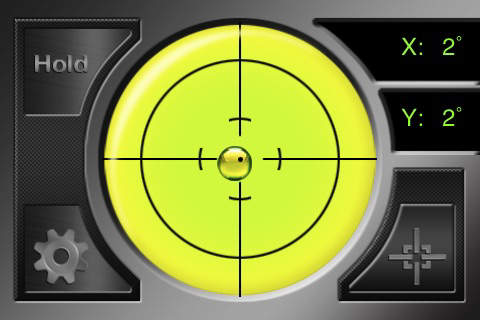
Surface Level is a unique application that provides the “Do it Yourselfer” with a precision level right in their pocket. Whether you need to fix a crooked desk or build custom shelving, Surface Level is the app you need!
Included Features:
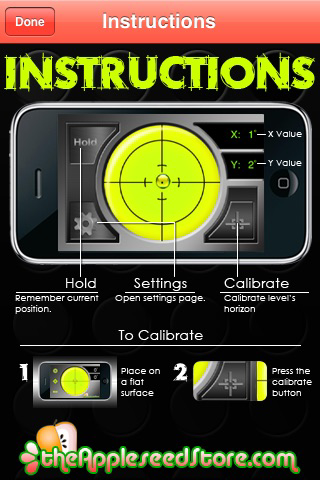
- Hold Function
- Sound Alert
- Precision Markers
- Angle Readout
Calibration Instructions:
To make the level more accurate, you may need to calibrate before use.
To calibrate:
1. Find a flat surface.
2. Place your device flat on its back
3. Press Calibration Button. The button is highlighted
indicating a calibrated angle is saved.
4. Pressing the Calibrate button again zeros the calibration
angle

Surface Level is a unique application that provides the “Do it Yourselfer” with a precision level right in their pocket. Whether you need to fix a crooked desk or build custom shelving, Surface Level is the app you need!
Included Features:
- Hold Function
- Sound Alert
- Precision Markers
- Angle Readout
Calibration Instructions:
To make the level more accurate, you may need to calibrate before use.
To calibrate:
1. Find a flat surface.
2. Place your device flat on its back
3. Press Calibration Button. The button is highlighted
indicating a calibrated angle is saved.
4. Pressing the Calibrate button again zeros the calibration
angle
Show More
最新版本1.0更新日誌
Last updated on 2010年08月26日
Version History
1.0
2010年08月26日
Surface Level FAQ
點擊此處瞭解如何在受限國家或地區下載Surface Level。
以下為Surface Level的最低配置要求。
iPhone
Surface Level支持English