Sleep++
Free
4.7.3for iPhone
Age Rating
Sleep++ Screenshots
About Sleep++
Use your Apple Watch to AUTOMATICALLY track your sleep!
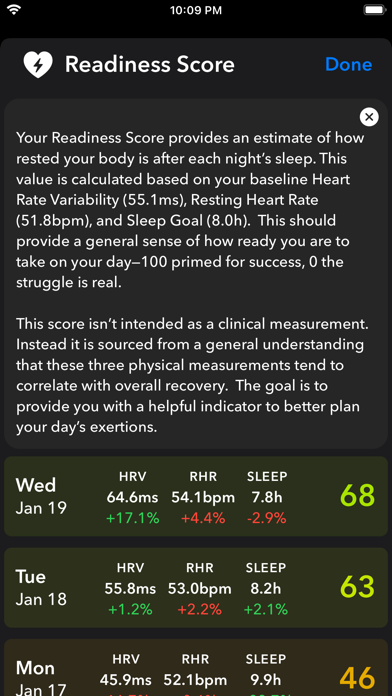
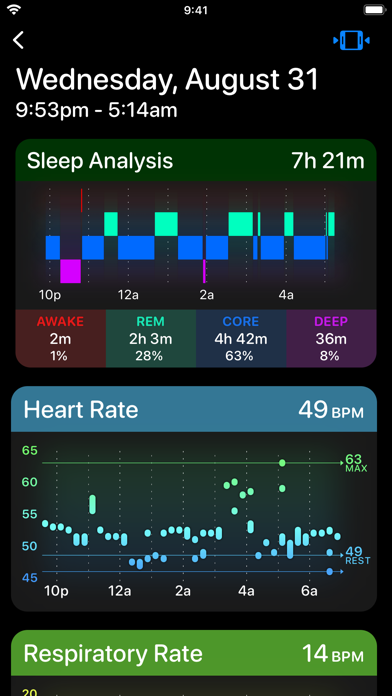
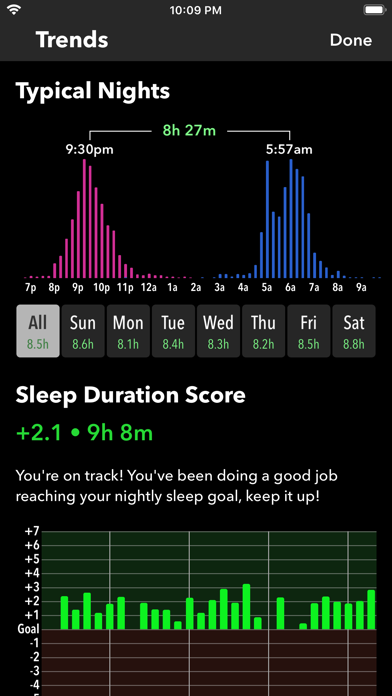
Sleep++ takes advantage of the motion and health monitoring capabilities of your Apple Watch to measure both the duration and quality of your sleep. The better you understand how well you are sleeping the more you are able to make changes in your routines to benefit your rest.
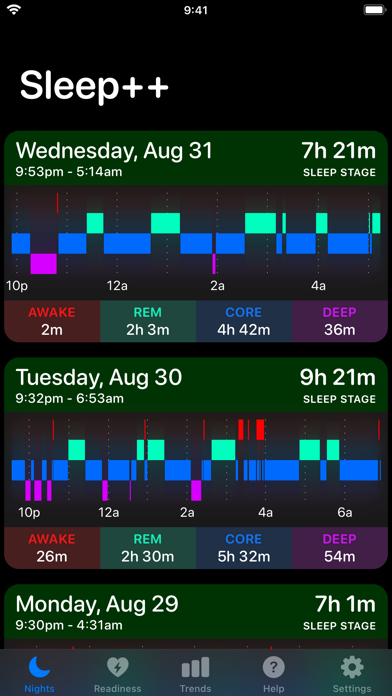
My goal is to provide every Apple Watch owner with a free automatic sleep tracker that is simple and clear to understand. For each night you get a straightforward report of how long you slept and how restful you were during the night.
AUTOMATIC MODE:
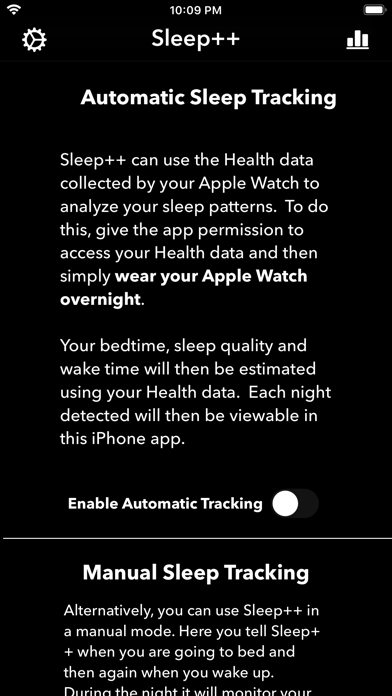
Simply wear your Apple Watch overnight and each morning Sleep++ will analyze your sleep and give you a report about how long and restfully you slept.
MANUAL MODE:
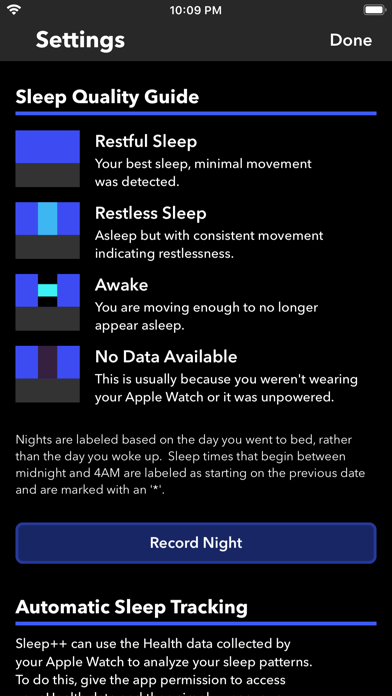
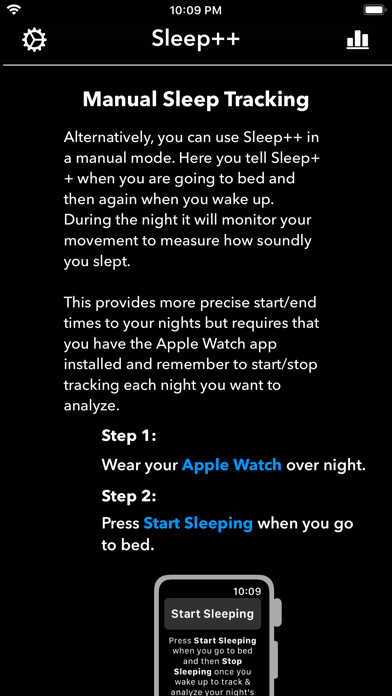
If you want to have more precise control over the start/end time of each night recorded you can also use manual sleep tracking. This is also useful if your nightly routine makes it difficult for Sleep++ to determine when you went to bed.
1) Wear your Apple Watch while you sleep.
2) Tell Sleep++ when you start sleeping.
3) Tell Sleep++ when you wake up.
NOTES:
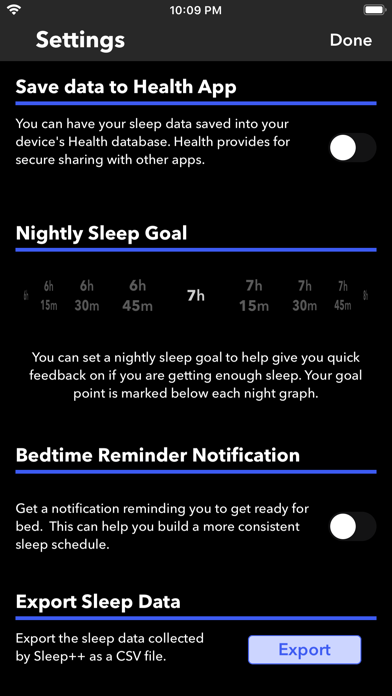
Sleep++ integrates with the Health App providing you a safe and private way to share your activity data with Sleep++. This data is used for automatic sleep tracking. You can also optionally have Sleep++ save your Sleep Analysis into your Health database after each night.

Sleep++ takes advantage of the motion and health monitoring capabilities of your Apple Watch to measure both the duration and quality of your sleep. The better you understand how well you are sleeping the more you are able to make changes in your routines to benefit your rest.
My goal is to provide every Apple Watch owner with a free automatic sleep tracker that is simple and clear to understand. For each night you get a straightforward report of how long you slept and how restful you were during the night.
AUTOMATIC MODE:
Simply wear your Apple Watch overnight and each morning Sleep++ will analyze your sleep and give you a report about how long and restfully you slept.
MANUAL MODE:
If you want to have more precise control over the start/end time of each night recorded you can also use manual sleep tracking. This is also useful if your nightly routine makes it difficult for Sleep++ to determine when you went to bed.
1) Wear your Apple Watch while you sleep.
2) Tell Sleep++ when you start sleeping.
3) Tell Sleep++ when you wake up.
NOTES:
Sleep++ integrates with the Health App providing you a safe and private way to share your activity data with Sleep++. This data is used for automatic sleep tracking. You can also optionally have Sleep++ save your Sleep Analysis into your Health database after each night.
Show More
What's New in the Latest Version 4.7.3
Last updated on Apr 28, 2026
Old Versions
This update says sweet dreams to some minor issues.
Show More
Version History
4.7.3
Apr 28, 2026
This update says sweet dreams to some minor issues.
Sleep++ FAQ
Click here to learn how to download Sleep++ in restricted country or region.
Check the following list to see the minimum requirements of Sleep++.
iPhone