Note Anytime
Grátis
2.0.0for iPhone, iPad and more
1.9
1 Ratings
Kuo Yang Chang
Developer
21,1 MB
Size
Nov 16, 2016
Update Date
Productivity
Category
4+
Age Rating
Age Rating
Note Anytime Capturas de tela
About Note Anytime
Com o Note Anytime, você pode acompanhar coisas incríveis a qualquer hora e lugar.
Guarde suas ideias o tempo todo
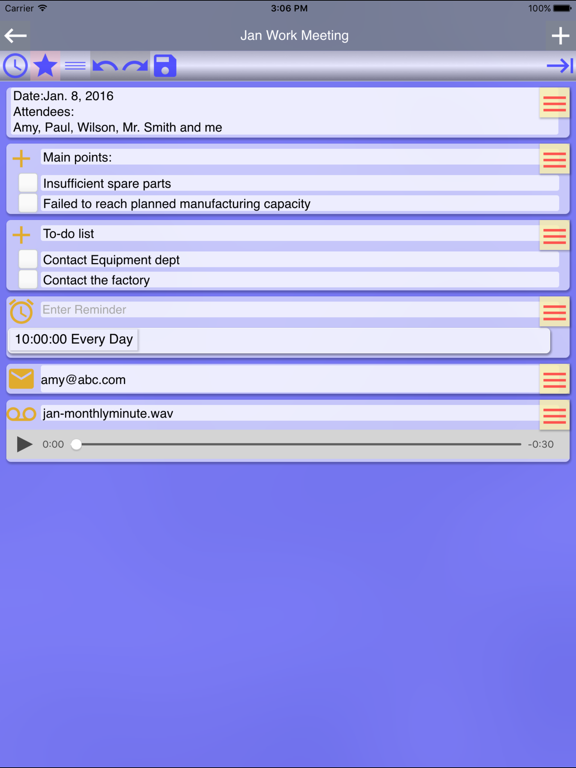
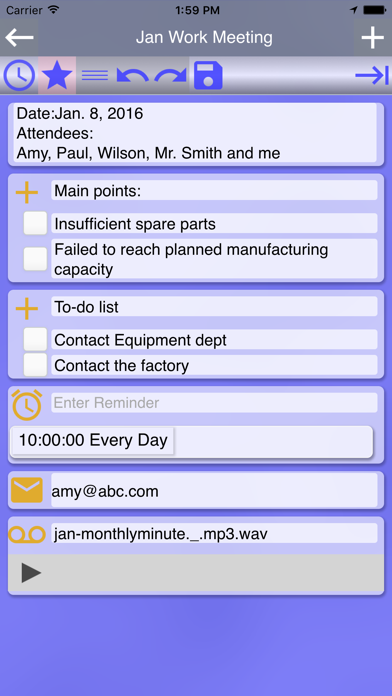
Adicione notas, lembretes, tire fotos/grave vídeos para registrar seus pensamentos em tempo real.Recupere locais e salve números de telefone para ligar mais tarde.Compartilhe notas em qualquer lugar.
Agrupe suas notas
Categorize suas notas com diferentes cores, identificadores e categorias, para que as notas de uma mesma categoria apareçam juntas.
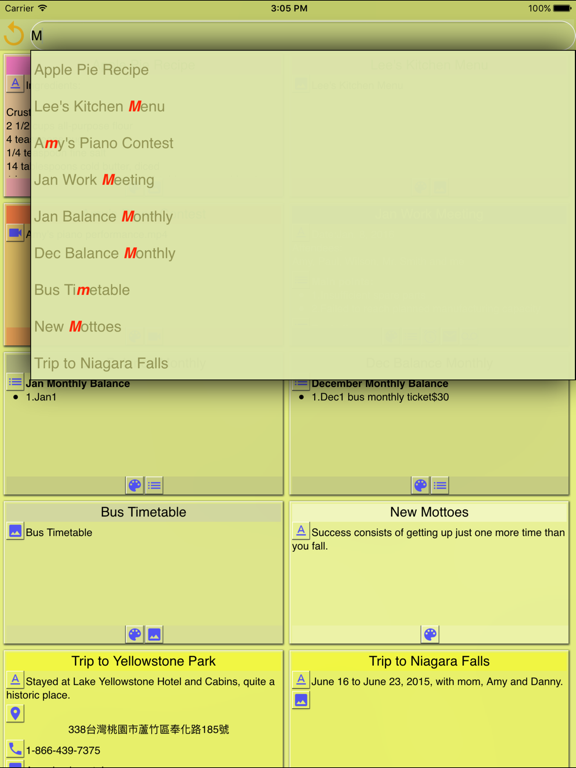
Pesquisa inteligente
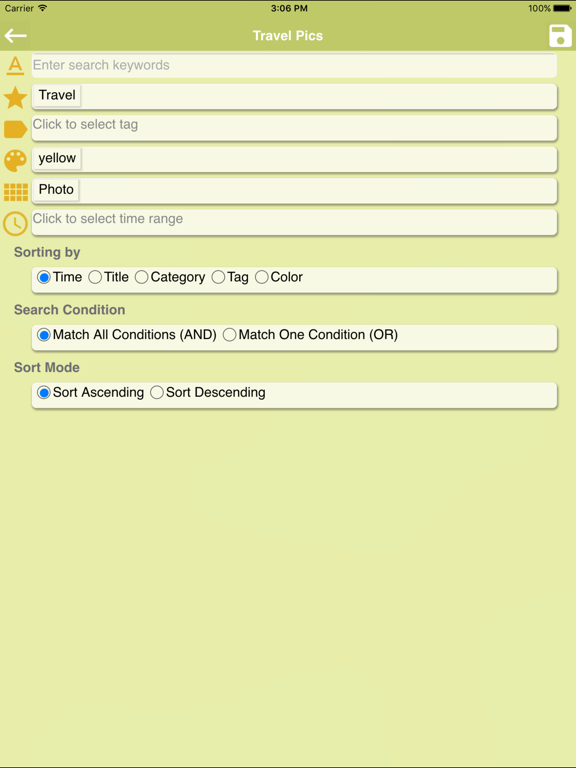
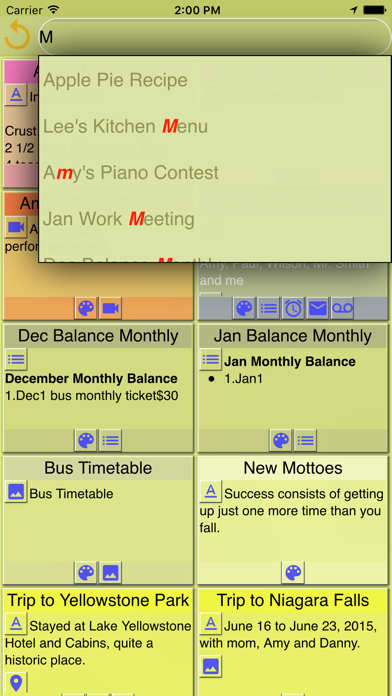
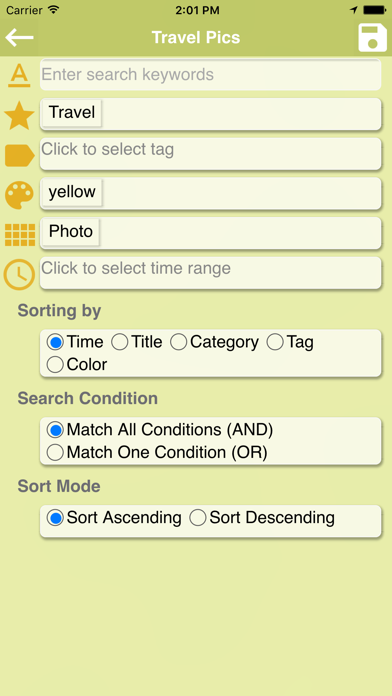
Você pode fazer Pesquisas rápidas ou utilizar a Pesquisa inteligente para realizar buscas multi-parâmetros e gerenciar os registros.
Use em sua vida
‧Salve sua localização quando estiver em algum local que não conhece, para que possa revisitá-lo novamente.
‧Em um restaurante ou lanchonete, você pode tirar fotos de pratos e do menu, digitar um número de telefone ou obter uma localização e salvar todas essas informações em uma única nota para compartilhar com outras pessoas, realizar uma reserva, etc.
Recursos principais
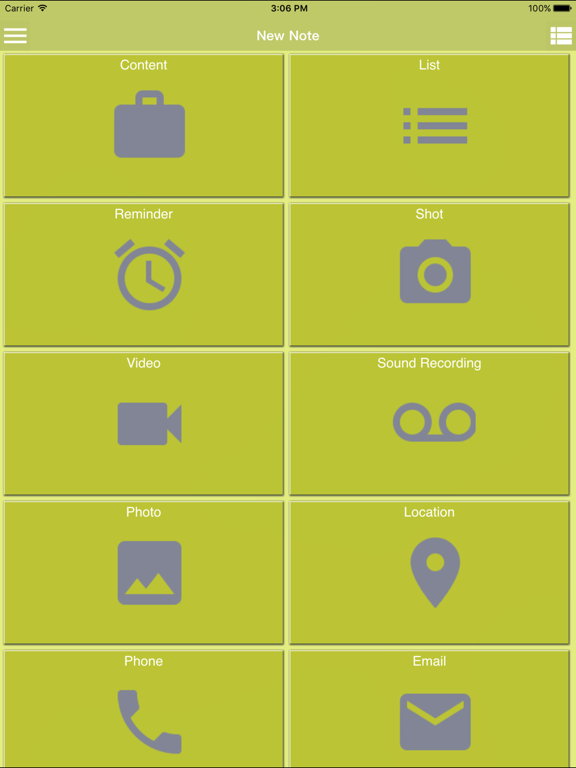
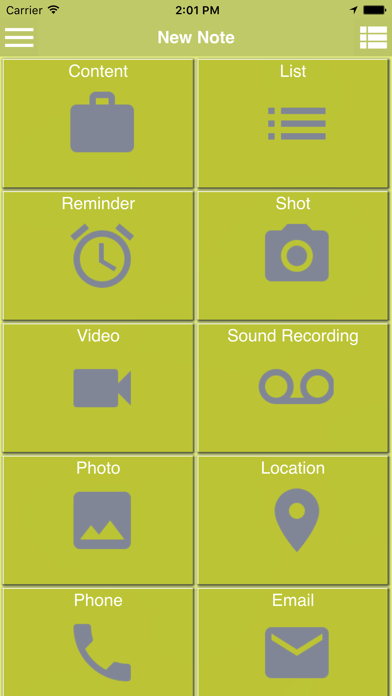
‧ Você pode criar uma nota com os diferentes tipos de componentes a seguir ou adicioná-los a notas:
- Criar um componente de texto
- Criar um lembrete único ou recorrente
- Usar a câmera para tirar uma foto e registrar o que você está pensando
- Usar a câmera para gravar um vídeo e guardar seus sentimentos
- Criar um componente de voz e adicionar anotações utilizando o Gravador de Voz
- Criar um componente de texto utilizando o componente de Voz
- Selecionar uma foto, vídeo ou nota de voz em seu telefone para cirar um componente
- Use o Localizador de componentes, o local atual é recuperado automaticamente.Você pode mover e redefinir âncoras livremente, pesquisar locais próximos e de qualquer tipo.Além disso, você pode planejar o itinerário de um passeio e gerar um mapa para o próximo destino
- Criar um componente no celular para que você possa clicar no número e fazer uma chamada
- Criar um componente de e-mail e clicar nele para compartilhar uma nota
‧O Note Anytime é uma ferramenta dinâmica que pode ser utilizada para:
- Compartilhar o conteúdo de suas notas com qualquer outro app
- Enviá-lo via e-mail
- Enviá-lo via SMS
‧Sendo uma ferramenta de gerenciamento de notas, você conta com as seguintes ações com as notas selcionadas:
- Exclui-las
- Adicionar tags para tema sem afetar os já existentes nas notas
- Remover categorias para tags criadas
- Configurar categorias, tags e/ou cores
‧Excluir categorias e tags que você criou.
‧Editar o filtro da página inicial nas Configurações para filtrar as notas que você quer exibir em sua página inicial.Os parâmetros dos filtros podem ser definidos de acordo com palavras-chave, categorias, cores, tipos de componentes e/ou data de modificação.Você também pode editar a ordem por data, título, categoria, tag ou cor.
‧A Pesquisa inteligente possibilita a definição de multi-parâmetros e o gerenciamento de itens de busca, reutilizáveis.
‧A ordem das categorias, tags e cores pode ser configurada
‧Importe dados exportados para restaurar notas anteriores

Guarde suas ideias o tempo todo
Adicione notas, lembretes, tire fotos/grave vídeos para registrar seus pensamentos em tempo real.Recupere locais e salve números de telefone para ligar mais tarde.Compartilhe notas em qualquer lugar.
Agrupe suas notas
Categorize suas notas com diferentes cores, identificadores e categorias, para que as notas de uma mesma categoria apareçam juntas.
Pesquisa inteligente
Você pode fazer Pesquisas rápidas ou utilizar a Pesquisa inteligente para realizar buscas multi-parâmetros e gerenciar os registros.
Use em sua vida
‧Salve sua localização quando estiver em algum local que não conhece, para que possa revisitá-lo novamente.
‧Em um restaurante ou lanchonete, você pode tirar fotos de pratos e do menu, digitar um número de telefone ou obter uma localização e salvar todas essas informações em uma única nota para compartilhar com outras pessoas, realizar uma reserva, etc.
Recursos principais
‧ Você pode criar uma nota com os diferentes tipos de componentes a seguir ou adicioná-los a notas:
- Criar um componente de texto
- Criar um lembrete único ou recorrente
- Usar a câmera para tirar uma foto e registrar o que você está pensando
- Usar a câmera para gravar um vídeo e guardar seus sentimentos
- Criar um componente de voz e adicionar anotações utilizando o Gravador de Voz
- Criar um componente de texto utilizando o componente de Voz
- Selecionar uma foto, vídeo ou nota de voz em seu telefone para cirar um componente
- Use o Localizador de componentes, o local atual é recuperado automaticamente.Você pode mover e redefinir âncoras livremente, pesquisar locais próximos e de qualquer tipo.Além disso, você pode planejar o itinerário de um passeio e gerar um mapa para o próximo destino
- Criar um componente no celular para que você possa clicar no número e fazer uma chamada
- Criar um componente de e-mail e clicar nele para compartilhar uma nota
‧O Note Anytime é uma ferramenta dinâmica que pode ser utilizada para:
- Compartilhar o conteúdo de suas notas com qualquer outro app
- Enviá-lo via e-mail
- Enviá-lo via SMS
‧Sendo uma ferramenta de gerenciamento de notas, você conta com as seguintes ações com as notas selcionadas:
- Exclui-las
- Adicionar tags para tema sem afetar os já existentes nas notas
- Remover categorias para tags criadas
- Configurar categorias, tags e/ou cores
‧Excluir categorias e tags que você criou.
‧Editar o filtro da página inicial nas Configurações para filtrar as notas que você quer exibir em sua página inicial.Os parâmetros dos filtros podem ser definidos de acordo com palavras-chave, categorias, cores, tipos de componentes e/ou data de modificação.Você também pode editar a ordem por data, título, categoria, tag ou cor.
‧A Pesquisa inteligente possibilita a definição de multi-parâmetros e o gerenciamento de itens de busca, reutilizáveis.
‧A ordem das categorias, tags e cores pode ser configurada
‧Importe dados exportados para restaurar notas anteriores
Show More
Novidades da Última Versão 2.0.0
Last updated on Nov 16, 2016
Versões Antigas
Este app foi atualizado pela Apple para exibir o ícone do app Apple Watch.
1. Add a feature that a note created on each category, tag or color screen is automatically set with the same category, tag or color.
2. Add a feature that a note is selected after holding it down.
3. Add three languages—Spanish, French and Japanese.
1. Add a feature that a note created on each category, tag or color screen is automatically set with the same category, tag or color.
2. Add a feature that a note is selected after holding it down.
3. Add three languages—Spanish, French and Japanese.
Show More
Version History
2.0.0
Nov 16, 2016
Este app foi atualizado pela Apple para exibir o ícone do app Apple Watch.
1. Add a feature that a note created on each category, tag or color screen is automatically set with the same category, tag or color.
2. Add a feature that a note is selected after holding it down.
3. Add three languages—Spanish, French and Japanese.
1. Add a feature that a note created on each category, tag or color screen is automatically set with the same category, tag or color.
2. Add a feature that a note is selected after holding it down.
3. Add three languages—Spanish, French and Japanese.
1.9.0
Oct 27, 2016
1. Add a feature that a note created on each category, tag or color screen is automatically set with the same category, tag or color.
2. Add a feature that a note is selected after holding it down.
3. Fix a few issues to enhance performance.
2. Add a feature that a note is selected after holding it down.
3. Fix a few issues to enhance performance.
1.8.1
Sep 30, 2016
1.Fix an occasional issue of a flickering screen
2.Add a Help
3.Now a thumbnail for a video is displayed.
4.A link to video tutorials is added.
5.Fix the issue that text in components isn't searched in a quick search.
6.Fixed iOS 10 feature
2.Add a Help
3.Now a thumbnail for a video is displayed.
4.A link to video tutorials is added.
5.Fix the issue that text in components isn't searched in a quick search.
6.Fixed iOS 10 feature
1.8.0
Sep 28, 2016
1.Fix an occasional issue of a flickering screen
2.Add a Help
3.Now a thumbnail for a video is displayed.
4.A link to video tutorials is added.
5.Fix the issue that text in components isn't searched in a quick search.
2.Add a Help
3.Now a thumbnail for a video is displayed.
4.A link to video tutorials is added.
5.Fix the issue that text in components isn't searched in a quick search.
1.7.0
Jul 19, 2016
1. Add a feature of multiple-selecting notes, so as to delete multiple notes, assign a category, tags, or a color to multiple notes, add/remove several tags to/from multiple notes.
2. Add a feature of configuring the display of memo icons
3. In Settings, remove Search Mode and Sort Mode and integrate both into Edit Home Filter.
4. Fix the issue that all notes are shown when no notes are found after doing a search at Home.
5. Fix the issue caused by turning off a reminder.
6. Fix the issue that items in a list memo aren't searched while doing an instant search.
2. Add a feature of configuring the display of memo icons
3. In Settings, remove Search Mode and Sort Mode and integrate both into Edit Home Filter.
4. Fix the issue that all notes are shown when no notes are found after doing a search at Home.
5. Fix the issue caused by turning off a reminder.
6. Fix the issue that items in a list memo aren't searched while doing an instant search.
1.6.1
May 23, 2016
1. Fix the bug that a pop-up menu displayed incorrectly when doing instant search
2. Fix an issue with List memo to remove extra numbers
3. Fix an issue with Reminder memo to remove remaining information from last input
2. Fix an issue with List memo to remove extra numbers
3. Fix an issue with Reminder memo to remove remaining information from last input
1.6.0
May 2, 2016
1. For home search, all texts and descriptions can now be searched, and the process is improved.
2. Add a direct editing mode in the settings. Upon switching on, you can edit notes directly when entering them.
3. The feature of editing home filter is newly added to filter the notes you'd like to display on Home.
4. Fix the issue that audio files and videos play repeatedly.
5. Fix the issue that partial map memo might overlap.
6. Fix the issue that the first checkbox in a list disappear.
7. Fix the issue that the buttons above a map component might disappear.
2. Add a direct editing mode in the settings. Upon switching on, you can edit notes directly when entering them.
3. The feature of editing home filter is newly added to filter the notes you'd like to display on Home.
4. Fix the issue that audio files and videos play repeatedly.
5. Fix the issue that partial map memo might overlap.
6. Fix the issue that the first checkbox in a list disappear.
7. Fix the issue that the buttons above a map component might disappear.
1.5.0
Apr 15, 2016
1. To polish the UI, the default color of the app is slightly adjusted.
2. In Search home, the title of all saved search favorites are now editable.
3. Planning a tour itinerary through Location service is newly added. Plan ahead and use the itinerary to initiate Google Map to navigate to your next destination along the way. It’s reusable.
4. The detailed features of planning a tour itinerary include retrieving current location automatically, moving and resetting the anchor freely, searching any location, and searching nearby locations.
2. In Search home, the title of all saved search favorites are now editable.
3. Planning a tour itinerary through Location service is newly added. Plan ahead and use the itinerary to initiate Google Map to navigate to your next destination along the way. It’s reusable.
4. The detailed features of planning a tour itinerary include retrieving current location automatically, moving and resetting the anchor freely, searching any location, and searching nearby locations.
1.1.0
Mar 17, 2016
1. Modify an issue of language and region.
2. Improve the performance of the app.
1.0.0
Mar 11, 2016
Note Anytime FAQ
Clique aqui para saber como baixar Note Anytime em um país ou região restrita.
Confira a lista a seguir para ver os requisitos mínimos de Note Anytime.
iPhone
Requer o iOS 7.0 ou posterior.
iPad
Requer o iPadOS 7.0 ou posterior.
iPod touch
Requer o iOS 7.0 ou posterior.
Note Anytime suporta Inglês